
Project Alpha
A Sci-Fi Mod about travelling back to Alpha Minecraft
Screenshots
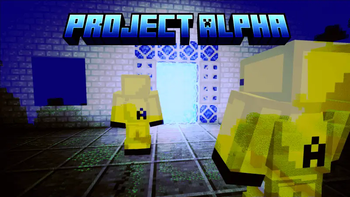
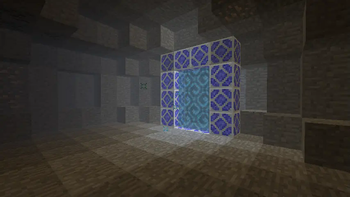
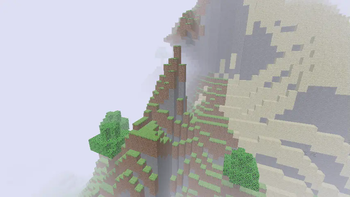
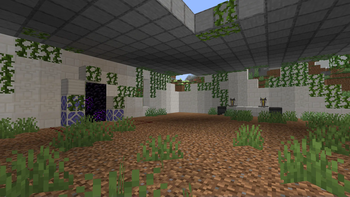
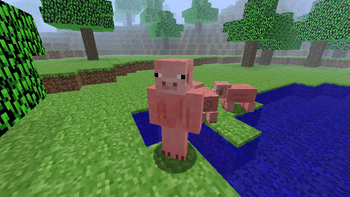
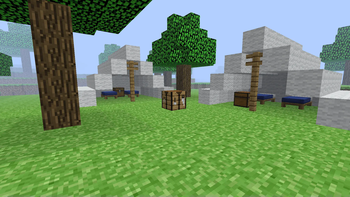
About this Mod
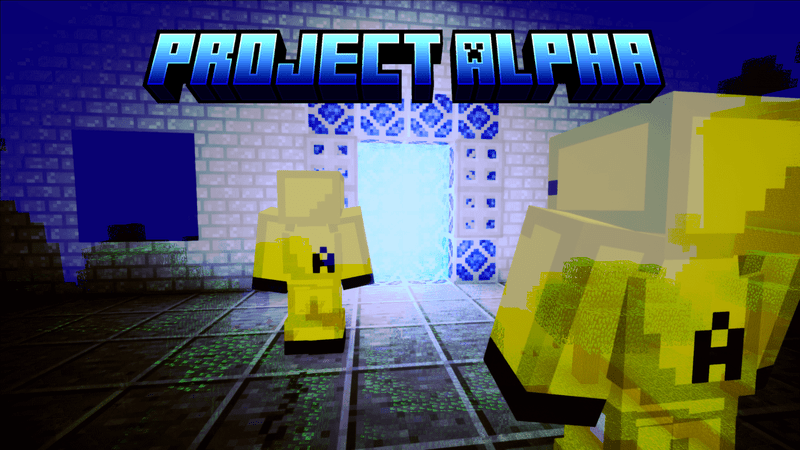
You'll likely recall the eerie ambiance of Alpha Minecraft. This mod offers a way to experience this environment once again—an opportunity to forge a modified gateway leading to an entirely new dimension.
Drawing inspiration from Kane Pixel's evocative Backrooms series, this mod was made using MCreator
Embark on a journey fueled by the long-forgotten experiments of the futuristic entity known as A-Space Inc. Through the careful arrangement of Modified Iron Blocks, you hold the power to transport yourself to the enigmatic realm of A-Space.
Within this otherworldly expanse, dense fog blankets seemingly boundless plains adorned with vibrant green foliage. However, appearances can deceive, and this alternate reality harbors secrets not immediately apparent. As the sun dips below the horizon, perilous creatures emerge, ominously labeled by A-Space Inc. as "White Eyes" (their true nature can be inferred). Amidst the expanse, abandoned research stations and camp sites bear witness to the company's ventures.
Among the array of novelties, a pinnacle discovery awaits—A-Space Inc.'s abandoned experiment, the memory corrupter. This device possesses the extraordinary capability to manipulate previously curated memories, unraveling their contents in unprecedented ways, among other intriguing functionalities. The mysteries that await in this dimension are abundant, promising an immersive and riveting journey for intrepid adventurers.
I strongly recommend using JEI with this mod!
Crafting Recipies:
Some crafting recipies are available in the screenshots section of this modpage. However I do recommend the use of mods such as JEI or REI for certain recipies.
Special thanks to lavatrench for structures and lore development! Means a lot!
Please give feedback and report any bugs that you spot!
What do I do?
You start your A-Space journey by, first, locating an abondoned research lab, which are usually located in plains biomes. Upon finding the structure, you will see a broken down time machine and a chest containing documents. You need to rebuild the time machine using special modified iron blocks crafted from modified iron ingots, which are formed by combining a regular iron ingot and an iron modifier in a smithing table. Upon reconstructing the time machine, you must ignite it with the A-Space key. To craft an A-Space key you need a flint and steel, an eye of ender and a time modifier. Once you have ignited the time machine, you can step through it, and travel back in time to Minecraft Alpha. However - take heed of this warning: something has gone terribly wrong. This form of the past, in practice is essentially the same, but with devastating effects. The very air you breath is toxic, requiring the production of a hazmat suit when entering, and when night comes, terrible creatures lurk in the distance, so be wary. Lastly, if you really want to push the limits of the A-Space, you can form the corrupted A-Space key, and travel back to a further corrupted Alpha. While I will not reveal the secrets of this place, just be warned: only the most skilled and bravest adventures make it out alive...
Essential Information:
In order to get certain blocks, you need to utilise a Block Reversion Device to produce the Alpha counterpart of a specific block. I.e: To get cloth, you must reverse wool. Reversion works by placing the modern block onto the machine, and providing a redstone signal to reverse it.
The White Eyes Totem can be found in a Blackstone Shrine located in the corrupted A-Space dimension.
If you ever lose your way in the A-Space, you can return to the Overworld by freezing yourself in time, and waking up in the future (present-day Overworld.) You can do this by surrounding yourself in an Alpha Ice capsule (2x1.)
FAQ
Q: Will there be a Fabric version?
A: A Fabric version is low on the priority list. Since the mod is made in MCreator, developing a Fabric port will be difficult, but I wouldn't rule it out.
Q: Will there be backports?
A: It depends how much they are wanted. A 1.16.5 version has been developed and is currently the main version that is being developed for the time being. I'm not sure if a 1.18.2 will release, as I will more than likely continue development for more recent versions soon.
Q: How do I craft (item)
A: Yes. I know recipies in this mod can be confusing at the best of times, but I assure you, important recipies are included in the screenshot section in this modpage. I also encourage the use of JEI or REI with this mod too.
Current Mod News
The Full release of Project Alpha (v1.0) out for 1.20.1 (Forge) and 1.21.4 (NeoForge)
Available Versions
How to Install Project Alpha on Your Server
Order Server
Order a Minecraft Java server with at least 3 GB RAM (4 GB recommended).
Set forge Loader
In the panel under "Egg", select the forge loader and matching Minecraft version (1.21.4).
Install Mod
Open the mod browser in the dashboard and search for "Project Alpha". Click "Install" – done! Alternatively, upload the .jar via SFTP to the /mods folder.
Compatibility
Mod Loaders
Minecraft Versions
1.21.4, 1.21.1, 1.20.1 (+2 more)
Server-side
✓ RequiredRecommended RAM
4 GB(min. 3 GB)Frequently Asked Questions
Project Alpha server crashes on startup – what to do?
Most common cause: wrong forge version or insufficient RAM. Check the server log (latest.log) for "OutOfMemoryError" or "Mixin" errors. With Mado Hosting: ensure at least 3 GB RAM is allocated and the loader matches the mod version (1.21.4). You can switch loaders with one click in the panel.
Is Project Alpha compatible with forge and neoforge?
Project Alpha officially supports forge, neoforge for Minecraft 1.21.4, 1.21.1, 1.20.1. The Mado dashboard automatically detects incompatible loader combinations.
Server lagging with Project Alpha – how to optimize performance?
Recommended RAM: 4 GB (per 8 players). Use /spark profiler to check if Project Alpha consumes the most tick time. Common fixes: reduce server view-distance to 8-10, install "performant" or "starlight" as supplementary mods on Forge. With Mado Hosting, your server runs on NVMe SSDs with dedicated CPU cores for minimal latency.
Similar Mods




Rent Modded Server
Install Project Alpha with just one click on your server.