
Project Table Refabricated
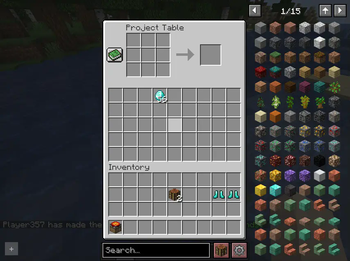
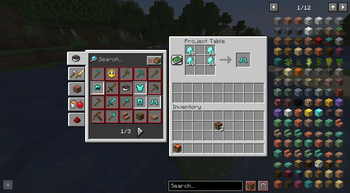
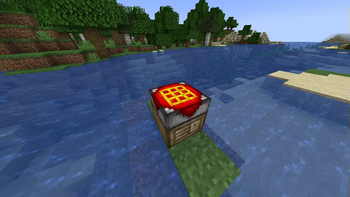
Adds the project table you've been so nostalgic about.
Screenshots
About this Mod
Project Table Refabricated


This is a Minecraft Mod for Fabric 1.18.2. It adds the Project Table Block, which may be nostalgic to some people, as it
used to be the go-to crafting bench before Tinker's came along with the Crafting Station.
Motivation
This mod came to be because of the Create: Astral Modpack.
In version 2.0.* of this Modpack we relied on the Tinker's Crafting Station. However, it has some issues, such as Quests
not reliably completing. Some of the dev team then remembered this Block and wanted it in the pack. However, we weren't
able to find a 1.18.2 Fabric Version that met our requirements. So let's talk about the features of this mod.
Features
- Full REI Integration. The Block is registered as a Workbench for default crafting and has quick-input support.
- Configurable extra storage. People who know the Project Table from using it way back when may remember it featuring
two extra rows of storage. That is the default in this mod too, but you can configure it from 0 all the way to 5 rows. - Polymorph Integration, allowing you to select between different conflicting recipes if it is installed.
Future Versions
For the time being, this is a mod specifically for the Create: Astral modpack. Because of this, it will stick to the
Minecraft and ModLoader version the Modpack uses. Once the development effort on Create: Astral slows down and I have
the time I will look into making this mod multi-loader and update it to newer versions.
Available Versions
How to Install Project Table Refabricated on Your Server
Order Server
Order a Minecraft Java server with at least 3 GB RAM (4 GB recommended).
Set fabric Loader
In the panel under "Egg", select the fabric loader and matching Minecraft version (1.18.2).
Install Mod
Open the mod browser in the dashboard and search for "Project Table Refabricated". Click "Install" – done! Alternatively, upload the .jar via SFTP to the /mods folder.
Compatibility
Mod Loaders
Minecraft Versions
1.18.2
Server-side
✓ RequiredRecommended RAM
4 GB(min. 3 GB)Frequently Asked Questions
Project Table Refabricated server crashes on startup – what to do?
Most common cause: wrong fabric version or insufficient RAM. Check the server log (latest.log) for "OutOfMemoryError" or "Mixin" errors. With Mado Hosting: ensure at least 3 GB RAM is allocated and the loader matches the mod version (1.18.2). You can switch loaders with one click in the panel.
Is Project Table Refabricated compatible with fabric?
Project Table Refabricated officially supports fabric for Minecraft 1.18.2. The Mado dashboard automatically detects incompatible loader combinations.
Server lagging with Project Table Refabricated – how to optimize performance?
Recommended RAM: 4 GB (per 8 players). Use /spark profiler to check if Project Table Refabricated consumes the most tick time. Common fixes: reduce server view-distance to 8-10, install "performant" or "starlight" as supplementary mods on Forge. With Mado Hosting, your server runs on NVMe SSDs with dedicated CPU cores for minimal latency.
Similar Mods


Rent Modded Server
Install Project Table Refabricated with just one click on your server.