
Project Time Master: Reforged
Control the flow of time! Accelerate your base, items and machines with this addon.
Screenshots
About this Mod
Master time, accelerate your machines, and control the day-night cycle in Minecraft!
📖 About
Project Time Master: Reforged is a dedicated addon for ProjectE, bringing back the powerful Tiers Time Watches mechanics to modern Minecraft.
This project is a modern rewrite and unofficial port based on the original Project Time (1.20.1). We analyzed the original logic and rewrote/adapted the code to function natively and efficiently on NeoForge, ensuring stability and performance for your modpacks.
✨ Features
Time Control: Fully control the Day/Night cycle. Fast-forward through the night or speed up the day.
Tile Entity Acceleration: Speed up your machines, furnaces, and modded blocks! The Watch accelerates the tick rate of blocks in its range.
8 Power Tiers: From the basic MK1 to the god-tier MK8.
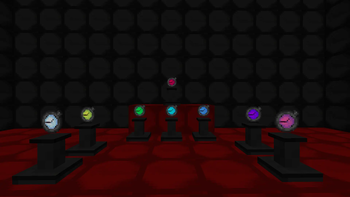
Pedestal Support: Place the watch on a Dark Matter Pedestal to create an area-of-effect acceleration zone for your base.
Configurable: Ranges, EMC costs, and bonus ticks are balanced for progression but can be configured.
EMC Integration: Fully integrated with ProjectE's EMC system.
🛠️ How to Use
Craft a Time Watch (requires ProjectE materials).
Hold Right-Click (Shift) to toggle the watch mode (Charge/ON/OFF).
Right-Click on a block to accelerate just that block.
Place on a Dark Matter Pedestal and activate it to speed up all machines in a radius (radius increases with Watch Tier).
📦 Dependencies
Minecraft 1.21+
NeoForge
ProjectE (Required)
⚖️ Credits & License
Original Concept: Based on the Project Time Master mod and created for complement Project E. All credits for the original idea go to the original authors of these mods
Reforged Version: Developed by EXPLO.
Assets: Uses textures inspired by ProjectE and Project Time to maintain visual consistency.
Available Versions
How to Install Project Time Master: Reforged on Your Server
Order Server
Order a Minecraft Java server with at least 3 GB RAM (4 GB recommended).
Set neoforge Loader
In the panel under "Egg", select the neoforge loader and matching Minecraft version (1.21.1).
Install Mod
Open the mod browser in the dashboard and search for "Project Time Master: Reforged". Click "Install" – done! Alternatively, upload the .jar via SFTP to the /mods folder.
Compatibility
Mod Loaders
Minecraft Versions
1.21.1
Server-side
✓ RequiredRecommended RAM
4 GB(min. 3 GB)Frequently Asked Questions
Project Time Master: Reforged server crashes on startup – what to do?
Most common cause: wrong neoforge version or insufficient RAM. Check the server log (latest.log) for "OutOfMemoryError" or "Mixin" errors. With Mado Hosting: ensure at least 3 GB RAM is allocated and the loader matches the mod version (1.21.1). You can switch loaders with one click in the panel.
Is Project Time Master: Reforged compatible with neoforge?
Project Time Master: Reforged officially supports neoforge for Minecraft 1.21.1. The Mado dashboard automatically detects incompatible loader combinations.
Server lagging with Project Time Master: Reforged – how to optimize performance?
Recommended RAM: 4 GB (per 8 players). Use /spark profiler to check if Project Time Master: Reforged consumes the most tick time. Common fixes: reduce server view-distance to 8-10, install "performant" or "starlight" as supplementary mods on Forge. With Mado Hosting, your server runs on NVMe SSDs with dedicated CPU cores for minimal latency.
Similar Mods



![[TaCZ] Timeless and Classics Zero](https://cdn.modrinth.com/data/SzzJttH8/fd27766d2bb8390d284696b1dbd358f87e081439_96.webp)


Rent Modded Server
Install Project Time Master: Reforged with just one click on your server.