
ProxLib
Enables close-by players to communicate with each other autonomously. Essentially a CustomPayloadC2CPacket over the mc server without any integration needed.
Screenshots
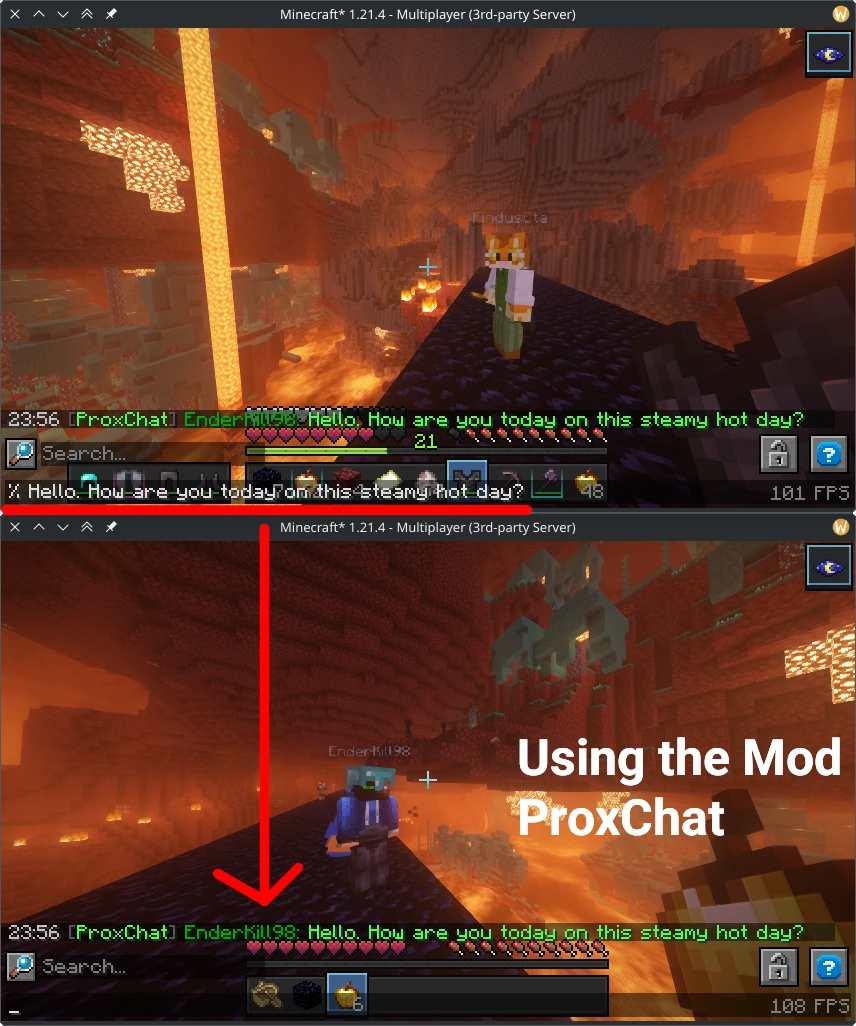
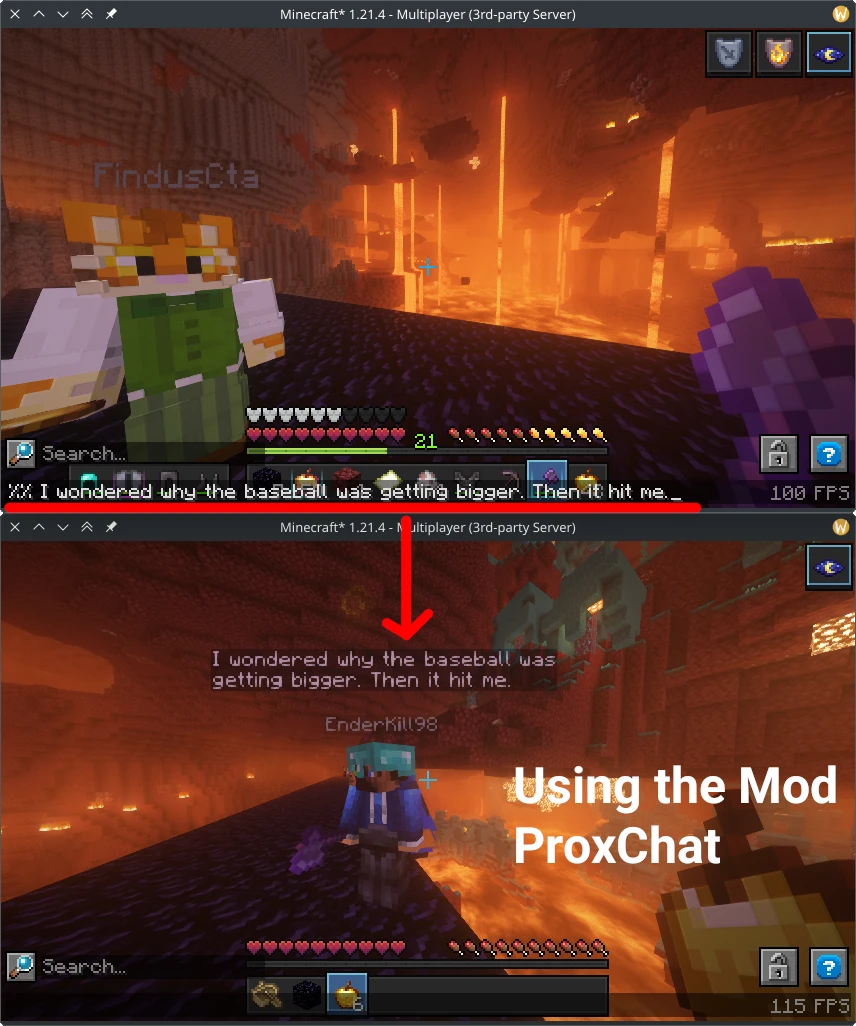
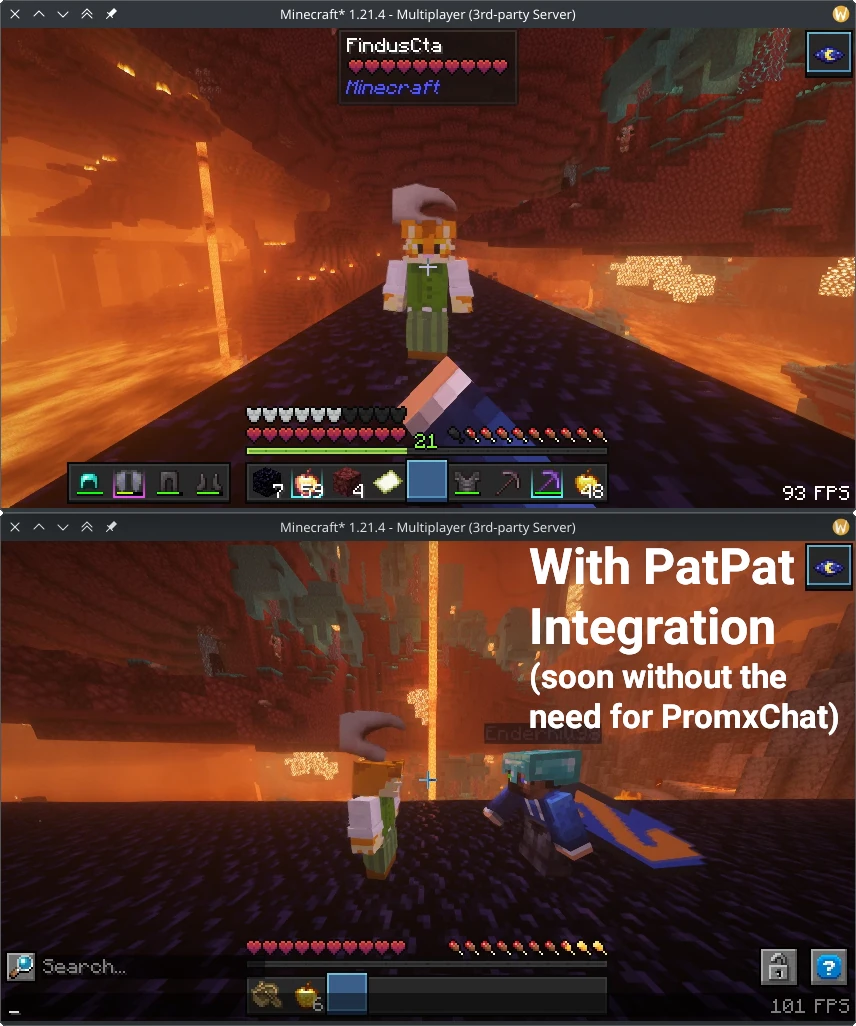
About this Mod
ProxLib





ProxLib is a library that enables proximity-based communication between players in Minecraft. It allows nearby players to directly exchange data with each other through the server without the server needing to have andy mods or plugins installed to relay this data.
Overview
ProxLib powers ProxChat and can be used by other mods to implement proximity-based communication features. It provides a simple API for sending and receiving data packets between players who are within approximately 26 blocks of each other.
The library works by cleverly encoding data into Minecraft's existing packet system through block breaking action packets (only aborts), which are relayed to all nearby players without server validation (yes, also works on air!).
How It Works
- Communication Method: Uses
PlayerActionC2SPacketwith theABORT_DESTROY_BLOCKaction - Data Encoding: Data is encoded into the relative block positions around the player
- Range: Approximately 26 blocks (technically limited by Minecraft's 32-block action packet relay)
- Data Capacity: 9 bits per Minecraft packet
- Data sent is prepended by 2 minecraft packets as a magic (to recognize it as a Prox Packet), 2 bytes for Vendor and Packet Id as well a 3 bytes for the packet length.
- So if you send a packet that has 4 bytes of data, this would become
2 + (2 + 2 + 3 + 4) * (8 / 9) » 11.77 » 12minecraft packets
- So if you send a packet that has 4 bytes of data, this would become
- Data sent is prepended by 2 minecraft packets as a magic (to recognize it as a Prox Packet), 2 bytes for Vendor and Packet Id as well a 3 bytes for the packet length.
- Reliability: Works on virtually all servers, including those with anti-cheat systems
- Be aware that Anti Cheats might treat this as packet spam or some weird attempt at nuker. This could cause the player to get flagged for cheating.
- My testing here was mainly on 2b2t. The Anti Cheat did not block any of the packets, did not kick me, but a recent update causes a lagback when sending data and moving (data is still sent fine).
- Stops working when you're less than ~6 blocks away from the lower and upper vertical build limits (and possibly when next to world border)
- Works even when the sending player is in creative mode!
- Be aware that Anti Cheats might treat this as packet spam or some weird attempt at nuker. This could cause the player to get flagged for cheating.
Disclaimer: Because this mod sends out a lot of the aforementioned ABORT_DESTROY_BLOCK packets, an anticheat might flag the player for packet spamming or even nuking (even though no nuker would ever send aborts).
So make sure that the player is aware that this might happen before they enable the corresponding sending functionality.
Installation
For Mod Users
ProxLib is a library mod and should be installed alongside mods that depend on it.
Mods may bundle this library, so you might never be aware of this being included unless you scout the Libraries in your ingame mod menu.
For Mod Developers
Add ProxLib as a dependency in your build.gradle:
exclusiveContent {
    forRepository {
        maven {
            name = "Modrinth"
            url = "https://api.modrinth.com/maven"
        }
    }
    filter {
        includeGroup "maven.modrinth"
    }
}

dependencies {
    // E.g. for MC Version 1.21.4 (make sure to check which is the most recent version).
    // Remove the "include" if you don't wish bundling this mod directly into yours (currently <30 KiB).
    include modApi("maven.modrinth:proxlib:0.2.4+1.21")
}
In your fabric.mod.json, add:
"depends": {
    "proxlib": ">=0.2.0"
}
Building
If you wish to build this mod, you should be aware:
- This project uses Stonecutter to produce multiple versions at once
- You should not run the
buildtask, but ratherchiseledBuild(inside categoryproject) - See their documentation for more information
Versioning
In general, I try to treat the version as SemVer (MAJOR.MINOR.PATCH).
This library is still pre 1.0.0. So expect stability to not be perfect. However, this library might end up never reaching 1.0.0 and the current versions to be pretty stable nonetheless.
Especially for the ProxLib class, I'll try my best to never break the compatibility of existing, public methods. If I do, I'll raise the MINOR version. However, I might also raise the MINOR version if a significant amount of new features was added. So it doesn't have to mean breaking changes.
For change logs, see the releases on GitHub or changelog on Modrinth.
Protocol Compatibility
I decided on the Protocol ever since the first release of ProxChat in January 2024 and have not altered it since.
My goal is to never need to break compatibility. I also try to do the same with my packets.
The only change so far was:
- The ID (u16) has been split into 10-bit Vendor ID and 6-bit Packet ID. This is not breaking, but changes how the ID should be interpreted.
Developer usage
Packet IDs
Packets are identified by a 2 byte id, which is split into:
- 10 bits: Vendor ID (0 to 1023)
- 6 bits: Packet ID (0 to 63)
So if you want to make your own packets, you should:
- Choose your own Vendor ID. Best use a random number generator to generate an ID your mod will use.
- Then just start numbering any packets
Example:
final int VENDOR_ID = 932; // Generated using a random number generator
final ProxPacketIdentifier AWESOME_PACKET_ID = ProxPacketIdentifier.of(VENDOR_ID, 0);
final ProxPacketIdentifier ANOTHER_PACKET_ID = ProxPacketIdentifier.of(VENDOR_ID, 1);
Sending & Receiving packets
All the methods you may need are easily callable from the class ProxLib.
Sending Example
public void sendAwesomePacket(String message) throws IOException {
  // Create the data for your packet (byte[])
  ByteArrayOutputStream bytesOut = new ByteArrayOutputStream();
  DataOutputStream dataOut = new DataOutputStream(bytesOut);
  dataOut.writeByte(1); // Type
  dataOut.writeUTF(message);

  // Send the packet
  int packets = ProxLib.sendPacket(MinecraftClient.getInstance(), AWESOME_PACKET_ID, bytesOut.toByteArray());
  LOGGER.info("Sent my awesome packet using {} packets!", packets);
}
Receiving Example
public class MyAwesomeMod implements ClientModInitializer {

  @Override
  public void onInitializeClient() {
    ProxLib.addHandlerFor(AWESOME_PACKET_ID, (sender, identifier, data) -> {
      try {
        DataInputStream dataIn = new DataInputStream(new ByteArrayInputStream(data));
        int type = dataIn.readUnsignedByte(1);
        if(type == 1) {
            String message = dataIn.readUTF();
            // Do something with message...
        }else {
            LOGGER.warn("Received unsupported type in my awesome packet: {}", type);
        }
      } catch (IOException ex) {
        LOGGER.error("Failed to proccess my awesome packet!", ex);
      }
    });
    ProxLib.addHandlerFor(ANOTHER_PACKET_ID, (sender, identifier, data) -> {
      // ...
    });
  }

}
Known packet ids:
| Mod | Vendor ID | Packet ID | Name | Description | Link |
|---|---|---|---|---|---|
| ProxChat | 0 | 1 | Chat | Simple chat message in chat (type% <msg> with mod). |
PC-Chat |
| ProxChat | 0 | 2 | PatPat-PatEntity | Petting someone (legcay) | PC-Pat |
| ProxChat | 0 | 3 | EmoteCraft | Play / Repeat / Stop own Emotes | PC-Emote |
| ProxChat | 0 | 4 | TextDisplay | Show one or more customizable text displays to others (type %% <msg> with mod). |
PC-TextDisplay |
| PatPat | 2 | 0 | Pat | Patting someone | PP-Pat |
Note: ProxChat has Vendor ID 0 because at the time the ID was not yet split into Vendor/Packet ID (and this library was part of ProxChat). So the numbers starting from 1 where used which is effectively Vendor ID 0 and is kept for backwards compatibility to old versions of ProxChat.
Integration with other Languages
ItzN00bPvP developed a basic library for Rust that is compatible with this (crates.io: proxchat, repo: proxchat-rs). So this is handy if you want your e.g. azalea-bot to send ProxChat messages.
Credits
Developed by EnderKill98, the foundation was found randomly together with ItzN00bPvP when examining logs of his own N00bBots. Without him, this would not exist!
Available Versions
How to Install ProxLib on Your Server
Order Server
Order a Minecraft Java server with at least 3 GB RAM (4 GB recommended).
Set fabric Loader
In the panel under "Egg", select the fabric loader and matching Minecraft version (26.1).
Install Mod
Open the mod browser in the dashboard and search for "ProxLib". Click "Install" – done! Alternatively, upload the .jar via SFTP to the /mods folder.
Compatibility
Mod Loaders
Minecraft Versions
26.1, 1.21.11, 1.21.10 (+16 more)
Server-side
✗ UnsupportedRecommended RAM
4 GB(min. 3 GB)Frequently Asked Questions
ProxLib server crashes on startup – what to do?
Most common cause: wrong fabric version or insufficient RAM. Check the server log (latest.log) for "OutOfMemoryError" or "Mixin" errors. With Mado Hosting: ensure at least 3 GB RAM is allocated and the loader matches the mod version (26.1). You can switch loaders with one click in the panel.
Is ProxLib compatible with fabric?
ProxLib officially supports fabric for Minecraft 26.1, 1.21.11, 1.21.10. The Mado dashboard automatically detects incompatible loader combinations.
Server lagging with ProxLib – how to optimize performance?
Recommended RAM: 4 GB (per 8 players). Use /spark profiler to check if ProxLib consumes the most tick time. Common fixes: reduce server view-distance to 8-10, install "performant" or "starlight" as supplementary mods on Forge. With Mado Hosting, your server runs on NVMe SSDs with dedicated CPU cores for minimal latency.
Similar Mods



Rent Modded Server
Install ProxLib with just one click on your server.