
Puzzle
Adds resourcepack features and a GUI to configure OptiFine alternatives more conveniently.
Screenshots

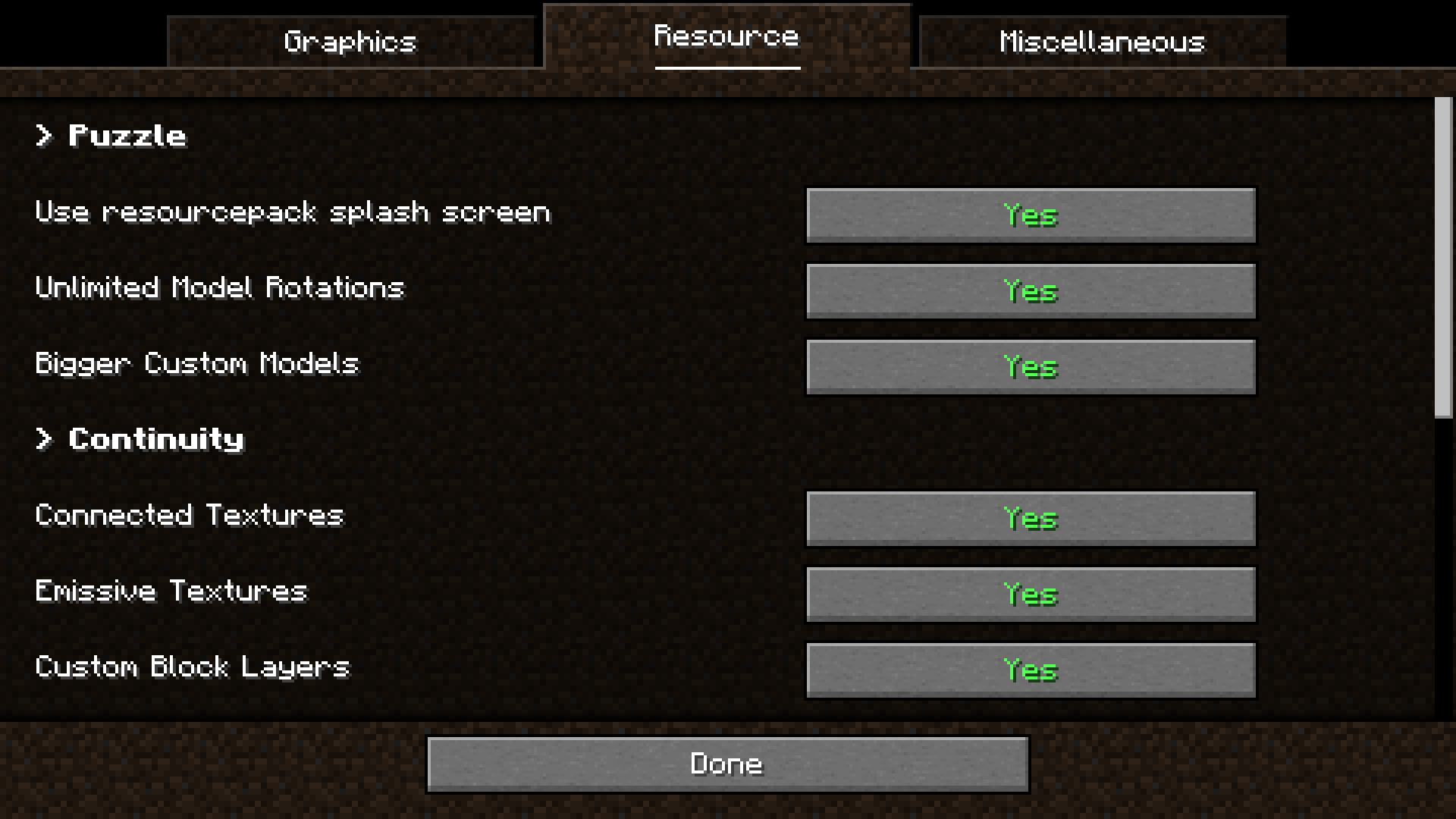
About this Mod
Context: For a long time, OptiFine has been a big part of Minecraft modding.
For an equal amount of time, it has been causing errors with mods – its closed source nature making it especially hard to work with as a mod developer.
For that reason, a lot of alternatives have been created.
But usually they only replicate one specific feature of OptiFine, meaning the user has to install a lot of mods and configure them by searching for the specific mod in ModMenu.
- The first problem is relatively easy to solve, by either downloading a modpack such as Fabulously Optimized or using Lambda's fantastic list of alternative mods
- Puzzle was created to solve the latter by providing a united config for OptiFine replacement mods with built-in support for the most relevant alternatives and an API for other mods to take advantage of.
- Due to many OptiFine features still having no replacement mod, Puzzle also adds certain OptiFine features on it's own, like resourcepack-provided splash screens
- We also offer some new, innovative features to resourcepack developers, such as unlocked rotation values and bigger size for JSON-models.
The configuration screen can be found in the vanilla options screen, as well as ModMenu.
- Cull Leaves
- Iris
- Continuity
- LambDynamicLights
- LambdaBetterGrass
- CITResewn
- Entity Texture Features
- Entity Model Features
Available Versions
How to Install Puzzle on Your Server
Order Server
Order a Minecraft Java server with at least 3 GB RAM (4 GB recommended).
Set fabric Loader
In the panel under "Egg", select the fabric loader and matching Minecraft version (26.1.2).
Install Mod
Open the mod browser in the dashboard and search for "Puzzle". Click "Install" – done! Alternatively, upload the .jar via SFTP to the /mods folder.
Compatibility
Mod Loaders
Minecraft Versions
26.1.2, 26.1.1, 26.1 (+26 more)
Server-side
✗ UnsupportedRecommended RAM
4 GB(min. 3 GB)Frequently Asked Questions
Puzzle server crashes on startup – what to do?
Most common cause: wrong fabric version or insufficient RAM. Check the server log (latest.log) for "OutOfMemoryError" or "Mixin" errors. With Mado Hosting: ensure at least 3 GB RAM is allocated and the loader matches the mod version (26.1.2). You can switch loaders with one click in the panel.
Is Puzzle compatible with fabric and neoforge and quilt?
Puzzle officially supports fabric, neoforge, quilt for Minecraft 26.1.2, 26.1.1, 26.1. The Mado dashboard automatically detects incompatible loader combinations.
Server lagging with Puzzle – how to optimize performance?
Recommended RAM: 4 GB (per 8 players). Use /spark profiler to check if Puzzle consumes the most tick time. Common fixes: reduce server view-distance to 8-10, install "performant" or "starlight" as supplementary mods on Forge. With Mado Hosting, your server runs on NVMe SSDs with dedicated CPU cores for minimal latency.
Similar Mods



Rent Modded Server
Install Puzzle with just one click on your server.