
PvZ
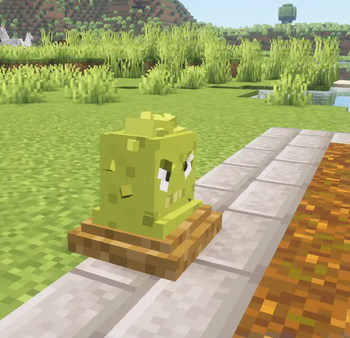
This mod adds Plants vs Zombies to minecraft
Screenshots
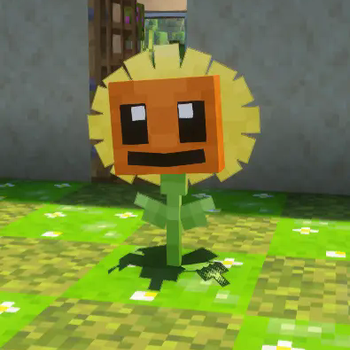
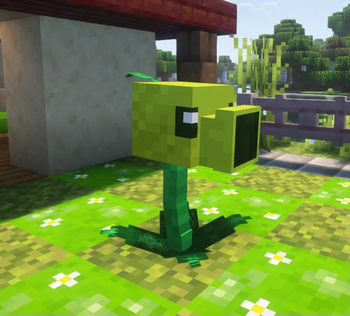
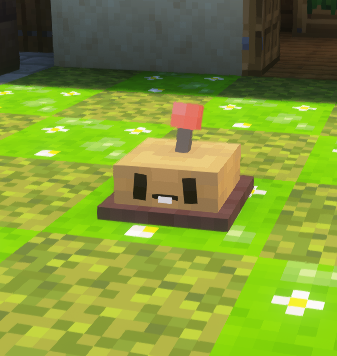
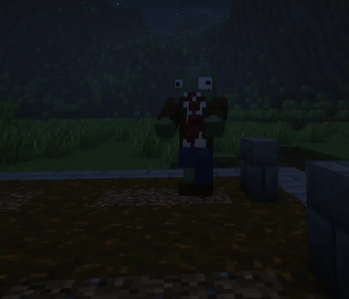

About this Mod
💡About this mod:
- this mod aims to add plants vs zombies to minecraft and fit it into minecraft
- if you like plants vs zombies, make sure to check this mod out :)
📥 how to install:
if you're using the regular minecraft launcher follow those steps:
- download the required mod loader (which is in this case forge) for minecraft version 1.20.1 and run it
- download the mod and its dependency, geckolib.
- go into your mod folder and put the 2 mods there
- run your minecraft forge and have fun with the mod
if you're using a third-party launcher, automatically install the mod loader and place the mods into the mods folder
🌻Current plants:
Spoiler
- Peashooter
- Sunflower
- Potato Mine
- grave buster
- chomper (has no mechanic yet)
- cherry bomb
- wallnut
- iceberg lettuce
- more plants will be added soon
🧟Current Zombies:
Spoiler
- basic zombie (browncoat)
- conehead zombie (browncoat)
- buckethead zombie (browncoat)
❓how to obtain plants:
Spoiler
- plant food can be obtained from smelting bone block in a furnace or by killing pvz zombieszombies can be spawned from graves
plants can be obtained from the planting table which can be crafted like this:
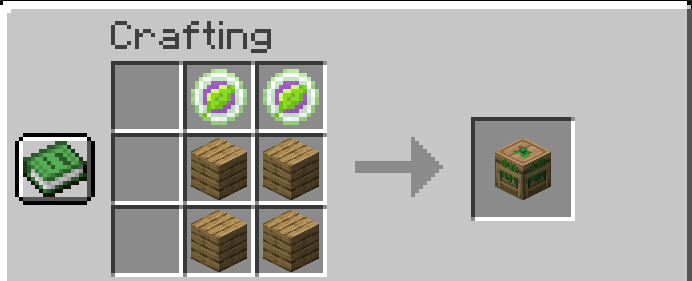
you'll also need plant seeds which can be obtained from the gardener villager (place a planting table near a villager to turn it into a gardener) or from plant source which spawns in flower forests, plains and sunflower plains
once you placed the planting table, put in it a plant food and a plant seed, you'll also need sun which can be obtained overtime or via sunflowers
if you got any questions/suggestions, join our discord server
Available Versions
How to Install PvZ on Your Server
Order Server
Order a Minecraft Java server with at least 3 GB RAM (4 GB recommended).
Set forge Loader
In the panel under "Egg", select the forge loader and matching Minecraft version (1.20.1).
Install Mod
Open the mod browser in the dashboard and search for "PvZ". Click "Install" – done! Alternatively, upload the .jar via SFTP to the /mods folder.
Compatibility
Mod Loaders
Minecraft Versions
1.20.1
Server-side
✓ RequiredRecommended RAM
4 GB(min. 3 GB)Frequently Asked Questions
PvZ server crashes on startup – what to do?
Most common cause: wrong forge version or insufficient RAM. Check the server log (latest.log) for "OutOfMemoryError" or "Mixin" errors. With Mado Hosting: ensure at least 3 GB RAM is allocated and the loader matches the mod version (1.20.1). You can switch loaders with one click in the panel.
Is PvZ compatible with forge?
PvZ officially supports forge for Minecraft 1.20.1. The Mado dashboard automatically detects incompatible loader combinations.
Server lagging with PvZ – how to optimize performance?
Recommended RAM: 4 GB (per 8 players). Use /spark profiler to check if PvZ consumes the most tick time. Common fixes: reduce server view-distance to 8-10, install "performant" or "starlight" as supplementary mods on Forge. With Mado Hosting, your server runs on NVMe SSDs with dedicated CPU cores for minimal latency.
Similar Mods




Rent Modded Server
Install PvZ with just one click on your server.