QDC Transport
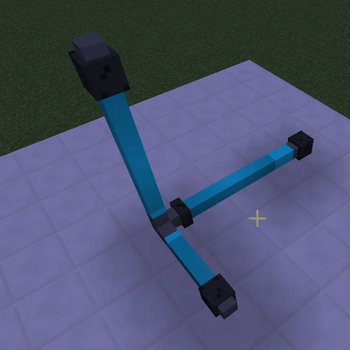
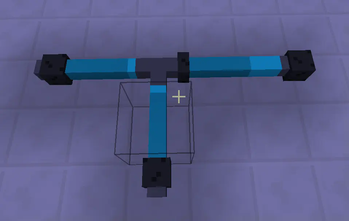
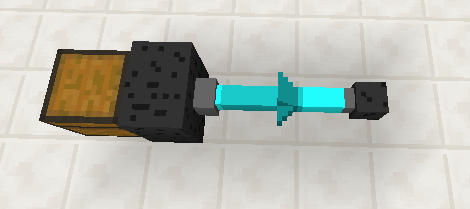
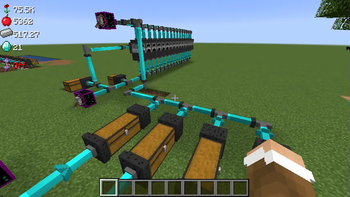
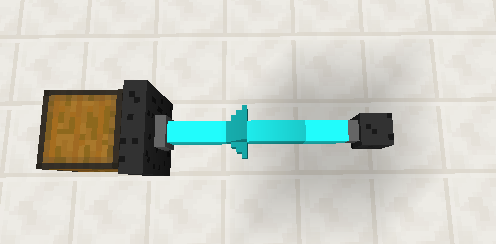
This Mod provides several nodes to allow item transport between blocks with inventories,such as furnaces and chests.
Screenshots
About this Mod
NOTE: This mod is no longer maintained on this project, it has been added as part of the new QDC Quantum Dis-Assembly Craft version.
https://modrinth.com/mod/qdc-core-4.0
This Mod provides several nodes to allow item transport betveen blocks with inventories,such as furnaces and chests.
Each item transport Network must have a controller, which connects to the transfer nodes on the back side of the node, this does not incluse Item Placers and Item Extractors.
The Controller node needs to supplied with a redstone source such as a lever.
Item Placers and Item Extractors need to be placed in front of the node, the opposite needs to be facing a block with an inventory.
Not all "output" sides of the nodes need to be connected to something, items will not fall out.
Right click with no items in hand to rotate the nodes.
A small amount of Nature Particles are used as fuel, 0.1 particles are used for each item transferred.
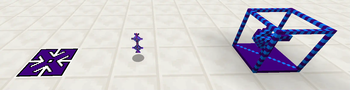
A part of the mod allows the player to teleport from one Player Transporter block to a Player transport Platform block some distance in front of it.
Also this mod allows the player to hover when using the AntiGravity Wand.
Available Versions
How to Install QDC Transport on Your Server
Order Server
Order a Minecraft Java server with at least 3 GB RAM (4 GB recommended).
Set forge Loader
In the panel under "Egg", select the forge loader and matching Minecraft version (1.20.1).
Install Mod
Open the mod browser in the dashboard and search for "QDC Transport". Click "Install" – done! Alternatively, upload the .jar via SFTP to the /mods folder.
Compatibility
Mod Loaders
Minecraft Versions
1.20.1, 1.20, 1.19.4 (+4 more)
Server-side
✓ RequiredRecommended RAM
4 GB(min. 3 GB)Frequently Asked Questions
QDC Transport server crashes on startup – what to do?
Most common cause: wrong forge version or insufficient RAM. Check the server log (latest.log) for "OutOfMemoryError" or "Mixin" errors. With Mado Hosting: ensure at least 3 GB RAM is allocated and the loader matches the mod version (1.20.1). You can switch loaders with one click in the panel.
Is QDC Transport compatible with forge?
QDC Transport officially supports forge for Minecraft 1.20.1, 1.20, 1.19.4. The Mado dashboard automatically detects incompatible loader combinations.
Server lagging with QDC Transport – how to optimize performance?
Recommended RAM: 4 GB (per 8 players). Use /spark profiler to check if QDC Transport consumes the most tick time. Common fixes: reduce server view-distance to 8-10, install "performant" or "starlight" as supplementary mods on Forge. With Mado Hosting, your server runs on NVMe SSDs with dedicated CPU cores for minimal latency.
Similar Mods


Rent Modded Server
Install QDC Transport with just one click on your server.