
Quality of Queso
A Fabric/(Neo)Forge mod that adds various different QoL features, including container searching, precise inventory management, cool visual effects, and so much more!
Screenshots
About this Mod

Chest searching, precise inventory management, and more!



-05A358?style=for-the-badge&logo=serverfault)


Features include:
- An easy-to-use search bar for your inventory and chests
- Precise Inventory Management, building upon other inventory management mods
- Container Filtering and Sorting
- Locked Slots
- Item Counter and Armor Status
- Remove fog
- And more!
What is Quality of Queso❔
- 📦 Quality of Queso is a mod designed specifically for vanilla gameplay by adding various quality-of-life features, including precise inventory management, various HUD features, container searching, and so much more!
- 💭 The idea originated from a video featuring me (Dillon) and my friend, MannyQUESO, released to celebrate the new year of 2025 (a pretty big year for us, as it was our graduation 🎓 year).
- 🛠️ We came up with idea to create a client-side "quality of life" mod, that should add various quality of life features to the game to improve our vanilla experience, and that's exactly what we did!
- 📈 Starting off with very small, unnoticeable features, quickly branched off into a huge project to further enhance the game when it comes to actual gameplay and managing items, as it can be difficult and annoying sometimes.
- ✅ That's why this mod was created! To further enhance your Minecraft experience by easily sorting and managing items, adding cool visual effects, remove fog, and so much more! We hope that this mod suits you! :)
- ❗Please note how I constantly mentioned "vanilla experience". This mod was specifically designed for modern, vanilla Minecraft, not for big modpacks or older Minecraft. You can use this mod in modpacks, but please be aware that not all features (especially inventory management) may work with modded containers, blocks or items.



📃 Main Features 📜

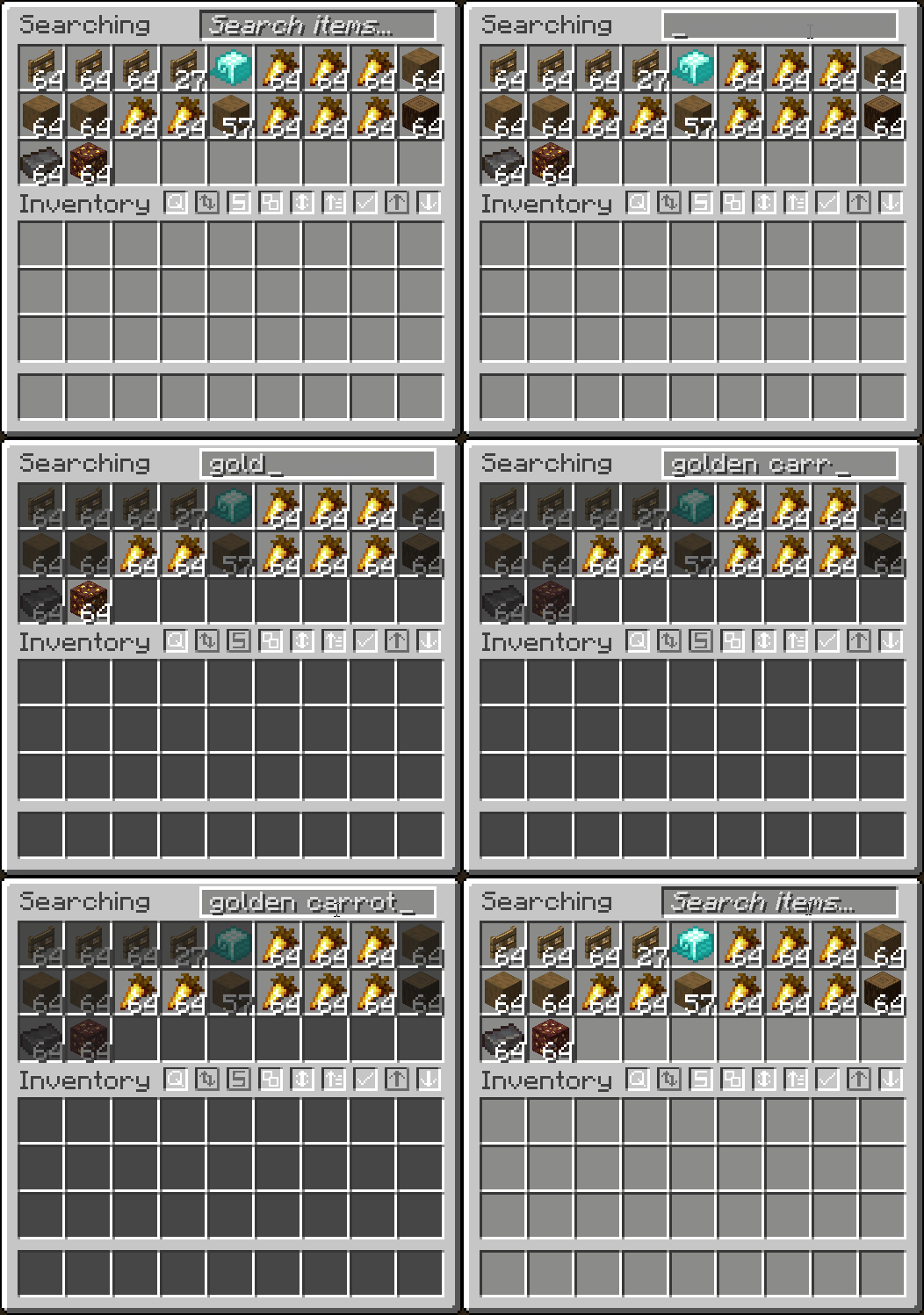
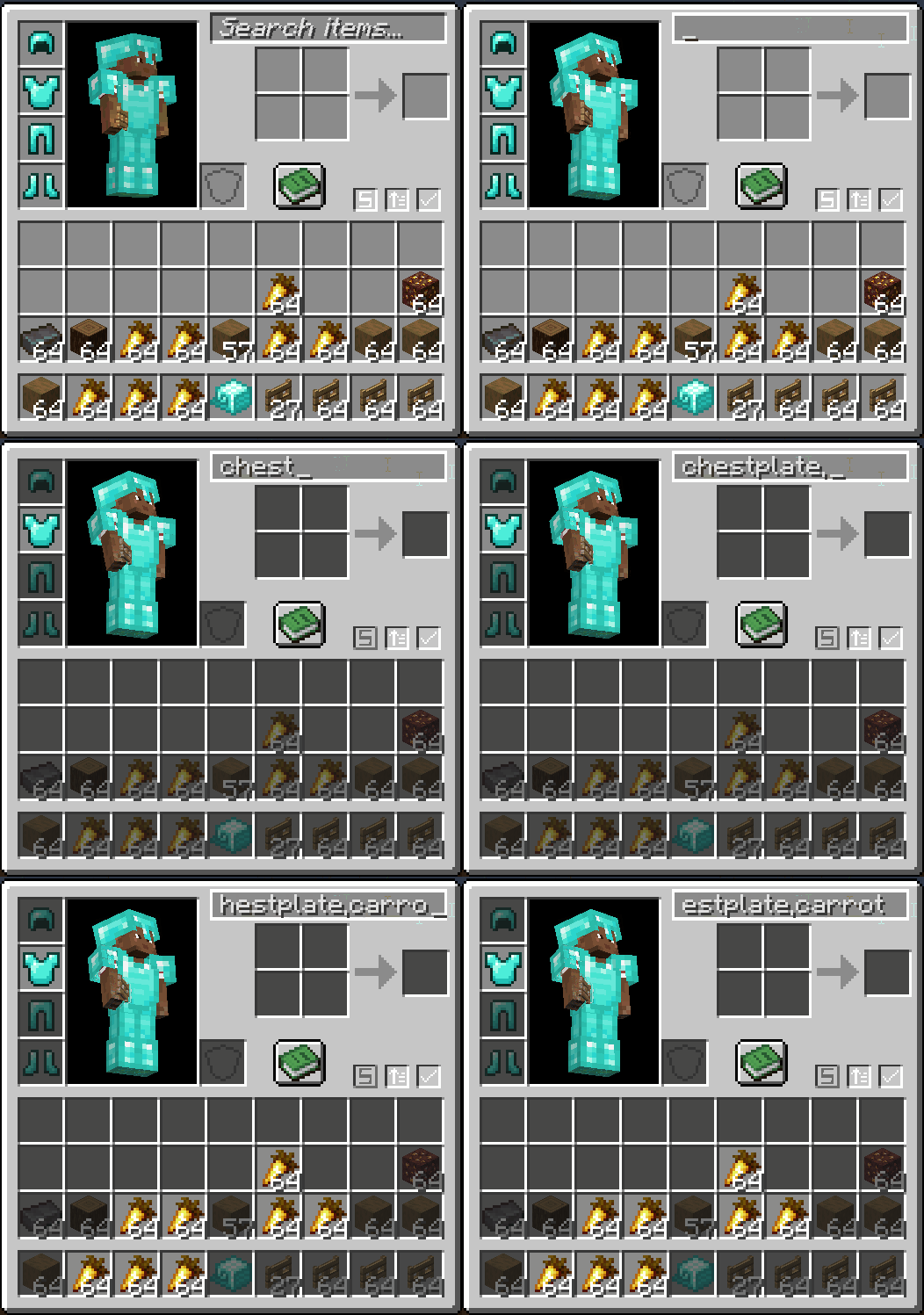
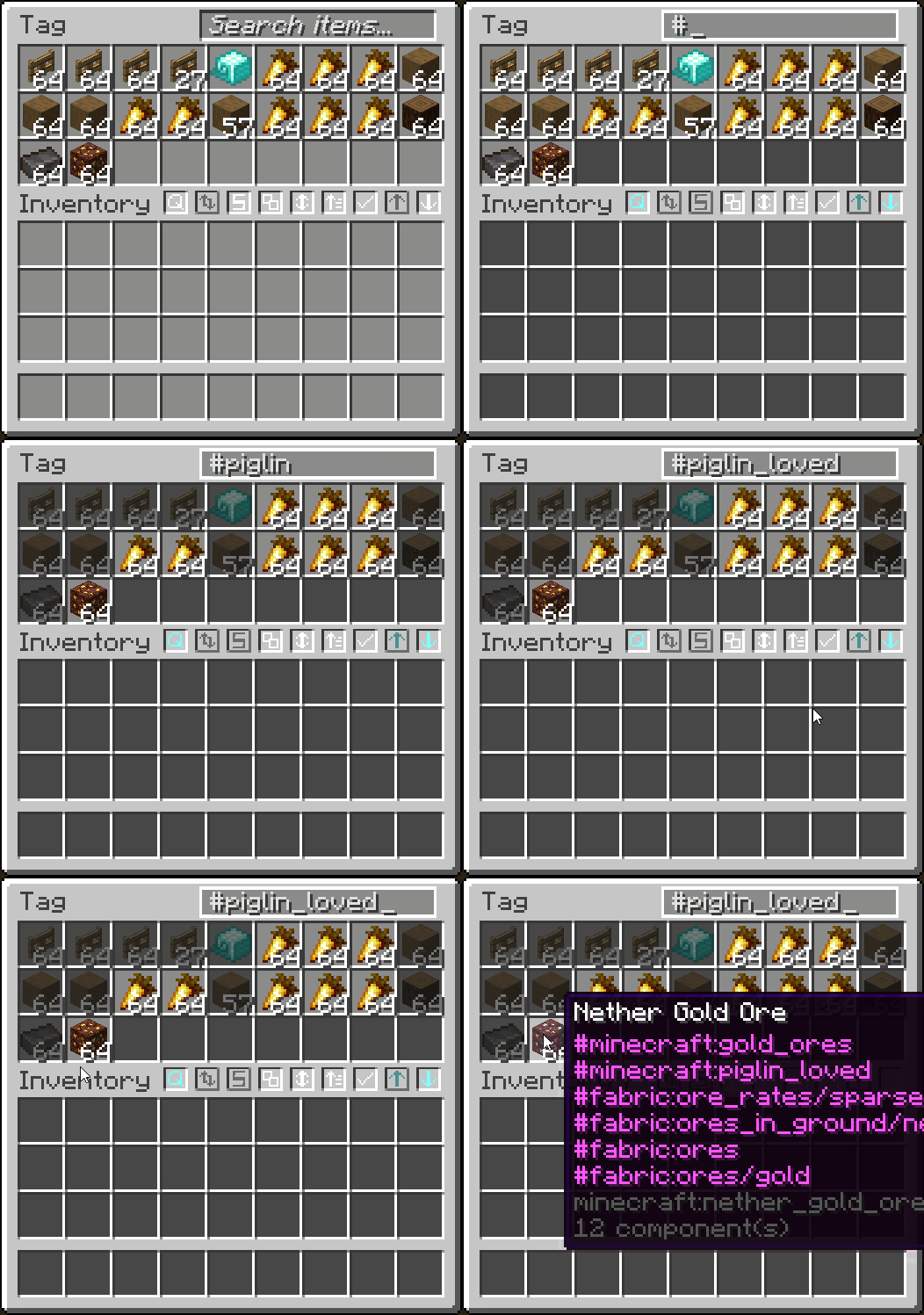
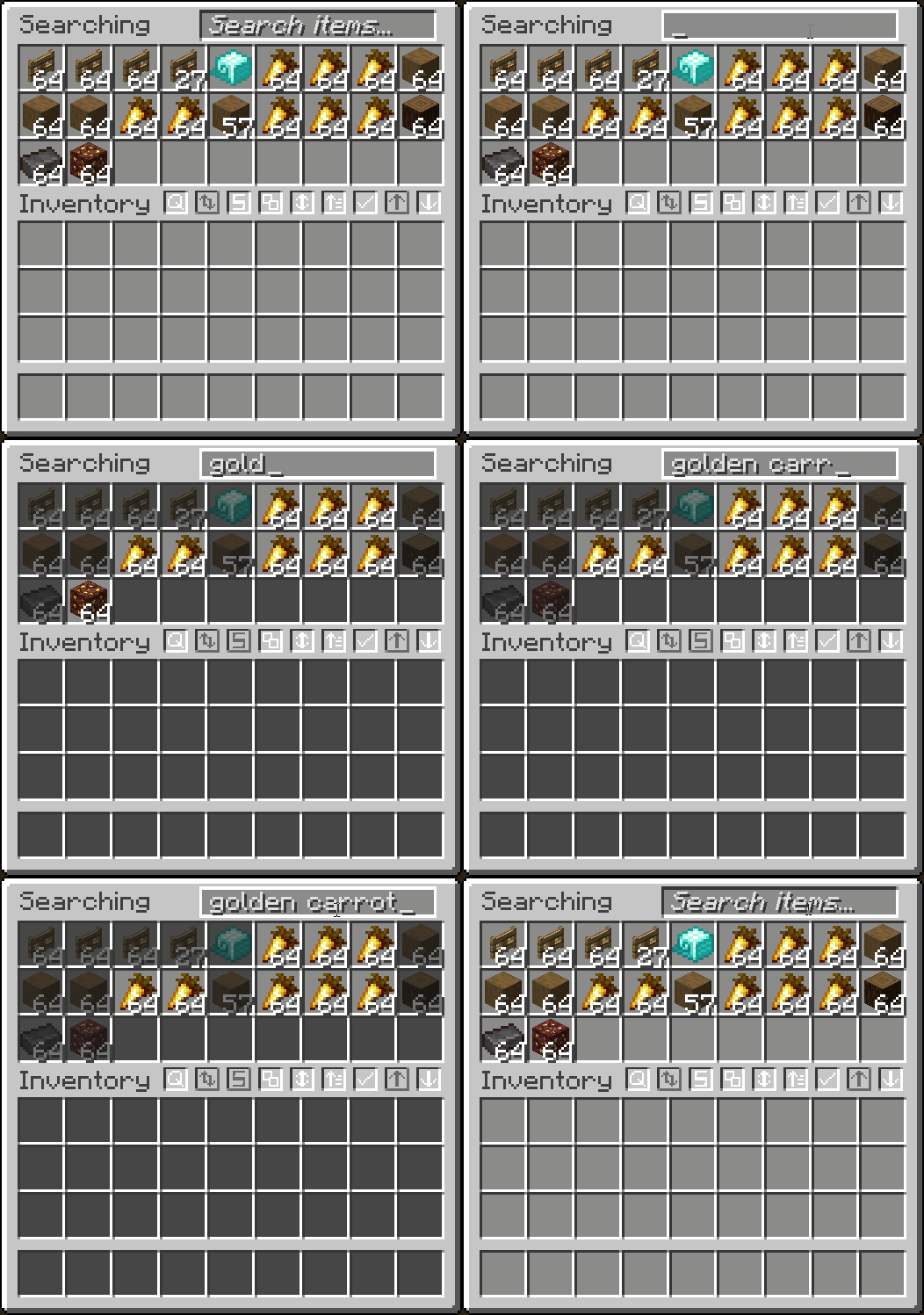
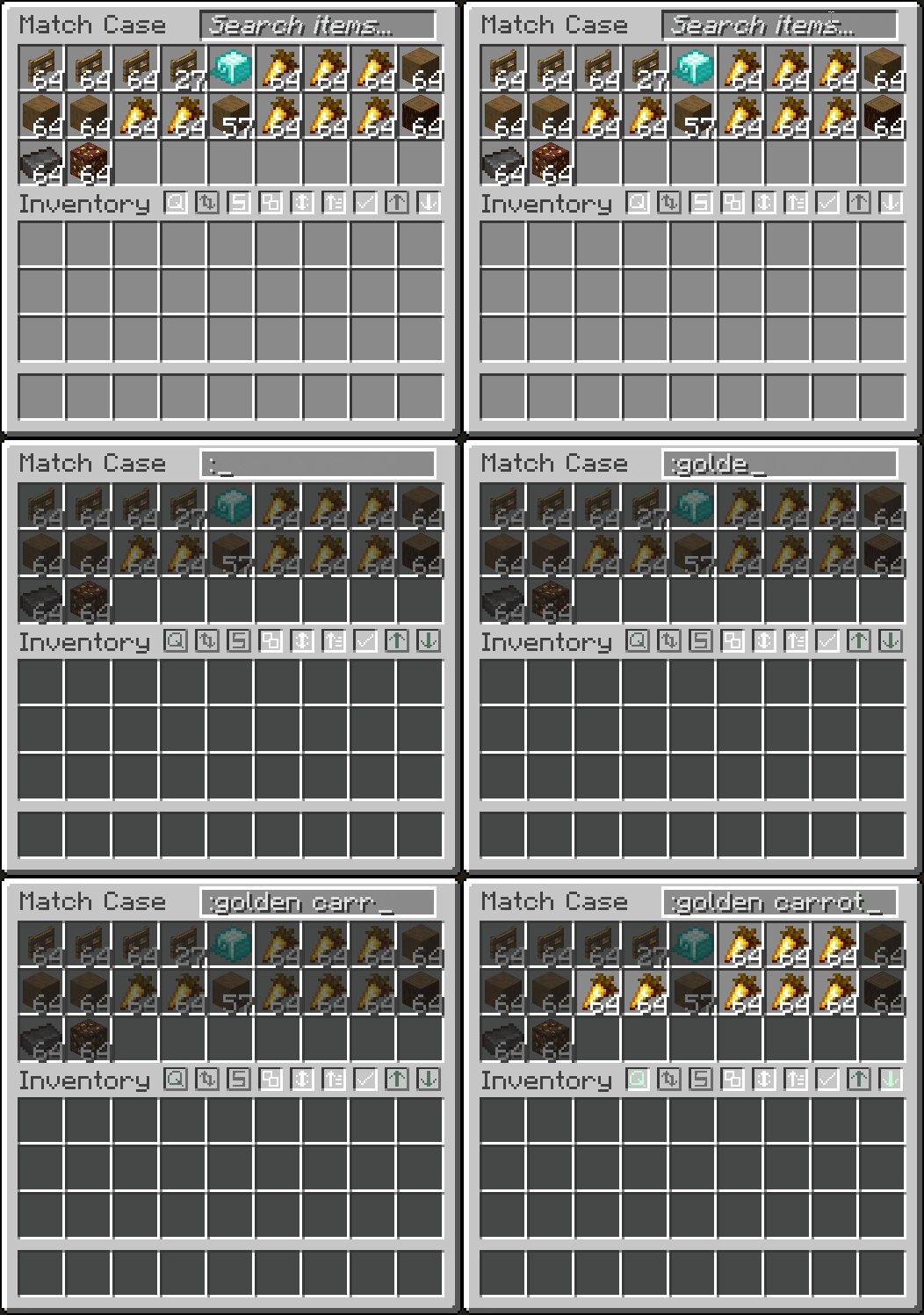
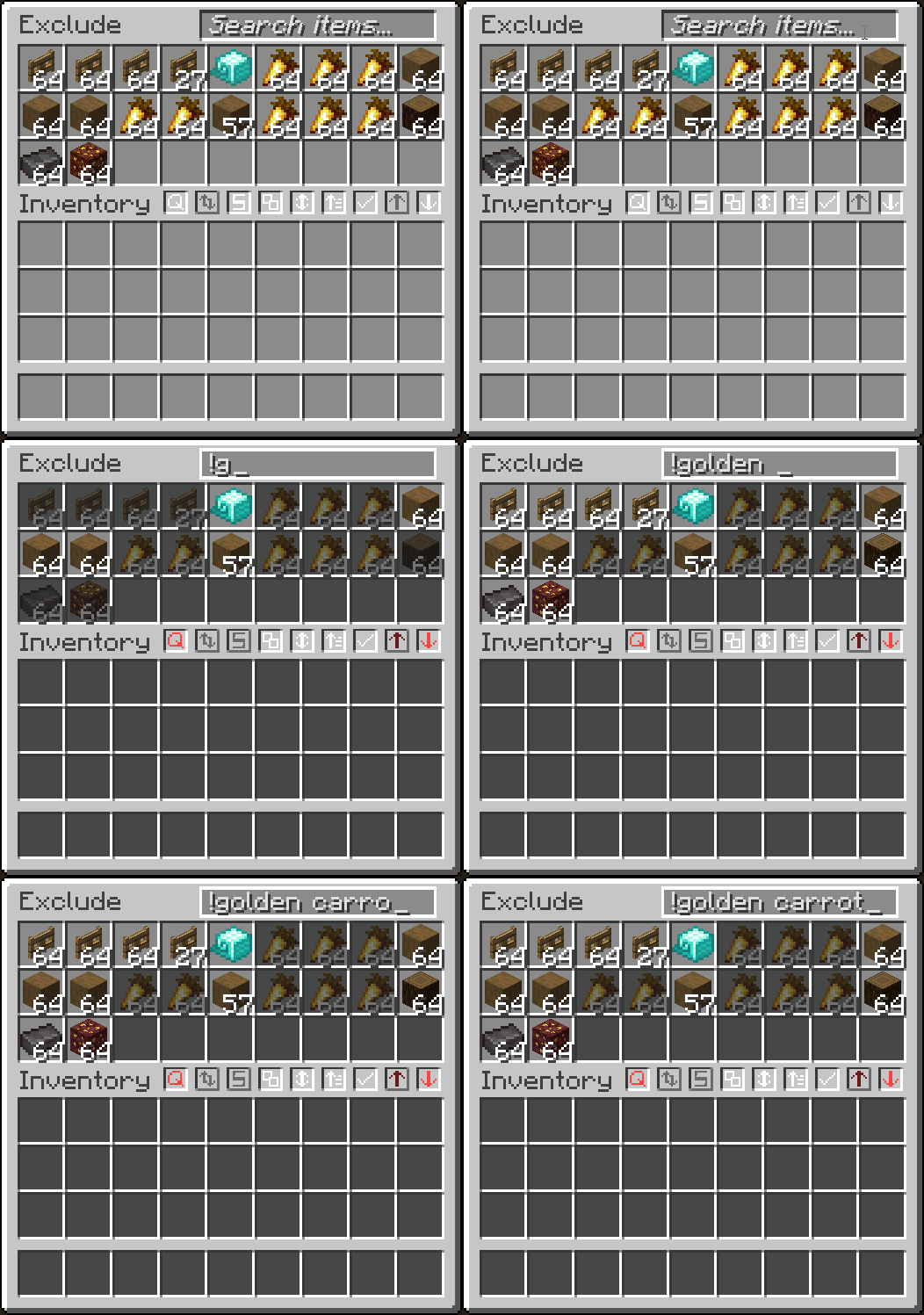
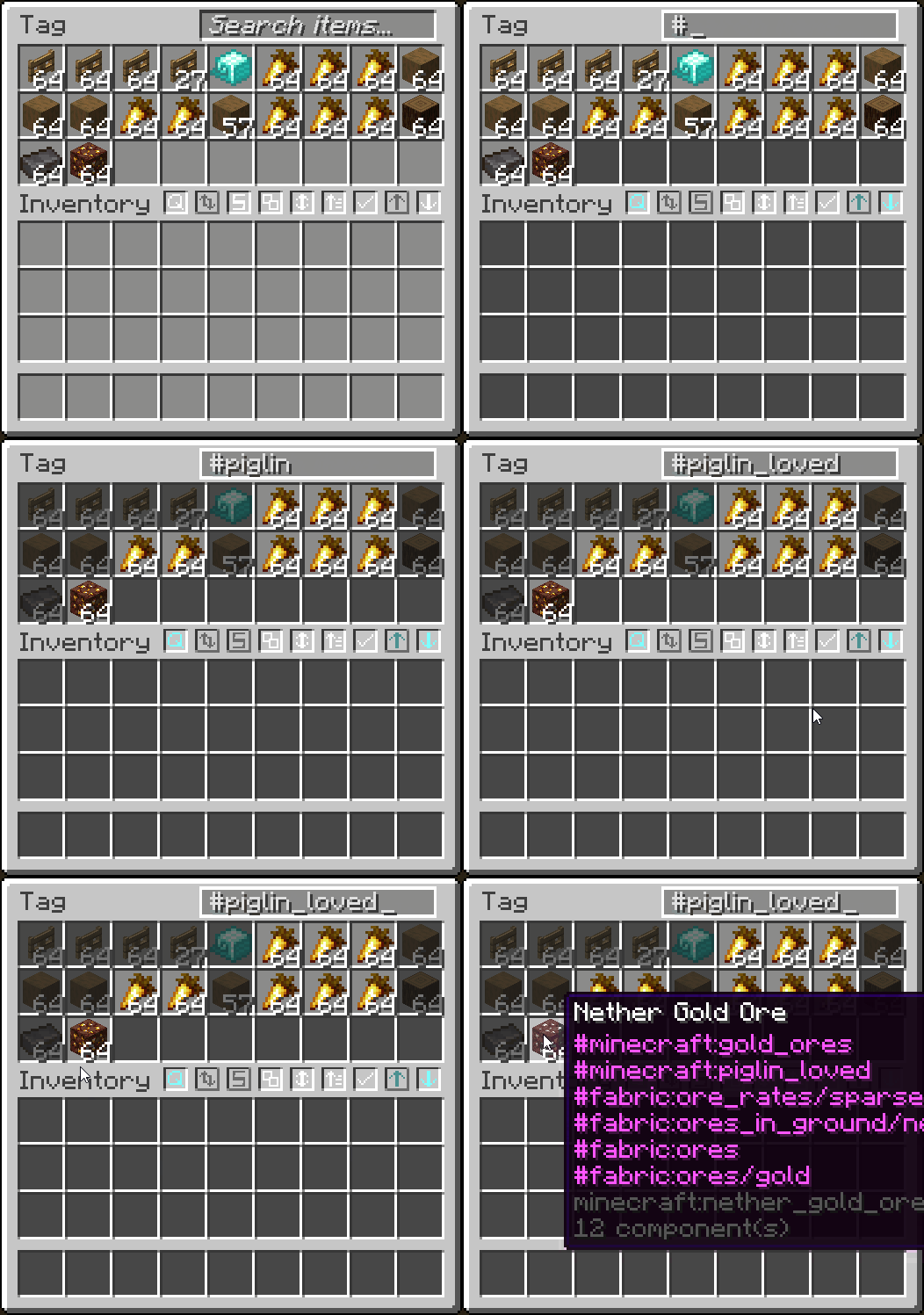
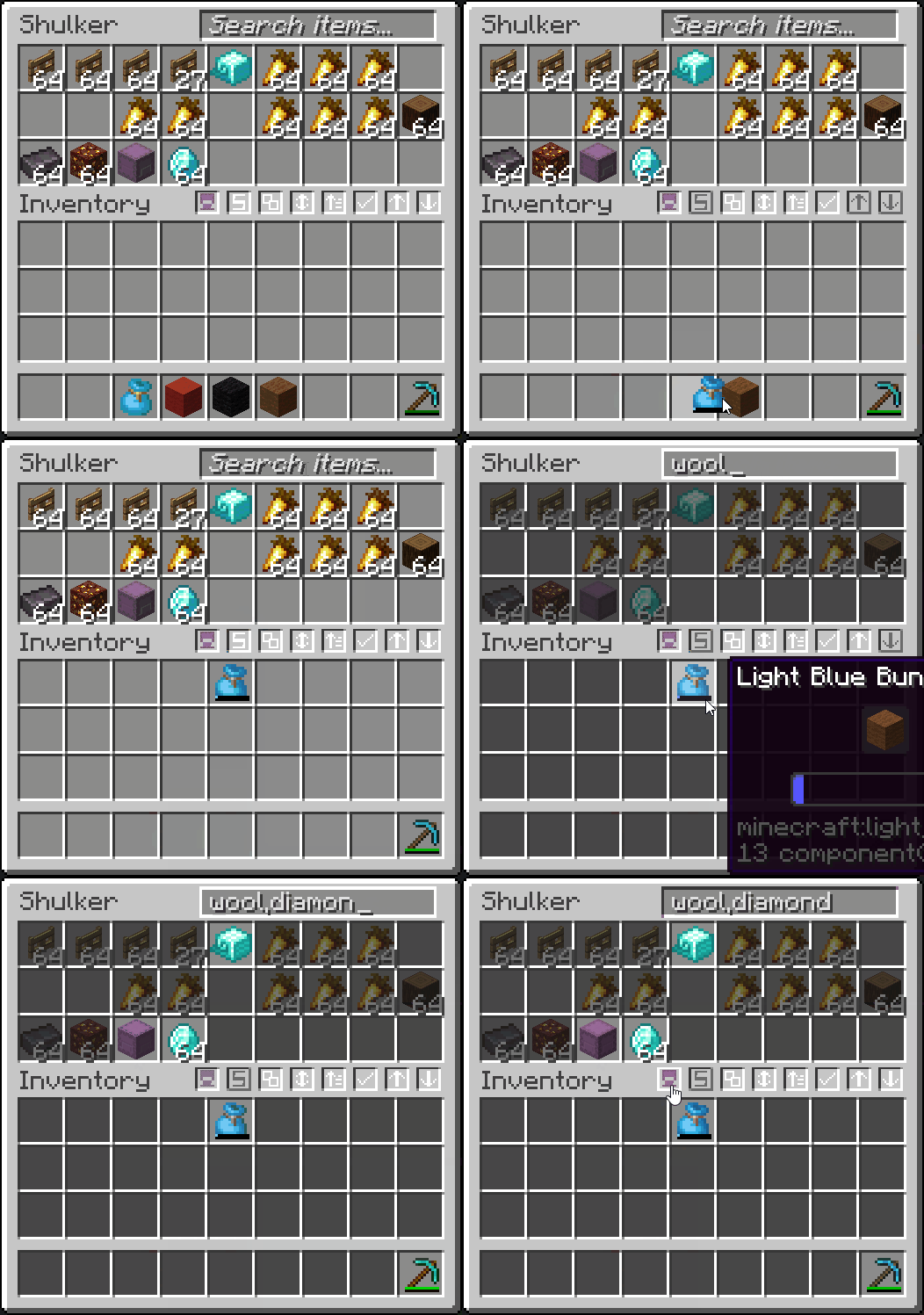
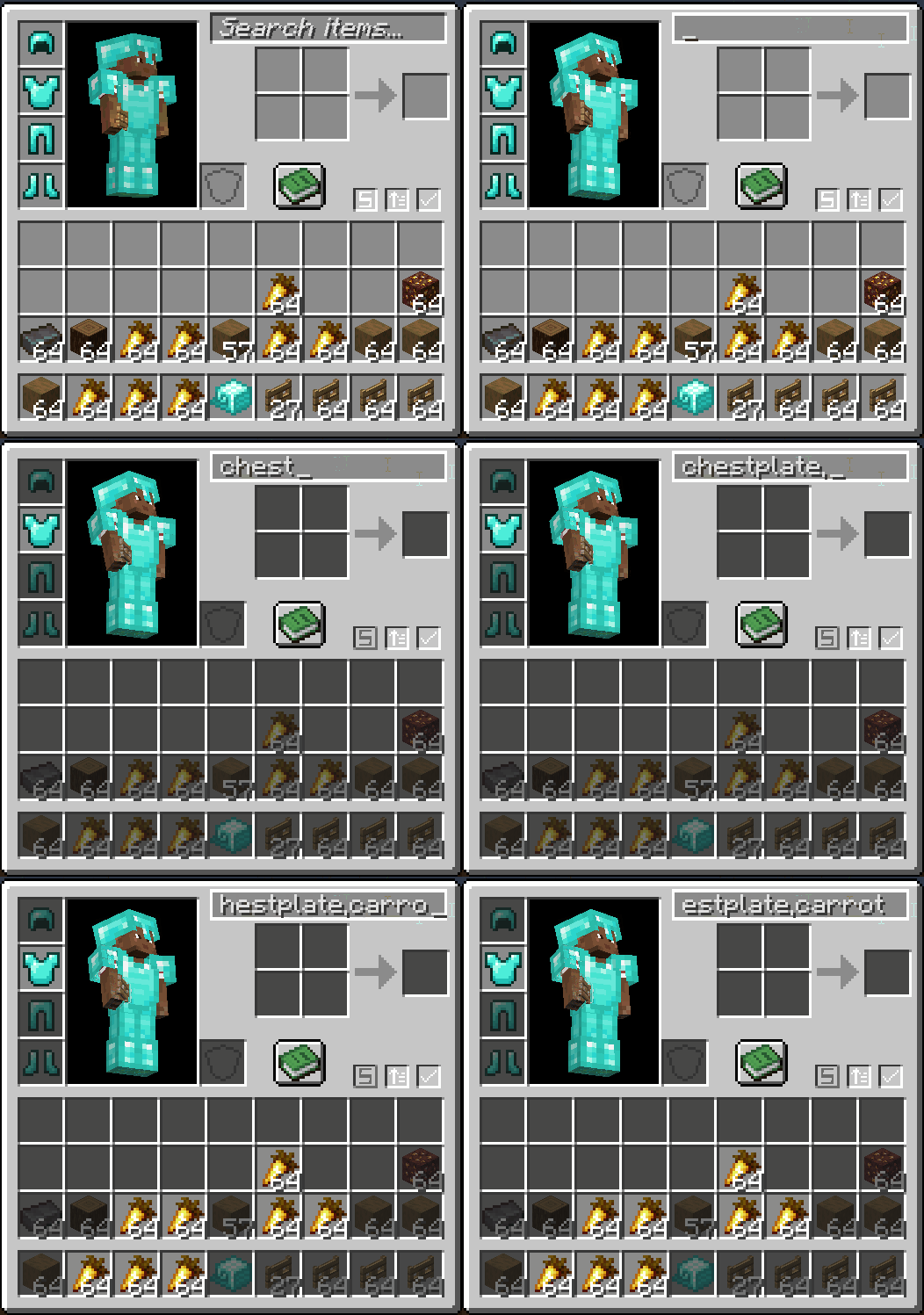
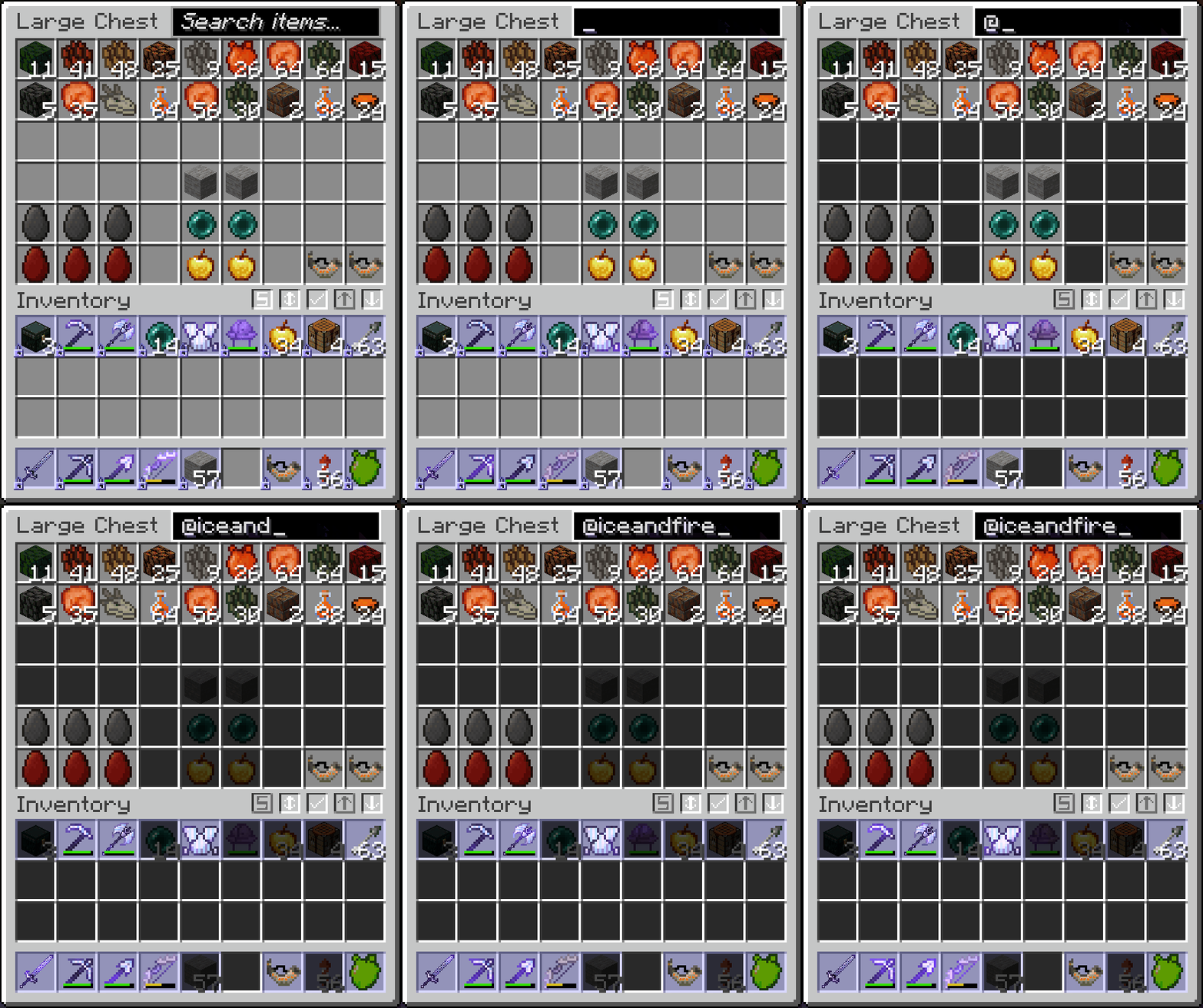
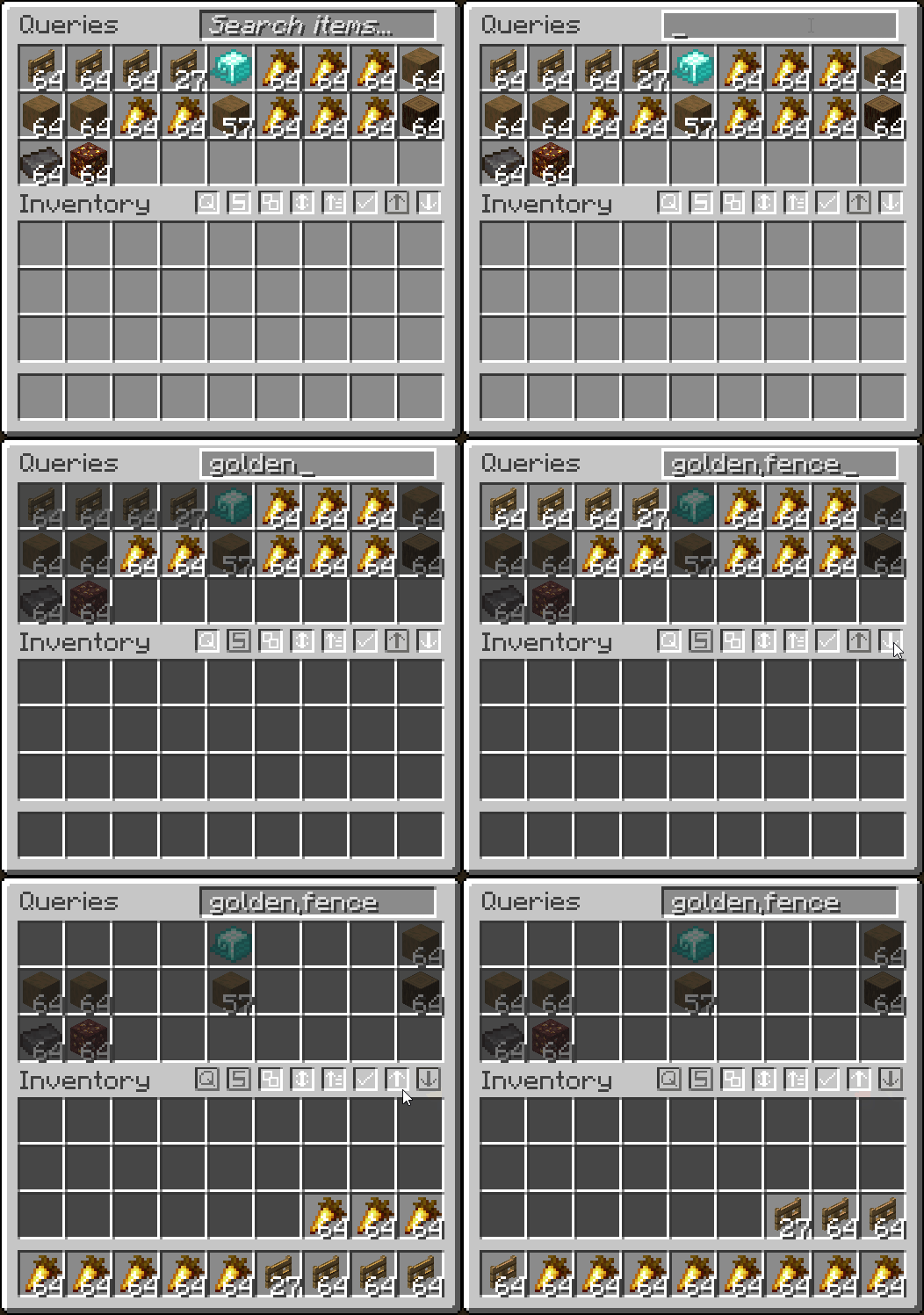
- Search for items in a container or your inventory
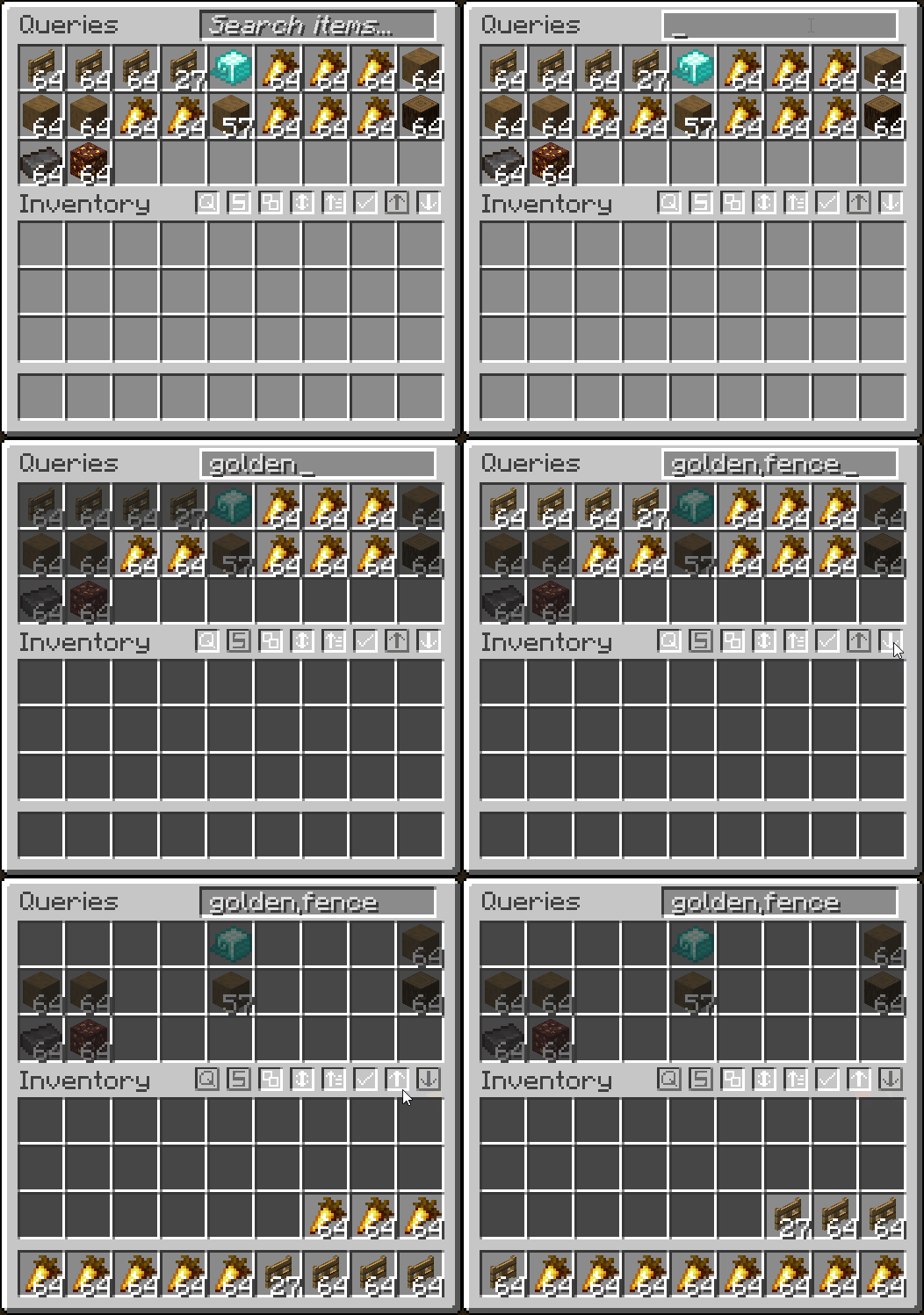
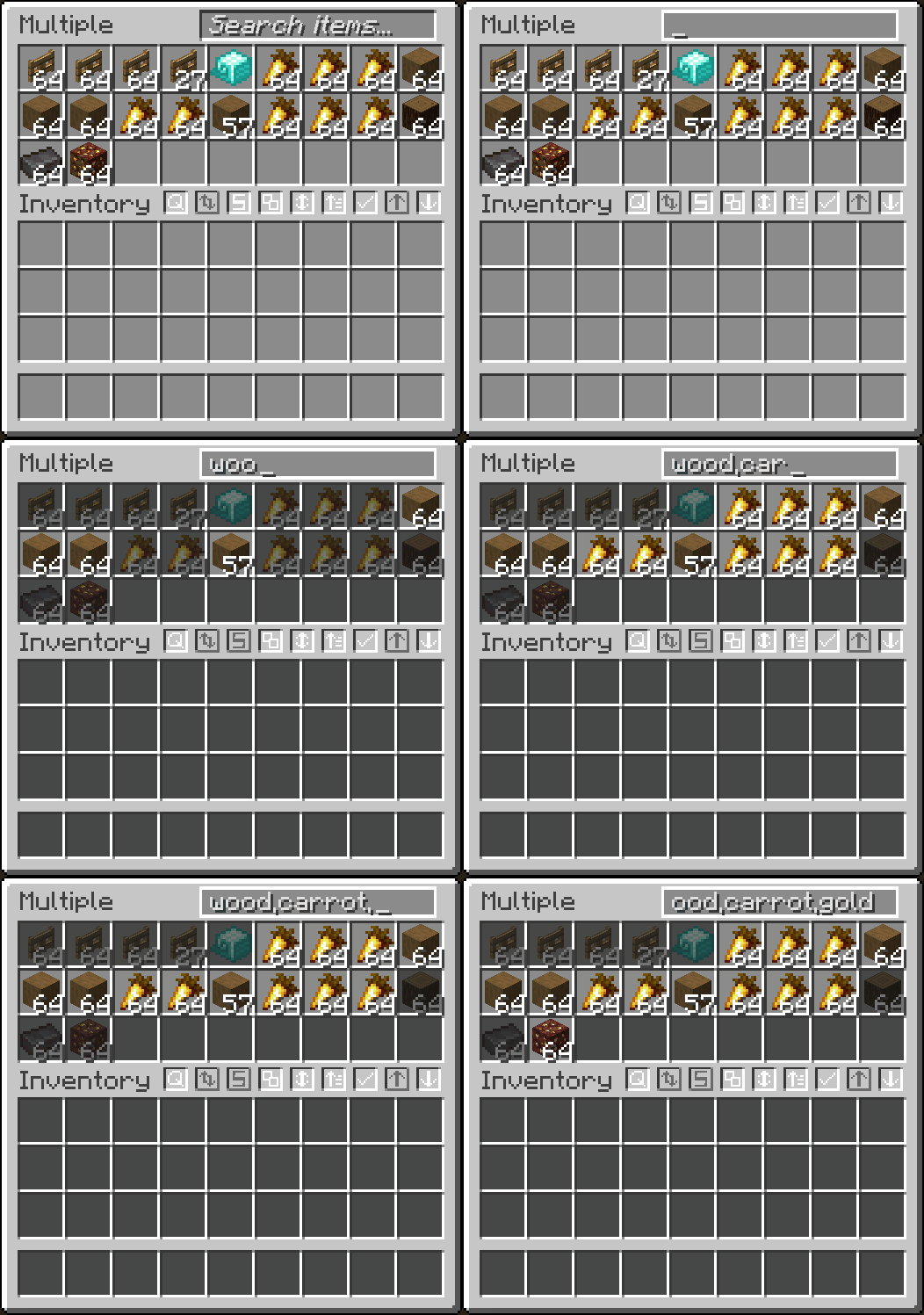
- Search multiple items at once by separating each query with a ,
- Search items by tag by starting query with #
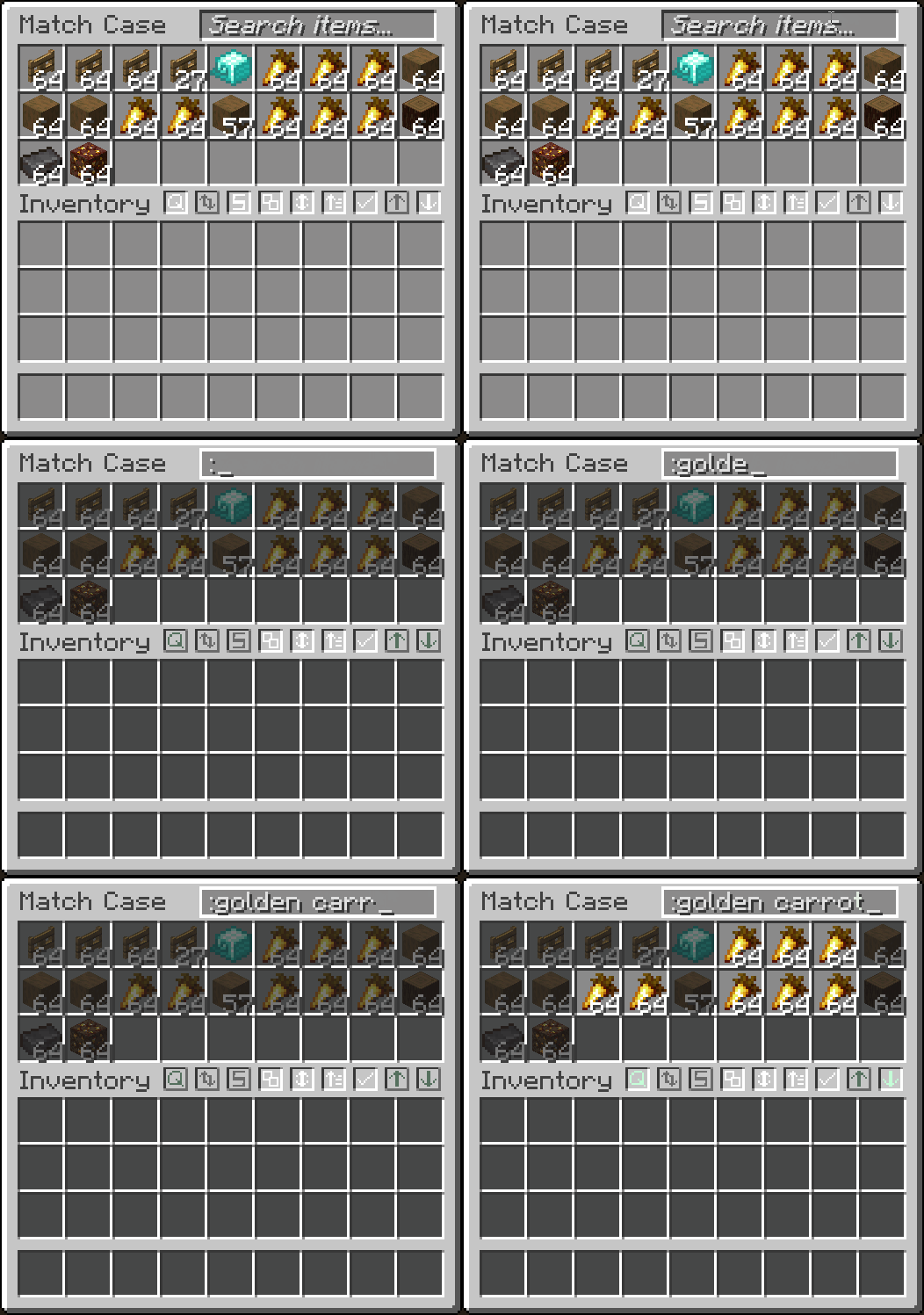
- Match case by starting query with :
- Exclude items from searching with a !
- Search by mod name with @
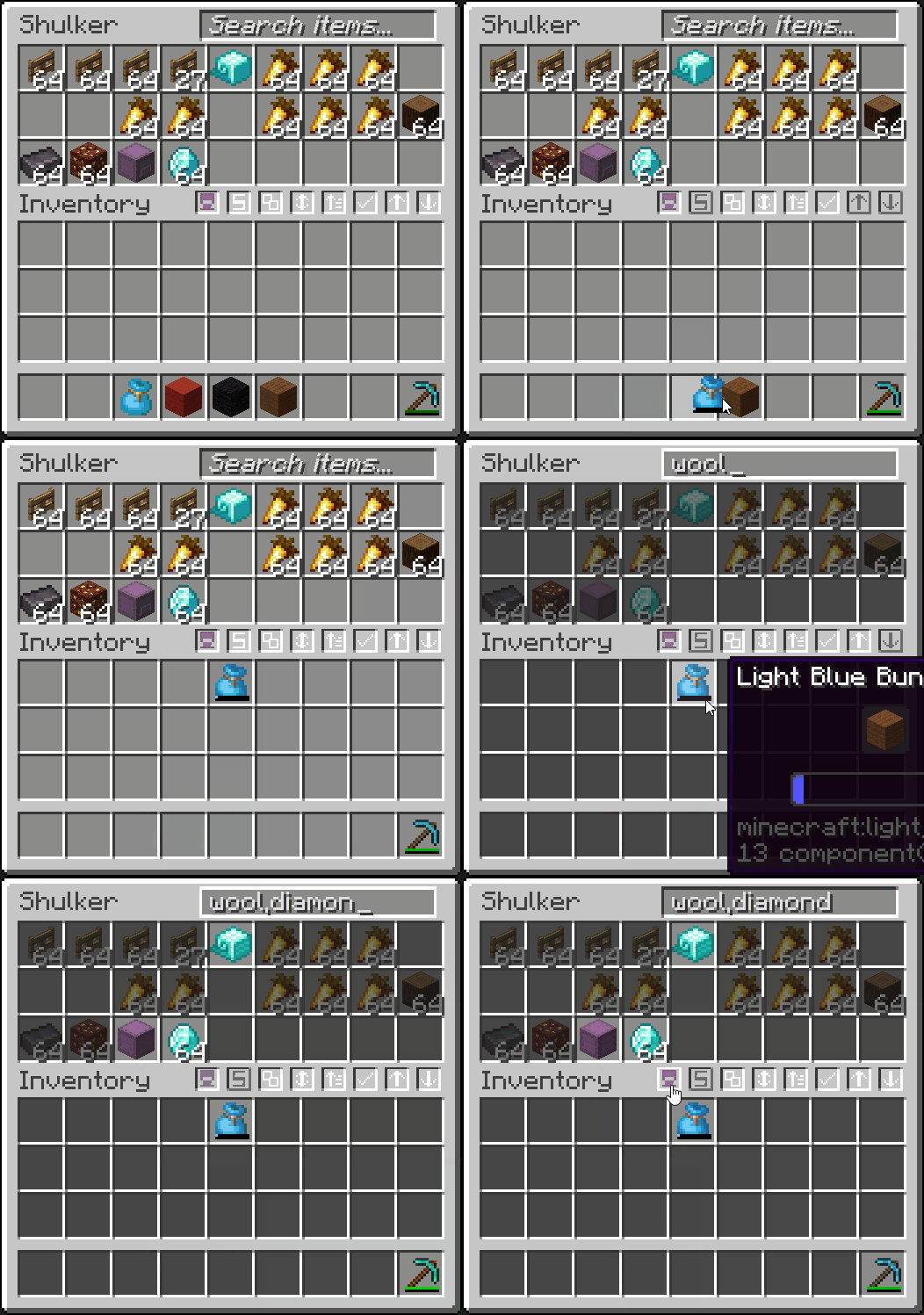
- Searches inside transportable containers
- Right-click to clear the search bar
- Fully configurable with different modes and appearances in the mod's
Searchingtab

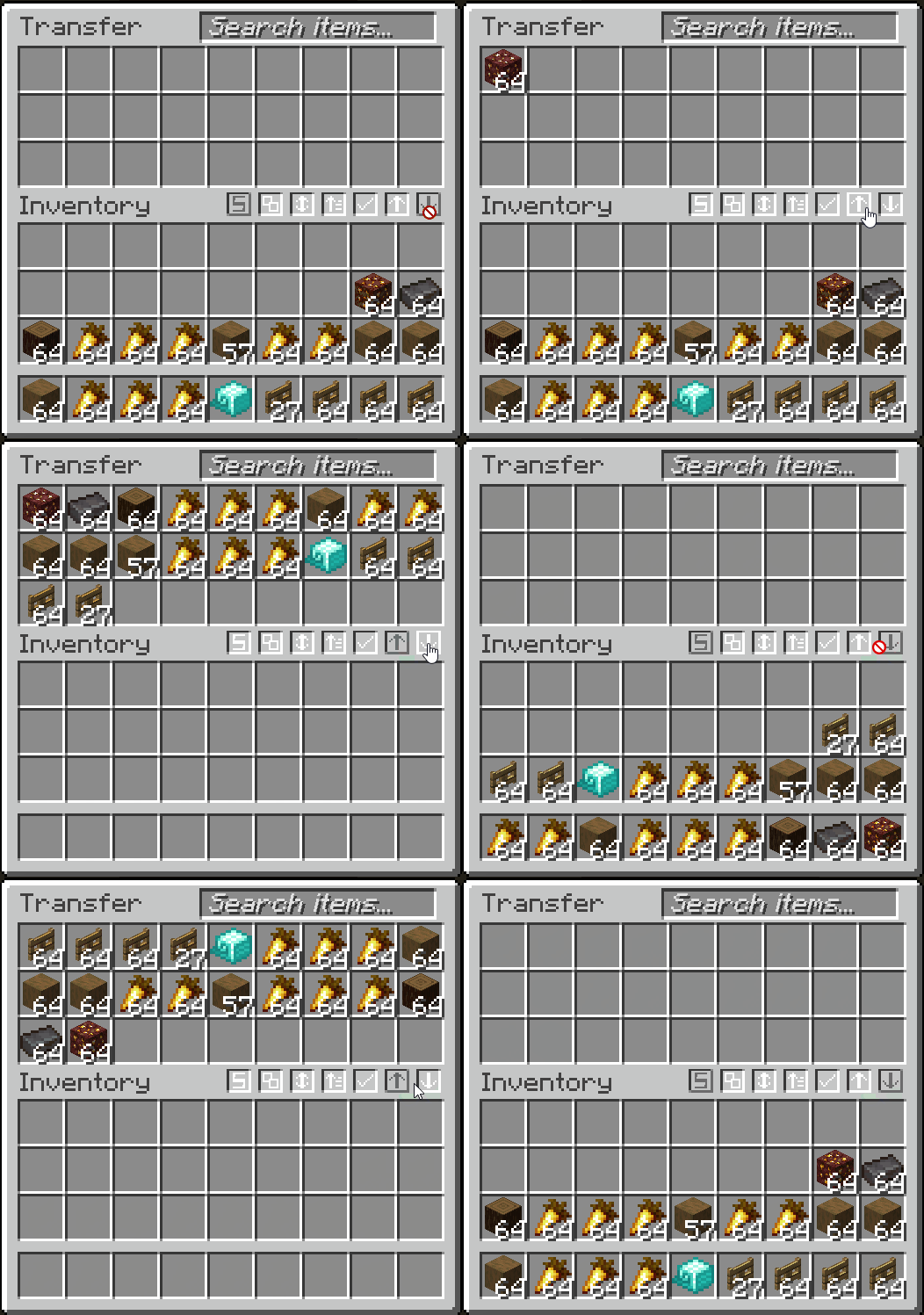
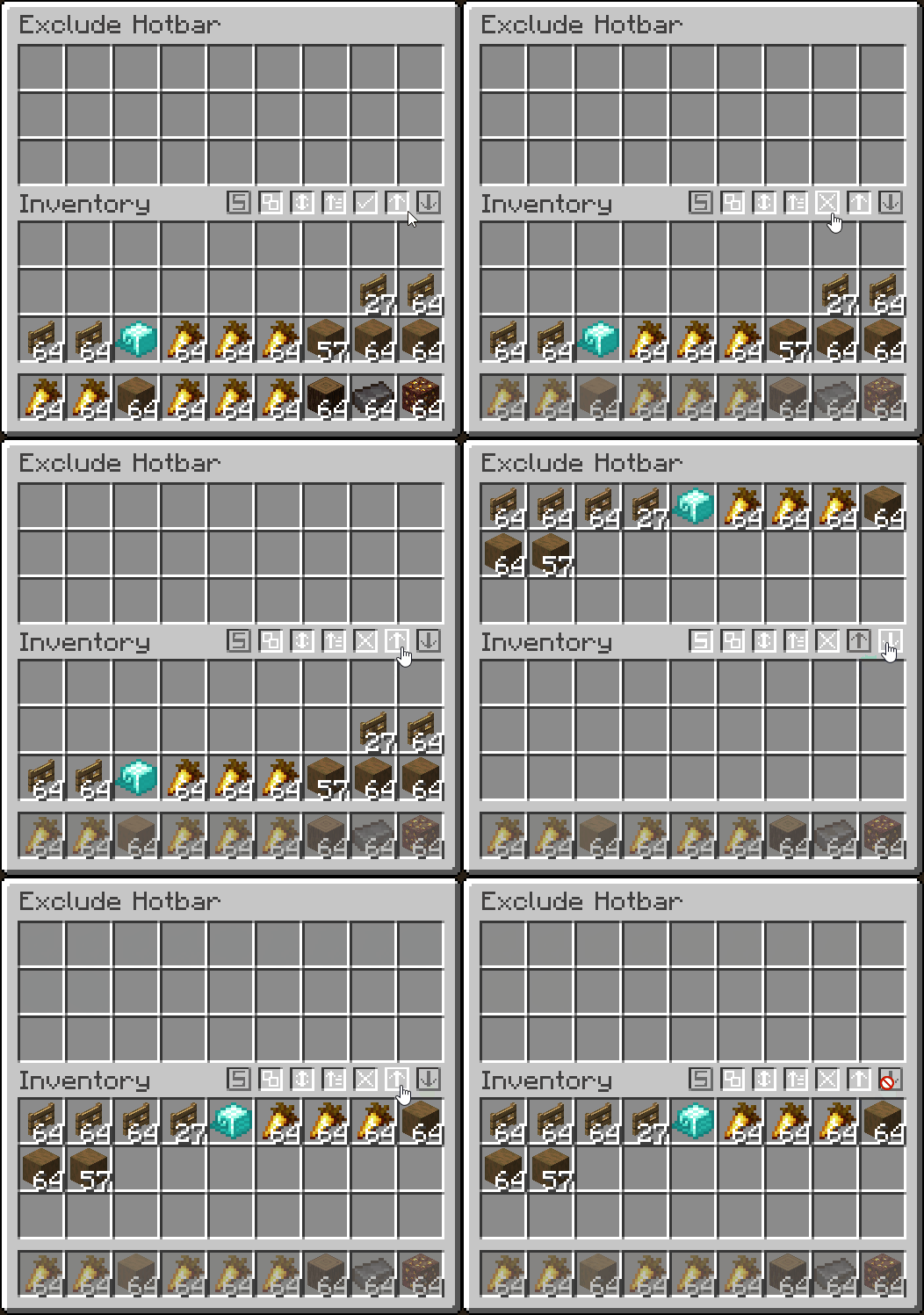
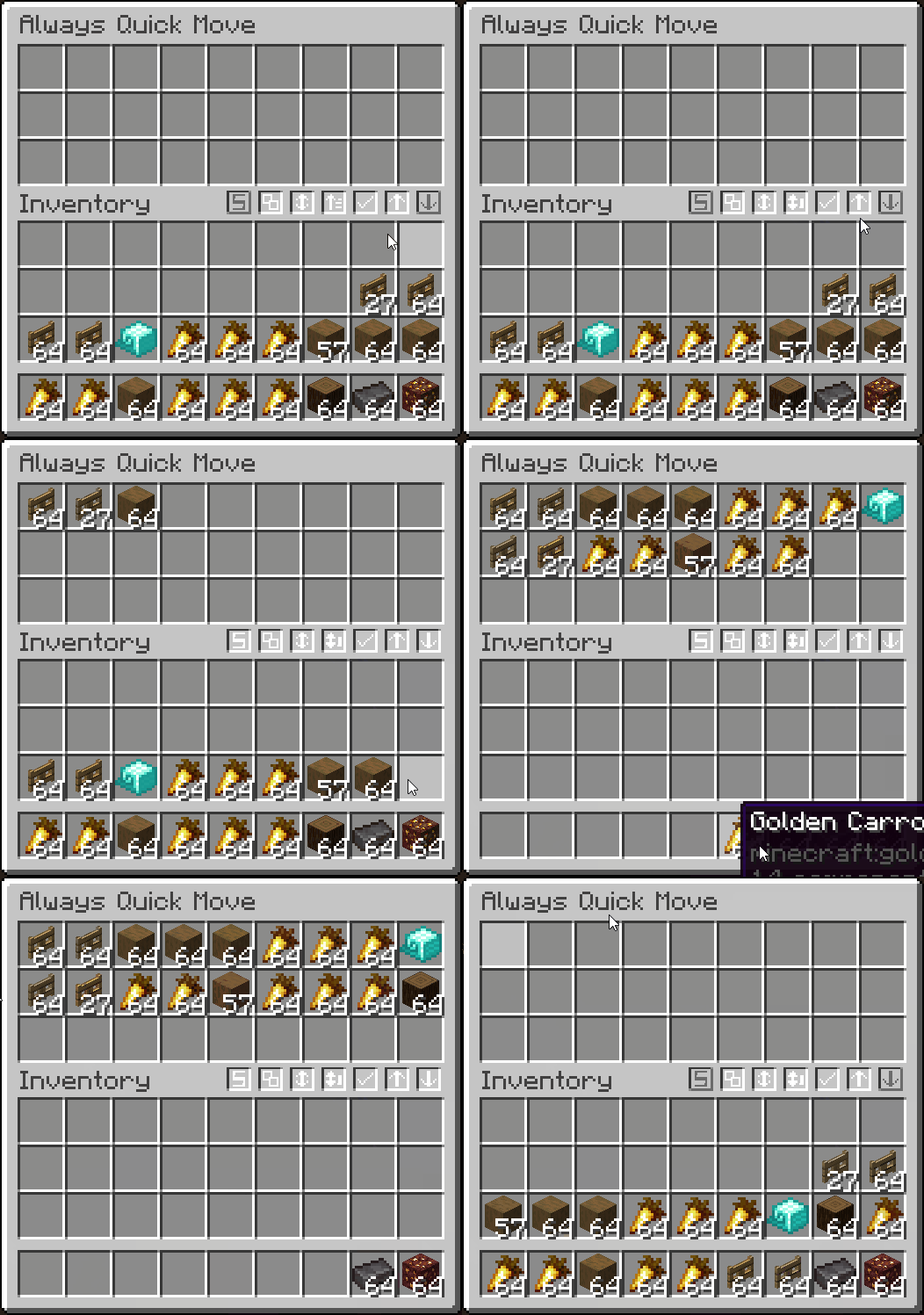
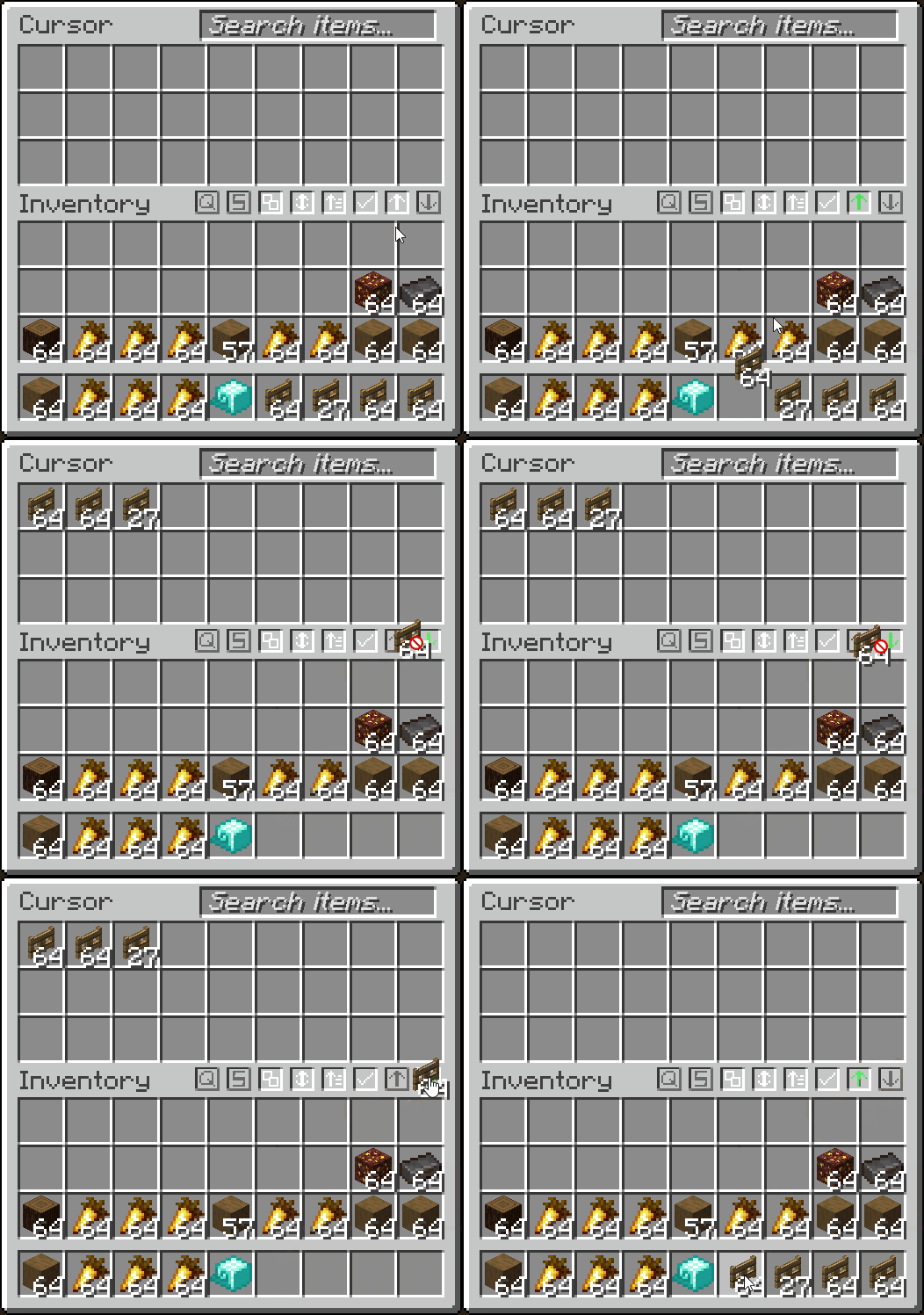
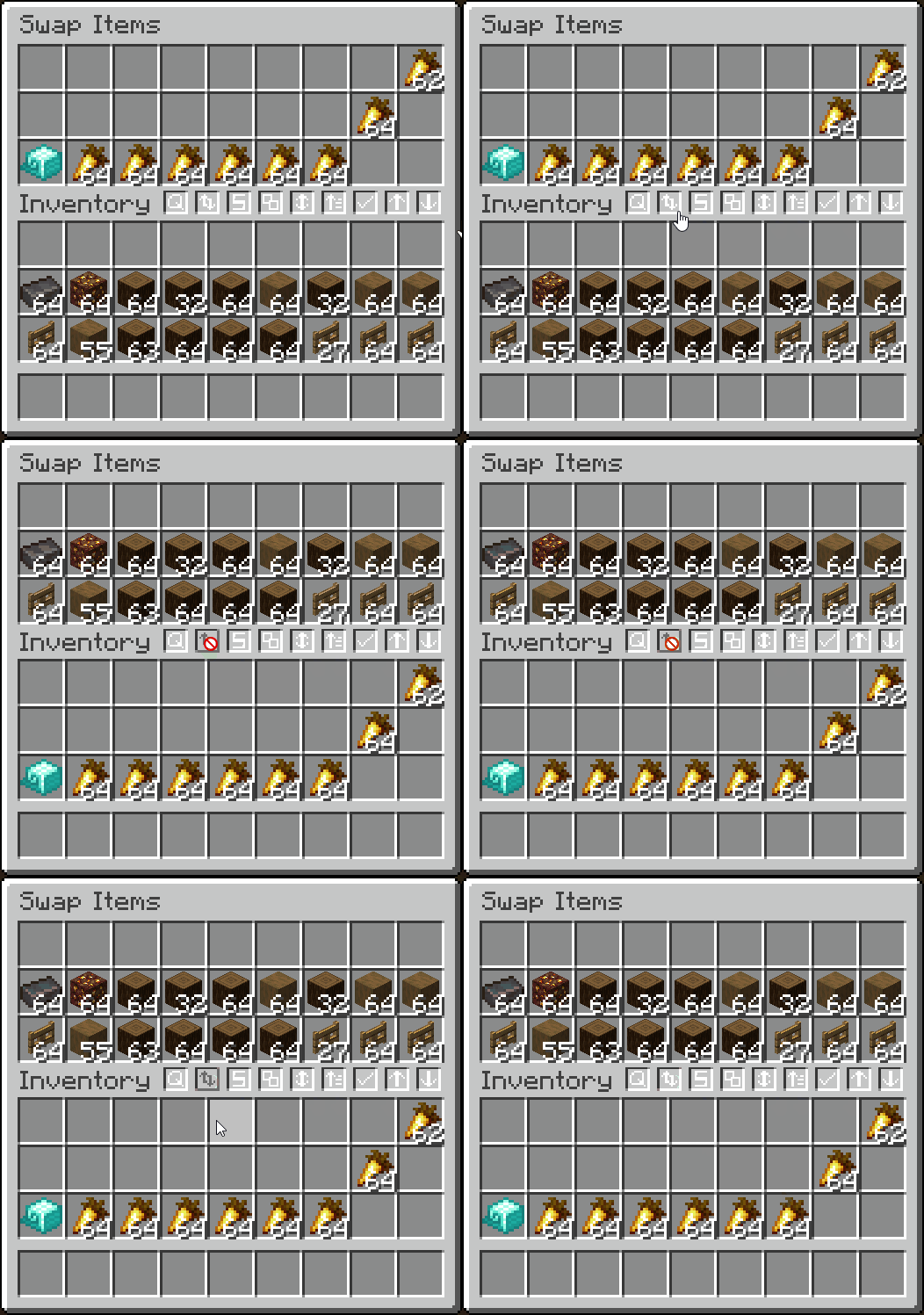
- Quickly transfer items from inventory → container, and vise-versa
- Fully client-side container filtering by adding your filtered items into a container GUI
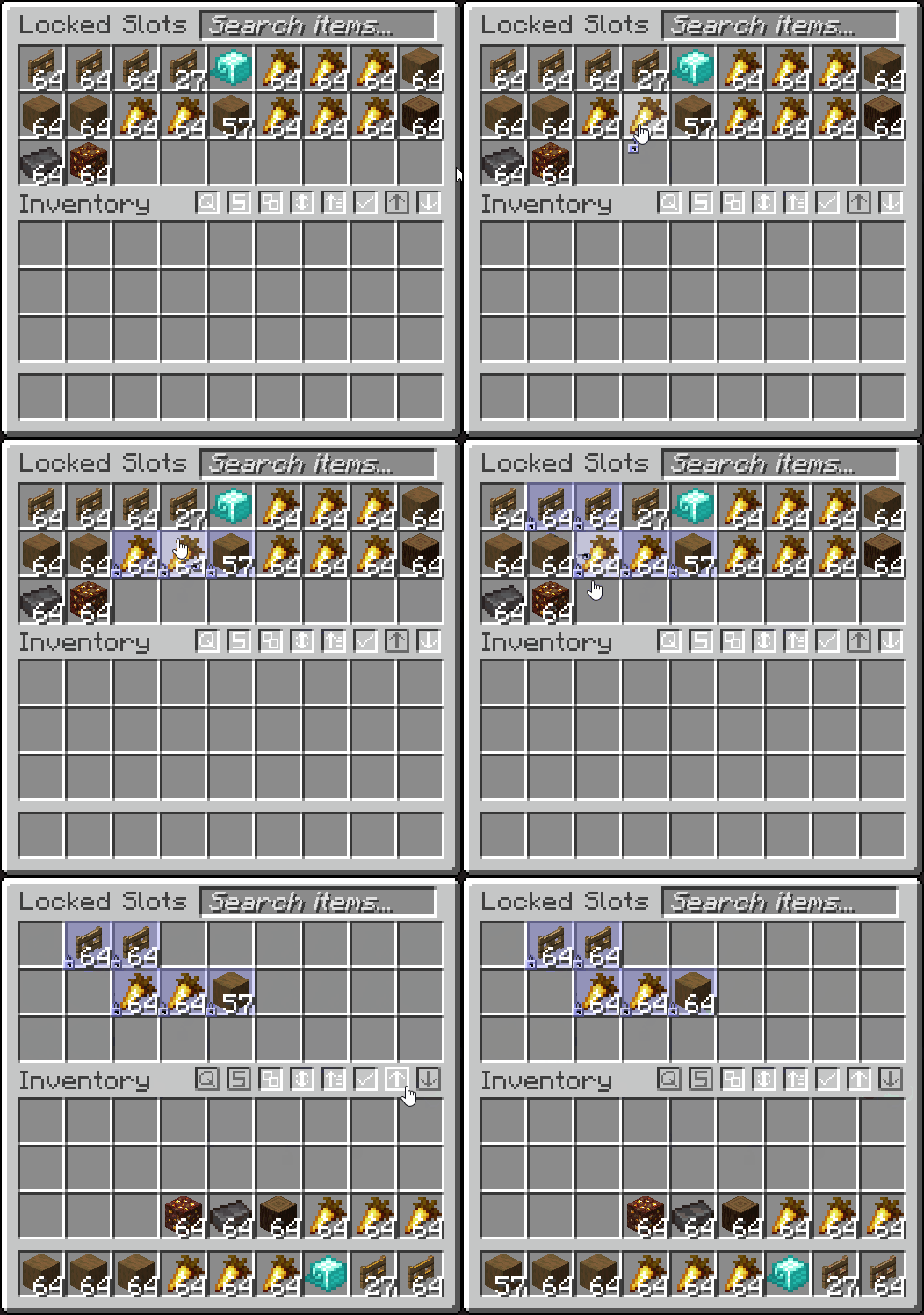
- Lock slots, to prevent them from being affected by transferring, dropping or sorting (ALT + MIDDLE CLICK)
- Lock your inventory to prevent items from being picked up
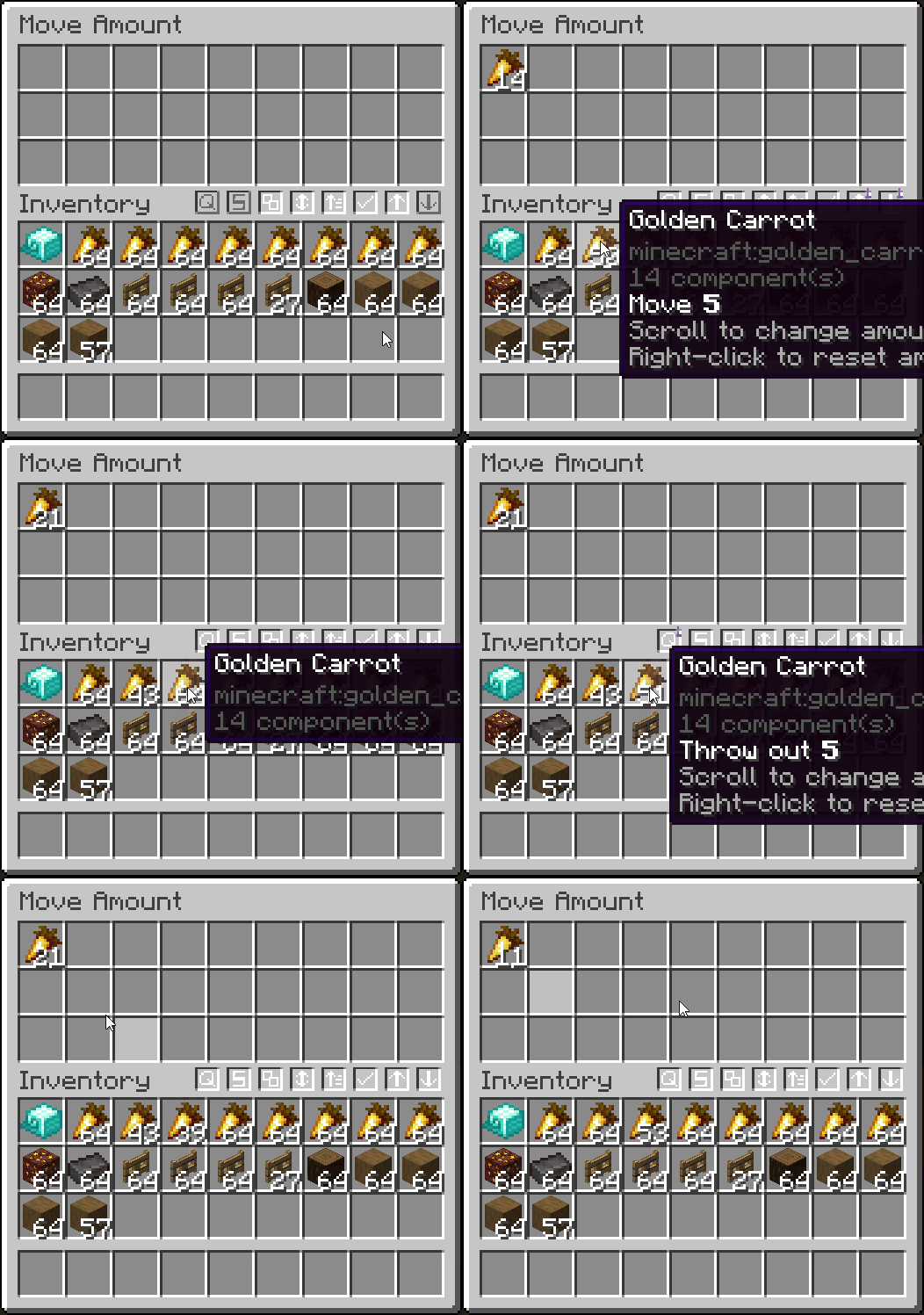
- Quick move one item out of a stack by scrolling (hold SHIFT to drop, and scroll to increase/decrease amount)
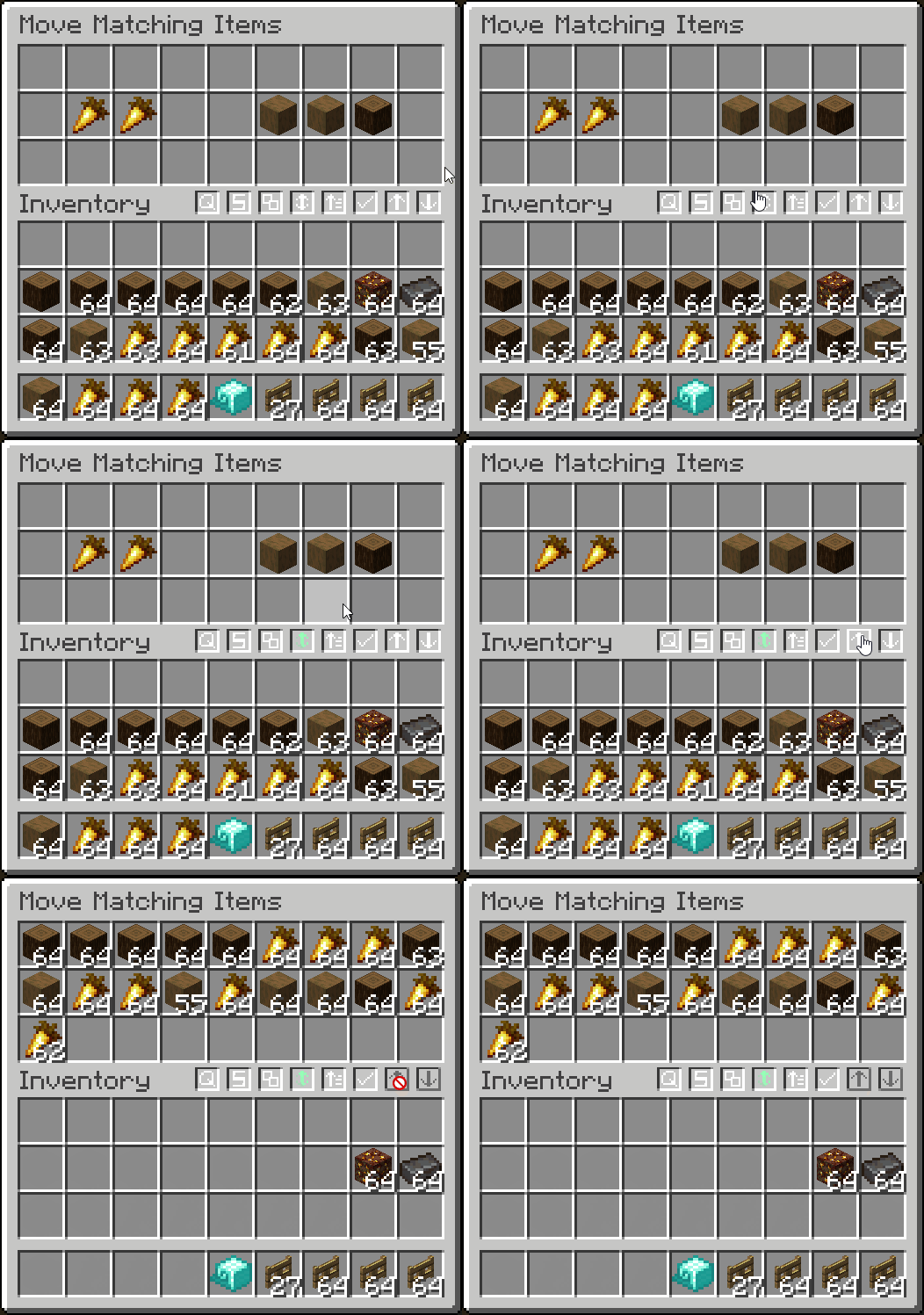
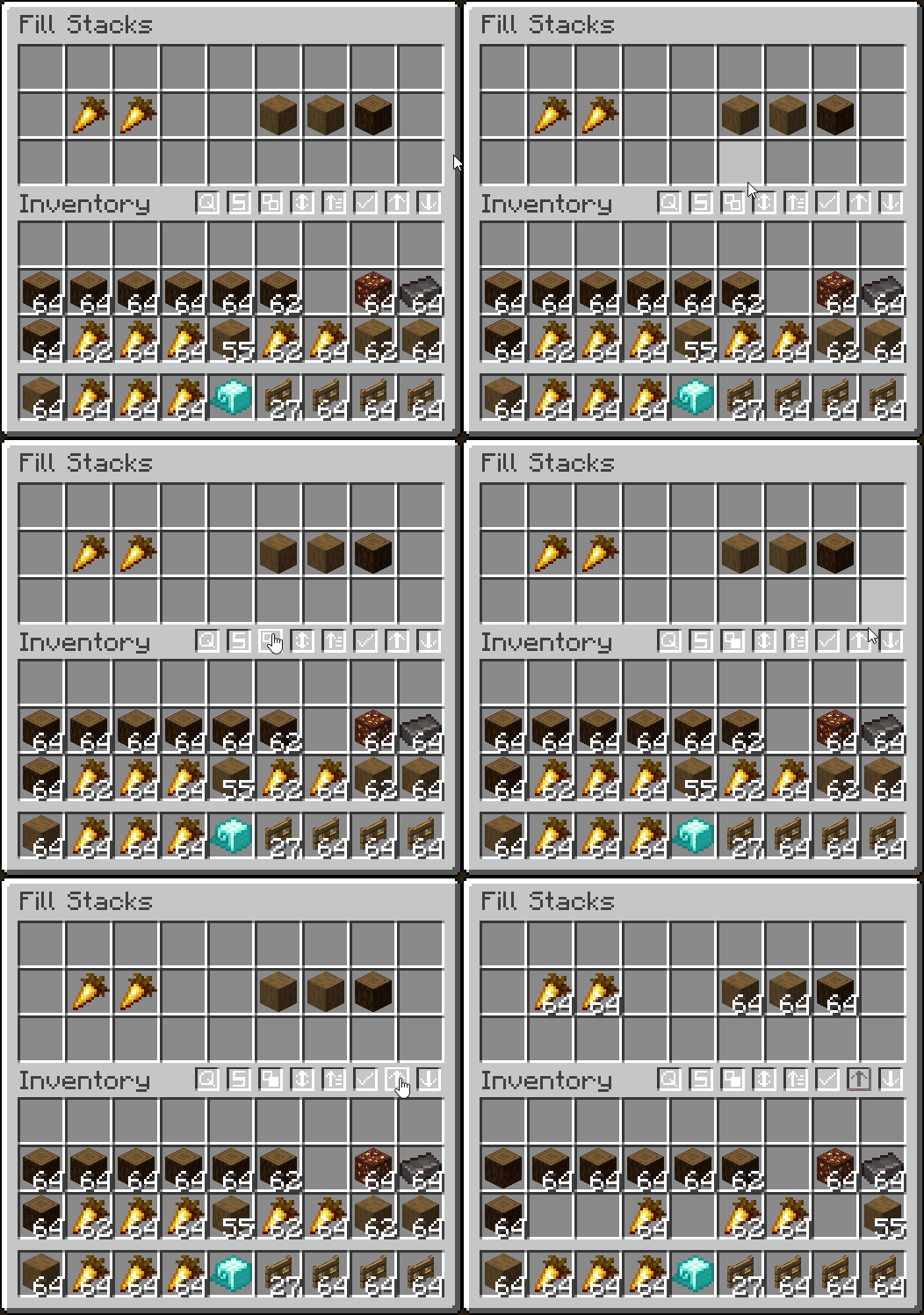
- Move only matching items and fill stacks
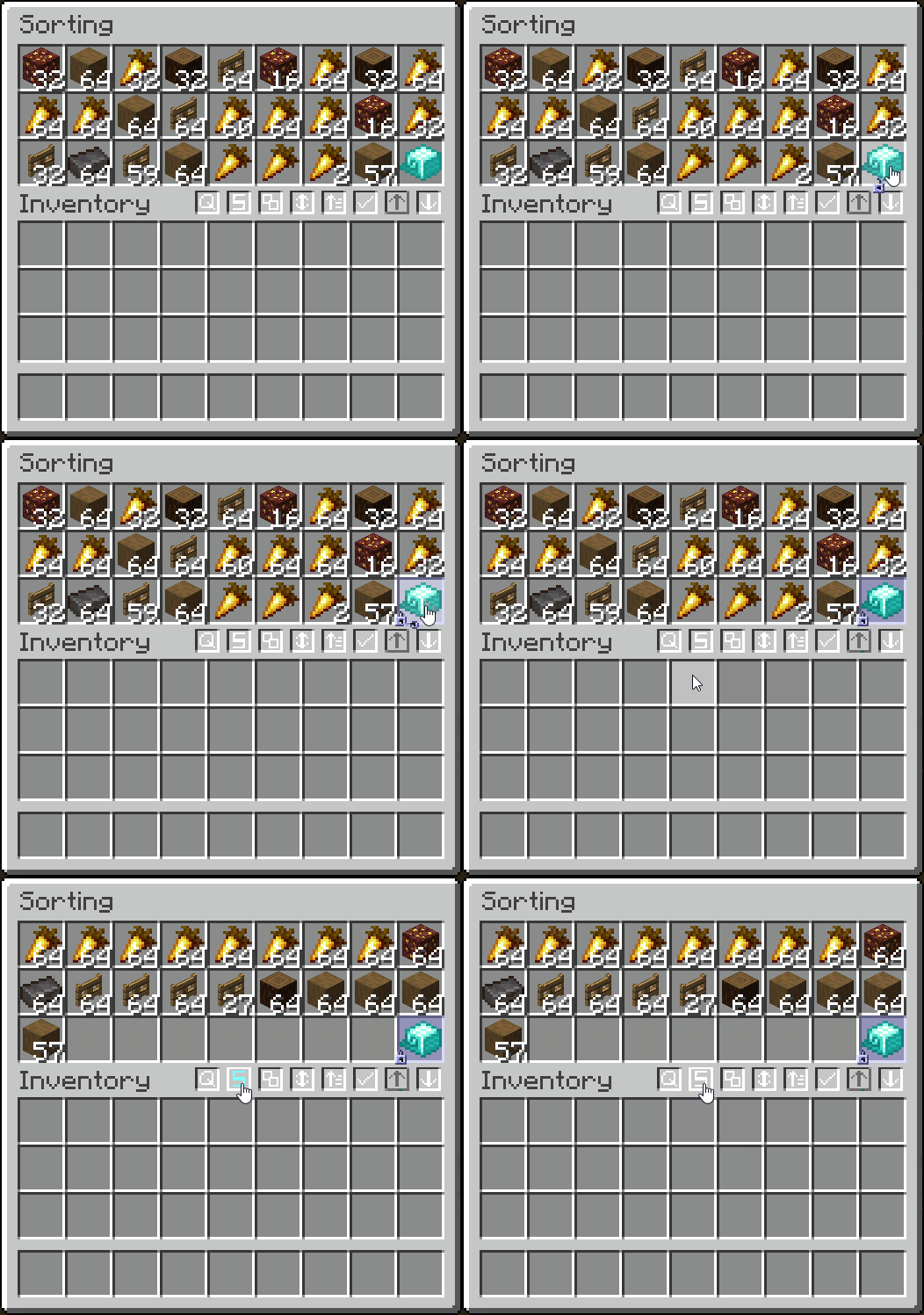
- Sort alphabetically, by item tag, ascending/descending, or by the creative menu order
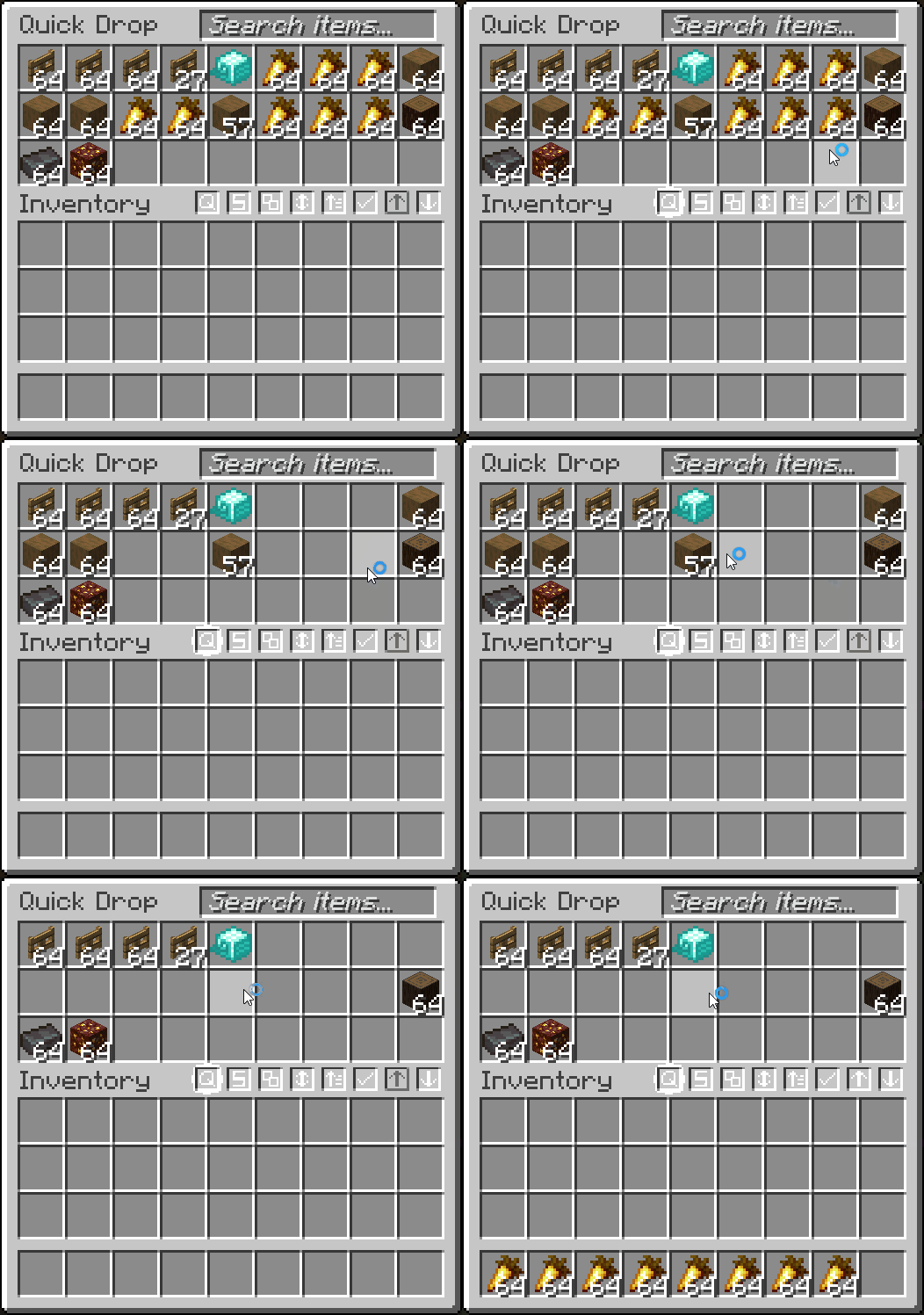
- Quickly drop items (CTRL + ALT + Q)
- And more!
- Fully configurable in the mod's
Managementtab


- Display the total count of an item you are holding (in stacks or just exact amount, configurable)
- Counts contents inside transportable containers
- Shows arrow count when using a bow
- Shows when throwing/picking up an item
- Configurable in the mod's
Item Countertab



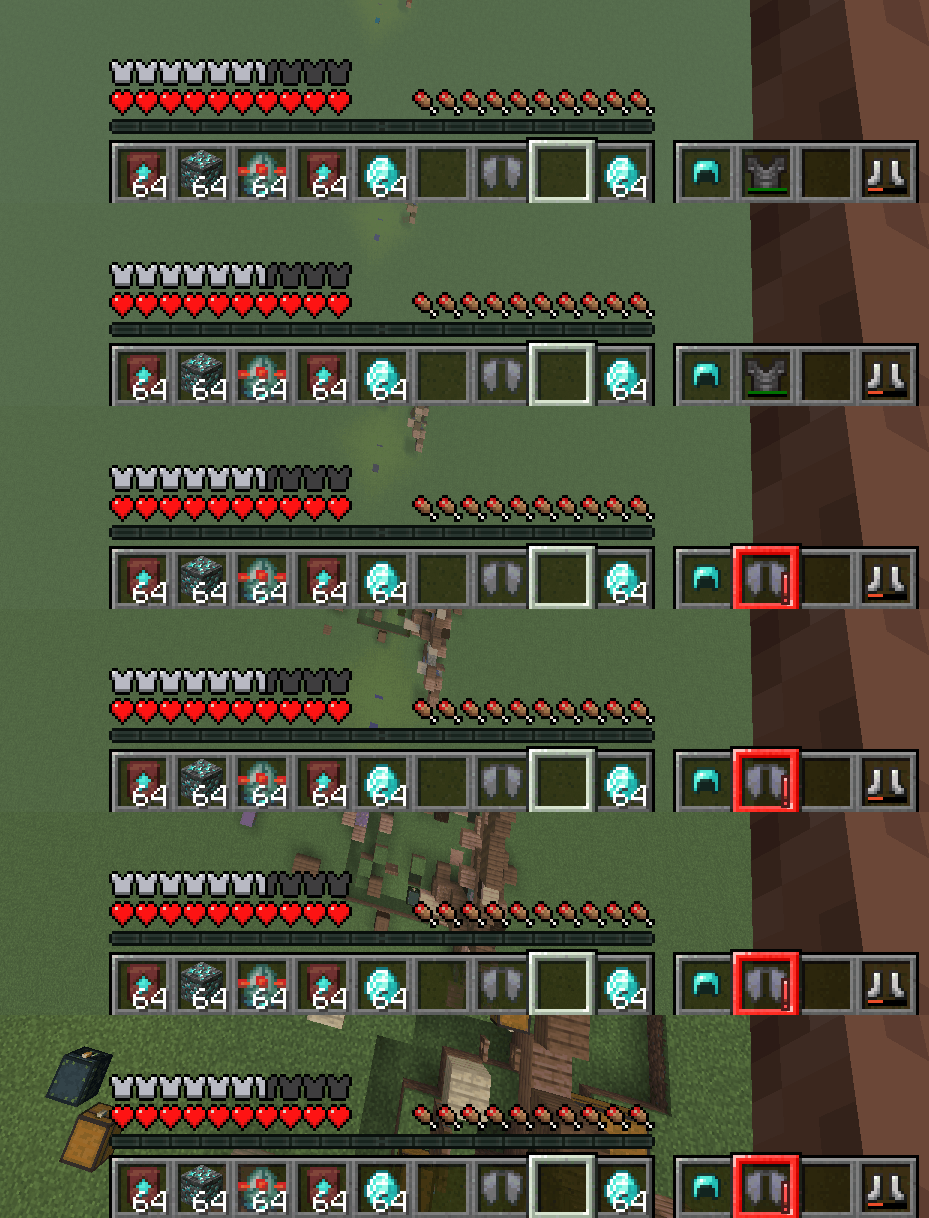
- Display your armor's status in-game
- Option to always display or only when updated
- Highlights with a color, depending on armor durability (configurable)
- Configurable in the mod's
HUDtab


- Search for an item in all nearby item frames
- Search different radiuses, with timers to remove glow
- Configurable in the mod's
Searchingtab


- Set what can change your FOV
- Toggle sprinting, potion effects, flying, bow pulling, and submerged in fluid to change FOV
- Configurable in the mod's
FOV Effectstab


- Plays the "player hit" sound when hitting a mob from at least 15 blocks away
- Plays the "level up" sound when killing a mob
- Configurable in the mod's
Miscellaneoustab


- Plays an alarm when you fall far enough without an elytra equipped
- Configurable in the mod's
Miscellaneoustab
Other Features
🎨 Configurable Themes
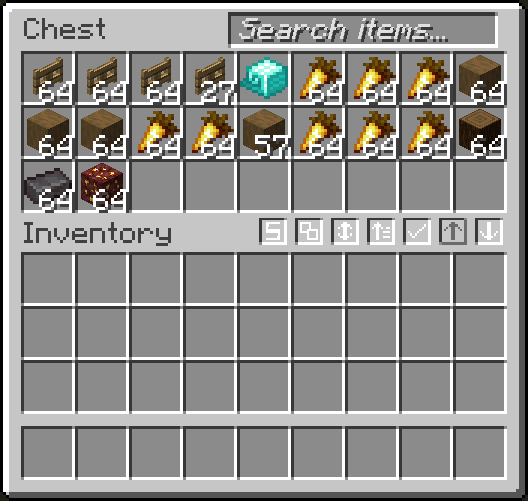
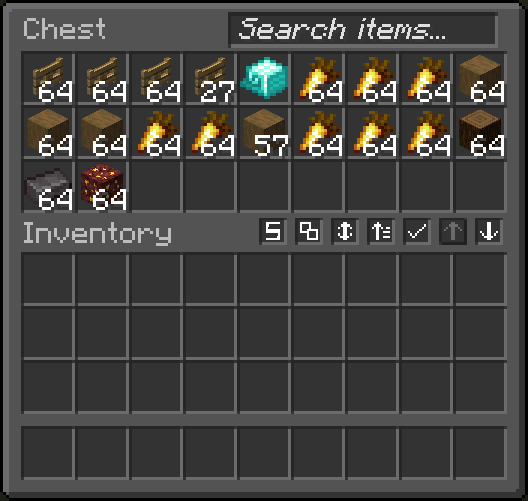
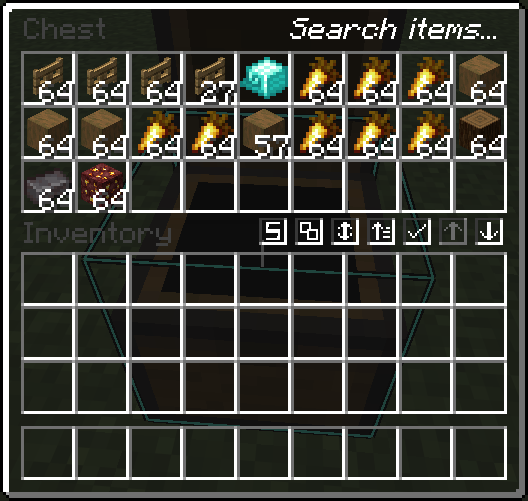
- Configure Quality of Queso widgets to use a vanilla theme, dark theme, or transparent theme
- Works really well with VanillaTweaks dark and transparent theme
- Configurable in the mod's
Generaltab
🚨 Enchantment Helper
- Displays what items enchanted books can be applied to
- Configurable in the mod's
Miscellaneoustab
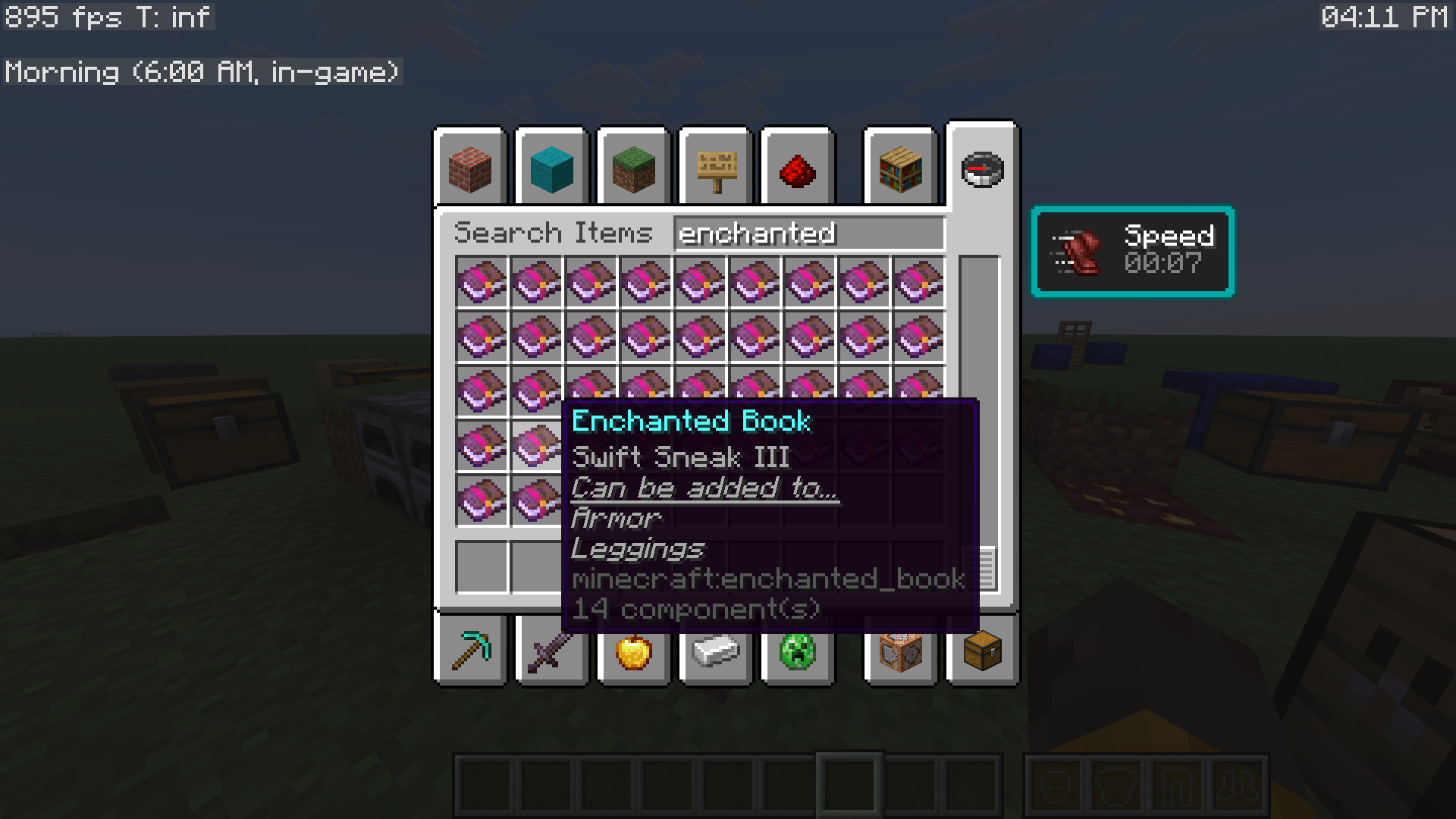
🖱️Enhanced Cursor
- Enhances the cursor by relating it to things you are doing
- Configurable in the mod's
Miscellaneoustab
🌙 Visual Time
- Allows you to change the client-side time, as a visual effect
- Configurable from the mod's
Main menu

🕒 Display Local Time
- Display your local time, in-game
- Display the world's in-game time, with descriptions of what time of day it is
- Comes with other helpful things to display, using Minecraft's debug entries
- Configurable from the mod's
Main menu

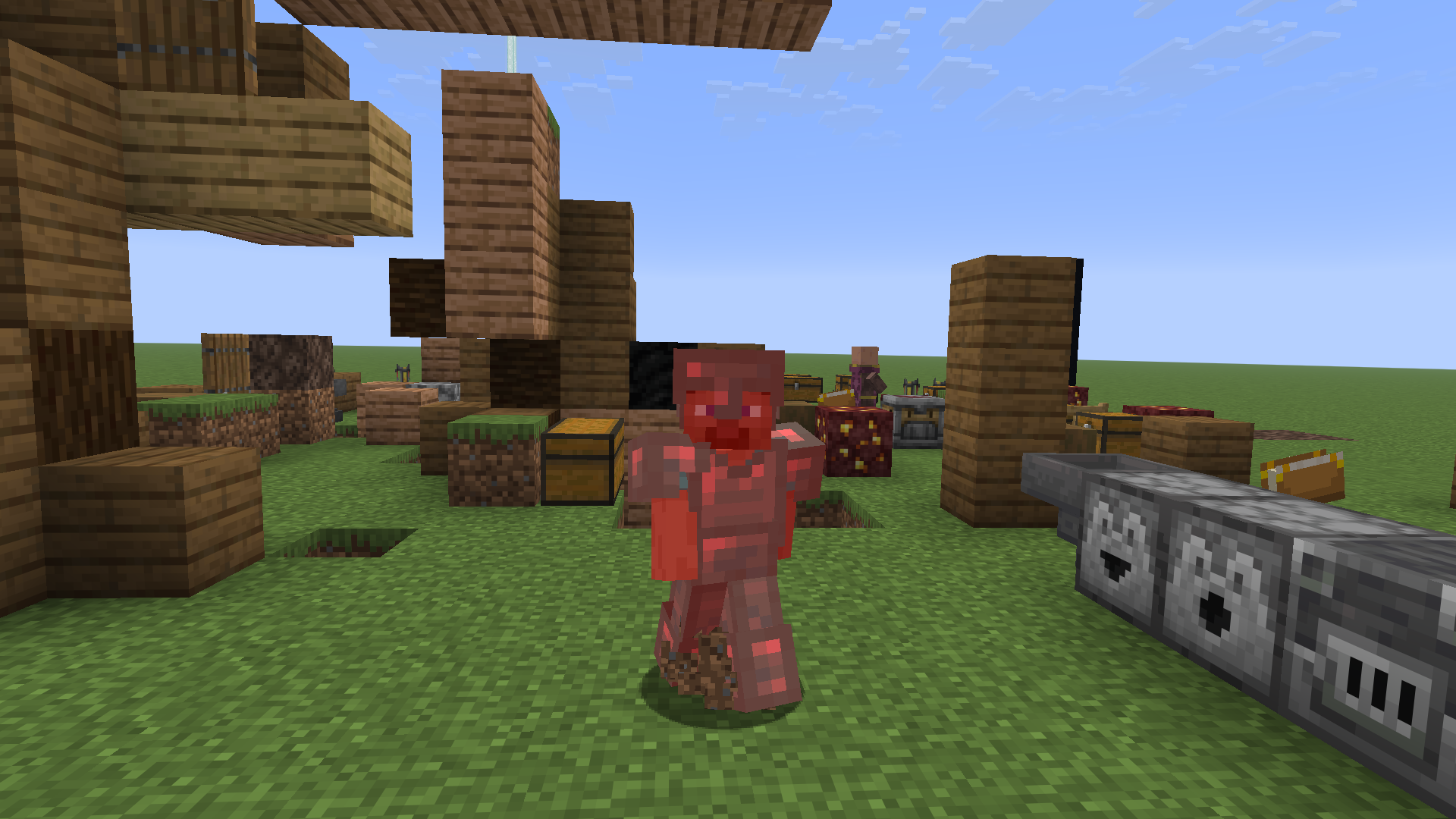
🖌️ Red Armor Tint
- Brings back Minecraft's old red armor tint when the player takes damage
- Configurable in the mod's
Misctab
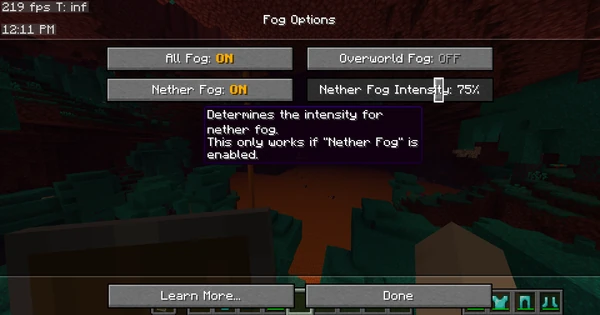
☁️ Remove Fog
- Remove Minecraft's annoying fog with the click of a button!
- Set nether fog intensity and overworld fog intensity
- Configurable in the mod's
Fogtab

🔔 Armor Ding
- Plays a ding sound whenever your armor gets low
- Configurable in the mod's
Miscellaneoustab
🚫 No Recipe Book Shift
- Prevents the recipe book from shifting the inventory screen over
- Configurable in the mod's
Miscellaneoustab
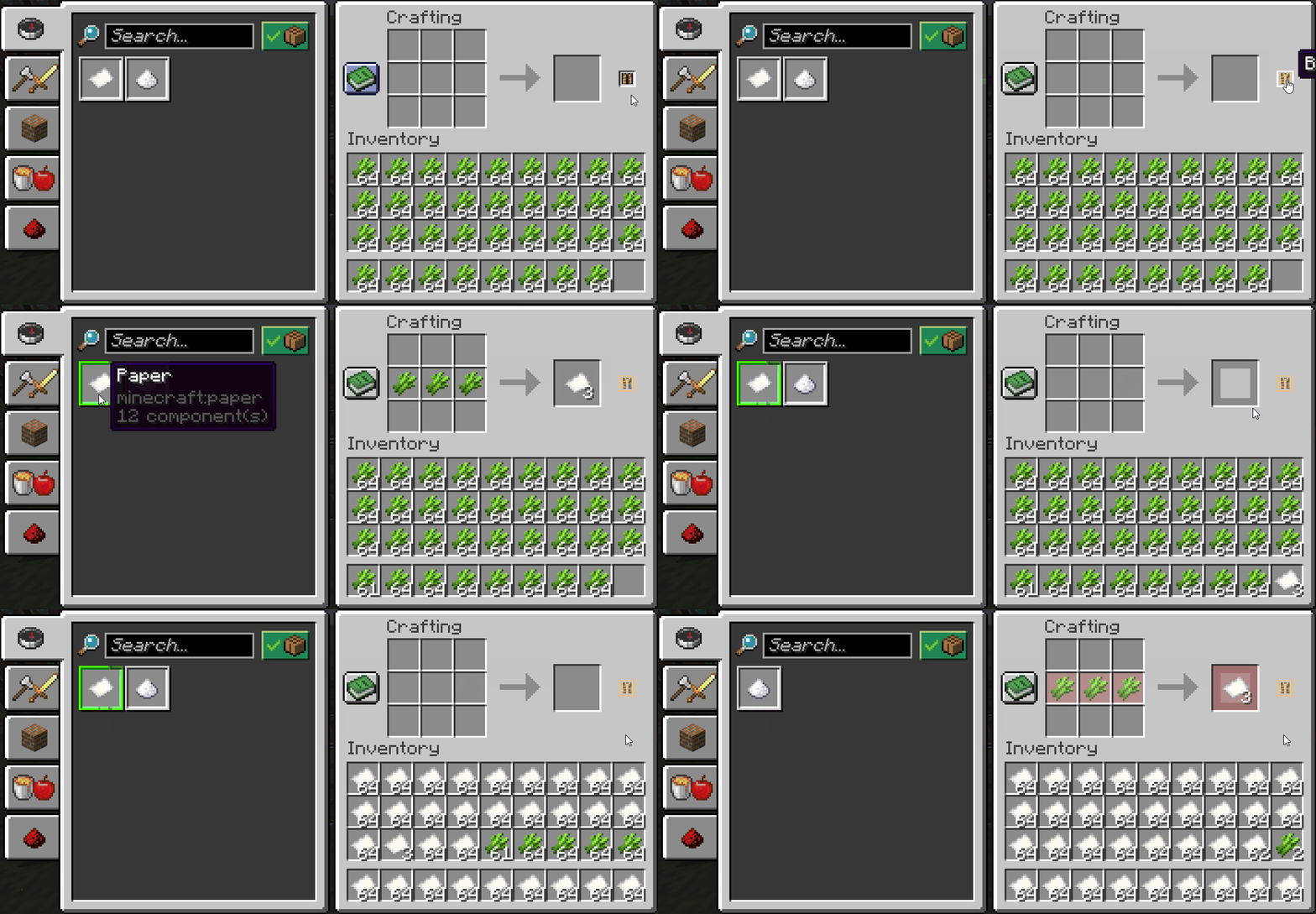
🔄 Auto-Close Recipe Book
- Automatically close the annoying recipe book when closing your inventory
- Configurable in the mod's
Miscellaneoustab
🔎 Quick Searching
- Type anywhere on your screen to auto-focus into a search bar
- Works with creative menu search bar, recipe book search bar, and the mod's search bar
- Configurable in the mod's
Searchingtab
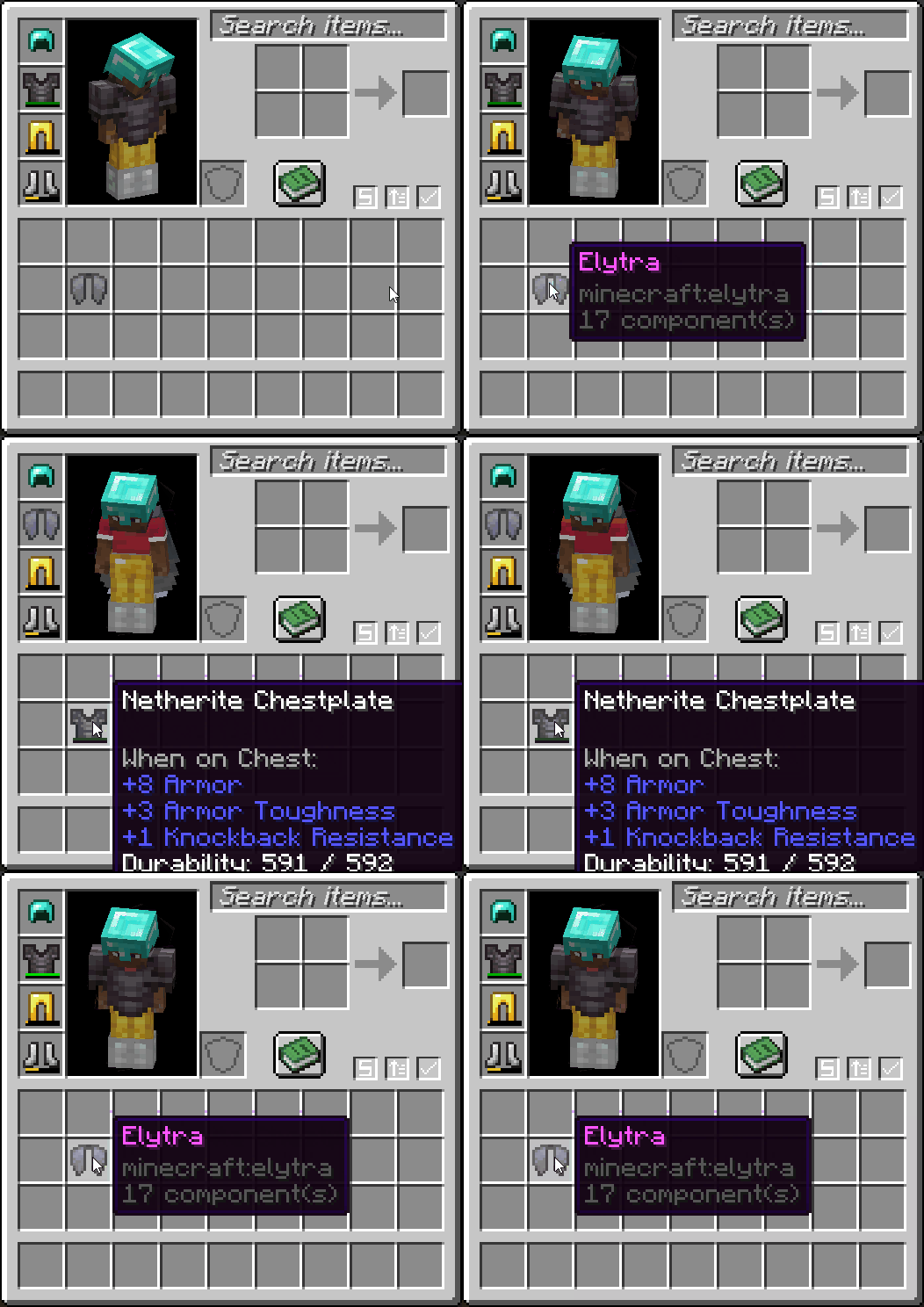
ᯓ★ Quick Equip
- Right-click an armor item to swap it out with whatever you're wearing
- Configurable in the mod's
Miscellaneoustab
ᯓ➤ Quick GUI Exit
- Click anywhere out-of-bounds of a GUI to close it
- Configurable in the mod's
Miscellaneoustab
😡 Anti-Rage Quit
- Prevents the player from quickly pressing the disconnect button
- Configurable in the mod's
Miscellaneoustab

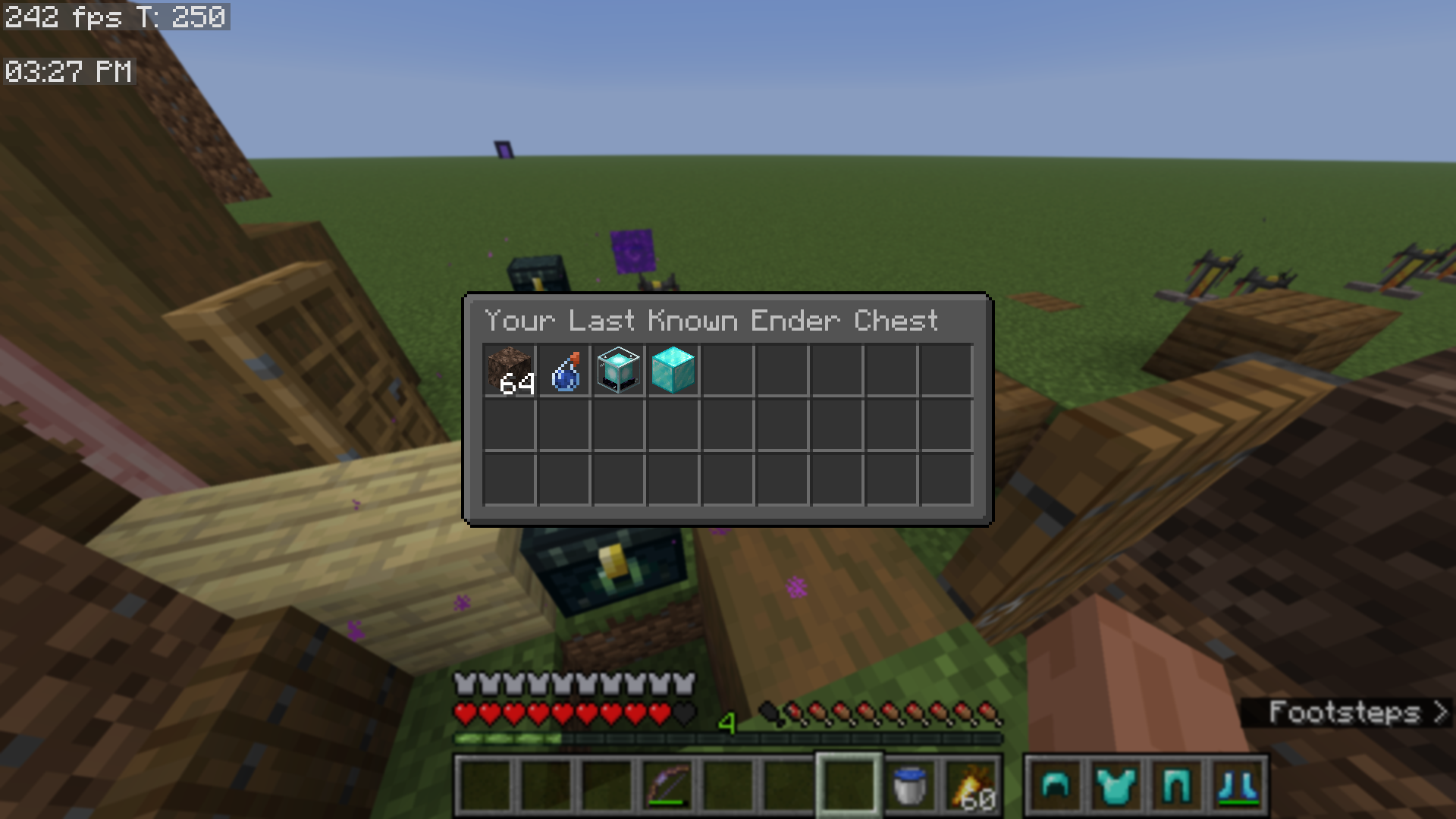
📊 View Last Known Ender Chest
- Adds a button to the Quality of Queso main menu, which lets you view your last known ender chest
- Configurable via the mod's
Accessibilitytab
🖼️ Open Screenshots Folder
- Adds a button to open your screenshots folder
- Found in the mod's
main menu
🗃️ Open World Directory
- Adds a button to open your world directory folder for singleplayer worlds
- Found in the mod's
main menu
💾 Multi-Server Configs and Blacklisted Servers
- Create separate Quality of Queso configurations for each server that you play on
- Additionally, you can block the mod from working on certain servers
- Configurable in the mod's
Generaltab
🌐 This mod is mostly client-side. The only features that are server-dependent are:
- Item Frame Searching
- Locking Slots in shulker boxes (locking slots in any other container is 100% client-side and stored per world, per server)
- View more information about this here.
- Locking the player's inventory
📖 Please read through the Wiki to fully understand all features, or watch the videos above. :)
❓FAQ
⛓️💥 Quality of Queso isn't working with such and such mod(s)! → If you are getting a crash, join my Discord server and send your crash report in the #modding channel, so I can help.
- Please be aware that some mods don't work with Quality of Queso.
- Confirmed incompatible mods currently include:
✅ Can you add such and such? → If and when I feel like it.
- If you have a feature request (or if you are asking for mod compatibility), your best option is to join my Discord server and post your suggestion in the
#suggestionschannel. - Please report any bugs you may find to the GitHub Repository.
🔗 Does this mod work with mods like sophisticated backpacks, iron chests, etc.? → Not right now.
- Some features, like sorting and basic transferring, work, but not all. Don't keep asking for it!
🏷️ What version(s) of Minecraft does this mod support? → Quality of Queso is kept up-to-date on the latest version of Minecraft, and then (currently) 1.21.11, 1.21.1, and 1.20.1.
- Support for the latest Minecraft version always comes first. Then I backport to older versions.
- For version 1.21.1 and above, the mod works with Fabric and NeoForged.
- For version 1.20.1, the mod works with Fabric and Forge.
✨ Can I contribute to your mod, by making textures, giving ideas, etc.? → Join my Discord server to suggest ideas, report bugs, and further contribute to my community.
- If and when the position is open, you can apply to become a Trialist in my Discord server, which means you will get access to versions of the mod before they publicly release, so that you will be able to find bugs, test new features, and suggest further ideas.
- You can also create your own resource pack by using the template provided in the mod, which can be found here.
❌ I don't like such and such feature. Can I disable it? → This mod is fully configurable, with the most intuitive configuration that I could create. Most features are toggleable and configurable.
- If you are having trouble configuring Quality of Queso, or don't know how to turn a certain setting off, join my Discord server so I can help you.
- Also consider reading up on the mod's Wiki page, which documents just about everything you would need.
⚠️ Older Version Support
➜ Currently, Quality of Queso does support older versions of Minecraft, however, certain features are currently unsupported.
❌ MC 1.21.11 (and below) Unsupported Features
❌ MC 1.21.1 (and below) Unsupported Features
- Red Armor Tint
- Transparent Search Bar
- Overworld Fog Intensity
- Enhanced Cursor
- Darker Overlay setting
- Fading Animations with the armor status
Keybind Modifiers
Created and regularly maintained by: Dillon8775 and MannyQUESO.
All rights reserved unless explicitly stated.
Some ideas were inspired by other mods, which include:
- Inventory Management and Client Sort (fill stacks feature)
- Quark (armor status and item count)
All management sounds are not mine, they are Mojang's. These include:
- The bundle noises
- The old opening/closing of door sounds (for locking slots)
Available Versions
How to Install Quality of Queso on Your Server
Order Server
Order a Minecraft Java server with at least 3 GB RAM (4 GB recommended).
Set fabric Loader
In the panel under "Egg", select the fabric loader and matching Minecraft version (26.1.2).
Install Mod
Open the mod browser in the dashboard and search for "Quality of Queso". Click "Install" – done! Alternatively, upload the .jar via SFTP to the /mods folder.
Compatibility
Mod Loaders
Minecraft Versions
26.1.2, 26.1.1, 26.1 (+14 more)
Server-side
~ OptionalRecommended RAM
4 GB(min. 3 GB)Frequently Asked Questions
Quality of Queso server crashes on startup – what to do?
Most common cause: wrong fabric version or insufficient RAM. Check the server log (latest.log) for "OutOfMemoryError" or "Mixin" errors. With Mado Hosting: ensure at least 3 GB RAM is allocated and the loader matches the mod version (26.1.2). You can switch loaders with one click in the panel.
Is Quality of Queso compatible with fabric and forge and neoforge?
Quality of Queso officially supports fabric, forge, neoforge for Minecraft 26.1.2, 26.1.1, 26.1. Note: Forge and Fabric mods are NOT cross-compatible – pick one loader and stick with it. The Mado dashboard automatically detects incompatible loader combinations.
Server lagging with Quality of Queso – how to optimize performance?
Recommended RAM: 4 GB (per 8 players). Use /spark profiler to check if Quality of Queso consumes the most tick time. Common fixes: reduce server view-distance to 8-10, install "performant" or "starlight" as supplementary mods on Forge. With Mado Hosting, your server runs on NVMe SSDs with dedicated CPU cores for minimal latency.
Similar Mods






Rent Modded Server
Install Quality of Queso with just one click on your server.