
Quantum Hitbox
Mod that gives you total control over entity hitboxes. Featuring real-time RGBA customization, smooth Chroma cycling, and advanced visibility filters, it's the ultimate tool for visual clarity and aesthetic Minecraft gameplay.
Screenshots
About this Mod
✨ Quantum Hitbox Features
Real-time RGBA Customization – Use intuitive sliders to pick any color and transparency level. Watch the changes happen instantly in the world as you move the bars!
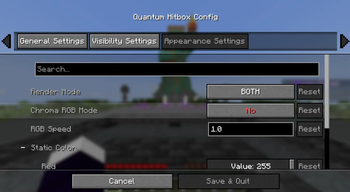
Smooth Chroma (RGB) Mode – Enable dynamic color cycling with adjustable speed for a vibrant, animated hitbox experience.
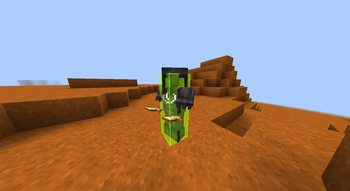
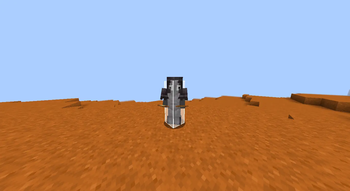
Multiple Render Modes – Choose between a solid Fill, a sleek Outline, or Both to match your preferred visual style.
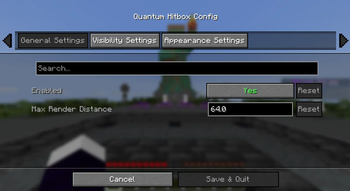
Advanced Visibility Filters – Fine-tune what you see: toggle hitboxes for all entities, only the one you're looking at (crosshair), or even invisible entities.
Self-Hitbox Hiding – Intelligently hides your own hitbox in first-person view to keep your screen clear while maintaining full visibility of others.
Native & Professional UI – A clean, intuitive configuration menu that integrates seamlessly via Mod Menu & Cloth Config.
Persistent Config – Your settings are automatically saved to a JSON file and reloaded every time you launch the game.
🎮 How to use
Install the mod and launch Minecraft.
Open the config screen via Mod Menu or using your assigned keybinding (Check "Controls" to set your favorited key).
Adjust the Red, Green, and Blue sliders to find your perfect color.
Use the Alpha slider to set the transparency (affects both fill and outline!).
Toggle Chroma for a rainbow effect or change the Render Mode to switch between solid and outline looks.
Click Done to save. Your changes are visible instantly!
🐛 Bug reports & suggestions
Send me a DM on Discord:
marcellesa
Available Versions
How to Install Quantum Hitbox on Your Server
Order Server
Order a Minecraft Java server with at least 3 GB RAM (4 GB recommended).
Set fabric Loader
In the panel under "Egg", select the fabric loader and matching Minecraft version (26.1).
Install Mod
Open the mod browser in the dashboard and search for "Quantum Hitbox". Click "Install" – done! Alternatively, upload the .jar via SFTP to the /mods folder.
Compatibility
Mod Loaders
Minecraft Versions
26.1, 1.21.11, 1.21.8 (+8 more)
Server-side
✗ UnsupportedRecommended RAM
4 GB(min. 3 GB)Frequently Asked Questions
Quantum Hitbox server crashes on startup – what to do?
Most common cause: wrong fabric version or insufficient RAM. Check the server log (latest.log) for "OutOfMemoryError" or "Mixin" errors. With Mado Hosting: ensure at least 3 GB RAM is allocated and the loader matches the mod version (26.1). You can switch loaders with one click in the panel.
Is Quantum Hitbox compatible with fabric?
Quantum Hitbox officially supports fabric for Minecraft 26.1, 1.21.11, 1.21.8. The Mado dashboard automatically detects incompatible loader combinations.
Server lagging with Quantum Hitbox – how to optimize performance?
Recommended RAM: 4 GB (per 8 players). Use /spark profiler to check if Quantum Hitbox consumes the most tick time. Common fixes: reduce server view-distance to 8-10, install "performant" or "starlight" as supplementary mods on Forge. With Mado Hosting, your server runs on NVMe SSDs with dedicated CPU cores for minimal latency.
Similar Mods




![[TaCZ] Timeless and Classics Zero](https://cdn.modrinth.com/data/SzzJttH8/fd27766d2bb8390d284696b1dbd358f87e081439_96.webp)

Rent Modded Server
Install Quantum Hitbox with just one click on your server.