
QuantumTools
QuantumTools adds late‑game, progression‑friendly tools
Screenshots


About this Mod
QuantumTools
QuantumTools is a Minecraft mod that introduces powerful, progression‑friendly tools designed to
streamline
building, mining, and resource management. The mod stays faithful to vanilla balance while offering meaningful utility
improvements that enhance mid‑ to late‑game gameplay.
Current tools include the Quantum Storage Ring and the Matrix Pickaxe, each offering unique abilities and smooth
integration into standard Minecraft progression.
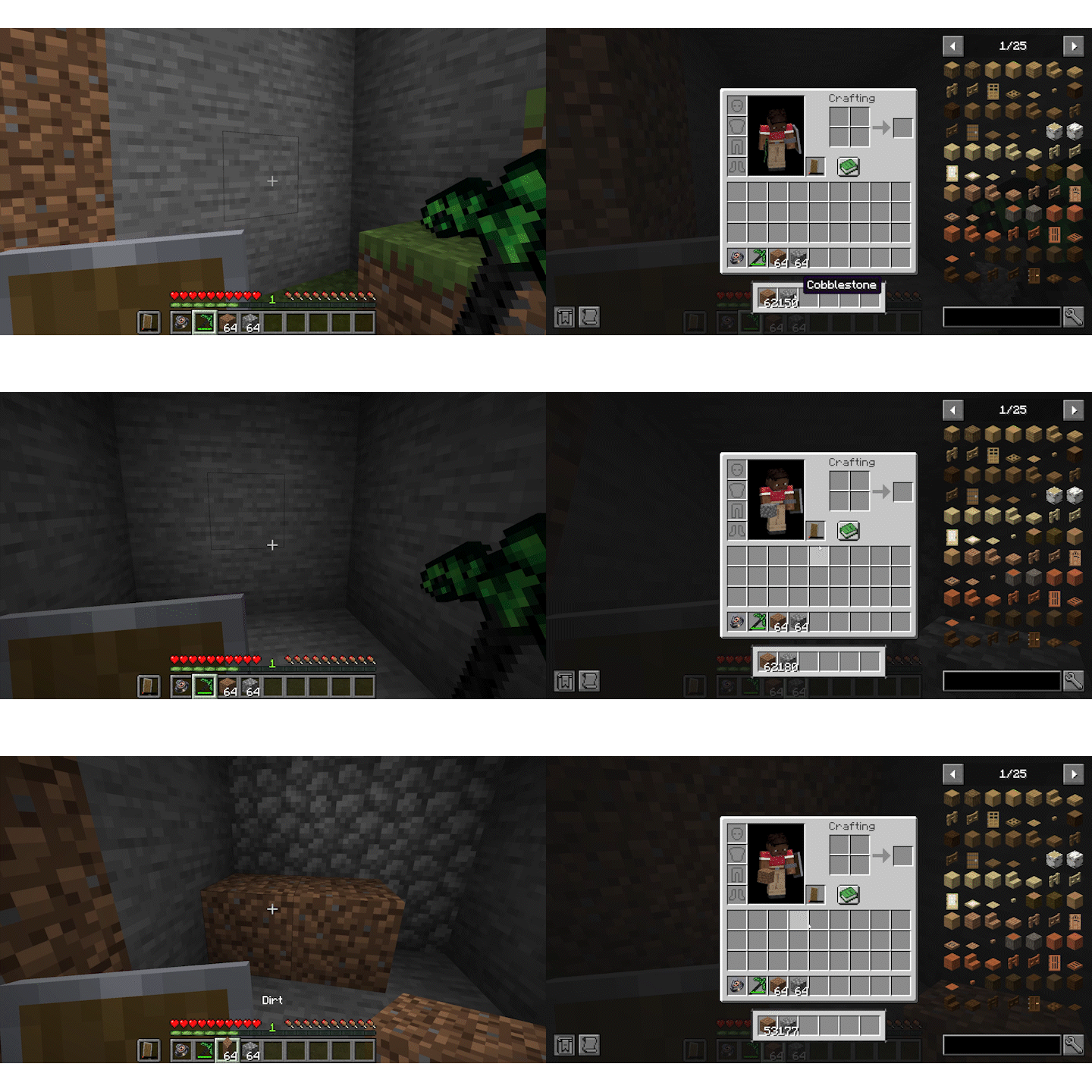
Features
Quantum Storage Ring (QSR)
The Quantum Storage Ring is a compact but incredibly powerful inventory‑management tool.
- Stores selected block types in a virtual internal inventory, freeing valuable player storage space.
- Automatically maintains up to one stack per chosen block type in the player’s real inventory.
- Continuously refills hotbar and inventory slots as blocks are placed, broken, crafted, or moved.
- Storage is persistent across deaths and can be accessed by any player who equips the ring.
- Can be found as rare loot in dungeon‑type structures, including:
- Dungeons
- Ancient City chests
- Pillager Outposts
- Other challenging world‑gen structures
Matrix Pickaxe
The Matrix Pickaxe is a late‑game upgrade to the traditional Netherite pickaxe, designed for rapid terrain clearing.
- Functions as a powerful 3×3×3 area‑of‑effect mining tool.
- Has double the durability of a Netherite pickaxe.
- Repairable using:
- Amethyst Shards
- Echo Shards
- Crafted using a Matrix Pickaxe Upgrade smithing template.
- The smithing template generates as a rare loot drop in:
- Dungeons
- Ancient City chests
- Pillager Outposts
- Other advanced or dangerous structures
- The smithing template generates as a rare loot drop in:
QuantumTools is designed to complement any modpack or survival world by offering meaningful upgrades that remain
balanced,
immersive, and fun.
Modpack Permission
Feel free to use this mod in any modpack.
Available Versions
How to Install QuantumTools on Your Server
Order Server
Order a Minecraft Java server with at least 3 GB RAM (4 GB recommended).
Set fabric Loader
In the panel under "Egg", select the fabric loader and matching Minecraft version (1.21.11).
Install Mod
Open the mod browser in the dashboard and search for "QuantumTools". Click "Install" – done! Alternatively, upload the .jar via SFTP to the /mods folder.
Compatibility
Mod Loaders
Minecraft Versions
1.21.11, 1.21.4, 1.21.1 (+2 more)
Server-side
✓ RequiredRecommended RAM
4 GB(min. 3 GB)Frequently Asked Questions
QuantumTools server crashes on startup – what to do?
Most common cause: wrong fabric version or insufficient RAM. Check the server log (latest.log) for "OutOfMemoryError" or "Mixin" errors. With Mado Hosting: ensure at least 3 GB RAM is allocated and the loader matches the mod version (1.21.11). You can switch loaders with one click in the panel.
Is QuantumTools compatible with fabric and forge and neoforge?
QuantumTools officially supports fabric, forge, neoforge for Minecraft 1.21.11, 1.21.4, 1.21.1. Note: Forge and Fabric mods are NOT cross-compatible – pick one loader and stick with it. The Mado dashboard automatically detects incompatible loader combinations.
Server lagging with QuantumTools – how to optimize performance?
Recommended RAM: 4 GB (per 8 players). Use /spark profiler to check if QuantumTools consumes the most tick time. Common fixes: reduce server view-distance to 8-10, install "performant" or "starlight" as supplementary mods on Forge. With Mado Hosting, your server runs on NVMe SSDs with dedicated CPU cores for minimal latency.
Similar Mods




![[TaCZ] Timeless and Classics Zero](https://cdn.modrinth.com/data/SzzJttH8/fd27766d2bb8390d284696b1dbd358f87e081439_96.webp)

Rent Modded Server
Install QuantumTools with just one click on your server.