
QueQiao
Minecraft Server Mod/Plugin for Real-time Player Events & API Broadcast Messaging.
Screenshots
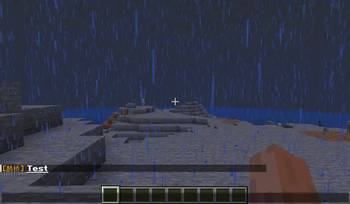
About this Mod

QueQiao
✨ Minecraft Server Mod/Plugin for Real-time Player Events & API Broadcast Messaging ✨




📖 Documentation · ⬇️ Modrinth · ⬇️ CurseForge · 🐛 Report Issues
Introduction
- Distributes player events from the server in
JSONformat viaWebSocket- Implemented
Events:Player ChatPlayer CommandPlayer Death(Not available for Velocity)Player JoinPlayer QuitPlayer Advancement(Achievement)
- Implemented
- Receives
JSONmessages viaWebSocketand forwards to in-game players- Implemented APIs:
Documentation
- Visit the
ApiFox QueQiaofor detailed documentation
Can't find a suitable Mod/Plugin version? Feel free to submit an
Issue
Quick Start
- Install the corresponding server
plugin/mod - Configure
websocket_serverinconfig.yml:enable: true# Enable WebSocket serverhost: "127.0.0.1"# WebSocket Server addressport: 8080# WebSocket Server port
- Start the server and wait for
WebSocket Serverto initialize - Use
ApiFoxor other API testing tools, or connect with Integration projects- Configure global
Request Header:{ // Required: server name, must match 'server_name' in config.yml "x-self-name": "TestServer", // Optional: auth token, must match 'access_token' in config.yml (omit if empty) "Authorization": "Bearer 123" }
- Configure global
- Launch the game and join the server
- Refer to the
API Documentationto send messages or listen to player events.
Integration Projects
@17TheWord/nonebot-adapter-minecraft:NoneBot2adapter@17TheWord/nonebot-plugin-mcqq:NoneBot2plugin@CikeyQi/mc-plugin:YunZaiplugin@Twiyan0/koishi-plugin-minecraft-sync-msg:Koishiplugin@17TheWord/zerobot-plugin-mcqq:ZeroBotplugin@kterna/astrbot_plugin_mcqq:AstrBotplugin@KroMiose/nekro-agent:AIagent
Related Projects
@kterna/queqiao_mcdr:MCDRimplementation ofQueQiaofor message exchange
Compatibility
@kitUIN/ChatImage: Displays images in Minecraft chat
Community
Special Thanks
@kitUIN: For code assistance and build tools@kitUIN/ModMultiVersion: IDEA multi-version MOD plugin@kitUIN/ModMultiVersionTool: Multi-version MOD build tool
Support & Contribution
- Star this project if you find it useful or support me on
Afdian - Submit suggestions/bugs via
Issues - Contribute via
Pull requests
License
This project is licensed under the MIT license.
Available Versions
How to Install QueQiao on Your Server
Order Server
Order a Minecraft Java server with at least 3 GB RAM (4 GB recommended).
Set fabric Loader
In the panel under "Egg", select the fabric loader and matching Minecraft version (26.1.1).
Install Mod
Open the mod browser in the dashboard and search for "QueQiao". Click "Install" – done! Alternatively, upload the .jar via SFTP to the /mods folder.
Compatibility
Mod Loaders
Minecraft Versions
26.1.1, 26.1, 1.21.11 (+47 more)
Server-side
✓ RequiredRecommended RAM
4 GB(min. 3 GB)Frequently Asked Questions
QueQiao server crashes on startup – what to do?
Most common cause: wrong fabric version or insufficient RAM. Check the server log (latest.log) for "OutOfMemoryError" or "Mixin" errors. With Mado Hosting: ensure at least 3 GB RAM is allocated and the loader matches the mod version (26.1.1). You can switch loaders with one click in the panel.
Is QueQiao compatible with fabric and folia and forge and neoforge and paper and spigot and velocity?
QueQiao officially supports fabric, folia, forge, neoforge, paper, spigot, velocity for Minecraft 26.1.1, 26.1, 1.21.11. Note: Forge and Fabric mods are NOT cross-compatible – pick one loader and stick with it. The Mado dashboard automatically detects incompatible loader combinations.
Server lagging with QueQiao – how to optimize performance?
Recommended RAM: 4 GB (per 8 players). Use /spark profiler to check if QueQiao consumes the most tick time. Common fixes: reduce server view-distance to 8-10, install "performant" or "starlight" as supplementary mods on Forge. With Mado Hosting, your server runs on NVMe SSDs with dedicated CPU cores for minimal latency.
Similar Mods






Rent Modded Server
Install QueQiao with just one click on your server.