
Quickmark
A mod that adds the teams and mark system from Fortnite
Screenshots


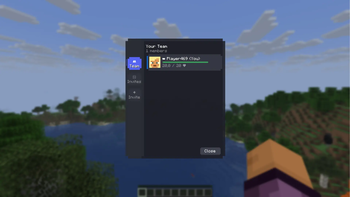
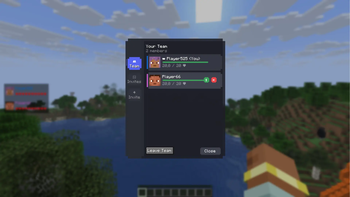
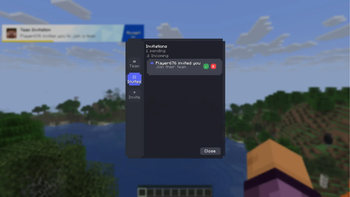
About this Mod
QuickMark


A Minecraft Fabric mod that brings Fortnite's marker and team HUD system to Minecraft.
📥 Installation
For Players
- Install Fabric Loader (0.14.0+) for Minecraft 1.21.7+
- Install the Fabric API (0.16.14+)
- Download the latest version of Quickmark from Modrinth
- Place the
.jarfile into yourmodsfolder
For Servers
- Fabric Server: Simply add the QuickMark mod to the
modsfolder. - Spigot/Paper (Recommended): For optimal performance and compatibility, install the QuickMark Plugin into the
pluginsfolder. The mod will automatically switch to plugin-based communication.
Usage
Marker System
- Single mouse wheel click — place a normal marker
- Double mouse wheel click — place a danger marker


Markers sync automatically across your team and play sound notifications.
Team Management
Invite players:
/qm invite <player>
Leave the team:
/qm leave
Accepting Invitations
When you receive an invite, a notification will appear. Press Y (default key, customizable in Minecraft's Controls menu) to accept.
Team HUD
When you're in a team, a HUD appears showing the health of all teammates.

GUI
Main tab:
The main tab with teammates:
The invitations tab:
The incoming invitations tab:
The outgoing invitations tab:
🛠️ For Server Administrators
QuickMark uses two communication methods:
- Via Plugin (Recommended) — Offers the best performance and reliability. Download the plugin here.
- Via Chat (Fallback) — If the plugin is not found, the mod uses chat messages prefixed with
quickmark://.
⚠️ Crucial for Fallback Mode: If you are not using the server plugin, ensure that your chat or anti-cheat plugins do not filter or remove messages starting with quickmark://, as this will break the mod's team and marker synchronization.
Known Issues
- The problem with leaving the team (the status is not updated on one of the sides).
- The Leave Team button appears in the GUI for the leader.
- The marker icon experience a slight positional offset from the exact center of the crosshair, depending on the camera's pitch and yaw.
Plans
- Some overlays from Fortnite (similar to the invitation overlay)
⭐ Inspiration
The mod is inspired by Fortnite’s intuitive marker system, designed to enhance team coordination and communication in Minecraft.
🚀 Contributing
Pull Requests are welcome! Please feel free to submit issues and contributions on our GitHub repository.
For development setup, clone the repo and run ./gradlew build.
Available Versions
How to Install Quickmark on Your Server
Order Server
Order a Minecraft Java server with at least 3 GB RAM (4 GB recommended).
Set fabric Loader
In the panel under "Egg", select the fabric loader and matching Minecraft version (1.21.11).
Install Mod
Open the mod browser in the dashboard and search for "Quickmark". Click "Install" – done! Alternatively, upload the .jar via SFTP to the /mods folder.
Compatibility
Mod Loaders
Minecraft Versions
1.21.11, 1.21.10, 1.21.9 (+2 more)
Server-side
~ OptionalRecommended RAM
4 GB(min. 3 GB)Frequently Asked Questions
Quickmark server crashes on startup – what to do?
Most common cause: wrong fabric version or insufficient RAM. Check the server log (latest.log) for "OutOfMemoryError" or "Mixin" errors. With Mado Hosting: ensure at least 3 GB RAM is allocated and the loader matches the mod version (1.21.11). You can switch loaders with one click in the panel.
Is Quickmark compatible with fabric?
Quickmark officially supports fabric for Minecraft 1.21.11, 1.21.10, 1.21.9. The Mado dashboard automatically detects incompatible loader combinations.
Server lagging with Quickmark – how to optimize performance?
Recommended RAM: 4 GB (per 8 players). Use /spark profiler to check if Quickmark consumes the most tick time. Common fixes: reduce server view-distance to 8-10, install "performant" or "starlight" as supplementary mods on Forge. With Mado Hosting, your server runs on NVMe SSDs with dedicated CPU cores for minimal latency.
Similar Mods




Rent Modded Server
Install Quickmark with just one click on your server.