
Quiet Unboxing
This mod enables silent chest opening while sneaking and holding right-click
Screenshots
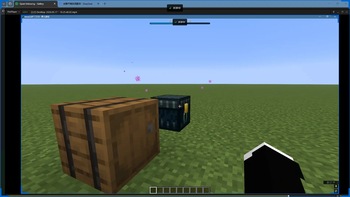
About this Mod
Quietly
Quietly is a server‑side silent container opening mod for Minecraft 1.21.1 ~ 1.21.10, supporting Fabric and NeoForge.
Its goal is simple:
Allow players to start silent container opening by Shift + right-click once
Display opening progress with a Bossbar
Keep container animations
Do not play vanilla container open/close sounds
Do not trigger vanilla CONTAINER_OPEN / CONTAINER_CLOSE sculk sensor events
Features
Server‑side driven – the mod must be installed on the server; client installation is optional
Supports a generic silent opening process for all containers with an inventory GUI
Opening time is calculated based on the number of distinct item types inside the container
Retains animations for chests, barrels, ender chests, shulker boxes, etc.
Silences vanilla container open/close sounds
Blocks vanilla sculk sensor events related to container opening/closing
Built‑in English and Chinese localization
How to Use
Look at a container with an inventory GUI.
Hold Shift.
Right‑click once with your main hand to start silent opening.
Keep sneaking until the Bossbar fills completely.
The container will then open silently.
Current Behavior
Trigger method: Shift + right‑click once with main hand only
Must remain sneaking during the entire opening process
Releasing sneak, moving out of interaction range, or opening another interface will cancel the process
Opening speed formula: 12 + (number of distinct item types) * 4 ticks
"Distinct item types" means unique Item entries in non‑empty slots, not stack count
Supported Containers
Any generic container that provides an inventory GUI
Vanilla containers with specifically handled animation and sound‑muting chains:
Chest / Trapped Chest
Barrel
Ender Chest
Shulker Box
Other GUI blocks (furnace, crafting table, hopper, etc.) also work with the silent opening logic
Compatibility
Minecraft: 1.21.1 ~ 1.21.10
Fabric Loader: 0.19.2
Fabric API: 0.116.12+1.21.1
Java: 21
1.21.11 is not currently supported
Available Versions
How to Install Quiet Unboxing on Your Server
Order Server
Order a Minecraft Java server with at least 3 GB RAM (4 GB recommended).
Set bukkit Loader
In the panel under "Egg", select the bukkit loader and matching Minecraft version (1.21.11).
Install Mod
Open the mod browser in the dashboard and search for "Quiet Unboxing". Click "Install" – done! Alternatively, upload the .jar via SFTP to the /mods folder.
Compatibility
Mod Loaders
Minecraft Versions
1.21.11, 1.21.10, 1.21.9 (+9 more)
Server-side
✓ RequiredRecommended RAM
4 GB(min. 3 GB)Frequently Asked Questions
Quiet Unboxing server crashes on startup – what to do?
Most common cause: wrong bukkit version or insufficient RAM. Check the server log (latest.log) for "OutOfMemoryError" or "Mixin" errors. With Mado Hosting: ensure at least 3 GB RAM is allocated and the loader matches the mod version (1.21.11). You can switch loaders with one click in the panel.
Is Quiet Unboxing compatible with bukkit and fabric and neoforge and paper and purpur and spigot?
Quiet Unboxing officially supports bukkit, fabric, neoforge, paper, purpur, spigot for Minecraft 1.21.11, 1.21.10, 1.21.9. The Mado dashboard automatically detects incompatible loader combinations.
Server lagging with Quiet Unboxing – how to optimize performance?
Recommended RAM: 4 GB (per 8 players). Use /spark profiler to check if Quiet Unboxing consumes the most tick time. Common fixes: reduce server view-distance to 8-10, install "performant" or "starlight" as supplementary mods on Forge. With Mado Hosting, your server runs on NVMe SSDs with dedicated CPU cores for minimal latency.
Similar Mods




Rent Modded Server
Install Quiet Unboxing with just one click on your server.