
QuitGame
Give you choice to re-evaluate whether to play Minecraft or not
Screenshots
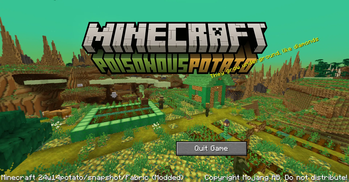
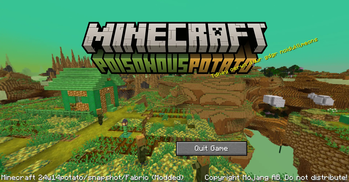
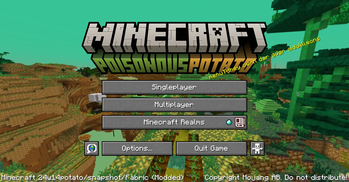
About this Mod
Note: This mod is made for Flashfest potato as an April fools joke in 5 hours or 18 hours with sleep
QuitGame
Every once in a while we would go "Hm I should play Minecraft".
But think about it more, do you really want to play?
How about the infinite amount of things you can do during this period?
What about your computer, can it really handle Minecraft and does it like you playing Minecraft?
Do you simply had enough of poisonous potato?
Introducing a way to not play Minecraft:
This mod achieves it's goal by removing all button except the Quit Game button, allowing you to not play Minecraft!
"Um actually..."
Don't worry! Whether you are indecisive or you crave for more games, there's something for you as well!
If you can re-arrange the letter in the splash text to start with start, menu, play or poison, you get to be in the game, how incredible.
For gamers, that is 65% more game per game! (Don't get the right letter? Better luck next time!)
License
This project is available under the CC0 license. Feel free to learn from it and incorporate it in your own projects.
Available Versions
How to Install QuitGame on Your Server
Order Server
Order a Minecraft Java server with at least 3 GB RAM (4 GB recommended).
Set fabric Loader
In the panel under "Egg", select the fabric loader and matching Minecraft version (26.1.2).
Install Mod
Open the mod browser in the dashboard and search for "QuitGame". Click "Install" – done! Alternatively, upload the .jar via SFTP to the /mods folder.
Compatibility
Mod Loaders
Minecraft Versions
26.1.2, 26.1.1, 26.1 (+16 more)
Server-side
✗ UnsupportedRecommended RAM
4 GB(min. 3 GB)Frequently Asked Questions
QuitGame server crashes on startup – what to do?
Most common cause: wrong fabric version or insufficient RAM. Check the server log (latest.log) for "OutOfMemoryError" or "Mixin" errors. With Mado Hosting: ensure at least 3 GB RAM is allocated and the loader matches the mod version (26.1.2). You can switch loaders with one click in the panel.
Is QuitGame compatible with fabric and quilt?
QuitGame officially supports fabric, quilt for Minecraft 26.1.2, 26.1.1, 26.1. The Mado dashboard automatically detects incompatible loader combinations.
Server lagging with QuitGame – how to optimize performance?
Recommended RAM: 4 GB (per 8 players). Use /spark profiler to check if QuitGame consumes the most tick time. Common fixes: reduce server view-distance to 8-10, install "performant" or "starlight" as supplementary mods on Forge. With Mado Hosting, your server runs on NVMe SSDs with dedicated CPU cores for minimal latency.
Similar Mods





Rent Modded Server
Install QuitGame with just one click on your server.