
Racetrack Utilities
A minecraft mod to create a racetrack
Screenshots
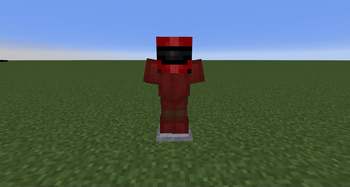
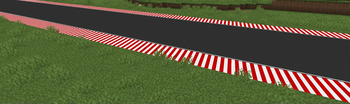
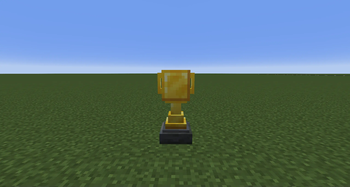
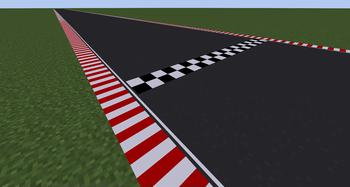
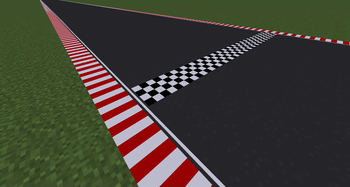
About this Mod
Racetrack Utilities Mod
Take your Minecraft racing experience to the next level with the Racetrack Utilities Mod! Build, decorate, and enhance your custom racetracks with specialized blocks and features designed to make every race unforgettable. Whether you're playing alone or racing against your friends on long straights or tight corners, this mod provides everything you need to create the ultimate racing experience.
This Mod is still in Beta and further blocks and features will be added soon! Please leave feedback and suggestions to make the mod better
Features
Asphalt Blocks:
A variety of asphalt-themed blocks to create realistic racetrack surfaces, including slabs, stairs, trapdoors and full blocks for ultimate flexibility in track design.Curbs:
Add a touch of realism with curb blocks featuring vibrant, alternating red-and-white patterns to outline corners and track edges.Finish Line Blocks:
Clearly mark the start and end of your races with a varianty of stylish checkered finish line blocks that stand out on any track.Arrow Blocks:
Keep racers on track with directional arrow blocks, perfect for guiding players through sharp turns and tricky routes.
Planned Features
High Priority
- Curb Slabs
Low Priority
- Black & White Curbs
- Racing Suit/Variety of Colours
- Varianty of Road-Blocks (Dirt,Snow,Old)
Available Versions
How to Install Racetrack Utilities on Your Server
Order Server
Order a Minecraft Java server with at least 3 GB RAM (4 GB recommended).
Set forge Loader
In the panel under "Egg", select the forge loader and matching Minecraft version (1.20.1).
Install Mod
Open the mod browser in the dashboard and search for "Racetrack Utilities". Click "Install" – done! Alternatively, upload the .jar via SFTP to the /mods folder.
Compatibility
Mod Loaders
Minecraft Versions
1.20.1
Server-side
✓ RequiredRecommended RAM
4 GB(min. 3 GB)Frequently Asked Questions
Racetrack Utilities server crashes on startup – what to do?
Most common cause: wrong forge version or insufficient RAM. Check the server log (latest.log) for "OutOfMemoryError" or "Mixin" errors. With Mado Hosting: ensure at least 3 GB RAM is allocated and the loader matches the mod version (1.20.1). You can switch loaders with one click in the panel.
Is Racetrack Utilities compatible with forge?
Racetrack Utilities officially supports forge for Minecraft 1.20.1. The Mado dashboard automatically detects incompatible loader combinations.
Server lagging with Racetrack Utilities – how to optimize performance?
Recommended RAM: 4 GB (per 8 players). Use /spark profiler to check if Racetrack Utilities consumes the most tick time. Common fixes: reduce server view-distance to 8-10, install "performant" or "starlight" as supplementary mods on Forge. With Mado Hosting, your server runs on NVMe SSDs with dedicated CPU cores for minimal latency.
Similar Mods


Rent Modded Server
Install Racetrack Utilities with just one click on your server.