
Randomizer Mod
Adds a few new customizable Randomizer-Mods to the game
Screenshots
About this Mod
Randomizer Mod
This mod introduces a wide range of randomizer-based mechanics that fundamentally change gameplay through persistent and configurable randomness.
It is designed to create unpredictable challenges and enhance replayability.
This Mod includes:
Features
- Randomized block drops
- Randomized mob drops
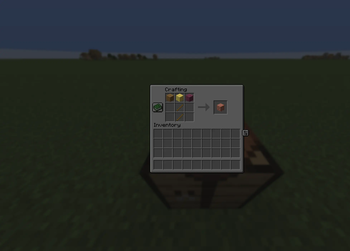
- Randomized crafting results
- Randomized mob sounds
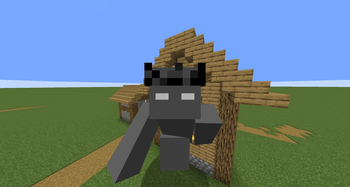
- Randomized player sizes
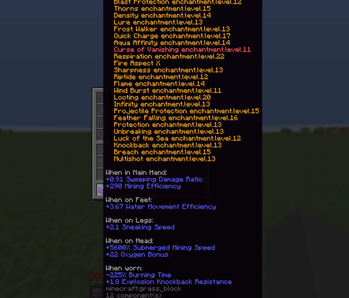
- Random enchantments applied on block break
- Random status effects applied to the player
All core systems are built to be persistent and can be individually reset or adjusted at any time.
Configuration
Most features can be fully configured and controlled via commands:
/randomizerBlock reset

/randomizerCrafting reset

/randomizerEffect interval "ticks"

/randomizer maxLevel "1-255"

/randomizerMob reset

/RandomizerSize interval "ticks"

/randomizerSound reset
This allows flexible customization depending on the type of challenge or gameplay experience you want to create.
Utility Systems
In addition to randomizer mechanics, the mod includes several utility features:
Backpack System
A portable inventory accessible via command.
/bp

/bp "Player"
Ender Chest Access
Access your Ender Chest — or, with permissions, other players' inventories.
/ec

/ec "Player"
Timer System
A fully customizable timer for challenges, events, or speedruns.
/timer start          --- Starts stopwatch

/timer pause          --- pause timer

/timer reset          --- resets timer

/timer set "seconds"  --- starts countdown
note: when you want to switch between timers, you have to reset
GUI
The mod features are toggeled trught a GUI that can be opened using the Right Shift key.
This GUI is only available if the mod is installed on the client.
When playing on a server, installing the mod on the client is not required, especially if you are not an admin, because all core functions must be activated via an administrator.
to make sure everything works set up the mod features while in creative (op is needed)
The mod is designed to be highly configurable and is well suited for use in combination with other challenge-based mods.
Available Versions
How to Install Randomizer Mod on Your Server
Order Server
Order a Minecraft Java server with at least 3 GB RAM (4 GB recommended).
Set fabric Loader
In the panel under "Egg", select the fabric loader and matching Minecraft version (1.21.11).
Install Mod
Open the mod browser in the dashboard and search for "Randomizer Mod". Click "Install" – done! Alternatively, upload the .jar via SFTP to the /mods folder.
Compatibility
Mod Loaders
Minecraft Versions
1.21.11
Server-side
✓ RequiredRecommended RAM
4 GB(min. 3 GB)Frequently Asked Questions
Randomizer Mod server crashes on startup – what to do?
Most common cause: wrong fabric version or insufficient RAM. Check the server log (latest.log) for "OutOfMemoryError" or "Mixin" errors. With Mado Hosting: ensure at least 3 GB RAM is allocated and the loader matches the mod version (1.21.11). You can switch loaders with one click in the panel.
Is Randomizer Mod compatible with fabric?
Randomizer Mod officially supports fabric for Minecraft 1.21.11. The Mado dashboard automatically detects incompatible loader combinations.
Server lagging with Randomizer Mod – how to optimize performance?
Recommended RAM: 4 GB (per 8 players). Use /spark profiler to check if Randomizer Mod consumes the most tick time. Common fixes: reduce server view-distance to 8-10, install "performant" or "starlight" as supplementary mods on Forge. With Mado Hosting, your server runs on NVMe SSDs with dedicated CPU cores for minimal latency.
Similar Mods





Rent Modded Server
Install Randomizer Mod with just one click on your server.