
Ray's Dongles
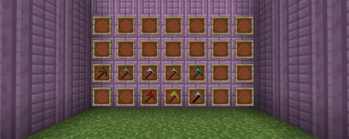
This mod ads various new foods, crops, blocks, tools, and some new tool variants such as the hammer, excavator, & paxel.
Screenshots
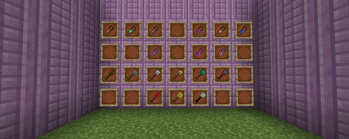
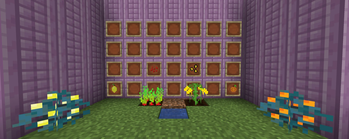
About this Mod
This whole idea came to me one day when I was learning about modded Minecraft. I didn't know what it was all about, and so I learned more and more about modded Minecraft, and I decided I wanted to create my own mod which adds items, blocks, ores, and more to Minecraft. This mod started off as just adding basic ores and tools to Minecraft, things that I always thought should be in Minecraft. Overtime it became so much more, and I couldn't have done it without all of the motivation from comments, to downloads. Here are some things that my mod has to offer.
New blocks and ores
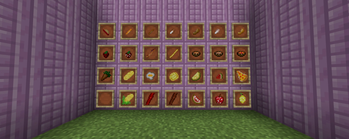
New foods to eat, as well as crops to grow the food and a blender to blend certain foods into a drinkable version.
New items such as a time staff to change the time (not available in 1.13.2 +)
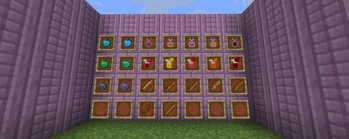
charms which can be held in your inventory to gain permanent potion effects, and some other cool things
New armor and tools. Some tools/gear are un-breakable. Please click the wiki link below or at the top of this page to learn more about what my mod offers. The wiki offers everything my mod has, and info on that item/block. Once you get there, on the right side simply click on "Whats in my mod?" and that will tell you.
Available Versions
How to Install Ray's Dongles on Your Server
Order Server
Order a Minecraft Java server with at least 4 GB RAM (6 GB recommended).
Set neoforge Loader
In the panel under "Egg", select the neoforge loader and matching Minecraft version (1.21.11).
Install Mod
Open the mod browser in the dashboard and search for "Ray's Dongles". Click "Install" – done! Alternatively, upload the .jar via SFTP to the /mods folder.
Compatibility
Mod Loaders
Minecraft Versions
1.21.11
Server-side
✓ RequiredRecommended RAM
6 GB(min. 4 GB)Frequently Asked Questions
Ray's Dongles server crashes on startup – what to do?
Most common cause: wrong neoforge version or insufficient RAM. Check the server log (latest.log) for "OutOfMemoryError" or "Mixin" errors. With Mado Hosting: ensure at least 4 GB RAM is allocated and the loader matches the mod version (1.21.11). You can switch loaders with one click in the panel.
Is Ray's Dongles compatible with neoforge?
Ray's Dongles officially supports neoforge for Minecraft 1.21.11. The Mado dashboard automatically detects incompatible loader combinations.
Server lagging with Ray's Dongles – how to optimize performance?
Recommended RAM: 6 GB (per 5 players). Use /spark profiler to check if Ray's Dongles consumes the most tick time. Common fixes: reduce server view-distance to 8-10, install "performant" or "starlight" as supplementary mods on Forge. With Mado Hosting, your server runs on NVMe SSDs with dedicated CPU cores for minimal latency.
Similar Mods




Rent Modded Server
Install Ray's Dongles with just one click on your server.