
ReAirdrop Supply
This is an airdrop mod.
About this Mod
Airdrop Supply mod is now updated for Minecraft 1.20.1!
ReAirdrop Supply
This is an airdrop mod.
This mod needs to be used with a data pack to fully function and is designed for mod pack creators.
Compat list
Xaero's minimap
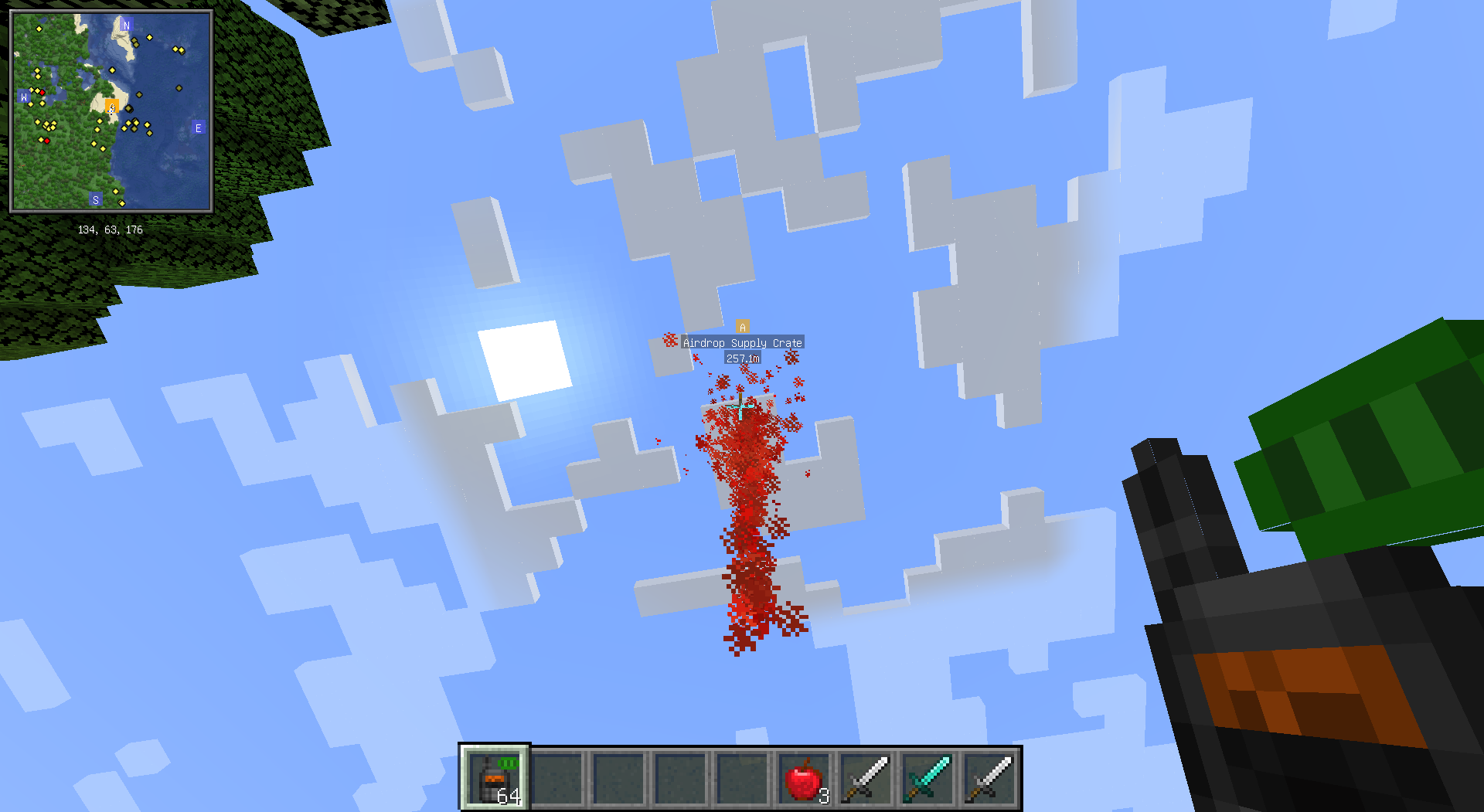
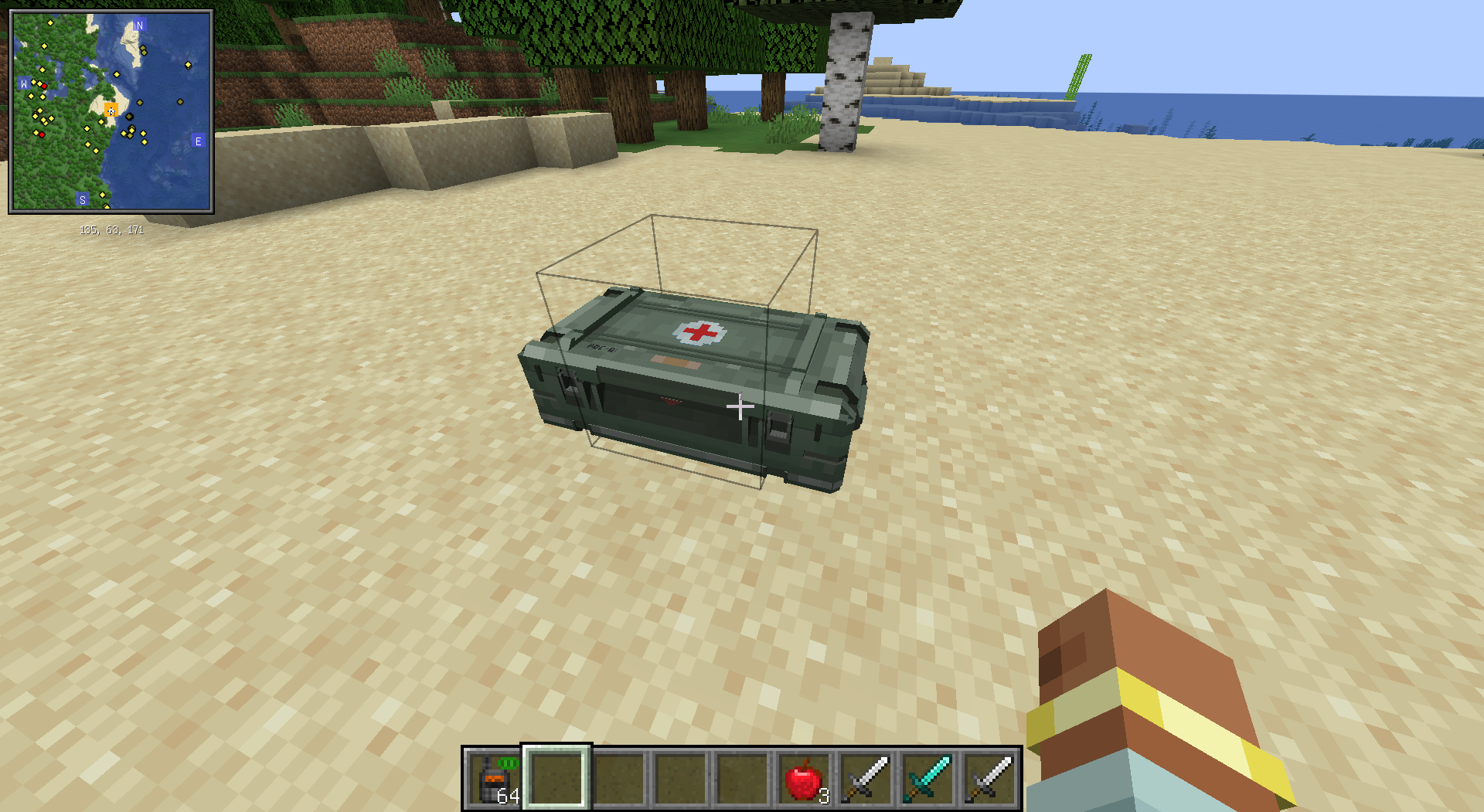
Configuration File
All configuration options are as follows (all are integers):
- AIRDROP_SPREAD_RANGE Maximum spread distance of airdrop boxes, not less than 10.
- AIRDROP_SPAWN_INTERVAL How often airdrop boxes appear, calculated in ticks, not less than 100.
- AIRDROP_DESPAWN_TIME How long before an airdrop box disappears, calculated in ticks, not less than 100.
- MEDIC_AIRDROP_WEIGHT Medic airdrop box weight, not less than 0.
- AMMO_AIRDROP_WEIGHT Ammo airdrop box weight, not less than 0.
- NO_AIRDROP_WEIGHT No airdrop box weight, not less than 0.
Please note, the sum of
MEDIC_AIRDROP_WEIGHTandAMMO_AIRDROP_WEIGHTmust be greater than 1, otherwise it will cause a crash.
- BASIC_BASE_WEIGHT Basic airdrop box base weight, not less than 0.
- BASIC_MULTIPLE_WEIGHT Basic airdrop box multiplier weight, not less than 0.
- MEDIUM_BASE_WEIGHT Medium airdrop box base weight, not less than -10000.
- MEDIUM_MULTIPLE_WEIGHT Medium airdrop box multiplier weight, not less than -10000.
- ADVANCED_BASE_WEIGHT Advanced airdrop box base weight, not less than -10000.
- ADVANCED_MULTIPLE_WEIGHT Advanced airdrop box multiplier weight, not less than -10000.
The weight calculation method for different levels is Weight = BASE_WEIGHT + Day * MULTIPLE_WEIGHT
A weight less than 1 means that level of airdrop box will not appear.
Data Pack
This mod's data pack needs to include six loot tables, the creation and use of data packs are not detailed here.
airdrop_supply/medic_basic corresponds to the loot table for basic medic airdrop boxes.airdrop_supply/medic_medium corresponds to the loot table for medium medic airdrop boxes.airdrop_supply/medic_advanced corresponds to the loot table for advanced medic airdrop boxes.airdrop_supply/ammo_basic corresponds to the loot table for basic ammo airdrop boxes.airdrop_supply/ammo_medium corresponds to the loot table for medium ammo airdrop boxes.airdrop_supply/ammo_advanced corresponds to the loot table for advanced ammo airdrop boxes.
Please limit the type of loot table to
chest.
A simple example of airdrop_supply/medic_basic, which provides up to 4 apples.
{
  "type": "minecraft:chest",
  "pools": [
    {
      "rolls": {
        "type": "minecraft:uniform",
        "min": 1,
        "max": 4
      },
      "bonus_rolls": 0,
      "entries": [
        {
          "type": "minecraft:item",
          "name": "minecraft:apple"
        }
      ]
    }
  ]
}
A simple example of airdrop_supply/ammo_basic, which provides 2 iron swords and may provide a diamond sword.
{
  "type": "minecraft:chest",
  "pools": [
    {
      "rolls": {
        "type": "minecraft:uniform",
        "min": 0,
        "max": 1
      },
      "bonus_rolls": 0,
      "entries": [
        {
          "type": "minecraft:item",
          "name": "minecraft:diamond_sword"
        }
      ]
    },
    {
      "rolls": 2,
      "entries": [
        {
          "type": "minecraft:item",
          "name": "minecraft:iron_sword"
        }
      ]
    }
  ]
}
Custom Notifications
Custom notifications for this mod can be modified through custom language files. The standard language file is as follows, with notification as the prefix for notifications.
{
  "container.airdrop_supply.airdrop_supply": "Airdrop Supply Crate",
  "notification.airdrop_supply.airdrop_arrive": "%4$s's airdrop supply crate has arrived at [%1$s]-[%2$s]-[%3$s].",
  "notification.airdrop_supply.airdrop_crash": "%1$s's airdrop supply crate has crashed.",
  "notification.airdrop_supply.airdrop_invalidate": "%4$s's airdrop supply crate at [%1$s]-[%2$s]-[%3$s] disappeared.",
  "notification.airdrop_supply.airdrop_summoned": "%1$s has called an airdrop supply crate. Please be patient.",
  "notification.airdrop_supply.airdrop_summoned_invalid_dimension": "%1$s tries to summon an airdrop supply crate in invalid dimension.",
  "notification.airdrop_supply.airdrop_location_set": "%3$s has fixed airdrop location at [%1$s]-[%2$s].",
  "notification.airdrop_supply.airdrop_location_set_invalid_dimension": "%1$s tries to set airdrop location in invalid dimension.",
  "notification.airdrop_supply.airdrop_location_unset": "%1$s has canceled fixed airdrop location.",
  "notification.airdrop_supply.airdrop_location_unset_invalid_dimension": "Cannot cancel fixed airdrop location in this dimension.",
  "item.airdrop_supply.airdrop_pager": "Airdrop Pager",
  "item.airdrop_supply.airdrop_location_fixer": "Airdrop Location Fixer",
  "item.airdrop_supply.airdrop_location_canceller": "Airdrop Location Canceller",
  "block.airdrop_supply.airdrop_supply": "Airdrop Supply Crate",
  "creativetab.airdrop_supply.airdrop_supply": "Airdrop Supply"
}
- airdrop_arrive: Notification for successful airdrop box arrival. Four parameters are the airdrop box's x, y, z coordinates and player name.
- airdrop_crash: Notification for airdrop box failure due to no box being selected. The parameter is the player name.
- airdrop_invalidate: Notification for airdrop box expiration. Four parameters are the airdrop box's x, y, z coordinates and player name.
- airdrop_summoned: Notification for successful airdrop box call. The parameter is the player name.
- airdrop_summoned_invalid_dimension: Notification for airdrop box call failure due to being in a non-overworld dimension. A manually called airdrop box will not randomly result in no box. The parameter is the player name.
- airdrop_location_set: Notification for successful airdrop box location setting. Three parameters are the airdrop box's x, z coordinates and player name.
- airdrop_location_set_invalid_dimension: Notification for airdrop box location setting failure due to being in a non-overworld dimension. The parameter is the player name.
- airdrop_location_unset: Notification for successful airdrop box location unsetting. The parameter is the player name.
- airdrop_location_unset_invalid_dimension: Notification for airdrop box location unsetting failure due to being in a non-overworld dimension. No parameters.
Airdrop Summon Command
Format: /airdrop x y z airdrop_level airdrop_type
Only valid in the overworld
Available Versions
How to Install ReAirdrop Supply on Your Server
Order Server
Order a Minecraft Java server with at least 3 GB RAM (4 GB recommended).
Set forge Loader
In the panel under "Egg", select the forge loader and matching Minecraft version (1.21.1).
Install Mod
Open the mod browser in the dashboard and search for "ReAirdrop Supply". Click "Install" – done! Alternatively, upload the .jar via SFTP to the /mods folder.
Compatibility
Mod Loaders
Minecraft Versions
1.21.1, 1.20.1
Server-side
✓ RequiredRecommended RAM
4 GB(min. 3 GB)Frequently Asked Questions
ReAirdrop Supply server crashes on startup – what to do?
Most common cause: wrong forge version or insufficient RAM. Check the server log (latest.log) for "OutOfMemoryError" or "Mixin" errors. With Mado Hosting: ensure at least 3 GB RAM is allocated and the loader matches the mod version (1.21.1). You can switch loaders with one click in the panel.
Is ReAirdrop Supply compatible with forge and neoforge?
ReAirdrop Supply officially supports forge, neoforge for Minecraft 1.21.1, 1.20.1. The Mado dashboard automatically detects incompatible loader combinations.
Server lagging with ReAirdrop Supply – how to optimize performance?
Recommended RAM: 4 GB (per 8 players). Use /spark profiler to check if ReAirdrop Supply consumes the most tick time. Common fixes: reduce server view-distance to 8-10, install "performant" or "starlight" as supplementary mods on Forge. With Mado Hosting, your server runs on NVMe SSDs with dedicated CPU cores for minimal latency.
Similar Mods




Rent Modded Server
Install ReAirdrop Supply with just one click on your server.