
Recycling
Recycled your armor your tools [1.16.x - 26.1.x]
Screenshots
About this Mod
Recycling





✨ Features
♻️ Main description
This datapack adds a variety of simple and intuitive crafting recipes, with a key feature: recycling armor, tools, and items using a furnace or blast furnace.
These can be smelted to recover the base material they are made from.
⚙️ Use and benefits
No more waste! Unused or damaged equipment can be turned back into valuable resources.
This helps optimize materials, extend their usefulness, and make progression more efficient and satisfying.
🧩 Gameplay integration
The system integrates naturally with existing mechanics by using familiar in-game blocks.
Easy to understand, it encourages smarter resource management while maintaining overall game balance.
🧪 Recipes
🔲 Input
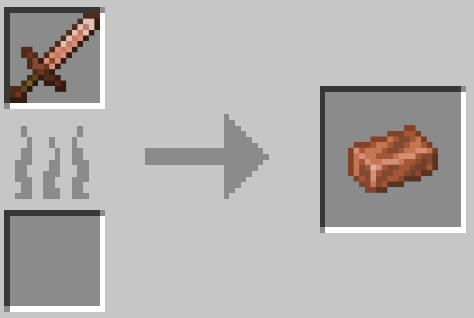
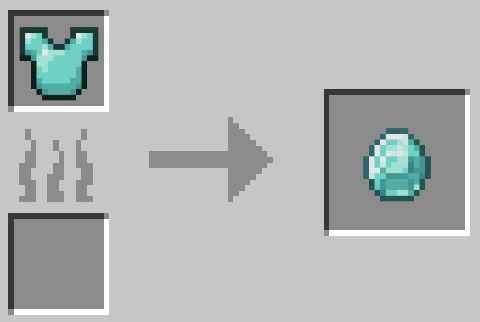
Armor (helmet / chestplate / leggings / boots) - Leather / Copper / Chainmail / Iron / Gold / Diamond / Netherite
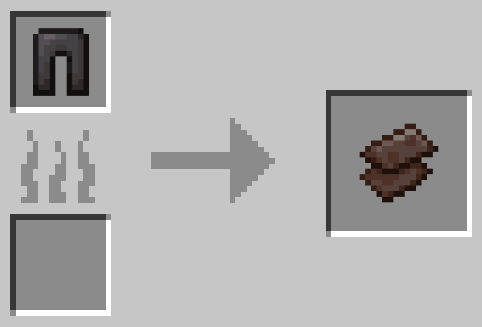
Tools (sword / pickaxe / axe / shovel / hoe / spear) - Copper / Iron / Gold / Diamond / Netherite
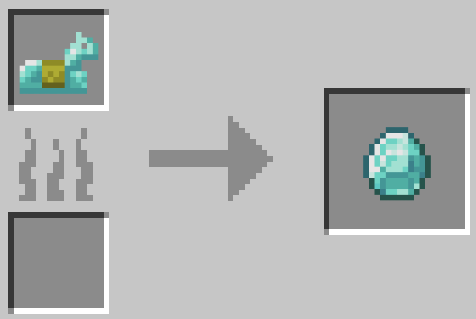
Horse Armor - Leather / Copper / Iron / Gold / Diamond / Netherite
Nautilus Armor - Copper / Iron / Gold / Diamond / Netherite
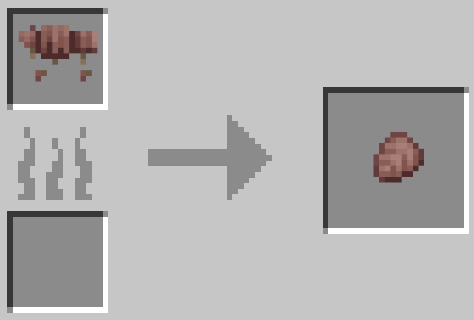
Wolf Armor
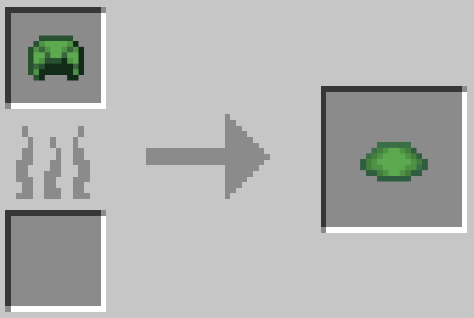
Tutle Helmet
🔥 Smelted in
Furnace
Blast Furnace
🎁 Output
Leather -> 1x Leather
Iron / Chainmail -> 1x Iron Ingot
Copper -> 1x Copper Ingot
Gold -> 1x Gold Ingot
Diamond -> 1x Diamond
Netherite -> 1x Netherite Scrap
Wolf Armor -> 1x Armadillo Scute
Turtle Helmet -> 1x Turtle Scute
📥 Installation
📁 Datapack
Drop the.zipfile into your world'sdatapacksfolder.
Reload the world or use/reload.
Enjoy your enchanted adventure!
⚙️ Mod
Drop the.jarfile into themodsfolder of your instance.
Restartyour game.
Have fun!
Available Versions
How to Install Recycling on Your Server
Order Server
Order a Minecraft Java server with at least 3 GB RAM (4 GB recommended).
Set datapack Loader
In the panel under "Egg", select the datapack loader and matching Minecraft version (26.2-pre-1).
Install Mod
Open the mod browser in the dashboard and search for "Recycling". Click "Install" – done! Alternatively, upload the .jar via SFTP to the /mods folder.
Compatibility
Mod Loaders
Minecraft Versions
26.2-pre-1, 26.2-snapshot-8, 26.2-snapshot-7 (+66 more)
Server-side
✓ RequiredRecommended RAM
4 GB(min. 3 GB)Frequently Asked Questions
Recycling server crashes on startup – what to do?
Most common cause: wrong datapack version or insufficient RAM. Check the server log (latest.log) for "OutOfMemoryError" or "Mixin" errors. With Mado Hosting: ensure at least 3 GB RAM is allocated and the loader matches the mod version (26.2-pre-1). You can switch loaders with one click in the panel.
Is Recycling compatible with datapack and fabric and forge and neoforge and quilt?
Recycling officially supports datapack, fabric, forge, neoforge, quilt for Minecraft 26.2-pre-1, 26.2-snapshot-8, 26.2-snapshot-7. Note: Forge and Fabric mods are NOT cross-compatible – pick one loader and stick with it. The Mado dashboard automatically detects incompatible loader combinations.
Server lagging with Recycling – how to optimize performance?
Recommended RAM: 4 GB (per 8 players). Use /spark profiler to check if Recycling consumes the most tick time. Common fixes: reduce server view-distance to 8-10, install "performant" or "starlight" as supplementary mods on Forge. With Mado Hosting, your server runs on NVMe SSDs with dedicated CPU cores for minimal latency.
Similar Mods




Rent Modded Server
Install Recycling with just one click on your server.