
Redstone Timer
A simple Redstone Timer block for Minecraft, made to control redstone signals with a customizable delay.
Screenshots
About this Mod
Redstone Timer
Redstone Timer is a simple Fabric mod that adds a timer-based redstone block to Minecraft.
The mod is made for players who want an easy way to control redstone signals with timing behavior, making it useful for redstone builds, automation, doors, farms, traps, and other contraptions.
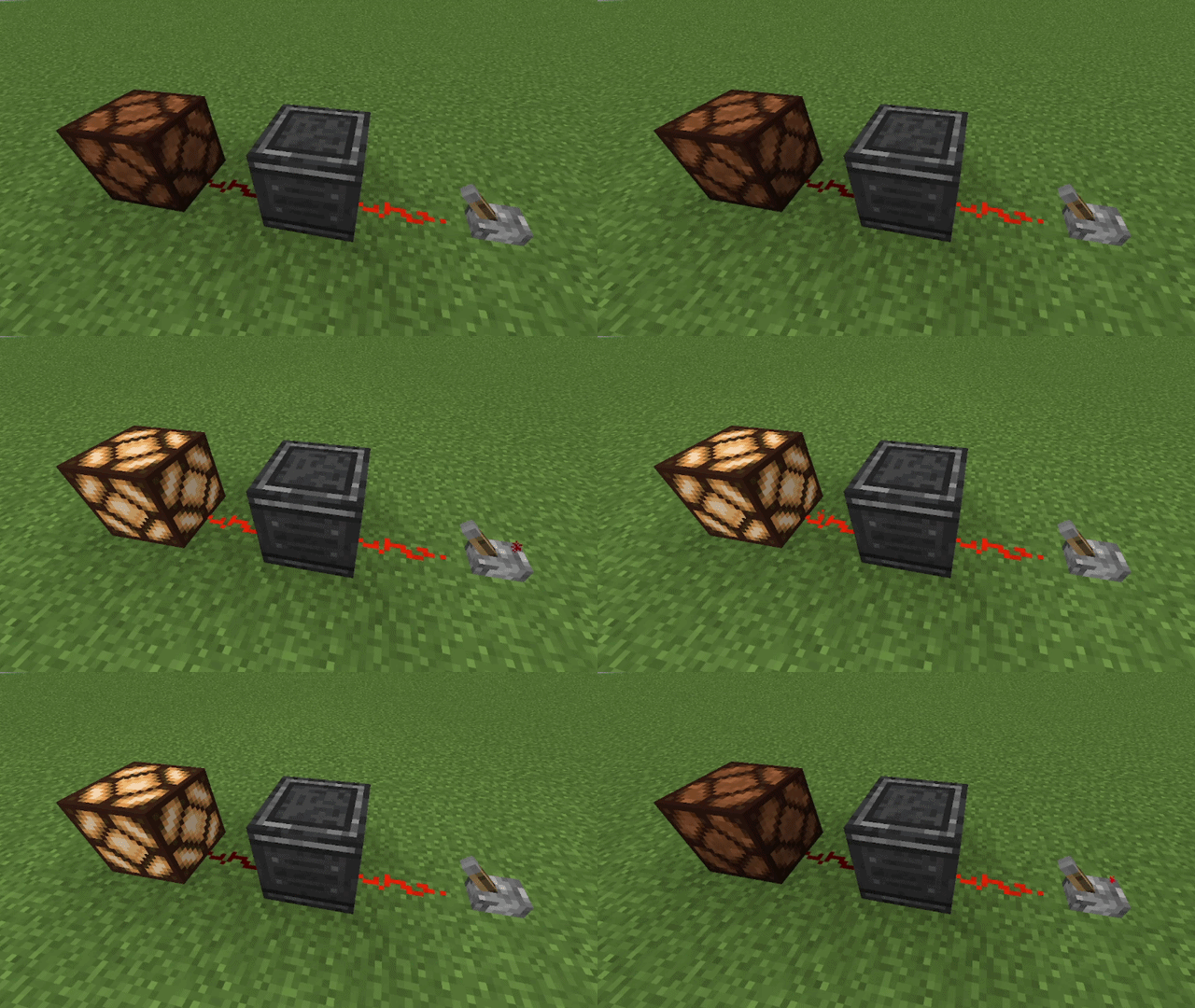
Demonstration
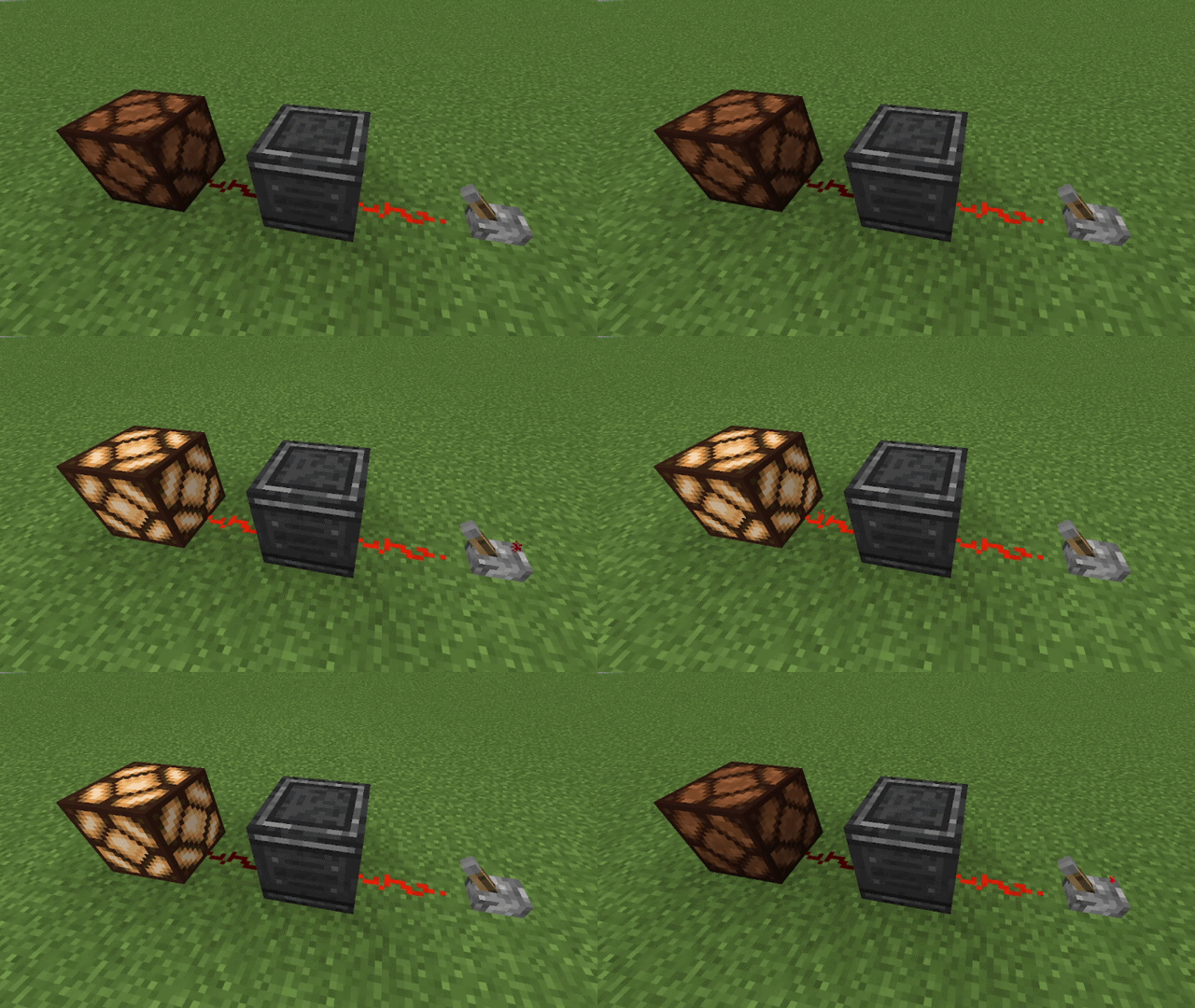
Features
| Feature | Description |
|---|---|
| ⏱️ Redstone Timer Block | Adds a custom block focused on redstone timing. |
| 🟥 Redstone Utility | Helps control redstone behavior in builds and machines. |
| 🧵 Fabric Support | Built for the Fabric mod loader. |
| 🧱 Minecraft 1.21.1 | Made for Minecraft 1.21.1. |
What does it do?
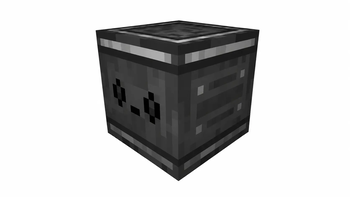
Redstone Timer adds a configurable redstone timer block to Minecraft.
When the block receives a redstone signal from its input side, it waits for the configured Delay and then sends a redstone output signal from its output side. The output stays active for the configured On Time.
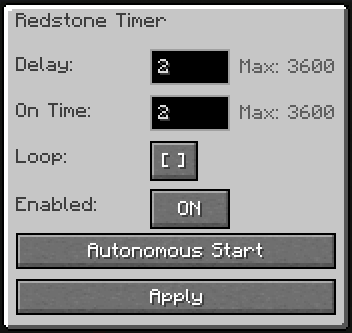
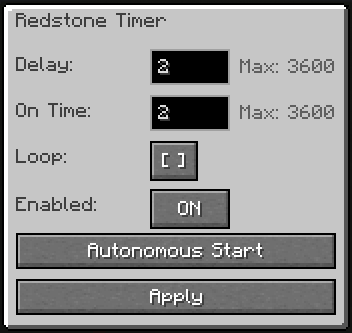
You can configure the block through its GUI:
| Option | What it does |
|---|---|
| Delay | Sets how long the block waits before activating the output. |
| On Time | Sets how long the output signal stays active. |
| Loop | Repeats the timer cycle while active. |
| Enabled | Turns the timer block ON or OFF. |
| Autonomous Start | Starts the timer automatically without needing a redstone input. |
| Apply | Saves the current timer settings. |
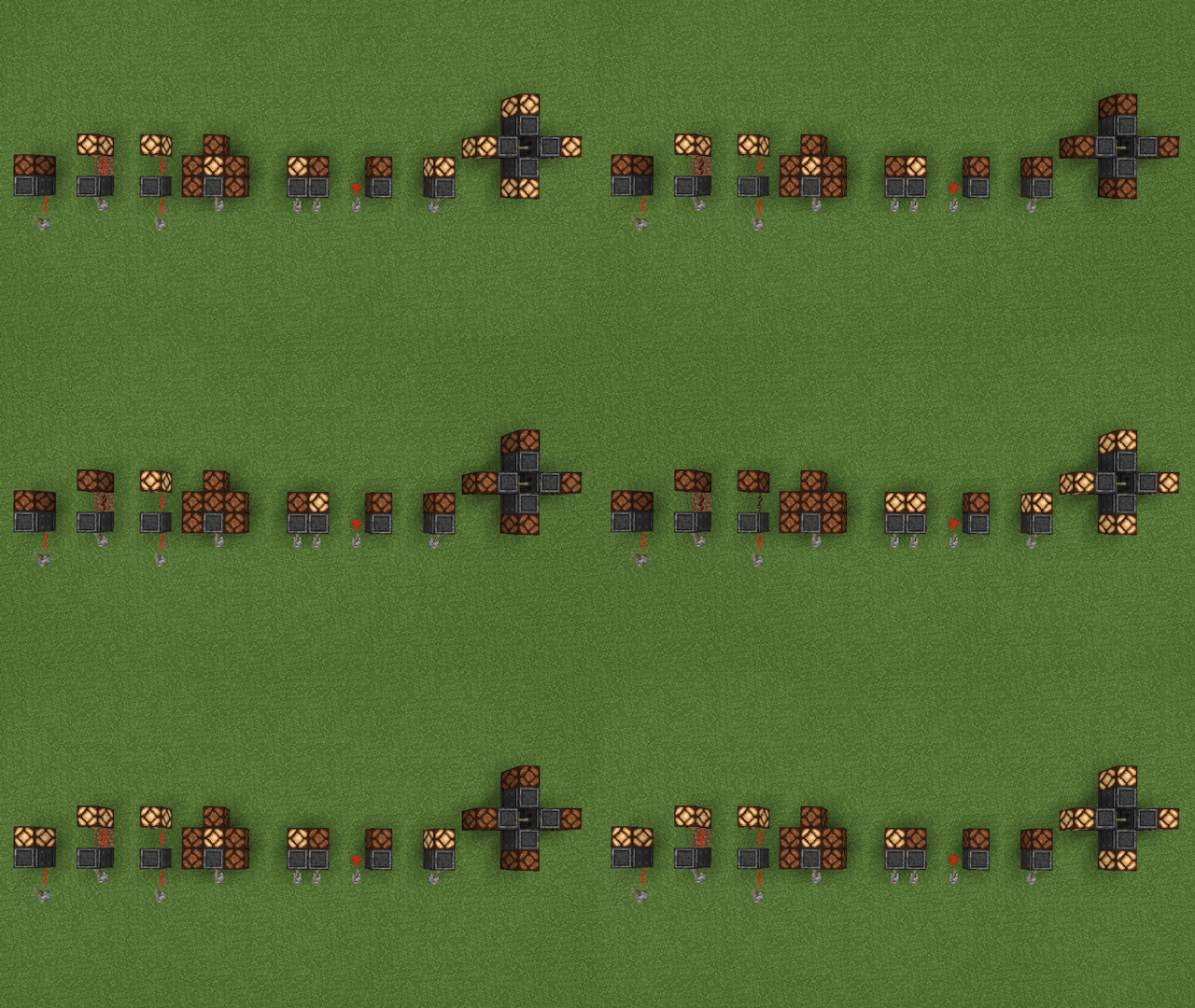
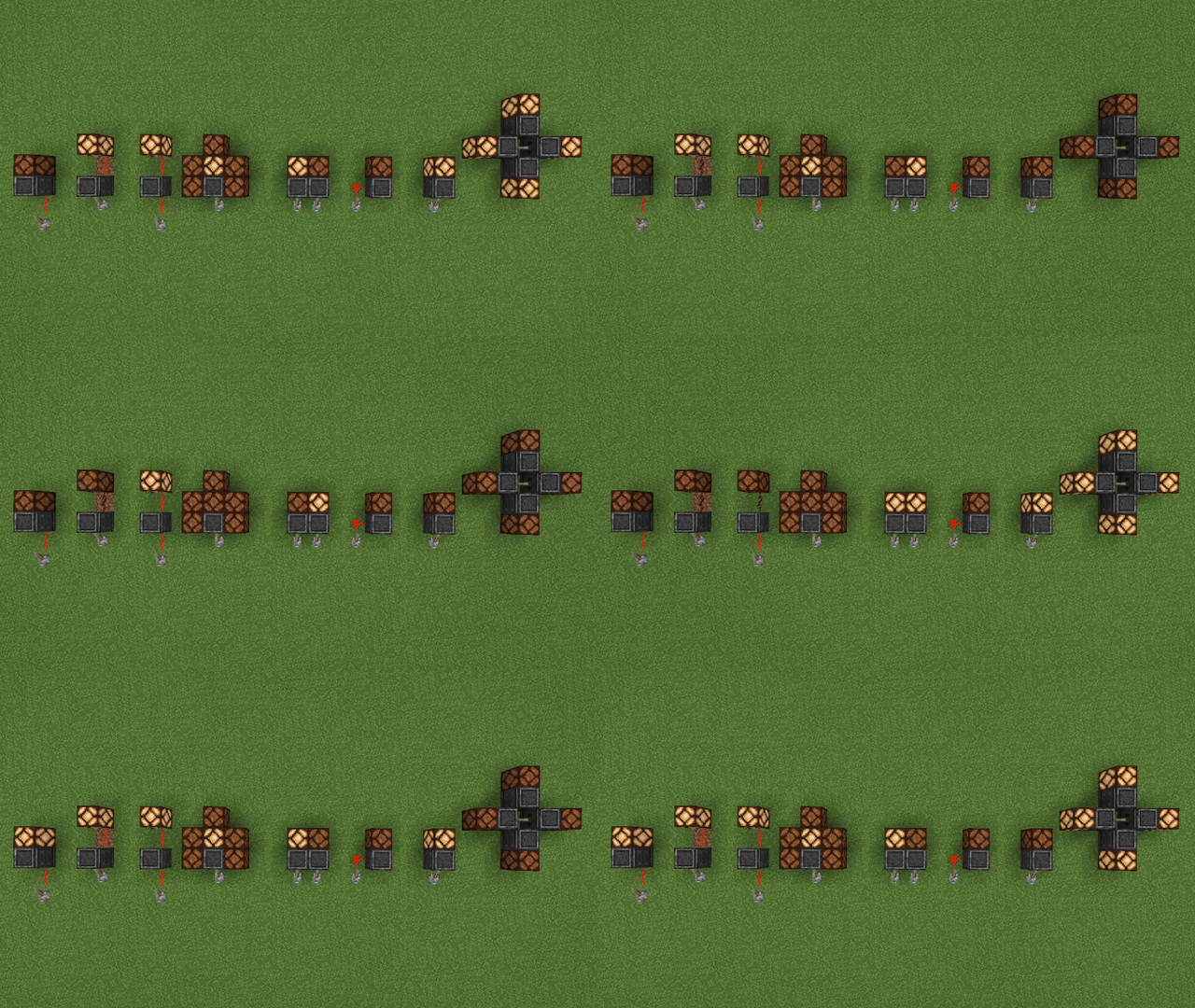
The block is useful for delayed redstone signals, timed pulses, lamps, doors, farms, traps, map mechanisms, and other redstone contraptions.
Usage Examples
What it does not do
Redstone Timer is focused on simple timed redstone control.
It does not add wireless redstone, logic gates, item transport, machines, energy systems, or complex automation features.
The block does not output power from every side. It has a directional input and a directional output.
It also does not emit strong redstone power, so it is not designed to directly power every adjacent block like a redstone block.
A Redstone Timer block does not directly trigger another Redstone Timer block placed as its input source.
Crafting Recipe
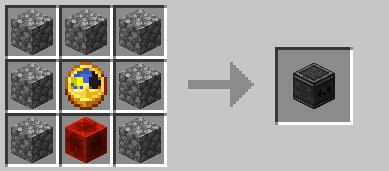
GUI Preview
Recommended Mods
These mods are not required, but they are recommended when using Redstone Timer:
| Mod | Why use it with Redstone Timer? | Link |
|---|---|---|
| Mod Menu | Lets you enable or disable the Redstone Timer sound in-game. | https://modrinth.com/mod/modmenu |
| Just Enough Items (JEI) | Lets you view the Redstone Timer crafting recipe in-game. | https://modrinth.com/mod/jei |
Support
Need help, found a bug, or want to suggest something?
Join the Discord support forum:
License
This project is licensed under the MIT License.
Available Versions
How to Install Redstone Timer on Your Server
Order Server
Order a Minecraft Java server with at least 3 GB RAM (4 GB recommended).
Set fabric Loader
In the panel under "Egg", select the fabric loader and matching Minecraft version (1.21.1).
Install Mod
Open the mod browser in the dashboard and search for "Redstone Timer". Click "Install" – done! Alternatively, upload the .jar via SFTP to the /mods folder.
Compatibility
Mod Loaders
Minecraft Versions
1.21.1
Server-side
✓ RequiredRecommended RAM
4 GB(min. 3 GB)Frequently Asked Questions
Redstone Timer server crashes on startup – what to do?
Most common cause: wrong fabric version or insufficient RAM. Check the server log (latest.log) for "OutOfMemoryError" or "Mixin" errors. With Mado Hosting: ensure at least 3 GB RAM is allocated and the loader matches the mod version (1.21.1). You can switch loaders with one click in the panel.
Is Redstone Timer compatible with fabric?
Redstone Timer officially supports fabric for Minecraft 1.21.1. The Mado dashboard automatically detects incompatible loader combinations.
Server lagging with Redstone Timer – how to optimize performance?
Recommended RAM: 4 GB (per 8 players). Use /spark profiler to check if Redstone Timer consumes the most tick time. Common fixes: reduce server view-distance to 8-10, install "performant" or "starlight" as supplementary mods on Forge. With Mado Hosting, your server runs on NVMe SSDs with dedicated CPU cores for minimal latency.
Similar Mods





Rent Modded Server
Install Redstone Timer with just one click on your server.