
RedstoneReboot
Advanced Multi-Platform Minecraft Server Restart Engine - Bukkit, Paper, Spigot, Folia, Fabric, Forge, NeoForge.
Screenshots


About this Mod
⚡ RedstoneReboot
A Multi-Platform Minecraft Server Restart Engine


🔥 Why RedstoneReboot?
RedstoneReboot is a production-grade server lifecycle engine that provides precise control over when, why, and how your server restarts. Backed by real-time health monitoring, intelligent scheduling, and a pluggable backend handoff system.
From a single survival server to a fleet behind Pterodactyl — it delivers reliability, intelligence, and elegance.
Key Capabilities
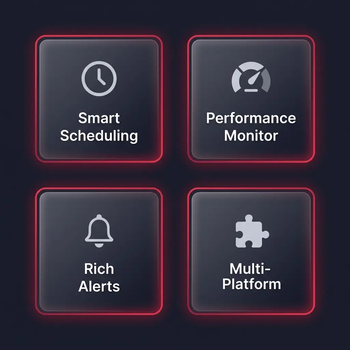
- 🕐 Intelligent Scheduling — Multiple daily restart windows with global timezone support and day-of-week filters
- 📊 Health Monitoring — Real-time TPS and memory tracking with consecutive-check false-positive protection
- 🚑 Emergency Fail-safes — Automatic restart triggers on critical TPS or memory breach
- 🔔 Rich Alerts — Chat, title, action bar, and configurable sound notifications
- 🔌 Backend Handoff — Delegate to Pterodactyl, Systemd, Docker, or local wrapper scripts
- 🔄 Hot-Reload — Change backend config and
/reboot reload— no full server restart needed - 🧩 PlaceholderAPI — 8 placeholders for scoreboards, tab lists, and MOTD plugins (Bukkit builds)
- 📈 bStats Metrics — Anonymous usage telemetry (view live stats)
⚡ The Backend System & Startup Loops
RedstoneReboot divides "when to restart" from "how to restart" by supporting multiple backends:
- SHUTDOWN_ONLY — Graceful shutdown (letting your external wrapper restart the process)
- LOCALSCRIPT — Auto-generated shell script handles process restarts
- SYSTEMD — Service integration on Linux
- DOCKER — Container-native restart policies
- PTERODACTYL — Direct panel API integration
💡 Do I need to set up a custom backend?
If your server is already wrapped in a startup loop script (like a .sh or .bat file with a while true loop, a Docker container set to restart: always, or a systemd service), SHUTDOWN_ONLY works out of the box! When the restart timer runs out, the engine gracefully stops the server, and your script starts it back up automatically.
Why configure a custom backend then?
- Intelligent Handoff (Pterodactyl / Panels): Avoid panel desyncs or false offline indicators. Instead of just shutting down, the plugin talks to your panel's API to request a clean power cycle.
- Self-Healing Bootups: If you don't run a startup loop script, the
LOCALSCRIPTbackend spawns a new process to boot the server back up automatically. - Crash Lockout Safety: Simple loops can get stuck in infinite crash loops if a file gets corrupted. Custom backends implement safety lockout timers to prevent endless boot hammering.
📦 File Selection
Choose the file that matches your server platform:
🌍 Platform Compatibility
- Bukkit / Spigot / Paper / Purpur: 1.9.x to 1.21.x+
- Folia: 1.20.1+
- Fabric: 1.20.1+
- Forge: 1.20.4+
- NeoForge: 1.20.4+
| 🖥️ Platform | Distribution Type | 📄 File |
|---|---|---|
| Bukkit / Spigot / Paper / Purpur | Plugin | RedstoneReboot-Bukkit-<version>.jar |
| Folia | Plugin | RedstoneReboot-Folia-<version>.jar |
| Fabric | Mod | RedstoneReboot-Fabric-<version>.jar |
| Forge | Mod | RedstoneReboot-Forge-<version>.jar |
| NeoForge | Mod | RedstoneReboot-NeoForge-<version>.jar |
📋 Supported Versions
| Platform | Minecraft Versions | Notes |
|---|---|---|
| Bukkit-family servers | 1.9 through 26.x |
Java 8+ (legacy), Java 17+ (modern), Java 25 (26.x+) |
| Folia | 1.20+ through 26.x |
Dedicated region-threaded build |
| Fabric | 1.20.1+ through 26.x |
Requires Fabric API |
| Forge | 1.20.4+ through 26.x |
Dedicated server-side mod build |
| NeoForge | 1.21.1+ through 26.x |
Dedicated server-side mod build |
⚙️ Installation
Plugin Install (Bukkit/Folia)
- Download the correct plugin file.
- Place it in
plugins/. - Start the server — config files are generated automatically.
- Configure
plugins/RedstoneReboot/config.ymlandrestart-backends.properties. - Run
/reboot reloadto apply.
Mod Install (Fabric/Forge/NeoForge)
- Download the correct mod file.
- Place it in
mods/(Fabric requires Fabric API). - Start the server.
- Configure
config/redstonereboot.propertiesandconfig/restart-backends.properties. - Run
/reboot reloadto apply.
🎮 Commands
| Command | Description |
|---|---|
/reboot |
View status and help |
/reboot now [delay] |
Trigger a restart countdown |
/reboot schedule <seconds> |
Schedule a future restart |
/reboot cancel |
Cancel a pending restart |
/reboot status |
Show restart schedule status |
/reboot info |
Show health information |
/reboot doctor |
Run backend & environment diagnostics |
/reboot reload |
Hot-reload all configuration |
🔗 PlaceholderAPI (Bukkit Builds)
| Placeholder | Example Output |
|---|---|
%redstonereboot_next_restart% |
2026-04-15 06:00:00 Europe/London |
%redstonereboot_time_until% |
2h 30m |
%redstonereboot_status% |
Normal operation |
%redstonereboot_reason% |
Scheduled Restart |
%redstonereboot_tps% |
19.8 |
%redstonereboot_memory% |
62.4% |
%redstonereboot_version% |
1.4.2 |
%redstonereboot_timezone% |
Europe/London |
MOTD compatible as of v1.3.3+.
🔗 Quick Links
- 📖 Complete Wiki
- 💻 GitHub Repository
- 🛠️ Developer API Docs
- 📊 bStats
- 🐛 Bug Reports & Issues
- 💬 Discord Support
Crafted with ❤️ by DemonZ Development
Premium Minecraft infrastructure, engineered for scale.
Available Versions
How to Install RedstoneReboot on Your Server
Order Server
Order a Minecraft Java server with at least 3 GB RAM (4 GB recommended).
Set bukkit Loader
In the panel under "Egg", select the bukkit loader and matching Minecraft version (26.1.2).
Install Mod
Open the mod browser in the dashboard and search for "RedstoneReboot". Click "Install" – done! Alternatively, upload the .jar via SFTP to the /mods folder.
Compatibility
Mod Loaders
Minecraft Versions
26.1.2, 26.1.1, 26.1 (+60 more)
Server-side
✗ UnsupportedRecommended RAM
4 GB(min. 3 GB)Frequently Asked Questions
RedstoneReboot server crashes on startup – what to do?
Most common cause: wrong bukkit version or insufficient RAM. Check the server log (latest.log) for "OutOfMemoryError" or "Mixin" errors. With Mado Hosting: ensure at least 3 GB RAM is allocated and the loader matches the mod version (26.1.2). You can switch loaders with one click in the panel.
Is RedstoneReboot compatible with bukkit and fabric and folia and forge and neoforge and paper and purpur and spigot?
RedstoneReboot officially supports bukkit, fabric, folia, forge, neoforge, paper, purpur, spigot for Minecraft 26.1.2, 26.1.1, 26.1. Note: Forge and Fabric mods are NOT cross-compatible – pick one loader and stick with it. The Mado dashboard automatically detects incompatible loader combinations.
Server lagging with RedstoneReboot – how to optimize performance?
Recommended RAM: 4 GB (per 8 players). Use /spark profiler to check if RedstoneReboot consumes the most tick time. Common fixes: reduce server view-distance to 8-10, install "performant" or "starlight" as supplementary mods on Forge. With Mado Hosting, your server runs on NVMe SSDs with dedicated CPU cores for minimal latency.
Similar Mods






Rent Modded Server
Install RedstoneReboot with just one click on your server.