
Reforged
Balkon's Weapons and more for modern versions of Minecraft
Screenshots
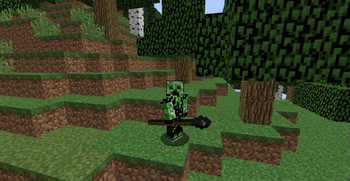
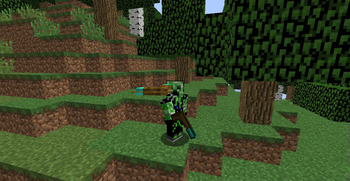
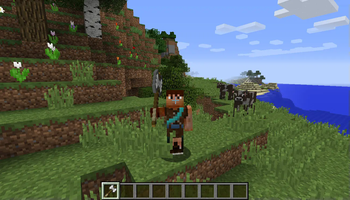
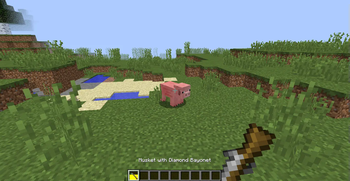

About this Mod
Addons
For extra fun, have a look at Reforged Integration, which adds materials for other mods like Thaumcraft and ProjectE, and Reforged - Cross & Grave, which adds two awesome magical items which are currently developed separately.
If you prefer old Balkon's Textures over the new ones, there is a resource pack to help ;)
Some information
The surest way to make things better is to let us know about them on the Github Issues!
We are searching for translators: If you want to translate one or more of our mods, then check out our Guide!

Here it is. The mod "Reforged".
It brings weapons from Balkon's Weapon Mod to 1.8+! We will also add some new weapons, which we like to add.
Most of our weapons have special features, like more damage when sneaking or similar.
You can even write your own ideas on this Spreadsheet.
Description
There are 3 main ages of weapons to differentiate:
- Primitive: Weapons for use in the beginning of a new game. They can be used to slaughter zombies for the own protection.
- Medieval: Weapons, which are stronger than primitive weapons. Use them to attack! Note, that medieval weapons have special effects, which you can use or trigger. They are listed on our Wiki!
- Gunpowder: Shoot 'em all down! Those are weapons, which do high damage. Some of them can be even be used pretty good in melee fights!
Installation
Download Minecraft and install Forge. Make sure to download the right version! 1.8 is 1.8, 1.8.9 is 1.8.9!
Download our mod. You find the files on the right. Download it for the version you installed Forge!
Move the .jar-file to %appdata%/.minecraft/mods
Start Minecraft with Forge activated. When this is done you can modify the config for our mod. It's found at %appdata%/.minecraft/config/reforged.cfg
Finished! You can use this mod now ^^
Why we do all this?
BalkondeurAlpha discontinued his mod "Balkon's Weapons Mod", which was released in 2011.
Silvercatcher said in September 2015, he would continue this mod, but it won't be a direct port. He wants to code the mod himself!
So he released his first version. Since January 2016, ThexXTURBOXx is collaborator of this mod.
We both decided to not only take the features of the predecessor, we want new features for extra fun.
We wanted this mod to get continued, because we both liked it so much :D
Available Versions
How to Install Reforged on Your Server
Order Server
Order a Minecraft Java server with at least 3 GB RAM (4 GB recommended).
Set forge Loader
In the panel under "Egg", select the forge loader and matching Minecraft version (1.12.2).
Install Mod
Open the mod browser in the dashboard and search for "Reforged". Click "Install" – done! Alternatively, upload the .jar via SFTP to the /mods folder.
Compatibility
Mod Loaders
Minecraft Versions
1.12.2, 1.12.1, 1.12 (+7 more)
Server-side
✓ RequiredRecommended RAM
4 GB(min. 3 GB)Frequently Asked Questions
Reforged server crashes on startup – what to do?
Most common cause: wrong forge version or insufficient RAM. Check the server log (latest.log) for "OutOfMemoryError" or "Mixin" errors. With Mado Hosting: ensure at least 3 GB RAM is allocated and the loader matches the mod version (1.12.2). You can switch loaders with one click in the panel.
Is Reforged compatible with forge?
Reforged officially supports forge for Minecraft 1.12.2, 1.12.1, 1.12. The Mado dashboard automatically detects incompatible loader combinations.
Server lagging with Reforged – how to optimize performance?
Recommended RAM: 4 GB (per 8 players). Use /spark profiler to check if Reforged consumes the most tick time. Common fixes: reduce server view-distance to 8-10, install "performant" or "starlight" as supplementary mods on Forge. With Mado Hosting, your server runs on NVMe SSDs with dedicated CPU cores for minimal latency.
Similar Mods




![[TaCZ] Timeless and Classics Zero](https://cdn.modrinth.com/data/SzzJttH8/fd27766d2bb8390d284696b1dbd358f87e081439_96.webp)

Rent Modded Server
Install Reforged with just one click on your server.