
RegenCraft
Doctor who inspired mod that enables the player to "regenerate".
Screenshots



About this Mod
RegenCraft
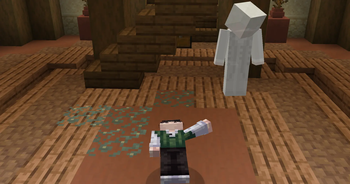
Adds the power of regeneration into Minecraft, allowing players to experience a new way of surviving through the use of a powerful Fob Watch.
To create the Fob Watch, players must first discover the rare item, Time Lord DNA, which is hidden within structures scattered across the world. These ancient discoveries hold the key to unlocking regeneration and crafting a device capable of giving you a second chance when your journey comes to an end.
Explore, collect, craft, and unlock the secrets left behind by the Time Lords. With the Fob Watch in your hands, death is no longer the end — it is only the beginning of a new regeneration.
Fob Watch Recipe
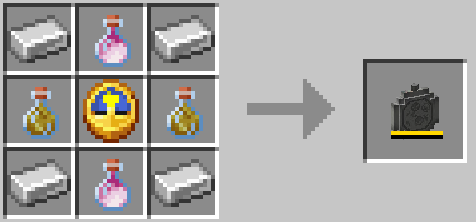
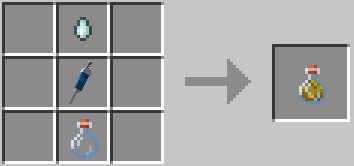
Regeneration Energy Recipe
(Items can be placed anywhere in the crafting)
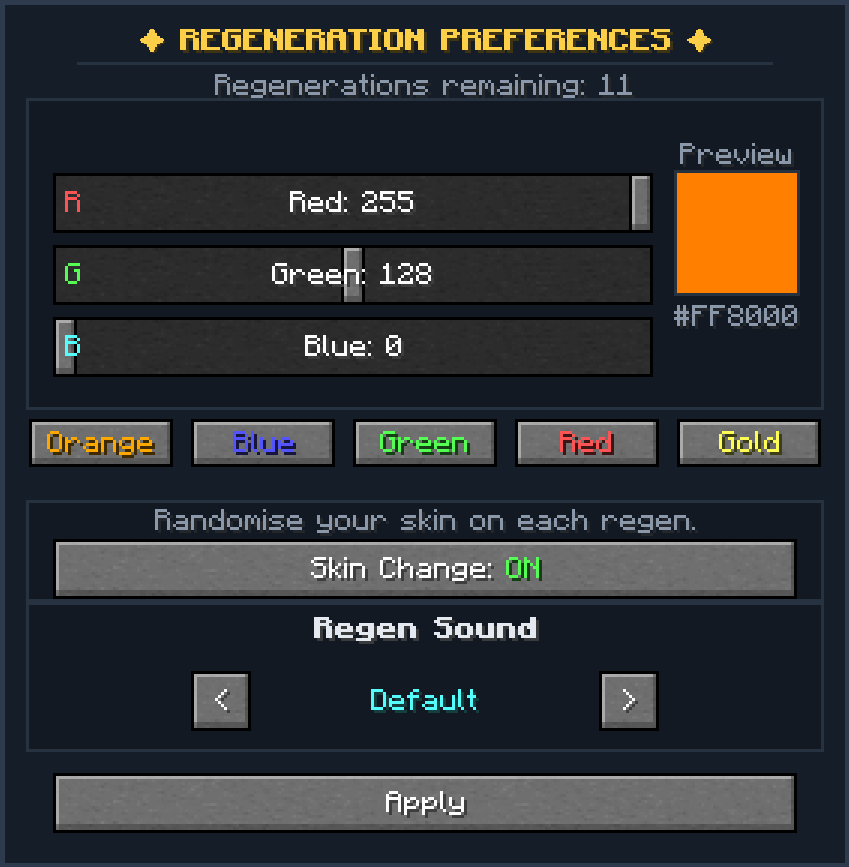
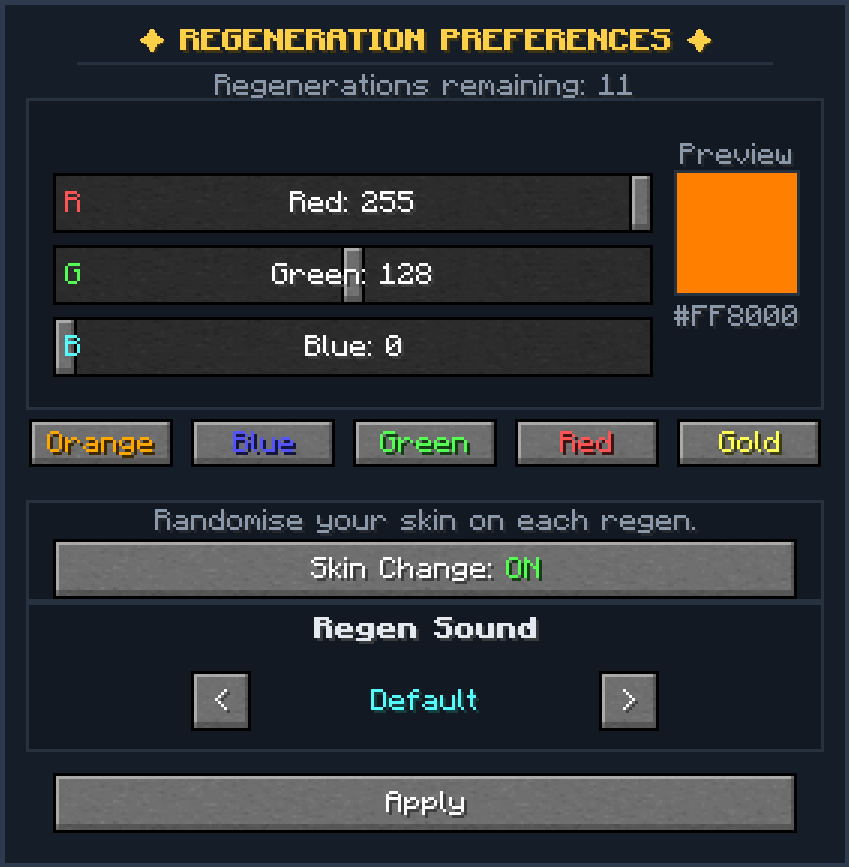
Regeneration Gui
(Default gui keybind " [ ")
Custom Commands
Main command:
/regeneration or /regen
Player Commands
/regen info <player>
Shows your regeneration information or another players.
/regen flamecolor <colour>
Changes your regeneration flame colour.
/regen skinswap
Shows if your skin changes when regenerating.
/regen skinswap on/off
Turns skin changing on or off
/regen skinreset
Resets your skin back to normal.
/regen version
Shows your current regeneration version.
/regen version <name>
Changes your regeneration version.
Admin Commands
/regen add <player> <amount>
Gives a player Time Lord status and regenerations.
/regen set <player> <amount>
Sets a player's regeneration amount.
/regen trigger <player>
Starts a player's regeneration.
/regen skip
Skips your current regeneration.
/regen reset <player>
Removes Time Lord status and resets the player.
/regen bypass on/off
Turns the regeneration waiting time on or off.
Advanced Commands
/regen config
Shows the mod settings.
/regen config <setting> <value>
Changes a mod setting.
Config Settings
gracePeriodSeconds
Time before you can regenerate again.
maxRegenerations
Maximum regenerations a player can have.
maxPendingExtensions
How many times regeneration can be delayed.
particleDensity
Controls regeneration particle amount.
fobWatchRecipeEnabled
Turns the Fob Watch recipe on/off.
soundVolumeMultiplier
Changes regeneration sound volume.
dnaLootChancePercent
Chance of finding Time Lord DNA.
energyVialFollowUpSeconds
Time limit for using Energy Vials to gain more regenerations.
Additional Note
I DO NOT OWN ANY CREDIT TO ANY OF THE AUDIO FEATURED IN MY MOD!!
Additional Note 2
Check out my youtube channel YT - LightSpeeddd
Available Versions
How to Install RegenCraft on Your Server
Order Server
Order a Minecraft Java server with at least 3 GB RAM (4 GB recommended).
Set fabric Loader
In the panel under "Egg", select the fabric loader and matching Minecraft version (1.20.1).
Install Mod
Open the mod browser in the dashboard and search for "RegenCraft". Click "Install" – done! Alternatively, upload the .jar via SFTP to the /mods folder.
Compatibility
Mod Loaders
Minecraft Versions
1.20.1
Server-side
✓ RequiredRecommended RAM
4 GB(min. 3 GB)Frequently Asked Questions
RegenCraft server crashes on startup – what to do?
Most common cause: wrong fabric version or insufficient RAM. Check the server log (latest.log) for "OutOfMemoryError" or "Mixin" errors. With Mado Hosting: ensure at least 3 GB RAM is allocated and the loader matches the mod version (1.20.1). You can switch loaders with one click in the panel.
Is RegenCraft compatible with fabric?
RegenCraft officially supports fabric for Minecraft 1.20.1. The Mado dashboard automatically detects incompatible loader combinations.
Server lagging with RegenCraft – how to optimize performance?
Recommended RAM: 4 GB (per 8 players). Use /spark profiler to check if RegenCraft consumes the most tick time. Common fixes: reduce server view-distance to 8-10, install "performant" or "starlight" as supplementary mods on Forge. With Mado Hosting, your server runs on NVMe SSDs with dedicated CPU cores for minimal latency.
Similar Mods



![[TaCZ] Timeless and Classics Zero](https://cdn.modrinth.com/data/SzzJttH8/fd27766d2bb8390d284696b1dbd358f87e081439_96.webp)


Rent Modded Server
Install RegenCraft with just one click on your server.