
Reg's Loot Bundles
Adds new Loot Bags to Minecraft in the form of Bundles. Comes with 4 main tiers, and some extras.
Screenshots

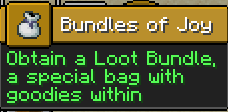
About this Mod
Summary
From the fella that brought you Reg's More Foods comes a new datapack that adds Loot Bags to Minecraft!
As of v0.1.0-alpha, the only available Loot Bundles to obtain are:
- Common
- Uncommon
- Rare
- Vault Loot Bundles
- and Ominous Loot Bundles.
The main tiers of Loot Bundle can be obtained from killing specific mobs, and there are different chances of obtaining each type of bag.
The only Bundle that must be
crafted to be obtained are Vault and Ominous Vaut Loot Bundles, which also require their respective Trial Keys to open.
Simply have the correct Key in your inventory and the bag will open when used.
The datapack also comes with a few advancements, but more will be documented as the datapack leaves Alpha testing.
That's where you come in. I would like you to download Loot Bundles and tell me what you think! What's broken, what should I add, what should I change, the works!
Config & Commands
I use the same system for spawning items in all my projects. You can type/paste the following command in-game to access all of my project's custom items, no matter which one you have installed:/function (pack_id):give_item/(item) {player:'(player)',count:(amount)}
For example, you can type this command in to give yourself a Common Loot Bundle:/function lootbundles:give_item/common_bundle {player:'@s',count:1}
This command to give regfunkid an Uncommon Loot Bundle:/function lootbundles:give_item/uncommon_bundle {player:'regfunkid',count:1}
Or this command to give all players 3 Rare Loot Bundles./function lootbundles:give_item/rare_bundle {player:'@a',count:3}
Installing on Vanilla
If you want to use this datapack in Vanilla, simply install the version you're looking for and put the datapack zip folder in your world's datapack folder.
Put the resourcepack zip folder in your resourcepacks folder, and make sure you have it enabled before joining the world.
Installing as a Mod
If you want to use the modded version, just hit the download button on the version you need. If you use the Modrinth launcher, this is easy peasy.
If you use a different mod loader, you can still download the .jar for this project and use it there.
Please tell me about any bugs or issues so I can fix them!
Available Versions
How to Install Reg's Loot Bundles on Your Server
Order Server
Order a Minecraft Java server with at least 3 GB RAM (4 GB recommended).
Set datapack Loader
In the panel under "Egg", select the datapack loader and matching Minecraft version (1.21.4).
Install Mod
Open the mod browser in the dashboard and search for "Reg's Loot Bundles". Click "Install" – done! Alternatively, upload the .jar via SFTP to the /mods folder.
Compatibility
Mod Loaders
Minecraft Versions
1.21.4
Server-side
✓ RequiredRecommended RAM
4 GB(min. 3 GB)Frequently Asked Questions
Reg's Loot Bundles server crashes on startup – what to do?
Most common cause: wrong datapack version or insufficient RAM. Check the server log (latest.log) for "OutOfMemoryError" or "Mixin" errors. With Mado Hosting: ensure at least 3 GB RAM is allocated and the loader matches the mod version (1.21.4). You can switch loaders with one click in the panel.
Is Reg's Loot Bundles compatible with datapack and fabric and forge and neoforge and quilt?
Reg's Loot Bundles officially supports datapack, fabric, forge, neoforge, quilt for Minecraft 1.21.4. Note: Forge and Fabric mods are NOT cross-compatible – pick one loader and stick with it. The Mado dashboard automatically detects incompatible loader combinations.
Server lagging with Reg's Loot Bundles – how to optimize performance?
Recommended RAM: 4 GB (per 8 players). Use /spark profiler to check if Reg's Loot Bundles consumes the most tick time. Common fixes: reduce server view-distance to 8-10, install "performant" or "starlight" as supplementary mods on Forge. With Mado Hosting, your server runs on NVMe SSDs with dedicated CPU cores for minimal latency.
Similar Mods




Rent Modded Server
Install Reg's Loot Bundles with just one click on your server.