
Remember Url Hashes
A client-side mod for avoiding re-downloading server resource packs with no hash code present from the server. The mod remembers past hashes based on the URL.
Screenshots



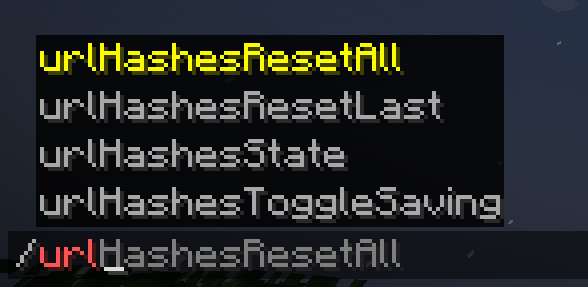
About this Mod
Remember Url Hashes
What It Does
This mod helps you avoid re-downloading server resource packs when you already have them.
Why Is This Mod Needed?
- Vanilla Minecraft tries to avoid re-downloading packs, but if the server doesn't provide a hash, it downloads the file every time. (Because it can't compare it with a cached copy)
- This mod remembers the last hash code of a resource pack based on its URL. (Because the URL is is obviously always present)
- If the file's URL differs between the pack updates, you won't miss any updates.
On servers with required resourcepacks with no hash code provided this can save you a lot of time when rejoining, because some packs are quite heavy.
Commands
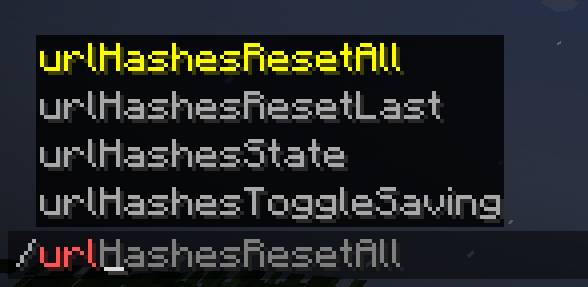
Alternatively, for cases, where the link stays the same between pack updates, or if you suppose that you have an outdated resource pack, you can simply use:
/urlHashesResetAllto reset all saved hashes/urlHashesResetLastto reset the hash for the last loaded pack.

Additionally, you can use:
/urlHashesToggleSavingto toggle saving the hashes between game sessions. It's off by default./urlHashesStateto see what's stored in the mod's "hash storage". Useful to figure out what's going on if you're confused.

If you have data saving disabled (by default), everything is stored within the same session, and if you have saving enabled, you'll have everything ready across multiple game sessions, fully minimizing the pack loading downtime.

Notes
Fortunately, Fabric allows to have mod working for multiple versions as the same file, so the mod supports the range of 1.21.1 - 1.21.8.
You can always check the source code and try to update it yourself. I'll soon try to add a good guide for that in the Github "Readme", so you have a good chance of updating the mod or doing something like that. If something non-essential breaks, remove it :D
Alternative approach
You can have the same behaviour on your server where you are an an administrator.
For this, use my Paper server-side plugin: Provide Pack Hashes
Available Versions
How to Install Remember Url Hashes on Your Server
Order Server
Order a Minecraft Java server with at least 3 GB RAM (4 GB recommended).
Set fabric Loader
In the panel under "Egg", select the fabric loader and matching Minecraft version (1.21.8).
Install Mod
Open the mod browser in the dashboard and search for "Remember Url Hashes". Click "Install" – done! Alternatively, upload the .jar via SFTP to the /mods folder.
Compatibility
Mod Loaders
Minecraft Versions
1.21.8, 1.21.7, 1.21.6 (+5 more)
Server-side
✗ UnsupportedRecommended RAM
4 GB(min. 3 GB)Frequently Asked Questions
Remember Url Hashes server crashes on startup – what to do?
Most common cause: wrong fabric version or insufficient RAM. Check the server log (latest.log) for "OutOfMemoryError" or "Mixin" errors. With Mado Hosting: ensure at least 3 GB RAM is allocated and the loader matches the mod version (1.21.8). You can switch loaders with one click in the panel.
Is Remember Url Hashes compatible with fabric?
Remember Url Hashes officially supports fabric for Minecraft 1.21.8, 1.21.7, 1.21.6. The Mado dashboard automatically detects incompatible loader combinations.
Server lagging with Remember Url Hashes – how to optimize performance?
Recommended RAM: 4 GB (per 8 players). Use /spark profiler to check if Remember Url Hashes consumes the most tick time. Common fixes: reduce server view-distance to 8-10, install "performant" or "starlight" as supplementary mods on Forge. With Mado Hosting, your server runs on NVMe SSDs with dedicated CPU cores for minimal latency.
Similar Mods






Rent Modded Server
Install Remember Url Hashes with just one click on your server.