
RemoveToastMessage
remove toast Message remove Advancement Message
Screenshots
About this Mod
🧩 RemoveToastMessage 모드 소개
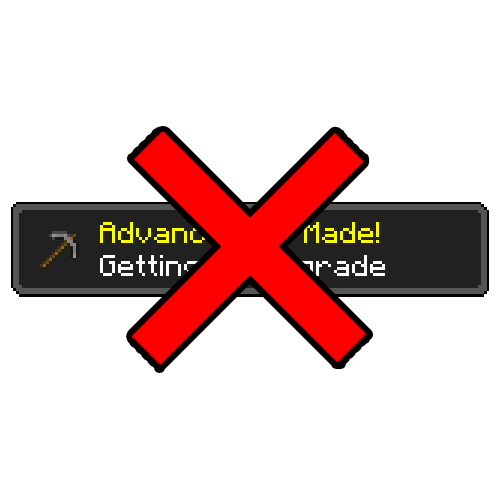
우측 상단에 표시되는 토스트 메시지를 제거해주는 모드입니다.
✨ 주요 기능
마인크래프트에서 업적을 달성하면 기본적으로 두 가지 알림이 발생합니다.
- 화면 우측 상단에 표시되는 토스트 팝업
(업적 달성, 레시피 해금, 플레이 시간 안내 등) - 채팅창에 표시되는 업적 달성 메시지
RemoveToastMessage 모드는 위 두 가지 알림을 모두 비활성화합니다.
⚙️ 특징
- 업적은 정상적으로 달성됨
- 보상 역시 그대로 지급됨
- 단지 알림만 표시되지 않음
기존 게임룰로는 우측 상단 토스트 메시지를 완전히 끄기 어려웠지만,
이 모드를 사용하면 해당 메시지를 깔끔하게 숨길 수 있습니다.
또한 별도의 게임룰 설정 없이도
업적 달성 메시지가 채팅창에 표시되지 않도록 처리되어 있습니다.
🌍 English
🧩 RemoveToastMessage Mod Overview
A mod that removes toast messages displayed in the top-right corner of the screen.
✨ Features
In Minecraft, two types of notifications are triggered when you complete an advancement:
- Toast pop-ups shown in the top-right corner
(advancements, recipe unlocks, playtime notifications, etc.) - Chat messages announcing advancement completion
RemoveToastMessage disables both types of notifications.
⚙️ Details
- Advancements are still completed normally
- Rewards are fully preserved
- Only the notifications are removed
While it is difficult to completely disable toast messages using vanilla game rules,
this mod cleanly hides them.
Additionally, advancement messages will not appear in chat,
even without changing any game rules.
Available Versions
How to Install RemoveToastMessage on Your Server
Order Server
Order a Minecraft Java server with at least 3 GB RAM (4 GB recommended).
Set neoforge Loader
In the panel under "Egg", select the neoforge loader and matching Minecraft version (1.21.1).
Install Mod
Open the mod browser in the dashboard and search for "RemoveToastMessage". Click "Install" – done! Alternatively, upload the .jar via SFTP to the /mods folder.
Compatibility
Mod Loaders
Minecraft Versions
1.21.1
Server-side
✓ RequiredRecommended RAM
4 GB(min. 3 GB)Frequently Asked Questions
RemoveToastMessage server crashes on startup – what to do?
Most common cause: wrong neoforge version or insufficient RAM. Check the server log (latest.log) for "OutOfMemoryError" or "Mixin" errors. With Mado Hosting: ensure at least 3 GB RAM is allocated and the loader matches the mod version (1.21.1). You can switch loaders with one click in the panel.
Is RemoveToastMessage compatible with neoforge?
RemoveToastMessage officially supports neoforge for Minecraft 1.21.1. The Mado dashboard automatically detects incompatible loader combinations.
Server lagging with RemoveToastMessage – how to optimize performance?
Recommended RAM: 4 GB (per 8 players). Use /spark profiler to check if RemoveToastMessage consumes the most tick time. Common fixes: reduce server view-distance to 8-10, install "performant" or "starlight" as supplementary mods on Forge. With Mado Hosting, your server runs on NVMe SSDs with dedicated CPU cores for minimal latency.
Rent Modded Server
Install RemoveToastMessage with just one click on your server.