
Renderra
Video Playback Mod, which enables streaming and displaying videos directly within Minecraft, for both modded and Vanilla Clients.
Screenshots
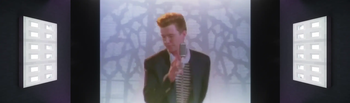
About this Mod
✅ Features
- Adds a video player that can play any video directly on Item Displays.
- Fully supports vanilla clients — optional mod installation for viewers.
🌷 ResourcePack
⚠️ Download ResourcePack.zip and apply it if you aren't already playing with this mod.
📖 Usage
- Press
B(default, configurable keybind) to open the video player screen. - Create an Item Display and give it a screen item model, e.g. renderra:screen
- Select the Item Display that will act as the video screen.
- Once the display is selected, you can:
- Choose a video/image/gif from the
videoplayerfolder in your instance. - Select the desired resolution.
- Generate the audio track for the selected video, which will be saved in the
videoaudiofolder.
Commands
/vidplay scale <scale> for setting the screen's scale/vidplay subtitles/subtitleScreen <.srt file/uuid> for subtitle settings
🔊 Audio Streaming
- Download
ResourcePack.zip. - Move the generated audio files into the
assets/renderra/soundsfolder within. - Apply the
ResourcePack.zipto your client and share it with others so everyone can hear the audio.
📝 Tip: Use ADD_SCREEN mode to add or edit Item Displays. Turn it off afterward to prevent accidental changes.
Available Versions
How to Install Renderra on Your Server
Order Server
Order a Minecraft Java server with at least 3 GB RAM (4 GB recommended).
Set fabric Loader
In the panel under "Egg", select the fabric loader and matching Minecraft version (26.1.2).
Install Mod
Open the mod browser in the dashboard and search for "Renderra". Click "Install" – done! Alternatively, upload the .jar via SFTP to the /mods folder.
Compatibility
Mod Loaders
Minecraft Versions
26.1.2, 26.1.1, 26.1 (+7 more)
Server-side
~ OptionalRecommended RAM
4 GB(min. 3 GB)Frequently Asked Questions
Renderra server crashes on startup – what to do?
Most common cause: wrong fabric version or insufficient RAM. Check the server log (latest.log) for "OutOfMemoryError" or "Mixin" errors. With Mado Hosting: ensure at least 3 GB RAM is allocated and the loader matches the mod version (26.1.2). You can switch loaders with one click in the panel.
Is Renderra compatible with fabric?
Renderra officially supports fabric for Minecraft 26.1.2, 26.1.1, 26.1. The Mado dashboard automatically detects incompatible loader combinations.
Server lagging with Renderra – how to optimize performance?
Recommended RAM: 4 GB (per 8 players). Use /spark profiler to check if Renderra consumes the most tick time. Common fixes: reduce server view-distance to 8-10, install "performant" or "starlight" as supplementary mods on Forge. With Mado Hosting, your server runs on NVMe SSDs with dedicated CPU cores for minimal latency.
Similar Mods





Rent Modded Server
Install Renderra with just one click on your server.