Replication
Replicating items without any printing errors
About this Mod

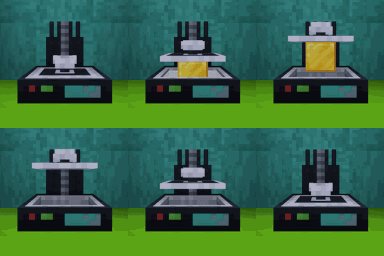
Replication is a tech mod that allows you to replicate resources of similar types. You can transform dirt to stone but you can't transform dirt to diamonds.

This mod needs Titanium
Important Concepts
Matter pipes will allow you to connect Replication machines and they will automate some processes:
- Transfer Power: they work like any power pipe
- Transfer Matter: they will transfer matter from the Disintegrator to Matter Tanks and from Matter Tanks to other machines that need it
The Identification Chamber will scan items to know their matter values and store them into chips. Those Chips can be stored in the Chip Storage and will be available to the network.
Replicators can be used in "Infinite Mode", where they will keep replicating a resource until it is full or has run out of matter, you can configure that mode in the GUI.
How it works
To transform items you will need to break them down to their primal values using a Disintegrator. Using that machine you will transform any item with matter values into matter. Once you have scanned some items and stored their values into chips you can use the Replication Terminal to request items. With a request created Replicators will use the Matter stored in tanks to replicate the item from scratch and send it back to the terminal.
For Pack Makers
Datapack
You can modify/add/remove matter values using datapacks, you don't need to add values for each modded item as the system
will calculate the values using the crafting recipes.
Datapack examples.
Blueprints
You can create blueprints (one use item) that have a % of the scanned item information using the command/replication create-blueprint-using-hand <progress> where progress is a decimal number between 0 and 1. This will
allow you to create the blueprint using the current item in your hand respecting the NBT of the item. Then those
blueprints can be transferred using the Identification Chamber or directly to the Chip Storage.
Tag
You can disable an item from being scanned using the tag replication:cant_be_scanned. This will only prevent the item from being scanned and not replicated
You can disable an item from being disintegrated using the tag replication:cant_be_disintegrated
Available Versions
How to Install Replication on Your Server
Order Server
Order a Minecraft Java server with at least 3 GB RAM (4 GB recommended).
Set forge Loader
In the panel under "Egg", select the forge loader and matching Minecraft version (1.21.1).
Install Mod
Open the mod browser in the dashboard and search for "Replication". Click "Install" – done! Alternatively, upload the .jar via SFTP to the /mods folder.
Compatibility
Mod Loaders
Minecraft Versions
1.21.1, 1.20.1
Server-side
✓ RequiredRecommended RAM
4 GB(min. 3 GB)Frequently Asked Questions
Replication server crashes on startup – what to do?
Most common cause: wrong forge version or insufficient RAM. Check the server log (latest.log) for "OutOfMemoryError" or "Mixin" errors. With Mado Hosting: ensure at least 3 GB RAM is allocated and the loader matches the mod version (1.21.1). You can switch loaders with one click in the panel.
Is Replication compatible with forge and neoforge?
Replication officially supports forge, neoforge for Minecraft 1.21.1, 1.20.1. The Mado dashboard automatically detects incompatible loader combinations.
Server lagging with Replication – how to optimize performance?
Recommended RAM: 4 GB (per 8 players). Use /spark profiler to check if Replication consumes the most tick time. Common fixes: reduce server view-distance to 8-10, install "performant" or "starlight" as supplementary mods on Forge. With Mado Hosting, your server runs on NVMe SSDs with dedicated CPU cores for minimal latency.
Similar Mods


Rent Modded Server
Install Replication with just one click on your server.