
Resource Armadillo
The way to generate valuable resources. Get an Armadillo and transform it into anything you want.
About this Mod

The way to generate valuable items
Features
- Tons of Resources like Diamond, Emerald, Dye, Clay and more
- Mod Compatibility
- Transforming Armadillos to the Resources you want
- Breeding Armadillos
- Harvisting Scutes
Roost
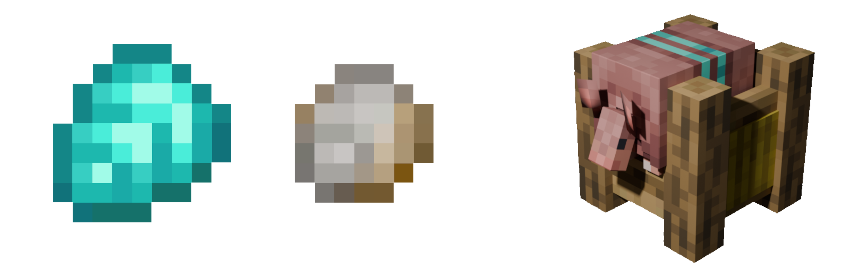
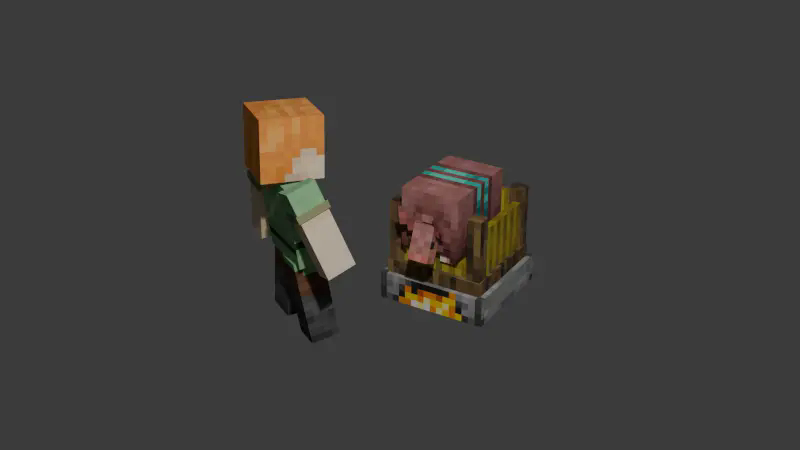
The Roost is used to transform a normal Armadillo into a Resource Armadillo. If you want to create a Diamond Armadillo, you will need:
1 diamond
1 iron scute
Furnace fuel
A regular Armadillo
Once you have all the materials, the Roost will transform the Armadillo into its resource variant. You can view all recipes in JEI or EMI.
Armadillo Hive
The Armadillo Hive is used to breed Resource Armadillos of the same type. For example:
Two Diamond Armadillos → Baby Diamond Armadillo
Special recipes like the Netherite Armadillo: A Gold Armadillo and an Obsidian Armadillo will produce a Baby Netherite Armadillo.
However, breeding will only occur if the hive contains at least two Armadillo food items like Spider Eyes.
Nest
The Nest acts as a storage unit for Armadillos and has the following features:
It picks up Armadillos just like other containers.
If the Nest contains a brush (of any kind), it will automatically brush the Armadillos and collect their scutes if they have any left.
Centrifuge
The Centrifuge is used to convert scutes into essence. It works in two ways:
Manually inserting an item will add one to all slots.
Using a hopper will fill an entire stack in one slot (up to 64 items).
Available Versions
How to Install Resource Armadillo on Your Server
Order Server
Order a Minecraft Java server with at least 3 GB RAM (4 GB recommended).
Set neoforge Loader
In the panel under "Egg", select the neoforge loader and matching Minecraft version (1.21.1).
Install Mod
Open the mod browser in the dashboard and search for "Resource Armadillo". Click "Install" – done! Alternatively, upload the .jar via SFTP to the /mods folder.
Compatibility
Mod Loaders
Minecraft Versions
1.21.1, 1.21
Server-side
✓ RequiredRecommended RAM
4 GB(min. 3 GB)Frequently Asked Questions
Resource Armadillo server crashes on startup – what to do?
Most common cause: wrong neoforge version or insufficient RAM. Check the server log (latest.log) for "OutOfMemoryError" or "Mixin" errors. With Mado Hosting: ensure at least 3 GB RAM is allocated and the loader matches the mod version (1.21.1). You can switch loaders with one click in the panel.
Is Resource Armadillo compatible with neoforge?
Resource Armadillo officially supports neoforge for Minecraft 1.21.1, 1.21. The Mado dashboard automatically detects incompatible loader combinations.
Server lagging with Resource Armadillo – how to optimize performance?
Recommended RAM: 4 GB (per 8 players). Use /spark profiler to check if Resource Armadillo consumes the most tick time. Common fixes: reduce server view-distance to 8-10, install "performant" or "starlight" as supplementary mods on Forge. With Mado Hosting, your server runs on NVMe SSDs with dedicated CPU cores for minimal latency.
Similar Mods




![CobbleDollars [Cobblemon Addon]](https://cdn.modrinth.com/data/s7N7AsqL/684040a264fc1d7f9b856ec5d2da39767398c7ad.png)
Rent Modded Server
Install Resource Armadillo with just one click on your server.