
Resource Scanner
Locates coal, iron, diamonds, netherite, etc.
Screenshots

About this Mod
Resource Scanner



Resource locator mod for Fabric.
What is this mod?
It helps players to find resources more easily. At start, it only looks for coal, so the player can produce torches and fend-off mobs. At later stages, it can help locate resources near the player that are needed for advancing the session.
WARNING - mod is alpha quality, not tested with large number of mods, performance impact not known. Please, follow bug tracker to ask questions and report issues.
Features
- scans resources in range of 32 blocks in the direction player is looking.
- can look for a specific resource or a list of resources
- presents the echoes of found resources
- supports configuration via JSON editing or Mod Menu plugin
Usage

| Mouse button | Action |
|---|---|
| Button 4 | Open Resource Scanner settings screen |
| Button 5 | Scan nearby resources |
Pressing the scanner button will reveal the resouces, if any, in player's vicinity. It starts easy, with coal and deepslate coal ores, but later can be set up to look for anything you want (as long as you want to locate an ore). Just press mouse button 5 and enjoy.
The configuration is done through config/resource-scanner.json file. It will be created after first run. Alternatively, if you have a Mod Menu plugin installed, you can go into its screen from Minecraft menu and change the options there. Since version 0.5.2, you can also use mouse button 4 to get to the settings, even without Mod Menu plugin.
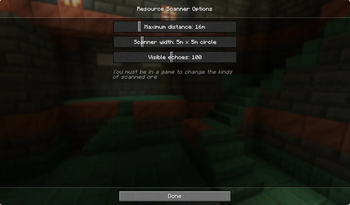
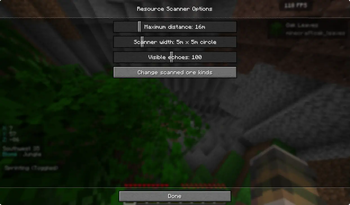
You can tweak the distance the scanner will try to reach, as well as width of the scaner cone and who long echoes are kept on screen. Finally, you can select the kinds of ore the scanner should look for.


Screenshots
Scanner in action
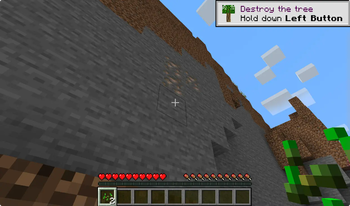
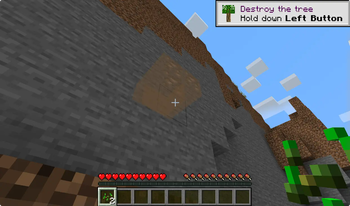
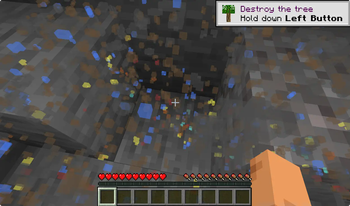
Running a scan will unveil chosen resources in player's vicinity. For instance, looking for iron might look something like this:


At the same time, putting a wider net may reveal much more iron, coal, dimonds and maybe some gold or redstone.

Settings GUI
While it is possible to modify the scanner reach in the main menu you can, a runnig session is needed to to also select kinds of ore to scan.


This inventory can contain up to 18 ore kinds. It is possible to add more directly through the JSON file, but as shown on the screenshot, there no much more ores to choose from.

Available Versions
How to Install Resource Scanner on Your Server
Order Server
Order a Minecraft Java server with at least 3 GB RAM (4 GB recommended).
Set fabric Loader
In the panel under "Egg", select the fabric loader and matching Minecraft version (1.21.4).
Install Mod
Open the mod browser in the dashboard and search for "Resource Scanner". Click "Install" – done! Alternatively, upload the .jar via SFTP to the /mods folder.
Compatibility
Mod Loaders
Minecraft Versions
1.21.4, 1.21.3, 1.21.2 (+2 more)
Server-side
✗ UnsupportedRecommended RAM
4 GB(min. 3 GB)Frequently Asked Questions
Resource Scanner server crashes on startup – what to do?
Most common cause: wrong fabric version or insufficient RAM. Check the server log (latest.log) for "OutOfMemoryError" or "Mixin" errors. With Mado Hosting: ensure at least 3 GB RAM is allocated and the loader matches the mod version (1.21.4). You can switch loaders with one click in the panel.
Is Resource Scanner compatible with fabric?
Resource Scanner officially supports fabric for Minecraft 1.21.4, 1.21.3, 1.21.2. The Mado dashboard automatically detects incompatible loader combinations.
Server lagging with Resource Scanner – how to optimize performance?
Recommended RAM: 4 GB (per 8 players). Use /spark profiler to check if Resource Scanner consumes the most tick time. Common fixes: reduce server view-distance to 8-10, install "performant" or "starlight" as supplementary mods on Forge. With Mado Hosting, your server runs on NVMe SSDs with dedicated CPU cores for minimal latency.
Similar Mods




Rent Modded Server
Install Resource Scanner with just one click on your server.