
RetroStorage
Digital storage system mod for old and special versions of Minecraft.
Screenshots
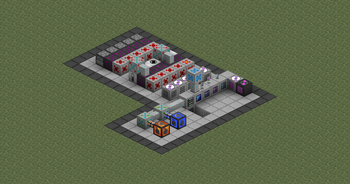
About this Mod
Notice
This mod supports either Better than Adventure! (BTA!), a heavily modified version of Minecraft b1.7.3 or vanilla b1.7.3 with StationAPI.
For more information about BTA!, join the discord server provided on this projects page.
Github page also contains versions for regular Minecraft b1.7.3 and Minecraft r1.2.5, although they are unmaintained!
About
RetroStorage (ReS) is a digital storage mod for old or special versions of minecraft inspired by mods such as Refined Storage or Applied Energistics 2. Although this mod is simpler than either of them. No channels or type limits.
A simple wiki is available using the link on the sidebar.
Features
- Storage of a large quantity of items using a Storage Network
- Items are stored inside Discs in Disc Drives, can be accessed through Terminals and everything is powered by a Controller, while everything is connected through Network Cables
- Additional systems for storing and handling fluids.
- On-deman autocrafting using Assemblers and Recipe Discs.
- Processing (machine autocrafting) that can handle both items and fluids using Interfaces with programmed Adv. Recipe Discs containing tasks.
- Flexible, unlimited amount of tasks, each can configure input, output, exact slot, exact amount of item or fluid.
- I/O to import and export items from and out of a network.
- Sensing contents of a Network using a set comparison condition in a Restone Emitter, allowing for not just on-demand but automatic autocrafting or processing.
- Mobile Terminals for accessing a network on-the-go.
Wireless Networks using Links.(Currently unavailable)
Installation
This mod needs a specific MultiMC/Prism instance to run on Better than Adventure! and a few other dependencies listed in the Versions tab.
Available Versions
How to Install RetroStorage on Your Server
Order Server
Order a Minecraft Java server with at least 3 GB RAM (4 GB recommended).
Set babric Loader
In the panel under "Egg", select the babric loader and matching Minecraft version (b1.7.3).
Install Mod
Open the mod browser in the dashboard and search for "RetroStorage". Click "Install" – done! Alternatively, upload the .jar via SFTP to the /mods folder.
Compatibility
Mod Loaders
Minecraft Versions
b1.7.3
Server-side
✓ RequiredRecommended RAM
4 GB(min. 3 GB)Frequently Asked Questions
RetroStorage server crashes on startup – what to do?
Most common cause: wrong babric version or insufficient RAM. Check the server log (latest.log) for "OutOfMemoryError" or "Mixin" errors. With Mado Hosting: ensure at least 3 GB RAM is allocated and the loader matches the mod version (b1.7.3). You can switch loaders with one click in the panel.
Is RetroStorage compatible with babric and bta-babric and fabric?
RetroStorage officially supports babric, bta-babric, fabric for Minecraft b1.7.3. The Mado dashboard automatically detects incompatible loader combinations.
Server lagging with RetroStorage – how to optimize performance?
Recommended RAM: 4 GB (per 8 players). Use /spark profiler to check if RetroStorage consumes the most tick time. Common fixes: reduce server view-distance to 8-10, install "performant" or "starlight" as supplementary mods on Forge. With Mado Hosting, your server runs on NVMe SSDs with dedicated CPU cores for minimal latency.
Similar Mods


Rent Modded Server
Install RetroStorage with just one click on your server.