
ReverieGear
Add more weapons and equipment to SilentGear!
Screenshots
About this Mod
ReverieGear
This mod adds additional compatibility to Silent Gear.
Optional Dependencies
The following mods are not required, but if present, ReverieGear will enable compatibility features for them:
- Iron's Spells 'n Spellbooks
- Malum
- L_Ender 's Cataclysm
Newly Compatible Items
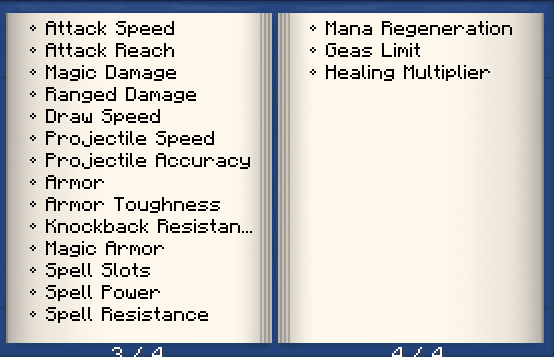
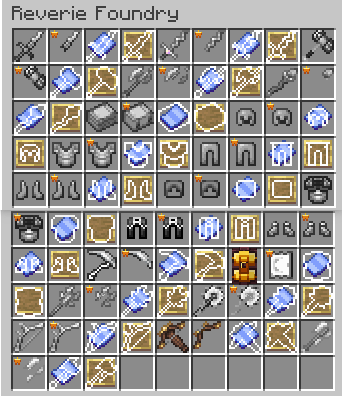
The following weapons and equipment have been made compatible with Silent Gear, allowing modular customization and material-based trait application:
Iron's Spells 'n Spellbooks
- Spell Books
- Staff
- Flameforged Sword
- Auto-Crossbow
Malum
- Scythes
- And More…
L_Ender 's Cataclysm
- Meatgrinder
- Forge Hammer
- And More…
With ReverieGear, you can modularly customize these weapons using Silent Gear's material system.
Acknowledgements
Thanks to silentchaos512 for creating the original Silent Gear mod.
Thanks to Waffy for providing the original 2D weapon textures for L_Ender's Cataclysm.
Found a bug?
Please report it on the modpack's GitHub Issues page.
Other changes:
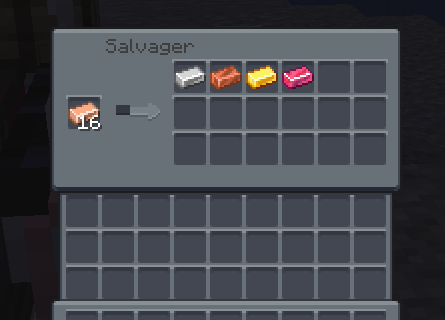
- Added the ability for the Material Disassembler to rewrite and disassemble alloys back into raw materials.
Note: This mod does not add material compatibility, so without tweaking, you may not get certain material traits.
Available Versions
How to Install ReverieGear on Your Server
Order Server
Order a Minecraft Java server with at least 3 GB RAM (4 GB recommended).
Set neoforge Loader
In the panel under "Egg", select the neoforge loader and matching Minecraft version (1.21.1).
Install Mod
Open the mod browser in the dashboard and search for "ReverieGear". Click "Install" – done! Alternatively, upload the .jar via SFTP to the /mods folder.
Compatibility
Mod Loaders
Minecraft Versions
1.21.1
Server-side
✓ RequiredRecommended RAM
4 GB(min. 3 GB)Frequently Asked Questions
ReverieGear server crashes on startup – what to do?
Most common cause: wrong neoforge version or insufficient RAM. Check the server log (latest.log) for "OutOfMemoryError" or "Mixin" errors. With Mado Hosting: ensure at least 3 GB RAM is allocated and the loader matches the mod version (1.21.1). You can switch loaders with one click in the panel.
Is ReverieGear compatible with neoforge?
ReverieGear officially supports neoforge for Minecraft 1.21.1. The Mado dashboard automatically detects incompatible loader combinations.
Server lagging with ReverieGear – how to optimize performance?
Recommended RAM: 4 GB (per 8 players). Use /spark profiler to check if ReverieGear consumes the most tick time. Common fixes: reduce server view-distance to 8-10, install "performant" or "starlight" as supplementary mods on Forge. With Mado Hosting, your server runs on NVMe SSDs with dedicated CPU cores for minimal latency.
Similar Mods




![[TaCZ] Timeless and Classics Zero](https://cdn.modrinth.com/data/SzzJttH8/fd27766d2bb8390d284696b1dbd358f87e081439_96.webp)

Rent Modded Server
Install ReverieGear with just one click on your server.