
Rift Wars SMP
Team-based PvPvE SMP gameplay with rifts, timed captures, artifacts, instability, and a final breach event.
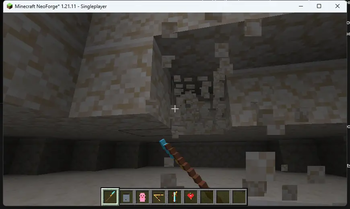
Screenshots
About this Mod
Rift Wars SMP
Short Summary
Team-based PvPvE SMP gameplay with rifts, timed captures, artifacts, instability, and a final breach event.
Description
Rift Wars SMP turns a Minecraft Java survival world into a team-based PvPvE season.
Unstable rifts appear across the world. Teams locate them, fight through hazards, stabilize the rift core, and hold the area long enough to capture it. Captured rifts create territory pressure, while active rifts increase global instability. When instability reaches the endgame threshold, the final breach becomes the server-wide objective.
The mod is built for SMP servers that want structured conflict without replacing survival. It adds objectives, timed pressure, team competition, artifacts, and operator tools for running events.
Core Features
- Team creation and team status commands.
- Scheduled rift spawning.
- Three rift types: Ember, Void, and Bloom.
- Visible
rift_coremarker for rift objectives. - Timed capture around rift cores.
- Rift hazards and pressure near active rifts.
- Artifact items:
- Anchor Sigil
- Shard Compass
- Breach Totem
- Echo Blade
- Global instability progression.
- Final breach event state.
- Admin commands for spawning, listing, stabilizing, clearing, testing, and resetting rifts.
- Dedicated server support.
Who It Is For
- SMP owners who want scheduled PvPvE objectives.
- Small and mid-size Minecraft Java communities.
- Creators and YouTubers running team-based events.
- Players who want survival gameplay with contestable world objectives.
Installation
Client
- Install Minecraft Java Edition
1.21.11. - Install NeoForge for Minecraft
1.21.11. - Use Java
21. - Put
riftwarssmp-0.1.0.jarin your.minecraft/modsfolder. - Launch the NeoForge profile.
Server
- Install a Minecraft Java
1.21.11NeoForge dedicated server. - Use Java
21. - Put
riftwarssmp-0.1.0.jarin the servermodsfolder. - Start the server.
- Join with a client that has the same mod installed.
Server Setup
Basic operator checks:
/rift status
/rift list
/rift admin scheduler status
/rift admin spawn ember
/rift admin spawn void
/rift admin spawn bloom
/rift admin smoke
Basic player loop:
/rift team create <name>
/rift list
/rift capture <riftId>
/rift team info
Operators can clear test rifts with:
/rift admin clear <riftId>
/rift admin clearall
/rift admin breach reset
Gameplay Overview
- Players create teams.
- Rifts spawn in the world.
- Teams travel to rift coordinates and fight through the danger area.
- A team stabilizes or contests the rift core.
- A team starts capture and must stay near the core until the timer completes.
- Active and controlled rifts affect global instability.
- When instability reaches the configured threshold, the final breach becomes the endgame event.
Known Limitations
- First public release target is Minecraft Java
1.21.11with NeoForge only. - Fabric, Forge, Quilt, Bukkit/Spigot/Paper plugins, Bedrock Edition, consoles, and mobile editions are not supported.
- Balance should be tested on each live server before running a long season.
- Compatibility with other team, claims, territory, combat, or world-event mods is not guaranteed.
- Public server operators should test the mod in a staging world before using it in an active season.
FAQ
Does this work on single-player?
The mod can load in a client environment, but it is designed mainly for SMP and dedicated server play.
Does every player need the mod?
Yes. For normal server play, install the mod on both the server and every client.
Is this a Fabric mod?
No. Rift Wars SMP currently supports NeoForge only.
Does this support Bedrock Edition?
No. Rift Wars SMP is for Minecraft Java Edition only.
Does this require extra dependencies?
No extra mod dependencies are currently declared. NeoForge and Minecraft Java 1.21.11 are required.
Can server operators control rifts manually?
Yes. Operators can spawn, list, stabilize, clear, reset, and smoke-test rift systems through /rift admin commands.
Tags / Categories
Suggested Modrinth categories and tags:
- Adventure
- Game Mechanics
- Magic
- Multiplayer
- PvP
- PvE
- SMP
- Server
- Teams
- Events
Use only categories available in Modrinth's project form.
Version and Dependency Notes
- Mod version:
0.1.0 - Minecraft version:
1.21.11 - Minecraft metadata range:
[1.21.11,1.21.12) - Loader: NeoForge
- NeoForge project version:
21.11.38-beta - NeoForge metadata range:
[21.11,) - Java:
21 - Environment: client and server
Available Versions
How to Install Rift Wars SMP on Your Server
Order Server
Order a Minecraft Java server with at least 3 GB RAM (4 GB recommended).
Set neoforge Loader
In the panel under "Egg", select the neoforge loader and matching Minecraft version (1.21.11).
Install Mod
Open the mod browser in the dashboard and search for "Rift Wars SMP". Click "Install" – done! Alternatively, upload the .jar via SFTP to the /mods folder.
Compatibility
Mod Loaders
Minecraft Versions
1.21.11
Server-side
✓ RequiredRecommended RAM
4 GB(min. 3 GB)Frequently Asked Questions
Rift Wars SMP server crashes on startup – what to do?
Most common cause: wrong neoforge version or insufficient RAM. Check the server log (latest.log) for "OutOfMemoryError" or "Mixin" errors. With Mado Hosting: ensure at least 3 GB RAM is allocated and the loader matches the mod version (1.21.11). You can switch loaders with one click in the panel.
Is Rift Wars SMP compatible with neoforge?
Rift Wars SMP officially supports neoforge for Minecraft 1.21.11. The Mado dashboard automatically detects incompatible loader combinations.
Server lagging with Rift Wars SMP – how to optimize performance?
Recommended RAM: 4 GB (per 8 players). Use /spark profiler to check if Rift Wars SMP consumes the most tick time. Common fixes: reduce server view-distance to 8-10, install "performant" or "starlight" as supplementary mods on Forge. With Mado Hosting, your server runs on NVMe SSDs with dedicated CPU cores for minimal latency.
Similar Mods




Rent Modded Server
Install Rift Wars SMP with just one click on your server.