
RiscJ Computer Mod
This mod is designed to provide a hands-on understanding of computer architecture. It allows you to construct a virtual computer within the Minecraft universe using specific blocks that represent different components of a computer system. These components
Screenshots
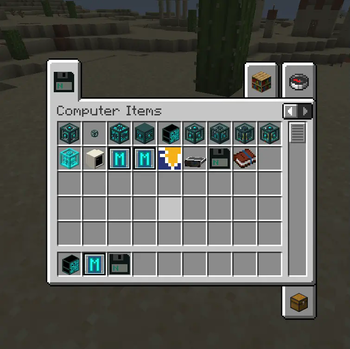
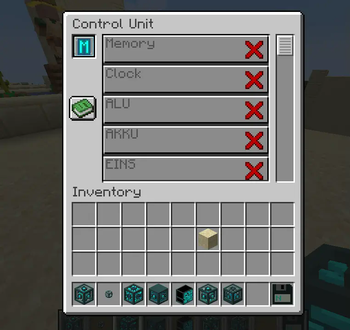
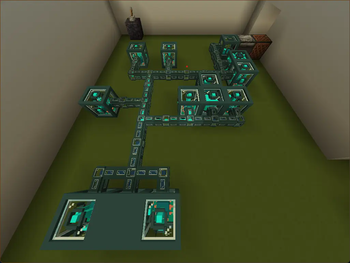
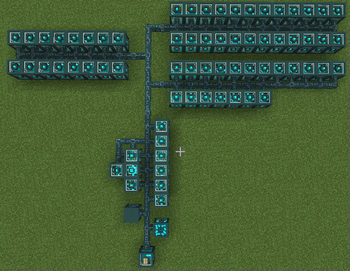
About this Mod
This mod is designed to provide a hands-on understanding of computer architecture. It allows you to construct a virtual computer within the Minecraft universe using specific blocks that represent different components of a computer system. These components include registers, a control unit, an arithmetic logic unit (ALU), and memory.
By placing these blocks onto the same bus, you can create a fully functional computer simulation. This setup mirrors a simplified structure of a real-world computer, where different components communicate and interact through a shared bus system.
Programming and Execution
Once your computer is built, you can bring it to life using a program assembled in the programming block. This feature introduces the concept of assembly language and how instructions are executed in a computer system. You can write programs, load them into your computer, and watch as your instructions are carried out in the Minecraft world. This interactive experience provides a tangible understanding of how software and hardware interact in a computer system.
Learning and Fun
Whether you’re a computer science student looking for a fun way to supplement your studies, a teacher seeking an engaging educational tool, or a Minecraft enthusiast interested in computers, this mod offers a unique blend of learning and gameplay.
We hope this mod will spark your curiosity and deepen your understanding of computer systems. Enjoy building, programming, and exploring the world of computer architecture in Minecraft!
Please refer to the in game manual for detailed instructions on how to use each component and assemble your computer. Happy crafting!
Issues:
If you find issues or have questions, feel free to join our discord server or report the issue to our GitHub.
Available Versions
How to Install RiscJ Computer Mod on Your Server
Order Server
Order a Minecraft Java server with at least 3 GB RAM (4 GB recommended).
Set fabric Loader
In the panel under "Egg", select the fabric loader and matching Minecraft version (1.20.2).
Install Mod
Open the mod browser in the dashboard and search for "RiscJ Computer Mod". Click "Install" – done! Alternatively, upload the .jar via SFTP to the /mods folder.
Compatibility
Mod Loaders
Minecraft Versions
1.20.2
Server-side
✓ RequiredRecommended RAM
4 GB(min. 3 GB)Frequently Asked Questions
RiscJ Computer Mod server crashes on startup – what to do?
Most common cause: wrong fabric version or insufficient RAM. Check the server log (latest.log) for "OutOfMemoryError" or "Mixin" errors. With Mado Hosting: ensure at least 3 GB RAM is allocated and the loader matches the mod version (1.20.2). You can switch loaders with one click in the panel.
Is RiscJ Computer Mod compatible with fabric?
RiscJ Computer Mod officially supports fabric for Minecraft 1.20.2. The Mado dashboard automatically detects incompatible loader combinations.
Server lagging with RiscJ Computer Mod – how to optimize performance?
Recommended RAM: 4 GB (per 8 players). Use /spark profiler to check if RiscJ Computer Mod consumes the most tick time. Common fixes: reduce server view-distance to 8-10, install "performant" or "starlight" as supplementary mods on Forge. With Mado Hosting, your server runs on NVMe SSDs with dedicated CPU cores for minimal latency.
Similar Mods





Rent Modded Server
Install RiscJ Computer Mod with just one click on your server.