
Screenshots
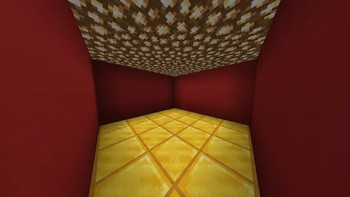
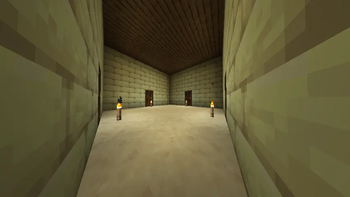
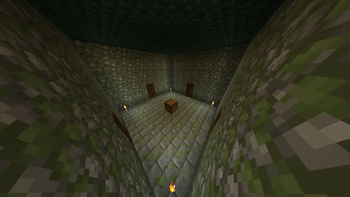
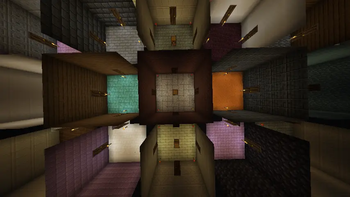
About this Mod
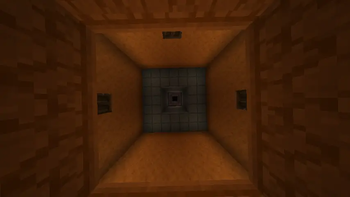
Rooms is a simple and fun mini-game. The core concept of this mode is that multiple players spawn for pvp in individual starting rooms within a large structure consisting of numerous rooms divided across 3 floors. Players spawn on the 2nd floor, right in the middle of the entire structure.
Throughout the structure, you will find rooms with chests containing random loot generated from predefined mod templates.
The base spawn chance for a loot room is 42%, but this can be adjusted via the settings menu (opened by pressing J). This menu also allows you to enable a "Blindness" difficulty modifier, which disables sprinting and reduces your visibility range.
Points are awarded for finishing in 1st, 2nd, and 3rd place. The first player to reach the target score wins the game.
PRE-GAME INSTRUCTIONS
For optimal mod performance, it is highly recommended to create a Superflat world with structures disabled.Once all players have joined the server, type the command /startgame to begin the game.The default score required to win is 10. To change this, use the command /score <goal>.Additional settings can be accessed by pressing J, as described above.
Core Gameplay Changes:
Open doors have no collision.
TNT and TNT minecart activates immediately upon being placed on the ground.
Right-clicking a chest will not open it; instead, it will break and drop all of its loot.
In worlds created for this mode, immediately respawning is automatically enabled, and natural mob spawning is disabled.
Available Versions
How to Install Rooms on Your Server
Order Server
Order a Minecraft Java server with at least 3 GB RAM (4 GB recommended).
Set fabric Loader
In the panel under "Egg", select the fabric loader and matching Minecraft version (1.20.1).
Install Mod
Open the mod browser in the dashboard and search for "Rooms". Click "Install" – done! Alternatively, upload the .jar via SFTP to the /mods folder.
Compatibility
Mod Loaders
Minecraft Versions
1.20.1
Server-side
~ OptionalRecommended RAM
4 GB(min. 3 GB)Frequently Asked Questions
Rooms server crashes on startup – what to do?
Most common cause: wrong fabric version or insufficient RAM. Check the server log (latest.log) for "OutOfMemoryError" or "Mixin" errors. With Mado Hosting: ensure at least 3 GB RAM is allocated and the loader matches the mod version (1.20.1). You can switch loaders with one click in the panel.
Is Rooms compatible with fabric?
Rooms officially supports fabric for Minecraft 1.20.1. The Mado dashboard automatically detects incompatible loader combinations.
Server lagging with Rooms – how to optimize performance?
Recommended RAM: 4 GB (per 8 players). Use /spark profiler to check if Rooms consumes the most tick time. Common fixes: reduce server view-distance to 8-10, install "performant" or "starlight" as supplementary mods on Forge. With Mado Hosting, your server runs on NVMe SSDs with dedicated CPU cores for minimal latency.
Similar Mods





Rent Modded Server
Install Rooms with just one click on your server.