
Rot Timer
Adds realistic food spoilage, barrel storage bonuses, and long‑lasting canned stew for a deeper survival experience.
Screenshots
About this Mod
🥫 Rot Timer — Survive Smarter
Every bite counts. Fresh foods spoil quickly, barrels extend their life, and canned meals are the ultimate survival choice.
📦 Expanded Spoilage System
Food now spoils not only in the player’s inventory but also in barrels and chests.
Barrels slow spoilage by 2×, extending freshness for longer-term storage.
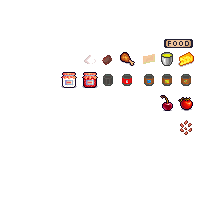
Canned foods (Tinkan, TinkanFish, TinkanChicken, TinkanTomato) spoil 5× slower than regular food — perfect for long adventures.
📦 Storage & Containers
🫙 Jar — Glass jar for jams and preserves.
🥫 Tin Can — Metal can for stews and meats.
🛢 Barrel — Wooden barrel for bulk storage. Doubles shelf life.
Frequently Asked Questions
Q. Can I use this mod into my modpack?
A. Yes! Feel free to feature RotTimer in your modpack, and customize it as you see fit for the experience you're crafting. Just keep in mind:
Make sure to credit, and don't claim RotTimer as your own creation;
Always read the changelogs! Minor and major versions can sometimes have breaking changes, which will be explained there.
Q. Which Minecraft versions will the mod be updated for?
A. RotTimer is currently being updated for 1.20.1. Any other versions are currently discontinued.
Q. Are you going to backport this mod to versions before 1.15?
A. No, this mod will never be backported to older versions. The game's older codebases are entirely different, and usually missing important features this mod depends on. Please do NOT ask for backports!
Available Versions
How to Install Rot Timer on Your Server
Order Server
Order a Minecraft Java server with at least 3 GB RAM (4 GB recommended).
Set forge Loader
In the panel under "Egg", select the forge loader and matching Minecraft version (1.20.1).
Install Mod
Open the mod browser in the dashboard and search for "Rot Timer". Click "Install" – done! Alternatively, upload the .jar via SFTP to the /mods folder.
Compatibility
Mod Loaders
Minecraft Versions
1.20.1
Server-side
✓ RequiredRecommended RAM
4 GB(min. 3 GB)Frequently Asked Questions
Rot Timer server crashes on startup – what to do?
Most common cause: wrong forge version or insufficient RAM. Check the server log (latest.log) for "OutOfMemoryError" or "Mixin" errors. With Mado Hosting: ensure at least 3 GB RAM is allocated and the loader matches the mod version (1.20.1). You can switch loaders with one click in the panel.
Is Rot Timer compatible with forge?
Rot Timer officially supports forge for Minecraft 1.20.1. The Mado dashboard automatically detects incompatible loader combinations.
Server lagging with Rot Timer – how to optimize performance?
Recommended RAM: 4 GB (per 8 players). Use /spark profiler to check if Rot Timer consumes the most tick time. Common fixes: reduce server view-distance to 8-10, install "performant" or "starlight" as supplementary mods on Forge. With Mado Hosting, your server runs on NVMe SSDs with dedicated CPU cores for minimal latency.
Similar Mods




Rent Modded Server
Install Rot Timer with just one click on your server.