
Rotting Away
Undeads are infectious. Play this new twist on infection mods.
Screenshots
About this Mod
Infection mods these days like to copy each other. If you are getting bored of this trend, this unique twist on infection mods is a must-try, overhauling zombification and undeads.
Mod Contents (Spoiler)
All of this infection begins with 1 undead death. When Undeads die, they leave behind rotten mass.
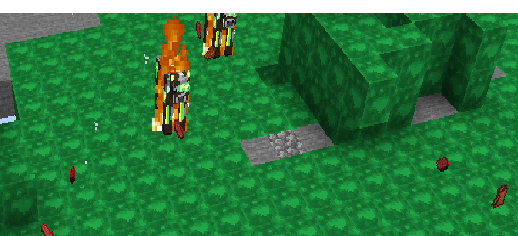
When any mob that is not an undead walks on this mass, it begins to zombify. When those mobs die, they leave behind rotten mass. When enough mass has been accumulated, undeads that are close enough will turn into an Abomination
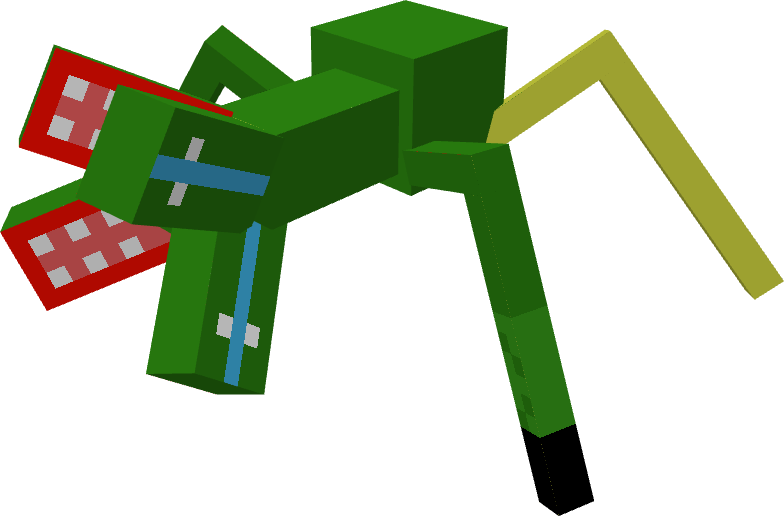
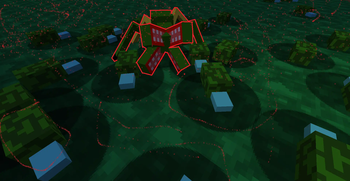
Abominations are extremely hostile and will attack all non-undeads. With every mob they claim, their power grows. In exactly 1 day after the Abomination spawns, it will explode and leave behind rotten mites. The number is based on its power.
Rotten Mites to uninfected land. They turn nearby blocks into Rotten Mass.
In all of this calamity, it may seem impossible to ever gain the upper hand, that is, if silver wasn't practical, for when utilised, silver can be melted down and placed to decay rotten mass under it. How you melt down silver is simple, follow the tutorial below:
- Obtain Raw Silver by mining Silver Ore
- Cook it in a blast furnace to create Silver Ingots
- Create a Silver Block using 9 Silver Ingots
- place the silver block on top of a copper grate on top of a lava cauldron
- Wait for the Silver to turn into Molten Silver
- Use a bucket to obtain Molten Silver
- Place it on top of Rotten Mass to decay the mass
Future of This Mod
Smiting swords are an unused feature that set normal mobs on fire and deal extra damage to undeads.
Available Versions
How to Install Rotting Away on Your Server
Order Server
Order a Minecraft Java server with at least 3 GB RAM (4 GB recommended).
Set fabric Loader
In the panel under "Egg", select the fabric loader and matching Minecraft version (1.21.1).
Install Mod
Open the mod browser in the dashboard and search for "Rotting Away". Click "Install" – done! Alternatively, upload the .jar via SFTP to the /mods folder.
Compatibility
Mod Loaders
Minecraft Versions
1.21.1
Server-side
✓ RequiredRecommended RAM
4 GB(min. 3 GB)Frequently Asked Questions
Rotting Away server crashes on startup – what to do?
Most common cause: wrong fabric version or insufficient RAM. Check the server log (latest.log) for "OutOfMemoryError" or "Mixin" errors. With Mado Hosting: ensure at least 3 GB RAM is allocated and the loader matches the mod version (1.21.1). You can switch loaders with one click in the panel.
Is Rotting Away compatible with fabric?
Rotting Away officially supports fabric for Minecraft 1.21.1. The Mado dashboard automatically detects incompatible loader combinations.
Server lagging with Rotting Away – how to optimize performance?
Recommended RAM: 4 GB (per 8 players). Use /spark profiler to check if Rotting Away consumes the most tick time. Common fixes: reduce server view-distance to 8-10, install "performant" or "starlight" as supplementary mods on Forge. With Mado Hosting, your server runs on NVMe SSDs with dedicated CPU cores for minimal latency.
Similar Mods




Rent Modded Server
Install Rotting Away with just one click on your server.