rpcDrive
RedPower 2 <-> ComputerCraft disk drive compatibility add-on.
Screenshots
About this Mod
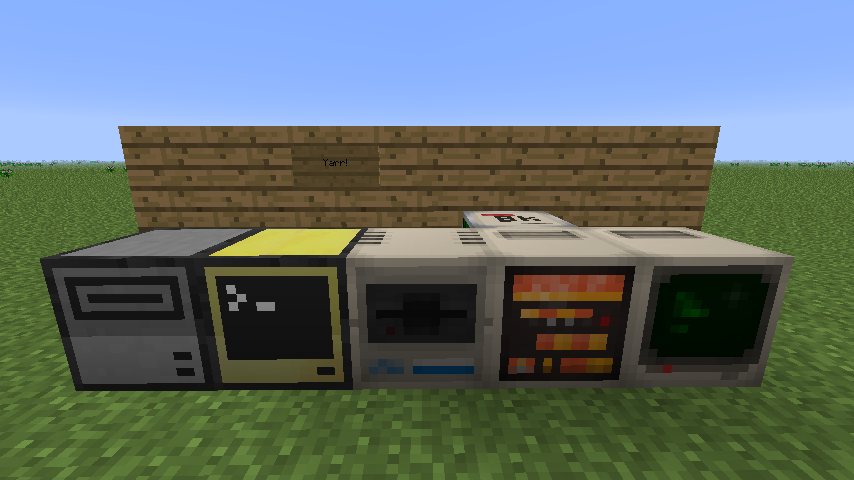
In the 1980s, it wasn't at all uncommon to see software development houses use a more powerful computer to create and debug software for a less powerful machine. In this spirit, rpcDrive is a mod for Minecraft which adds cross-mod compatibility between RedPower 2's Disk Drives and ComputerCraft's Computers, allowing using Lua scripts to read data from and write data to RedPower 2's 65EL02-based computer ecosystem.
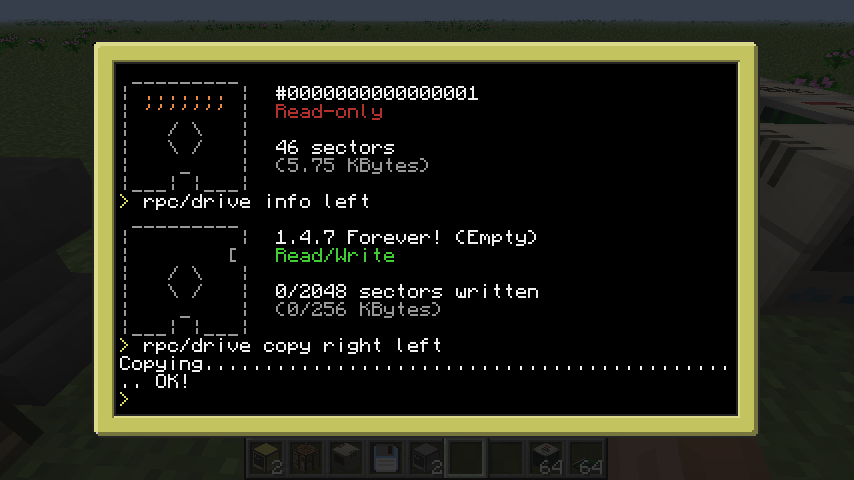
In addition, the mod comes with a built-in (automatically installed) utility called rpc/drive, which allows performing basic read, write and copy operations on RP2 floppies.
ComputerCraft API Documentation
RP2 Disk Drives are registered as peripherals of type rp_drive. It is important to note that Floppy Disks from that mod are operated on in terms of 128-byte sectors; the rp_drive peripheral provides an internal 128-byte buffer, from which sectors are read from and written to.
Indexes and sector counts are provided 1-indexed, as is the case across Lua.
| Name | Arguments | Description |
|---|---|---|
| isPresent | - | Returns true if a floppy disk is present. |
| hasData | - | Returns true if a floppy disk contains data. |
| isReadable | - | Returns true if the inserted floppy disk can be read from. |
| isWritable | - | Returns true if the inserted floppy disk can be read from. |
| getSerialNumber | => string | Returns the floppy disk's internal identifier (its "serial number") in the form of a string. |
| getLabel | => string | Gets the floppy disk's displayable label. |
| setLabel | newLabel (string) | Sets the floppy disk's displayable label. |
| getBytesPerSector | => number | Returns the number of bytes in a sector; typically 128. |
| getSectorCount | => number | Returns the number of sectors currently written to the inserted floppy. |
| getSectorSize | => number | Returns the number of total sectors on the inserted floppy, including ones which have never been written to. |
| readSector | sectorIndex (number) | Read a sector from the disk to the internal buffer. |
| writeSector | sectorIndex (number) | Write a sector from the internal buffer to the disk. |
| erase | - | Erase the floppy disk's contents. |
| initialize | - | Initialize an empty floppy disk; this gives it a new serial number. Note that writing a sector to an empty floppy disk initializes it automatically. |
| getBufferByte | index (number) | Read a byte from the internal buffer. |
| setBufferByte | index (number), value (number) | Write a byte to the internal buffer. |
Available Versions
How to Install rpcDrive on Your Server
Order Server
Order a Minecraft Java server with at least 3 GB RAM (4 GB recommended).
Set forge Loader
In the panel under "Egg", select the forge loader and matching Minecraft version (1.4.7).
Install Mod
Open the mod browser in the dashboard and search for "rpcDrive". Click "Install" – done! Alternatively, upload the .jar via SFTP to the /mods folder.
Compatibility
Mod Loaders
Minecraft Versions
1.4.7
Server-side
✓ RequiredRecommended RAM
4 GB(min. 3 GB)Frequently Asked Questions
rpcDrive server crashes on startup – what to do?
Most common cause: wrong forge version or insufficient RAM. Check the server log (latest.log) for "OutOfMemoryError" or "Mixin" errors. With Mado Hosting: ensure at least 3 GB RAM is allocated and the loader matches the mod version (1.4.7). You can switch loaders with one click in the panel.
Is rpcDrive compatible with forge?
rpcDrive officially supports forge for Minecraft 1.4.7. The Mado dashboard automatically detects incompatible loader combinations.
Server lagging with rpcDrive – how to optimize performance?
Recommended RAM: 4 GB (per 8 players). Use /spark profiler to check if rpcDrive consumes the most tick time. Common fixes: reduce server view-distance to 8-10, install "performant" or "starlight" as supplementary mods on Forge. With Mado Hosting, your server runs on NVMe SSDs with dedicated CPU cores for minimal latency.
Similar Mods





Rent Modded Server
Install rpcDrive with just one click on your server.