
RPG Camera and Controls
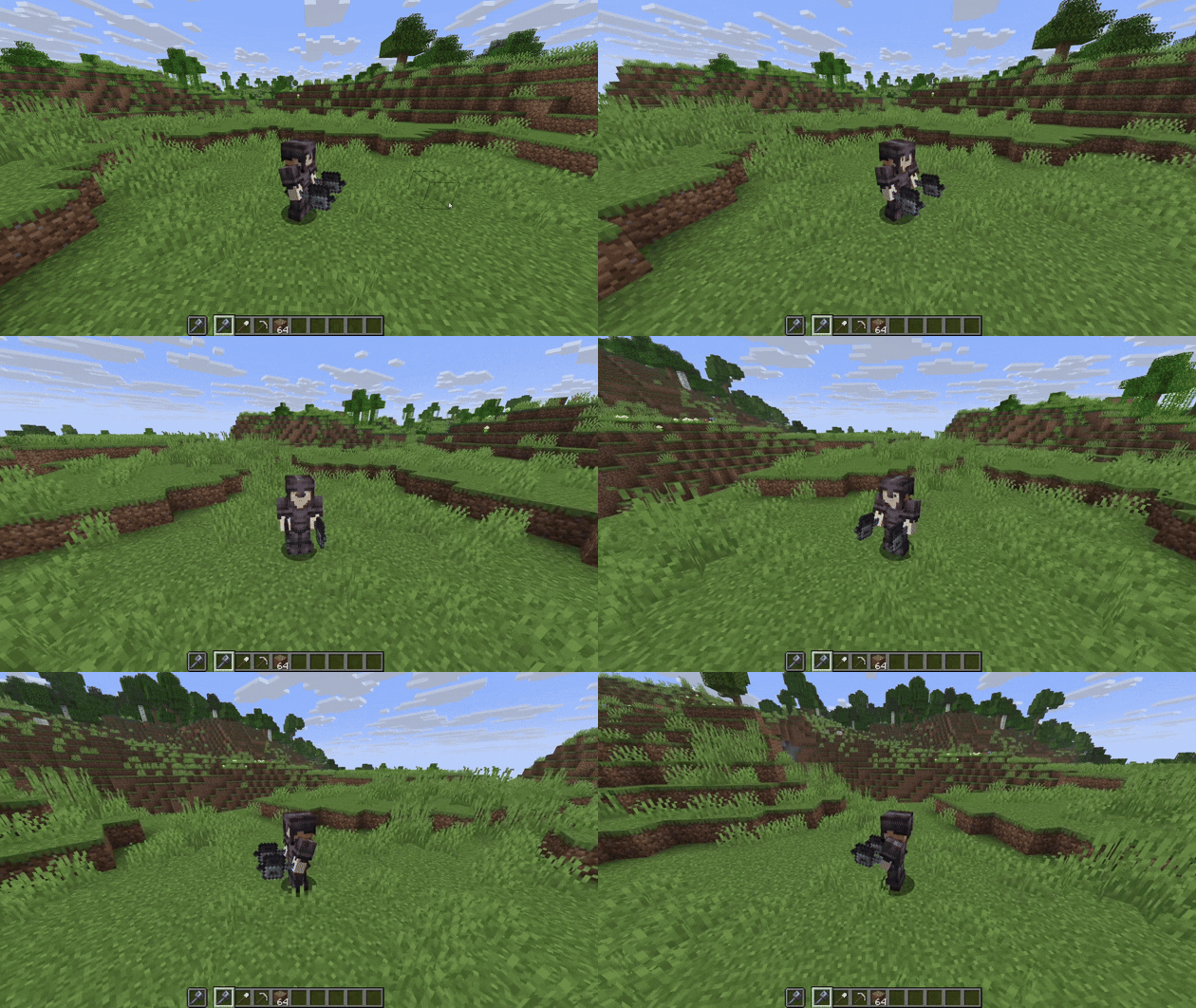
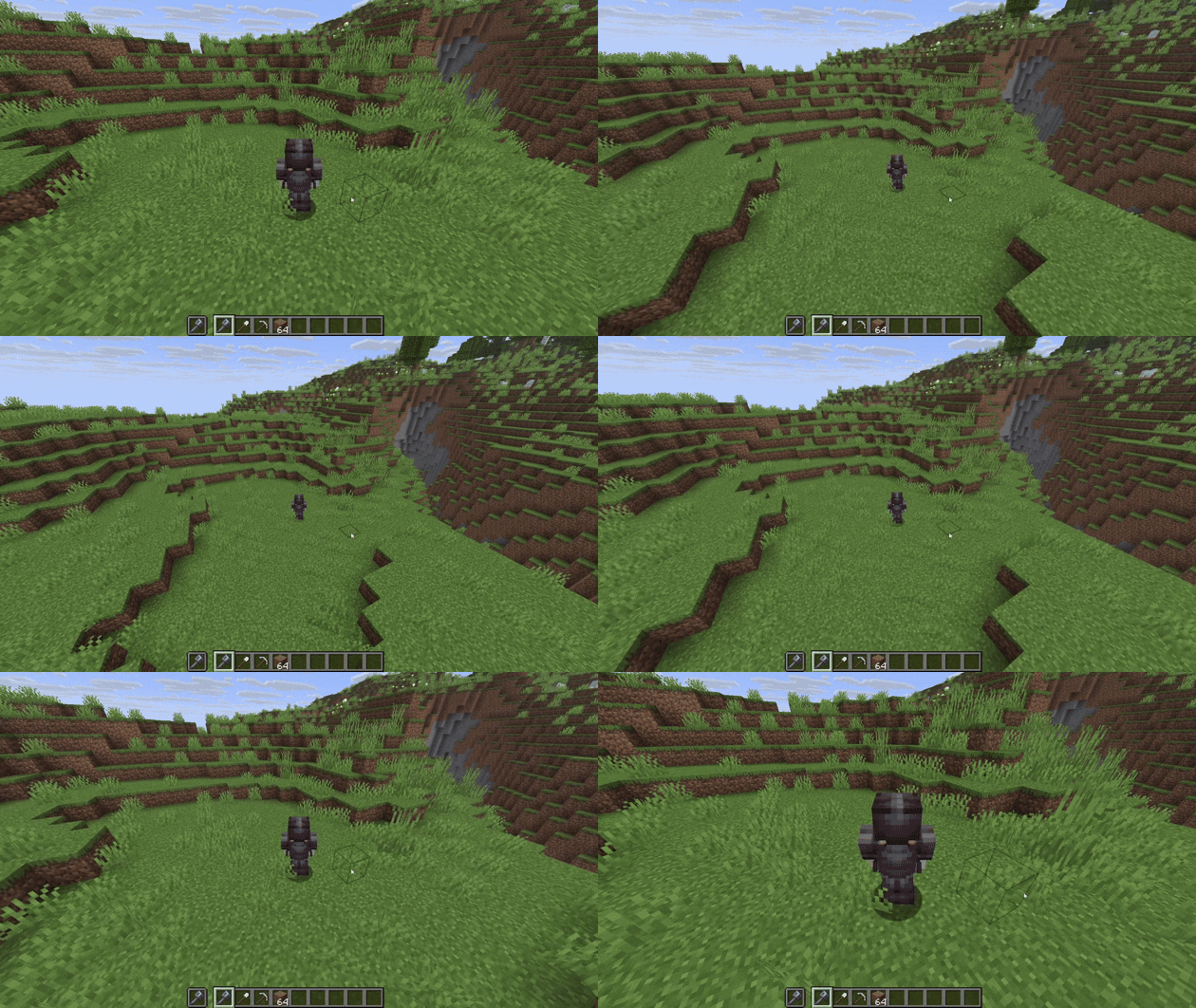
RPG Camera and Controls completely reimagines Minecraft’s third-person camera. Inspired by classic MMORPG controls, it replaces the vanilla camera system with smooth orbit movement and full mouse-driven aiming.
Screenshots


About this Mod
⚔️🧙♂️ RPG Camera and Controls
Hello everybody and welcome to my first Minecraft mod! RPG Camera and Controls is a mod that transforms the third-person camera into a true RPG-style experience. Inspired by classic MMORPGs like World of Warcraft, RPG Camera introduces smooth third-person controls, dynamic camera behavior, and a more immersive player perspective - perfect for role-playing and MMO-style gameplay in Minecraft.
You can hold right-click and move your mouse to use orbit control.
As long as your mouse cursor is visible, you will place a block when your “use item” key is bound to right-click.
Once you move far enough, the cursor fades out and you can freely rotate the camera around your character. After releasing right-click, no block will be placed.
The default way to zoom in and out is to hold Left Alt while scrolling your mouse wheel.
You can customize all controls in the settings under RPG Camera & Controls.
Don’t be confused by duplicated keybinds like Q and E for strafing - when you are in RPG third-person mode, Minecraft uses the RPG Camera keybinds. When you are in first-person, it uses the vanilla keybinds.
You can also move your mouse freely and break or place blocks without directly looking at them.
You can still interact with blocks such as furnaces and other containers.
📷📹 Screenshots and Videos


Available Versions
How to Install RPG Camera and Controls on Your Server
Order Server
Order a Minecraft Java server with at least 3 GB RAM (4 GB recommended).
Set fabric Loader
In the panel under "Egg", select the fabric loader and matching Minecraft version (1.21.11).
Install Mod
Open the mod browser in the dashboard and search for "RPG Camera and Controls". Click "Install" – done! Alternatively, upload the .jar via SFTP to the /mods folder.
Compatibility
Mod Loaders
Minecraft Versions
1.21.11, 1.21.10, 1.21.9 (+1 more)
Server-side
✗ UnsupportedRecommended RAM
4 GB(min. 3 GB)Frequently Asked Questions
RPG Camera and Controls server crashes on startup – what to do?
Most common cause: wrong fabric version or insufficient RAM. Check the server log (latest.log) for "OutOfMemoryError" or "Mixin" errors. With Mado Hosting: ensure at least 3 GB RAM is allocated and the loader matches the mod version (1.21.11). You can switch loaders with one click in the panel.
Is RPG Camera and Controls compatible with fabric?
RPG Camera and Controls officially supports fabric for Minecraft 1.21.11, 1.21.10, 1.21.9. The Mado dashboard automatically detects incompatible loader combinations.
Server lagging with RPG Camera and Controls – how to optimize performance?
Recommended RAM: 4 GB (per 8 players). Use /spark profiler to check if RPG Camera and Controls consumes the most tick time. Common fixes: reduce server view-distance to 8-10, install "performant" or "starlight" as supplementary mods on Forge. With Mado Hosting, your server runs on NVMe SSDs with dedicated CPU cores for minimal latency.
Similar Mods




Rent Modded Server
Install RPG Camera and Controls with just one click on your server.