
SableFanConfig
A mod that allow the EncaseFan of create configurable
Screenshots
About this Mod
Sable Fan Config
Project Description
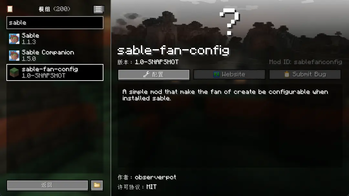
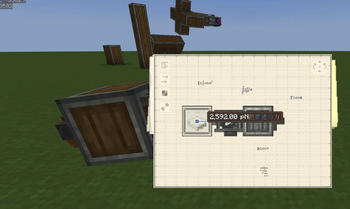
Sable Fan Config is a simple Minecraft mod that allows configuring the fan thrust of the Create mod when the Sable mod is installed.
Features
- Allows adjusting the speed multiplier of fans in the Create mod
- Simple configuration via a config file
Configuration Options
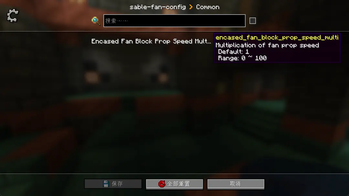
After the mod is installed, a configuration file named sablefanconfig-common.toml will be generated in the config folder.
Available Configuration Options
| Option | Description | Default Value | Range |
|---|---|---|---|
| encased_fan_block_prop_speed_multi | Fan thrust multiplier | 1 | 0-100 |
Sable Fan Config
项目简介
Sable Fan Config 是一个简单的 Minecraft 模组,它允许在安装了 Sable 模组的情况下配置 Create 模组的风扇推力。
功能
- 允许调整 Create 模组中风扇的速度倍数
- 通过配置文件进行简单的设置
配置选项
模组安装后,会在 config 文件夹中生成配置文件 sablefanconfig-common.toml。
可用配置项
| 配置项 | 描述 | 默认值 | 范围 |
|---|---|---|---|
| encased_fan_block_prop_speed_multi | 风扇推力倍数 | 1 | 0-100 |
Available Versions
How to Install SableFanConfig on Your Server
Order Server
Order a Minecraft Java server with at least 3 GB RAM (4 GB recommended).
Set neoforge Loader
In the panel under "Egg", select the neoforge loader and matching Minecraft version (1.21.1).
Install Mod
Open the mod browser in the dashboard and search for "SableFanConfig". Click "Install" – done! Alternatively, upload the .jar via SFTP to the /mods folder.
Compatibility
Mod Loaders
Minecraft Versions
1.21.1
Server-side
✓ RequiredRecommended RAM
4 GB(min. 3 GB)Frequently Asked Questions
SableFanConfig server crashes on startup – what to do?
Most common cause: wrong neoforge version or insufficient RAM. Check the server log (latest.log) for "OutOfMemoryError" or "Mixin" errors. With Mado Hosting: ensure at least 3 GB RAM is allocated and the loader matches the mod version (1.21.1). You can switch loaders with one click in the panel.
Is SableFanConfig compatible with neoforge?
SableFanConfig officially supports neoforge for Minecraft 1.21.1. The Mado dashboard automatically detects incompatible loader combinations.
Server lagging with SableFanConfig – how to optimize performance?
Recommended RAM: 4 GB (per 8 players). Use /spark profiler to check if SableFanConfig consumes the most tick time. Common fixes: reduce server view-distance to 8-10, install "performant" or "starlight" as supplementary mods on Forge. With Mado Hosting, your server runs on NVMe SSDs with dedicated CPU cores for minimal latency.
Similar Mods





Rent Modded Server
Install SableFanConfig with just one click on your server.