
SaneTools
The Sane Scraper: a balanced quality-of-life tool for faster block gathering in vanilla+ Minecraft, or to complement other tool mods.
Screenshots
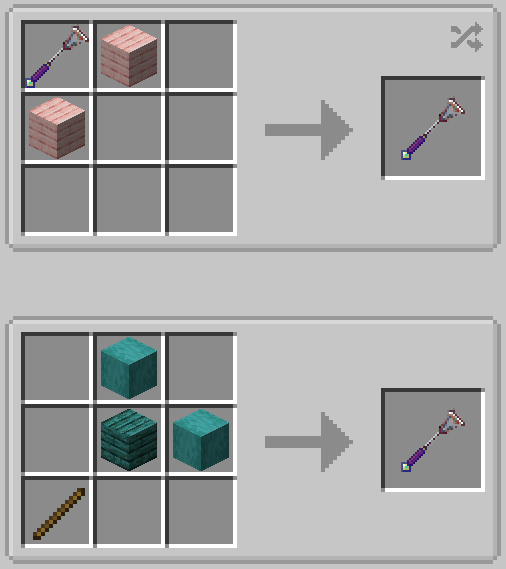
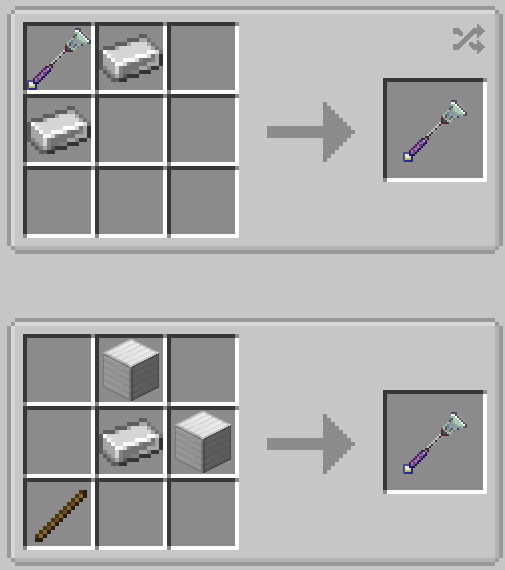
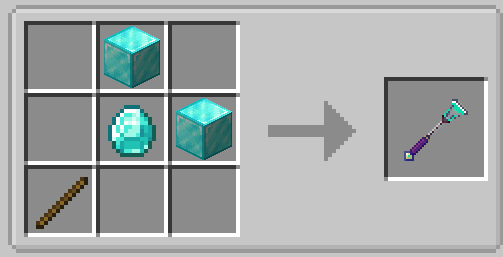
About this Mod
Sane Tools – Sane Scraper (v1.0)
The Sane Scraper is a quality-of-life tool designed to remove the tedium of gathering blocks one by one. Spending so much time digging just doesn’t seem reasonable — this tool allows you to harvest multiple blocks of the same type in the same plane efficiently without breaking vanilla survival balance.

Features:
Balanced tiers: wood, iron, and diamond (infinite)
Works in survival and creative modes
Uses durability and hunger to limit usage, without disappearing
Note: Recipes are not yet visible in JEI or the vanilla recipe book; they will be added in a future update.
Videos:
Scraper in action: <iframe width="560" height="315" src="https://www.youtube-nocookie.com/embed/v-jDsesuoRI" title="YouTube video player" frameborder="0" allow="accelerometer; autoplay; clipboard-write; encrypted-media; gyroscope; picture-in-picture; web-share" allowfullscreen></iframe>
State of Development:
Fully functional as intended
No planned changes except potentially add the other 2 tools in the SaneTools set
Durability:
Tools do not break permanently; they can always be repaired
Diamond tier is effectively infinite
Available Versions
How to Install SaneTools on Your Server
Order Server
Order a Minecraft Java server with at least 3 GB RAM (4 GB recommended).
Set forge Loader
In the panel under "Egg", select the forge loader and matching Minecraft version (1.20.6).
Install Mod
Open the mod browser in the dashboard and search for "SaneTools". Click "Install" – done! Alternatively, upload the .jar via SFTP to the /mods folder.
Compatibility
Mod Loaders
Minecraft Versions
1.20.6, 1.20.5, 1.20.4 (+3 more)
Server-side
✓ RequiredRecommended RAM
4 GB(min. 3 GB)Frequently Asked Questions
SaneTools server crashes on startup – what to do?
Most common cause: wrong forge version or insufficient RAM. Check the server log (latest.log) for "OutOfMemoryError" or "Mixin" errors. With Mado Hosting: ensure at least 3 GB RAM is allocated and the loader matches the mod version (1.20.6). You can switch loaders with one click in the panel.
Is SaneTools compatible with forge?
SaneTools officially supports forge for Minecraft 1.20.6, 1.20.5, 1.20.4. The Mado dashboard automatically detects incompatible loader combinations.
Server lagging with SaneTools – how to optimize performance?
Recommended RAM: 4 GB (per 8 players). Use /spark profiler to check if SaneTools consumes the most tick time. Common fixes: reduce server view-distance to 8-10, install "performant" or "starlight" as supplementary mods on Forge. With Mado Hosting, your server runs on NVMe SSDs with dedicated CPU cores for minimal latency.
Similar Mods



![[TaCZ] Timeless and Classics Zero](https://cdn.modrinth.com/data/SzzJttH8/fd27766d2bb8390d284696b1dbd358f87e081439_96.webp)


Rent Modded Server
Install SaneTools with just one click on your server.