
Saro´s Slopes
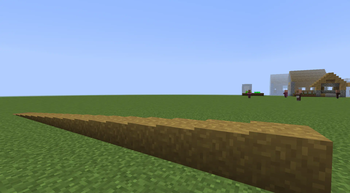
Convert any full block into a smooth slope with adjustable height using the Slopes Tool — for terrain grading and architecture.
Screenshots
About this Mod
!
!
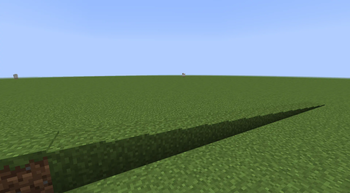
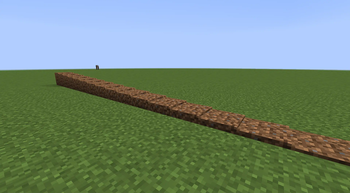
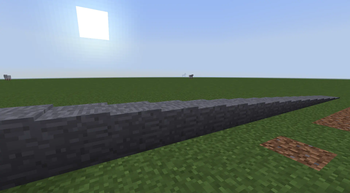
The Saros' Slopes Mod introduces a revolutionary system that allows players to create custom slope blocks in Minecraft. Transform any full block into a slope with adjustable heights, perfect for creating smooth terrain transitions, architectural details, and creative builds!
!
Custom Slope Blocks 🔺
- Convert any full block into a slope block with adjustable heights from 1 to 15 steps.
- Slopes retain the original block's texture, color, and biome-dependent tinting.
Easy-to-Use Tool 🛠️
- Use the Slopes Tool to convert blocks and adjust slope heights with simple clicks.
- Right-click to decrease height.
Smart Block Detection 🧠
- Only full blocks can be converted to slopes - plants, torches, and other non-full blocks are automatically excluded.
Realistic Rendering ✨
- Slopes feature proper lighting, directional shading, and biome-dependent colors.
!
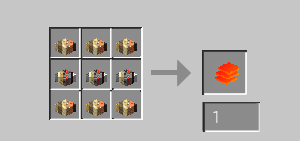
- Craft the Slopes Tool: Create the Slopes Tool item in your crafting table.
- Convert a Block: Right-click any full block with the Slopes Tool to convert it into a slope.
!
Currently Supported
- Forge 1.21.1 ✅
- Forge 1.20.1 ✅
!
Join our community on Discord to give feedback and suggestions or report any bugs you find!
](https://server.sarocesch.de/refersaro.php "https://server.sarocesch.de/refersaro.php")
Project Support & Usage
Hosting: For the best performance, I recommend using BisectHosting linked in the banner.
Modpacks: You are free to include my work in any modpack. Please ensure proper credit is given by providing a link to this project page.
Available Versions
How to Install Saro´s Slopes on Your Server
Order Server
Order a Minecraft Java server with at least 3 GB RAM (4 GB recommended).
Set fabric Loader
In the panel under "Egg", select the fabric loader and matching Minecraft version (26.1.2).
Install Mod
Open the mod browser in the dashboard and search for "Saro´s Slopes". Click "Install" – done! Alternatively, upload the .jar via SFTP to the /mods folder.
Compatibility
Mod Loaders
Minecraft Versions
26.1.2, 26.1.1, 26.1 (+3 more)
Server-side
✓ RequiredRecommended RAM
4 GB(min. 3 GB)Frequently Asked Questions
Saro´s Slopes server crashes on startup – what to do?
Most common cause: wrong fabric version or insufficient RAM. Check the server log (latest.log) for "OutOfMemoryError" or "Mixin" errors. With Mado Hosting: ensure at least 3 GB RAM is allocated and the loader matches the mod version (26.1.2). You can switch loaders with one click in the panel.
Is Saro´s Slopes compatible with fabric and forge and neoforge?
Saro´s Slopes officially supports fabric, forge, neoforge for Minecraft 26.1.2, 26.1.1, 26.1. Note: Forge and Fabric mods are NOT cross-compatible – pick one loader and stick with it. The Mado dashboard automatically detects incompatible loader combinations.
Server lagging with Saro´s Slopes – how to optimize performance?
Recommended RAM: 4 GB (per 8 players). Use /spark profiler to check if Saro´s Slopes consumes the most tick time. Common fixes: reduce server view-distance to 8-10, install "performant" or "starlight" as supplementary mods on Forge. With Mado Hosting, your server runs on NVMe SSDs with dedicated CPU cores for minimal latency.
Similar Mods






Rent Modded Server
Install Saro´s Slopes with just one click on your server.