
Saturative Overhaul
Changes hunger and saturation system. Make food more useful, Make life harder. Learn more in description and github.改写了饥饿饱食度系统,让食物更有用,让生活更艰苦。在详见详情或Github。
Screenshots
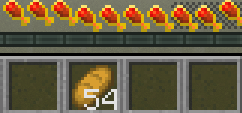
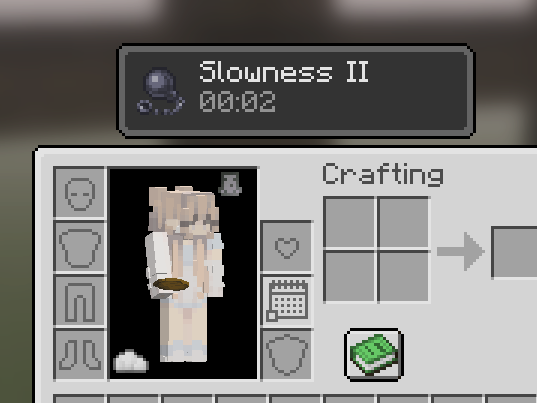
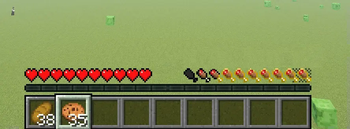
About this Mod
What is that
A mod for Survival that changes player hunger and saturation system.
By default you got 20 400 the customized Food level, so feed yourself with kinds of food.
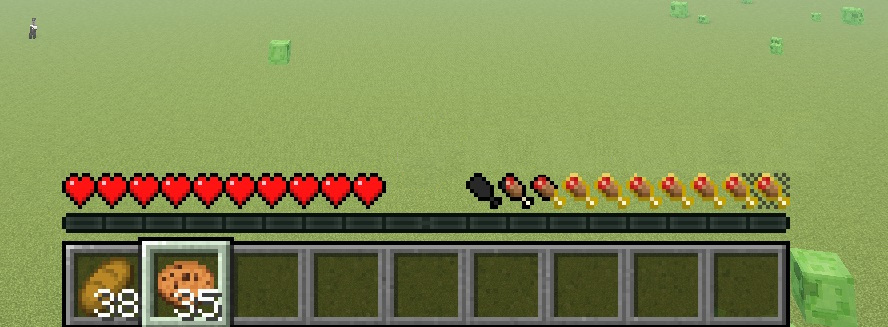
It also has 3 layer of food bar, the Starving, Normal and Overeating.
Make life hard and enjoyable, cause it gained your food mods importance.
Use
- Users
Load the required mod Config Manager. - Developer
See Github
Key Differences
Pros
- Right to Left food bar.
- Configured Food's nutrition values and it's randomizer.
- Configured food bar scale with customize Food level.
- Lost saturation level on movement and even you standstill.
- Can be configured with Customize Settings.
- Almost no mod do with
HungerManager.class, cause this mod should works with others, well. - Has 1.21.1+ support.
Cons
- Removed sleeptight support.
- Removed farmer delight support.
- Removed apple skin support.
- Only Fabric.
Config
Locate your config in Minecraft installation location:%APPDATA%\.minecraft\config\saturative-overhaul.json on Windows, default location.
Now, you will have config file containing introductory information.
Bugs
- Config's input values haven't check yet, e.g. you will face issue when set
thresholdMinlarger thanthresholdHigh.
Original
Mod at Modrinth saturative Code at GitHub Saturative Under MIT License by EmilAhmaBoy
Available Versions
How to Install Saturative Overhaul on Your Server
Order Server
Order a Minecraft Java server with at least 3 GB RAM (4 GB recommended).
Set fabric Loader
In the panel under "Egg", select the fabric loader and matching Minecraft version (1.21.11).
Install Mod
Open the mod browser in the dashboard and search for "Saturative Overhaul". Click "Install" – done! Alternatively, upload the .jar via SFTP to the /mods folder.
Compatibility
Mod Loaders
Minecraft Versions
1.21.11, 1.21.10, 1.21.9 (+9 more)
Server-side
✓ RequiredRecommended RAM
4 GB(min. 3 GB)Frequently Asked Questions
Saturative Overhaul server crashes on startup – what to do?
Most common cause: wrong fabric version or insufficient RAM. Check the server log (latest.log) for "OutOfMemoryError" or "Mixin" errors. With Mado Hosting: ensure at least 3 GB RAM is allocated and the loader matches the mod version (1.21.11). You can switch loaders with one click in the panel.
Is Saturative Overhaul compatible with fabric?
Saturative Overhaul officially supports fabric for Minecraft 1.21.11, 1.21.10, 1.21.9. The Mado dashboard automatically detects incompatible loader combinations.
Server lagging with Saturative Overhaul – how to optimize performance?
Recommended RAM: 4 GB (per 8 players). Use /spark profiler to check if Saturative Overhaul consumes the most tick time. Common fixes: reduce server view-distance to 8-10, install "performant" or "starlight" as supplementary mods on Forge. With Mado Hosting, your server runs on NVMe SSDs with dedicated CPU cores for minimal latency.
Similar Mods



Rent Modded Server
Install Saturative Overhaul with just one click on your server.