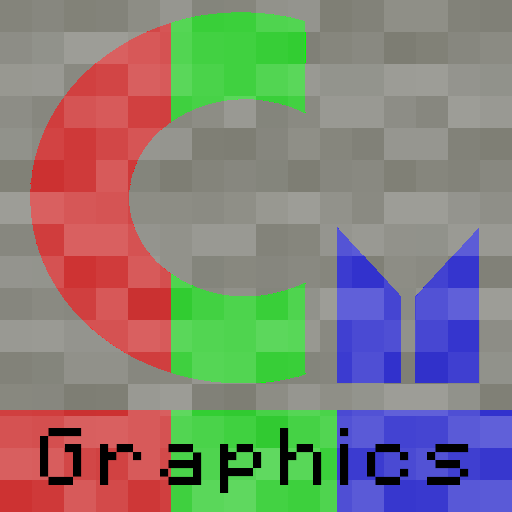
scarpet-graphics
Carpet extension with functions for scarpet, used for headless image manipulation (A wrapper of Processing)
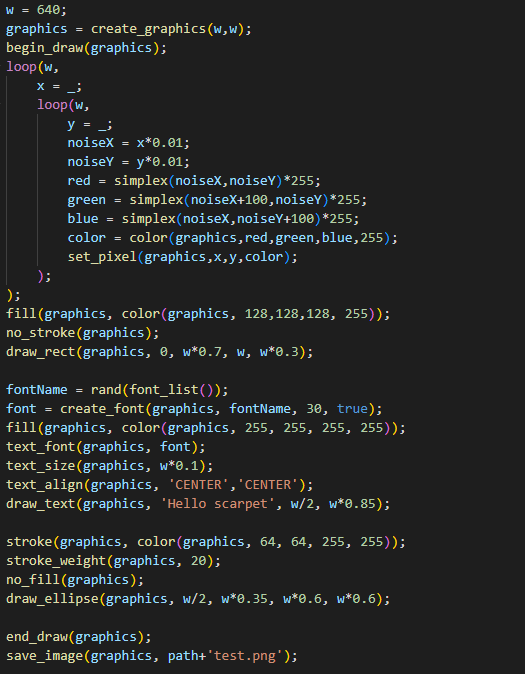
Screenshots
About this Mod
scarpet-graphics

A wrapper of Processing for scarpet
This can also be used with Discarpet to send the created images via Discord.
Values
This extension adds these new scarpet values:
image: Wrapper for PImagegraphics: Wrapper for PGraphics, extendsimagevalue (meaning it can be used in the same wayimagecan)font: Wrapper for PFont
Colors are handled using numbers (0xRRGGBBAA in hex), but can be constructed from RGB and HSB using the color function.
Functions
For a more detailed documentation for these functions, see the Processing reference
Most functions are just a wrapper function for the internal processing function.
Sometimes they may have slightly different names than the original Processing functions, due to the name being already used by scarpet (e.g. copy()) or to group them (all draw_?() functions).
Graphics and Image functions
load_image(location, shared?)
Loads an image from the specified location (string).
Can be a URL, or file name (path that works just like read_file).
If shared is true, uses shared app storage.
Returns an image value.
save_image(image, location, shared?)
Saves the image in the specified location (works like load_image)
create_graphics(width, height)
Creates a new graphics object with the specified dimensions.
copy_image(source, desination, sourceX, sourceY, sourceW, sourceH, destinationX, destinationY, destinationW, destinationH)
Copies pixels from one image/graphics to another.
get_pixel(image, x, y)
Returns the color of a certain pixel.
set_pixel(image, x, y, color)
Sets the pixel on the image to the color.
begin_draw(graphics)
Prepares the graphics object for doing drawing operations on it.
end_draw(graphics)
To be called when done drawing.
Drawing functions
See the 2D Primitives section in the processing reference. (The scarpet functions have draw_ prefixed with the processing function names)
draw_background(graphics, color)
draw_rect(graphics, a, b, c, d)
draw_ellipse(graphics, a, b, c, d)
draw_line(graphics, x1, y1, x2, y2)
draw_image(graphics, image, a, b, c, d)
draw_text(graphics, text, x, y)
Mode functions
color_mode(graphics, mode)
modes: 'RGB', 'HSB'
image_mode(graphics, mode)
modes: 'CORNER', 'CORNERS', 'CENTER'
ellipse_mode(graphics, mode)
modes: 'CORNER', 'CORNERS', 'CENTER', 'RADIUS'
rect_mode(graphics, mode)
modes: 'CORNER', 'CORNERS', 'CENTER', 'RADIUS'
Utility functions
color(graphics, v1, v2, v3, alpha)
Depending on the color_mode() set, v1,v2,v3 are either r,g,b or h,s,b values
fill(graphics, color)
no_fill(graphics)
stroken(graphics, color)
no_stroke(graphics)
stroke_weight(graphics, weight)
smooth(graphics)
no_smooth(graphics)
font_list() (Equivalent to PFont.list() in processing)
text_font(graphics, font)
text_size(graphics, size)
create_font(graphics, name, size, smooth?)
text_align(graphics, alignX, alignY)
Available Versions
How to Install scarpet-graphics on Your Server
Order Server
Order a Minecraft Java server with at least 3 GB RAM (4 GB recommended).
Set fabric Loader
In the panel under "Egg", select the fabric loader and matching Minecraft version (26.2).
Install Mod
Open the mod browser in the dashboard and search for "scarpet-graphics". Click "Install" – done! Alternatively, upload the .jar via SFTP to the /mods folder.
Compatibility
Mod Loaders
Minecraft Versions
26.2, 26.1.2, 26.1.1 (+18 more)
Server-side
✓ RequiredRecommended RAM
4 GB(min. 3 GB)Frequently Asked Questions
scarpet-graphics server crashes on startup – what to do?
Most common cause: wrong fabric version or insufficient RAM. Check the server log (latest.log) for "OutOfMemoryError" or "Mixin" errors. With Mado Hosting: ensure at least 3 GB RAM is allocated and the loader matches the mod version (26.2). You can switch loaders with one click in the panel.
Is scarpet-graphics compatible with fabric?
scarpet-graphics officially supports fabric for Minecraft 26.2, 26.1.2, 26.1.1. The Mado dashboard automatically detects incompatible loader combinations.
Server lagging with scarpet-graphics – how to optimize performance?
Recommended RAM: 4 GB (per 8 players). Use /spark profiler to check if scarpet-graphics consumes the most tick time. Common fixes: reduce server view-distance to 8-10, install "performant" or "starlight" as supplementary mods on Forge. With Mado Hosting, your server runs on NVMe SSDs with dedicated CPU cores for minimal latency.
Similar Mods



Rent Modded Server
Install scarpet-graphics with just one click on your server.