
Create: Schematic Void
A block for the Create mod that allows the Schematicannon to print empty spaces without temporary filler blocks.
Screenshots
About this Mod

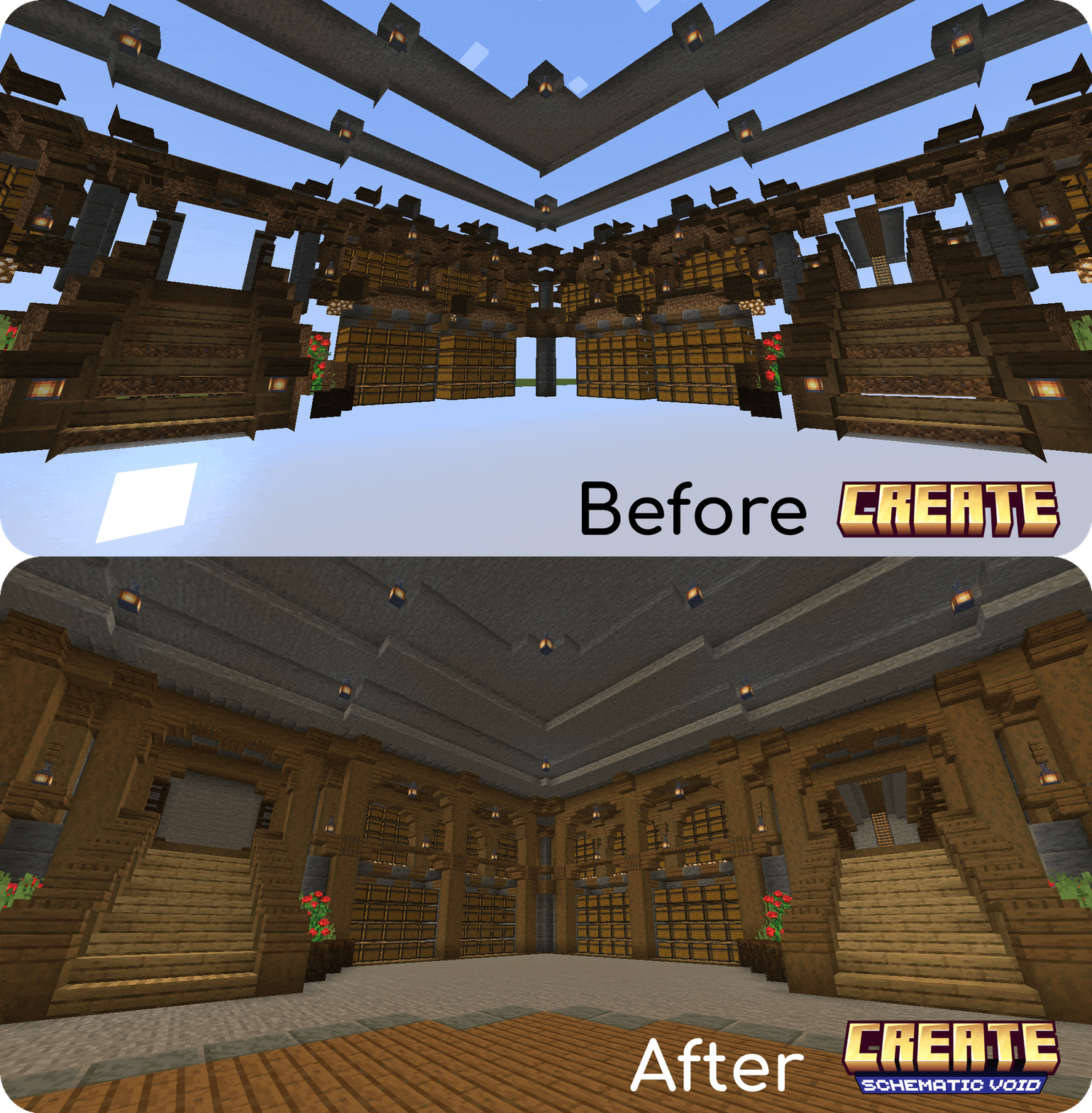
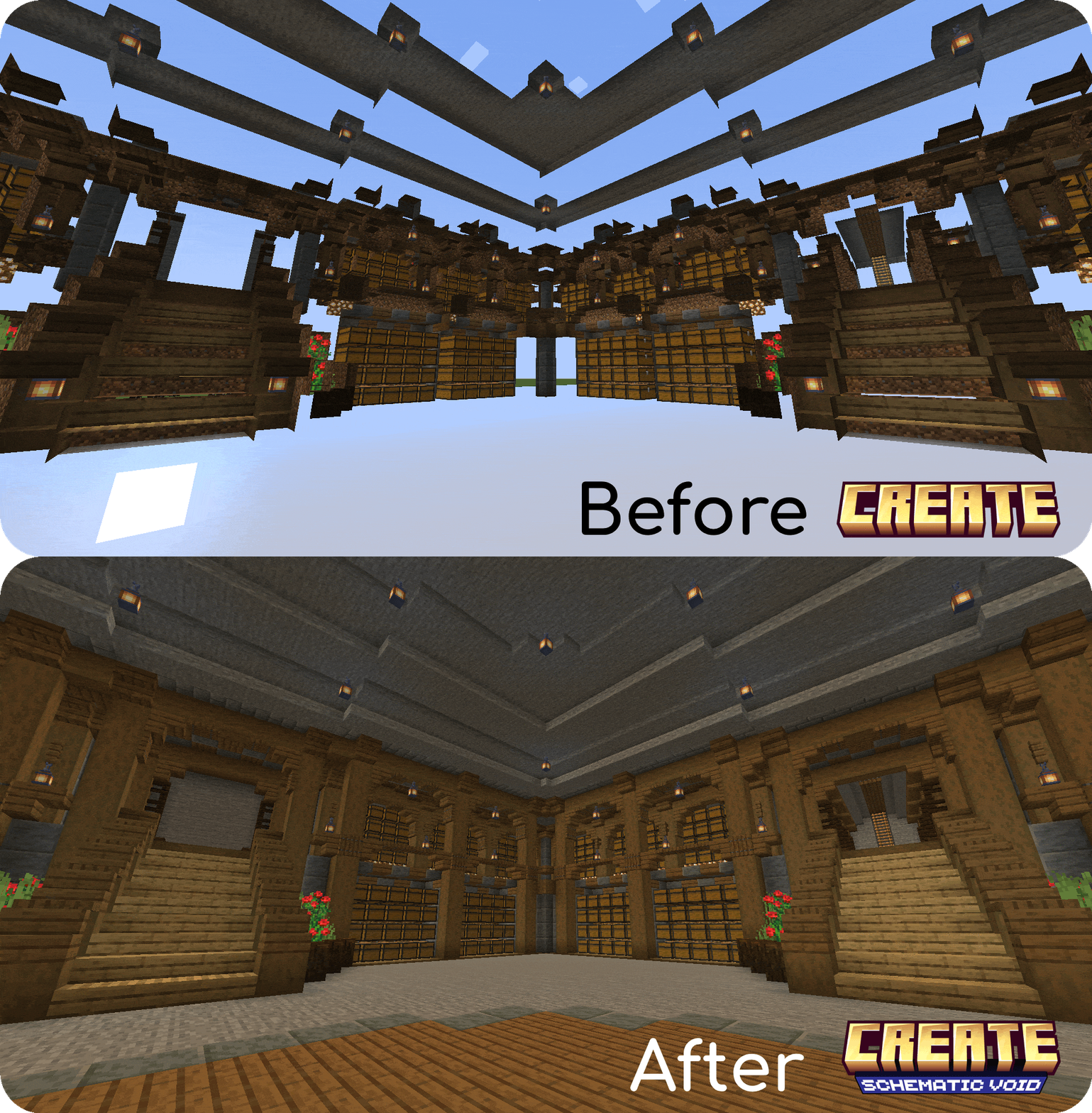
Have you ever tried to use the Schematicannon to print a schematic containing a lot of air blocks (such as an underground base or a custom cave), only to have to go back and dig out all of the temporary blocks you've placed?
Create: Schematic Void solves these issues by allowing you to craft a technical block that causes the Schematicannon to print Air exactly where you want it.
Features
Hollow Structures: It allows you to print hollow structures or underground spaces directly, without needing to use temporary blocks that you have to break later.
Multi-language Support: Create: Schematic Void has been translated into English (en_us) and Spanish (es_es).
Automatic Air Replacement: The Schematicannon will replace Schematic Voids with clean air automatically.
Smart Material Requirements: The Schematicannon won't ask you to put Schematic Voids inside its inventory to build the schematic.
Barrier-like Appearance: To keep your schematics clean, Schematic Voids are invisible and will only show their texture when you hold one in your hand.
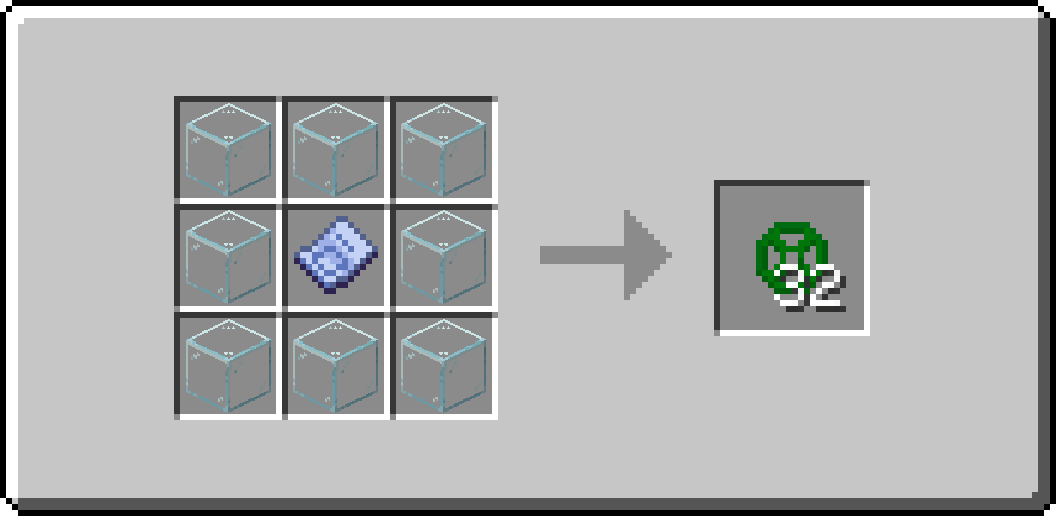
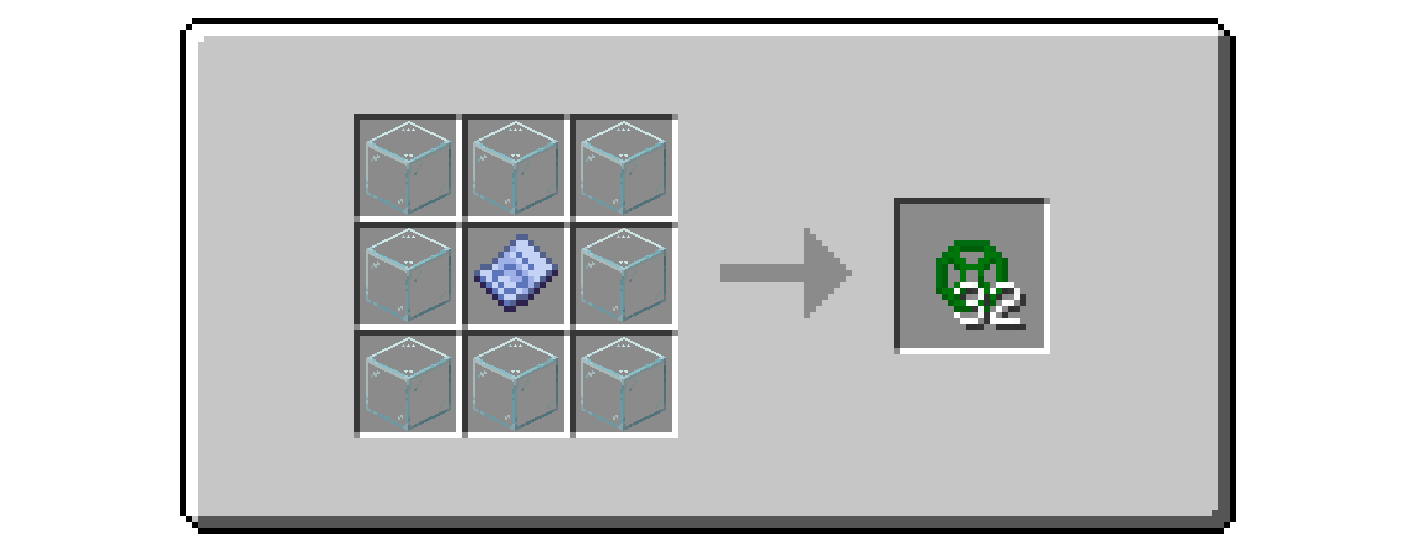
Survival Friendly: The block is fully craftable in survival mode with this recipe:
How to Use
Design your build and place the Schematic Void blocks in the areas you want to keep as Air.
Save your Schematic.
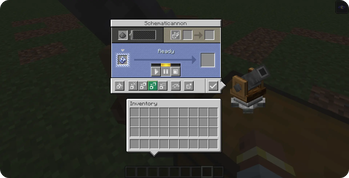
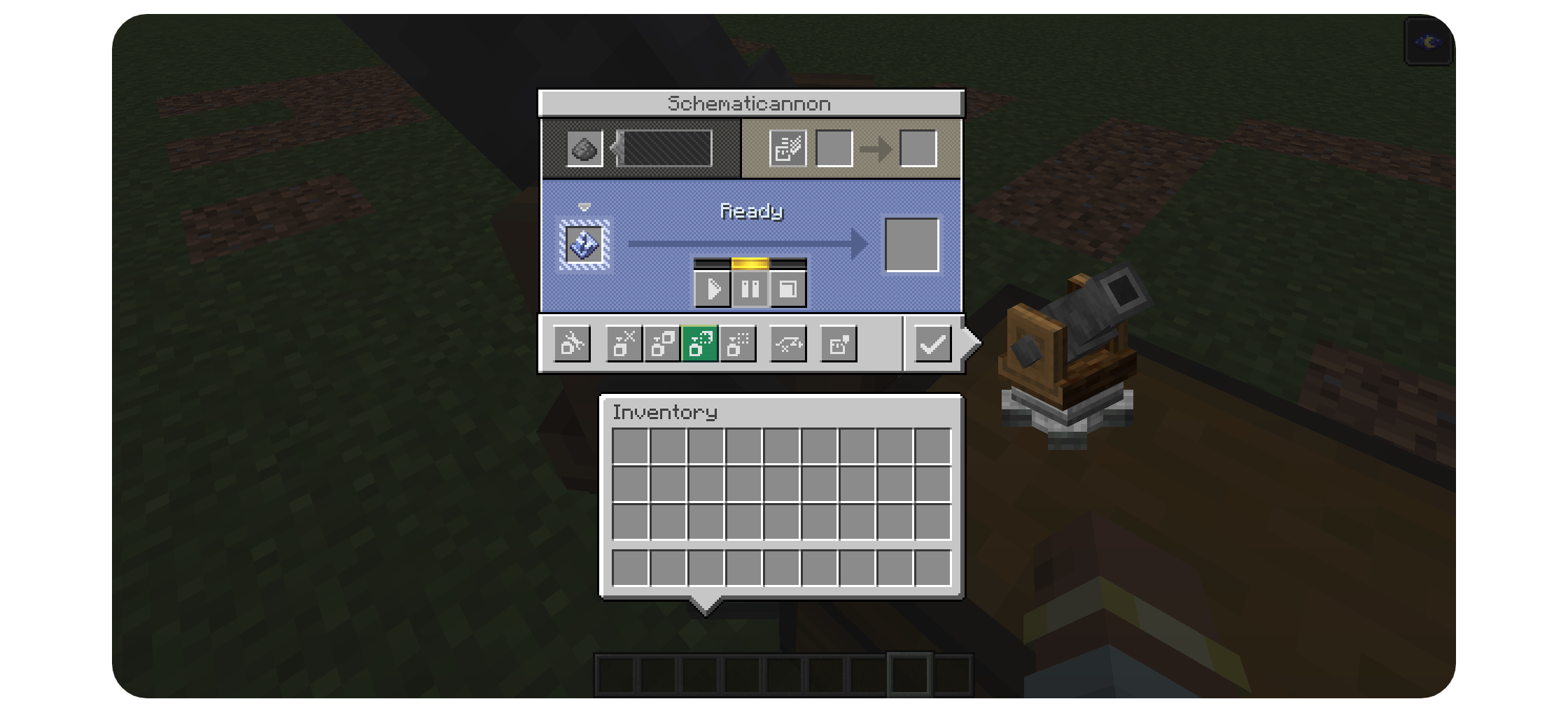
Place the Schematicannon and ensure that you change the mode to "Replace Solid Blocks With Any":
Fire away! All of the Schematic Void blocks will be replaced with Air allowing you to create exact copies of your building.
Available Versions
How to Install Create: Schematic Void on Your Server
Order Server
Order a Minecraft Java server with at least 4 GB RAM (6 GB recommended).
Set neoforge Loader
In the panel under "Egg", select the neoforge loader and matching Minecraft version (1.21.1).
Install Mod
Open the mod browser in the dashboard and search for "Create: Schematic Void". Click "Install" – done! Alternatively, upload the .jar via SFTP to the /mods folder.
Compatibility
Mod Loaders
Minecraft Versions
1.21.1
Server-side
✓ RequiredRecommended RAM
6 GB(min. 4 GB)Frequently Asked Questions
Create: Schematic Void server crashes on startup – what to do?
Most common cause: wrong neoforge version or insufficient RAM. Check the server log (latest.log) for "OutOfMemoryError" or "Mixin" errors. With Mado Hosting: ensure at least 4 GB RAM is allocated and the loader matches the mod version (1.21.1). You can switch loaders with one click in the panel.
Is Create: Schematic Void compatible with neoforge?
Create: Schematic Void officially supports neoforge for Minecraft 1.21.1. The Mado dashboard automatically detects incompatible loader combinations.
Server lagging with Create: Schematic Void – how to optimize performance?
Recommended RAM: 6 GB (per 5 players). Use /spark profiler to check if Create: Schematic Void consumes the most tick time. Common fixes: reduce server view-distance to 8-10, install "performant" or "starlight" as supplementary mods on Forge. With Mado Hosting, your server runs on NVMe SSDs with dedicated CPU cores for minimal latency.
Similar Mods





Rent Modded Server
Install Create: Schematic Void with just one click on your server.