
Scorching Nether
Scorching Nether is a mod partially inspired by Minecraft Dungeons that aims to improve the Nether by introducing new content.
Screenshots
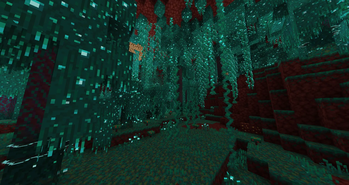
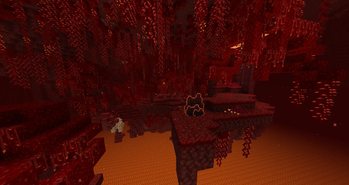
About this Mod
 Scorching Nether is a mod that aims to improve upon Vanilla's Nether Update.
The mod reworks existing biomes by using both custom content aswell as parts from Minecraft Dungeons.
Currently the mod reworks the following:
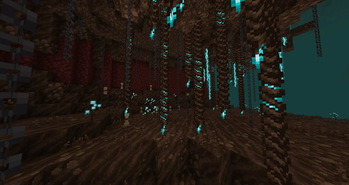
Warped Forest
The Warped Forest has received a brand new overhaul. Warped Fungi now have vines and hanging vines aswell as roots growing on them. Their stems are now overgrown with Warped Nylium. The Nether Roof in the Warped Forest is now overgrown with Warped Weeping Vines and a new food source, the Warped Grapes which can be harvested from Turquouise Pendents.
Crimson Forest
The Crimson Forest is now much more vibrant, having more roots, more grass and more vines. It is abundant with Thontus Thistle - a new plant that carries the new Thontus Berries.
Soul Sand Valley
Soul Eterns, Spirit Danglers and Chains now hang from the ceiling of the Soul Sand Valley. Bone Spikes, Souldew and Sprouts can be found throughout the valley.
This project is not associated with Mojang Studios, though some of its assets belong to them.
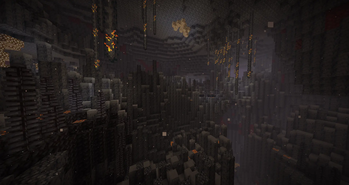
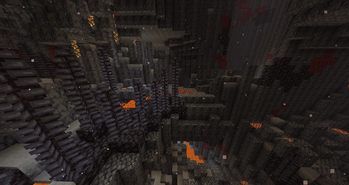
Basalt Deltas
The Basalt Deltas are now easier to traverse. The amount of lava has been greatly reduced, partially replaced by Molten Blackstone. Ash, Blackstone Formations and Basalt Speleothems can be found throughout the biome.
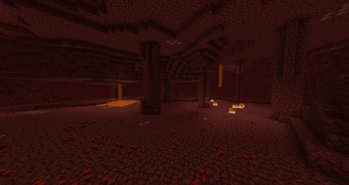
Nether Wastes
Netherrack pillars and Bloodshrooms can be found throughout the biome.
Available Versions
How to Install Scorching Nether on Your Server
Order Server
Order a Minecraft Java server with at least 3 GB RAM (4 GB recommended).
Set forge Loader
In the panel under "Egg", select the forge loader and matching Minecraft version (1.21.1).
Install Mod
Open the mod browser in the dashboard and search for "Scorching Nether". Click "Install" – done! Alternatively, upload the .jar via SFTP to the /mods folder.
Compatibility
Mod Loaders
Minecraft Versions
1.21.1, 1.20.1
Server-side
✓ RequiredRecommended RAM
4 GB(min. 3 GB)Frequently Asked Questions
Scorching Nether server crashes on startup – what to do?
Most common cause: wrong forge version or insufficient RAM. Check the server log (latest.log) for "OutOfMemoryError" or "Mixin" errors. With Mado Hosting: ensure at least 3 GB RAM is allocated and the loader matches the mod version (1.21.1). You can switch loaders with one click in the panel.
Is Scorching Nether compatible with forge and neoforge?
Scorching Nether officially supports forge, neoforge for Minecraft 1.21.1, 1.20.1. The Mado dashboard automatically detects incompatible loader combinations.
Server lagging with Scorching Nether – how to optimize performance?
Recommended RAM: 4 GB (per 8 players). Use /spark profiler to check if Scorching Nether consumes the most tick time. Common fixes: reduce server view-distance to 8-10, install "performant" or "starlight" as supplementary mods on Forge. With Mado Hosting, your server runs on NVMe SSDs with dedicated CPU cores for minimal latency.
Rent Modded Server
Install Scorching Nether with just one click on your server.