
ScreenDraw
Draw on your Minecraft screen.
Screenshots
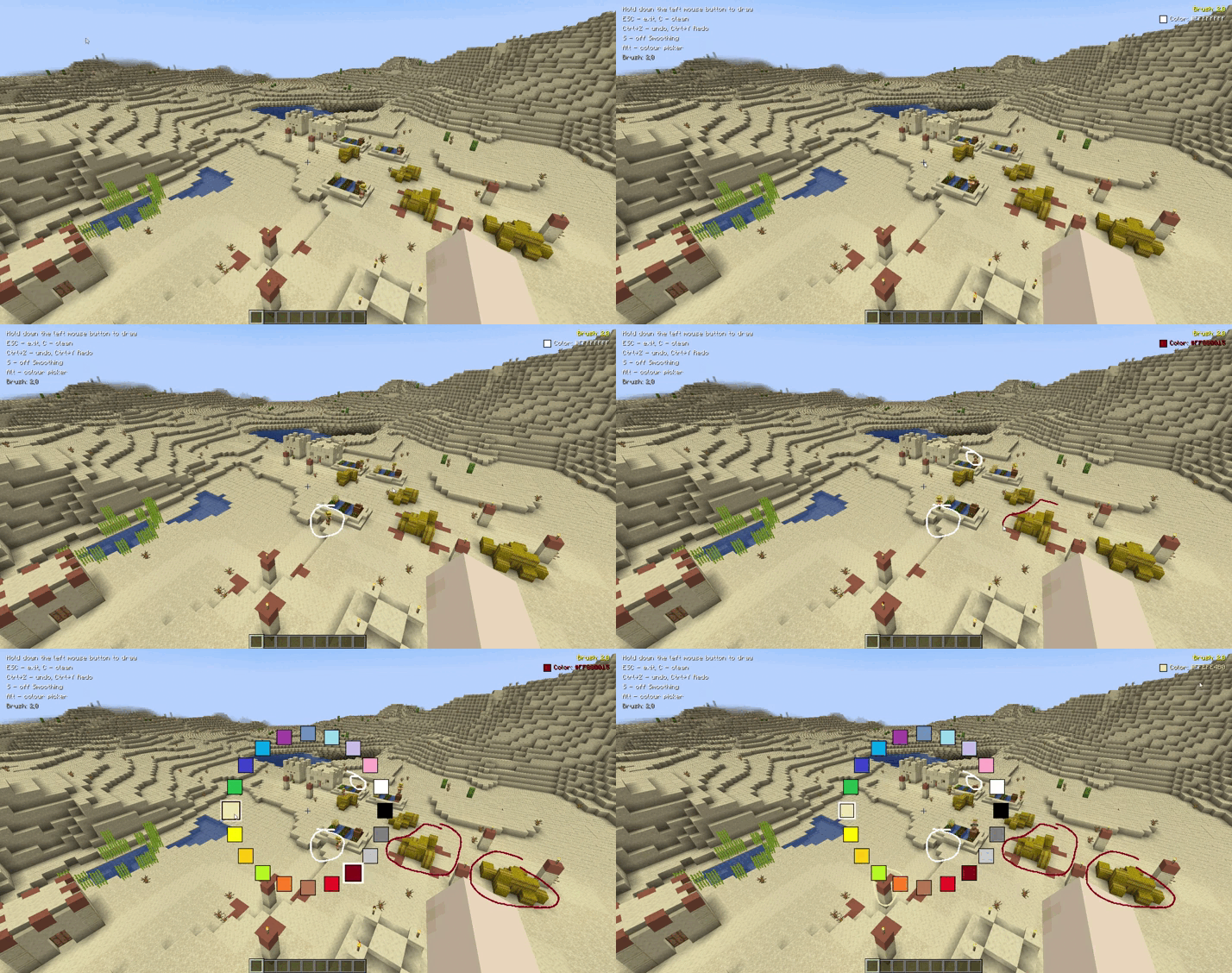
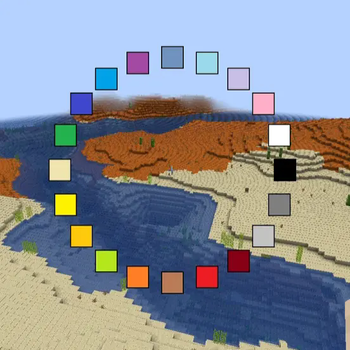
About this Mod
Screen Drawing 🎨
en_us
Screen Drawing is a mod that lets you draw directly on your Minecraft screen, using a Paint-like color palette.
Features
- 🖌️ Draw lines and strokes anywhere on the screen.
- 🌈 Wide color palette support.
- 🗑️ One-click screen clearing.
Who is it for?
- Creative players who love leaving notes and art.
- Builders who want quick sketches.
- Friends who just want to have fun together.
Bring your screen to life — draw, experiment, and share ideas right in the game!
ru_ru
Screen Drawing — это мод, позволяющий рисовать прямо на экране Minecraft, используя палитру цветов, знакомую по классическому Paint.
Возможности
- 🖌️ Рисование линий и штрихов в любом месте экрана.
- 🌈 Поддержка широкой палитры цветов.
- 🗑️ Легкая очистка экрана одной кнопкой.
Для кого
- Для креативных игроков, любящих оставлять заметки и арты.
- Для строителей, которым удобно делать быстрые эскизы.
- Для веселья в компании друзей.
Оживи свой экран — рисуй, экспериментируй и делись идеями прямо в игре!
Available Versions
How to Install ScreenDraw on Your Server
Order Server
Order a Minecraft Java server with at least 3 GB RAM (4 GB recommended).
Set fabric Loader
In the panel under "Egg", select the fabric loader and matching Minecraft version (26.1.2).
Install Mod
Open the mod browser in the dashboard and search for "ScreenDraw". Click "Install" – done! Alternatively, upload the .jar via SFTP to the /mods folder.
Compatibility
Mod Loaders
Minecraft Versions
26.1.2, 1.21.11, 1.21.9 (+1 more)
Server-side
✗ UnsupportedRecommended RAM
4 GB(min. 3 GB)Frequently Asked Questions
ScreenDraw server crashes on startup – what to do?
Most common cause: wrong fabric version or insufficient RAM. Check the server log (latest.log) for "OutOfMemoryError" or "Mixin" errors. With Mado Hosting: ensure at least 3 GB RAM is allocated and the loader matches the mod version (26.1.2). You can switch loaders with one click in the panel.
Is ScreenDraw compatible with fabric?
ScreenDraw officially supports fabric for Minecraft 26.1.2, 1.21.11, 1.21.9. The Mado dashboard automatically detects incompatible loader combinations.
Server lagging with ScreenDraw – how to optimize performance?
Recommended RAM: 4 GB (per 8 players). Use /spark profiler to check if ScreenDraw consumes the most tick time. Common fixes: reduce server view-distance to 8-10, install "performant" or "starlight" as supplementary mods on Forge. With Mado Hosting, your server runs on NVMe SSDs with dedicated CPU cores for minimal latency.
Similar Mods




Rent Modded Server
Install ScreenDraw with just one click on your server.