SearchWorldEnhance
Add a “Search World” box for MC pre-1.13 || Enhance the searching behaviour
About this Mod
Mod Synopsis
This is a lightweight mod run on client-side, which brings a “Search World” box to world selection screens(prior MC 1.13) and enhance the searching behaviour by using key-value pair arguments.
How to Use This Mod
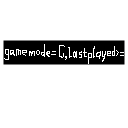
This mod adds a “Search World” box to the world select screen(prior MC 1.13), and the searching behaviour is now like this:worlddirname-=foo - Search for worlds whose directory names contain foo, case-sensitiveworldname/="^New World$" - Search for worlds whose names exactly are New World, case-insensitivegamemode=S,commands=true - Search for worlds whose default game modes are Survival and commands are enabled
Format of Arguments
Each two key-value pairs are separated by ,(which means &&(and), and trailing , is allowed once). In contrast, a key-value pair is like this: <key_name><relationship_symbol><value>.
For regex keys, available relationship symbols are:
=- left contains right, case-insensitive!=- left does not contain right, case-insensitive-=- left contains right, case-sensitive!-=- left does not contain right, case-sensitive/=- left matches right, case-insensitive!/=- left does not match right, case-insensitive/-=- left matches right, case-sensitive!/-=- left does not match right, case-sensitive
Values are strings like this:
foo- resolved asfoo"Foo Bar"- resolved asFoo Bar"One says \"\\s are useful\""- resolved asOne says "\s are useful"
For long keys, available relationship symbols are:
=and==- left equals right<- left is less than right<=- left is less than or equal to right>- left is greater than right>=- left is greater than or equal to right!=- left does not equal right
Values are long integers like this:
01234567-98765432109999
For enum keys, available relationship symbols are:
=- left is right!=- left is not right
Values are all enums defined by the enum class and null.
For boolean keys, there is only one available relationship symbol =(means left is right).
Values are like this:
true,t,yes,y,1- for truefalse,f,no,n,0- for false
If the format of arguments is valid, expected search result will be shown. Note that results of original search behaviour will be shown together, e.g. if there is a world named gamemode=C whose default gamemode is Survival, when you type gamemode=C in the box, this world will still be shown as a part of the result. If you want to avoid this, you can type worldname!="gamemode=C",gamemode=C in the box.
All Key-value Pair Parameters Added by This Mod
worldname(Regex) - Match world namesworlddirname(Regex) - Match world directory nameslastplayed(Long) - Match last played timegamemode(Enum made up by S, C, A, SP) - Match default game modescommands(Boolean) - Match commands enabling statuseshardcore(Boolean) - Match whether the worlds are hardcore
I Want to Add My Key-value Pair Parameters!
There is a class rege.rege.minecraftmod.searchworldenhance.util.SearchKeyRegistry in this mod, you should register yours using this class's static methods. All valid keys are non-empty strings without -, , =, !, >, <, ,, /, ", \. An example is in the static block of rege.rege.minecraftmod.searchworldenhance.SearchWorldEnhanceMain's source code.
Available Versions
How to Install SearchWorldEnhance on Your Server
Order Server
Order a Minecraft Java server with at least 3 GB RAM (4 GB recommended).
Set legacy-fabric Loader
In the panel under "Egg", select the legacy-fabric loader and matching Minecraft version (1.12.2).
Install Mod
Open the mod browser in the dashboard and search for "SearchWorldEnhance". Click "Install" – done! Alternatively, upload the .jar via SFTP to the /mods folder.
Compatibility
Mod Loaders
Minecraft Versions
1.12.2, 1.11.2, 1.10.2 (+12 more)
Server-side
✗ UnsupportedRecommended RAM
4 GB(min. 3 GB)Frequently Asked Questions
SearchWorldEnhance server crashes on startup – what to do?
Most common cause: wrong legacy-fabric version or insufficient RAM. Check the server log (latest.log) for "OutOfMemoryError" or "Mixin" errors. With Mado Hosting: ensure at least 3 GB RAM is allocated and the loader matches the mod version (1.12.2). You can switch loaders with one click in the panel.
Is SearchWorldEnhance compatible with legacy-fabric?
SearchWorldEnhance officially supports legacy-fabric for Minecraft 1.12.2, 1.11.2, 1.10.2. The Mado dashboard automatically detects incompatible loader combinations.
Server lagging with SearchWorldEnhance – how to optimize performance?
Recommended RAM: 4 GB (per 8 players). Use /spark profiler to check if SearchWorldEnhance consumes the most tick time. Common fixes: reduce server view-distance to 8-10, install "performant" or "starlight" as supplementary mods on Forge. With Mado Hosting, your server runs on NVMe SSDs with dedicated CPU cores for minimal latency.
Similar Mods



Rent Modded Server
Install SearchWorldEnhance with just one click on your server.