
Senbonzakura
Adds custom weapons, new crafting items and mob drops
Screenshots


About this Mod
Senbonzakura
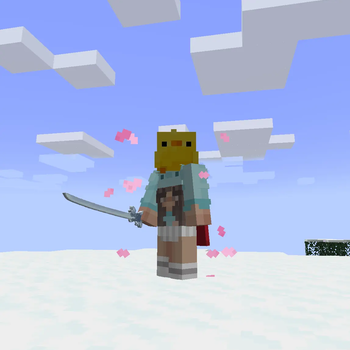
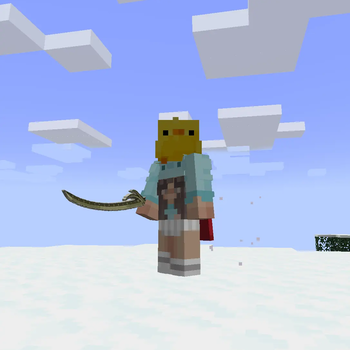
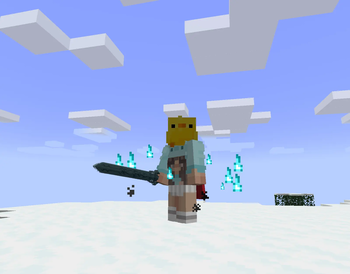
This mod adds 8 new weapons, each with unique charge-activated abilities, passive hit-count bonuses, and effects.
Features
Unique Weapons
- Senbonzakura – Charge and release to dash 12 blocks forward with a sweeping slash.
- Crescent Blade of Winds – 360° slash; dual-wield for 2x damage.
- Crypt Blade – Hold 15s to charge an explosion (6-block radius, no block grief). Immobile with Resistance II during charge.
- Rite of Commandments – Grants Absorption IV + Regeneration II for 8 seconds.
- Pyrerizer – Fires a fire projectile that deals 6 damage + burn effect.
- Yuki no Ame – Summons a snowstorm that applies Slowness III in an 8-block radius.
- The Finale – 3s charge for a massive 10-damage projectile with explosion.
- Saw Blade Axe – Mines wood at Diamond Axe speed.
Hit-Count Passives
Land 4–5 consecutive hits to trigger bonus damage on any weapon.
Charge & Cooldown System
Hold right-click to charge, release to activate. Each weapon has a cooldown ranging from 5s to 30s.
Crafting Progression
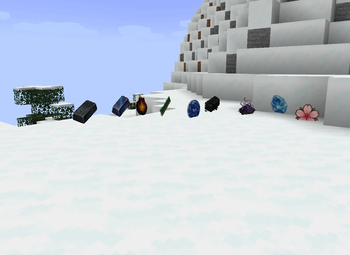
16 intermediate items (Archaic Crown, Inky Pearl, Exalted Blossom, etc.) are obtained through mob drops, block interactions, and crafting — leading up to the final weapons via Smithing Table recipes.
Compatibility
- Minecraft Version: 1.20.1
Available Versions
How to Install Senbonzakura on Your Server
Order Server
Order a Minecraft Java server with at least 3 GB RAM (4 GB recommended).
Set forge Loader
In the panel under "Egg", select the forge loader and matching Minecraft version (1.20.6).
Install Mod
Open the mod browser in the dashboard and search for "Senbonzakura". Click "Install" – done! Alternatively, upload the .jar via SFTP to the /mods folder.
Compatibility
Mod Loaders
Minecraft Versions
1.20.6, 1.20.5, 1.20.4 (+3 more)
Server-side
✓ RequiredRecommended RAM
4 GB(min. 3 GB)Frequently Asked Questions
Senbonzakura server crashes on startup – what to do?
Most common cause: wrong forge version or insufficient RAM. Check the server log (latest.log) for "OutOfMemoryError" or "Mixin" errors. With Mado Hosting: ensure at least 3 GB RAM is allocated and the loader matches the mod version (1.20.6). You can switch loaders with one click in the panel.
Is Senbonzakura compatible with forge?
Senbonzakura officially supports forge for Minecraft 1.20.6, 1.20.5, 1.20.4. The Mado dashboard automatically detects incompatible loader combinations.
Server lagging with Senbonzakura – how to optimize performance?
Recommended RAM: 4 GB (per 8 players). Use /spark profiler to check if Senbonzakura consumes the most tick time. Common fixes: reduce server view-distance to 8-10, install "performant" or "starlight" as supplementary mods on Forge. With Mado Hosting, your server runs on NVMe SSDs with dedicated CPU cores for minimal latency.
Similar Mods



![[TaCZ] Timeless and Classics Zero](https://cdn.modrinth.com/data/SzzJttH8/fd27766d2bb8390d284696b1dbd358f87e081439_96.webp)


Rent Modded Server
Install Senbonzakura with just one click on your server.