
GalaxyByne's Economy
An economy datapack including currency, debit cards and stock market.
Screenshots

About this Mod
! ! ! This is a deprecated data pack. Download the new version here.
Galaxy's Server Economy
Features:
- Balance System
- Pay System
- Stock Market
- Debit Cards / Payment Terminals
Usage Instructions:
Balance System:
Use /trigger ShowBalance to see your balance
To depoit / withdraw Diamonds from your account, you'll need to summon some interactions:
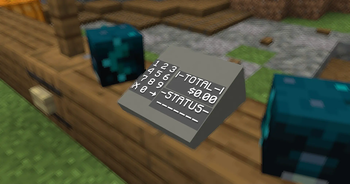
Use /function galaxyseconomy:summon_atm/[direction] to summon the preset ATM.
Use /kill @e[tag=ATM,distance=..1] to remove an ATM.
Note:
- Replace [direction] with either north, east, south, or west. Use the direction the ATM is facing.
You can also customize ATMs.
Use
/summon interaction ~ ~ ~ {width:[width here]f,height:[height here]f,response:1b,Tags:["bank_interaction","bank_diamond_sell"]}
to summon a deposit interaction.
Use
/summon interaction ~ ~ ~ {width:[width here]f,height:[height here]f,response:1b,Tags:["bank_interaction","bank_diamond_buy"]}
to summon a withdraw interaction.
Note:
- Replace [width here] and [height here] with a positive number describing the interaction's size
Pay System:
Use /trigger Pay set [amount] to pay the nearest Player in a 10-block radius
Stock Market:
The Stock Market also uses interactions to buy/sell stock (ores):
Use
/summon interaction ~ ~ ~ {width:[width here]f,height:[height here]f,response:1b,Tags:["bank_interaction","bank_[stock]_<sell/buy>"]}
to summon a stock interaction.
Note:
- Replace [width here] and [height here] with a positive number describing the interaction's size
- Replace <sell/buy> with either "sell" or "buy" depending on your needs
- Replace [stock] with any stock. Stocks include:
- redstone
- lapis
- iron
- copper
- gold
- emerald
- netherite
Set stock prices with /scoreboard players set [Stock] Stock [amount]
Note:
- Replace [amount] with the price in cents
- i.e. $3.79 -> 379
- Replace [Stock] with any stock
- First letter needs to be caps here
emerald-> Emerald
Debit Cards / Payment Terminals:
Use
/give @s name_tag{display:{Name:'{"text":"Debit Card","color":"light_purple","italic":false}'},DebitCard:1b}
to give yourself a Debit Card.
Note:
- If you know how to, you may modify this item's attributes (like name, lore, etc.). Just make sure the tag
DebitCard:1bis still there.
Use /function galaxyseconomy:summon_payment_terminal/[direction] to summon a Payment Terminal.
Stand on it and use /trigger ClaimPaymentTerminal to claim it.
Use /kill @e[tag=PaymentTerminal,distance=..1] to remove a Payment Terminal.
Use
/give @s name_tag{display:{Name:'{"text":"Payment Terminal Key","color":"light_purple","italic":false}'},TerminalKey:1b}
to give yourself a Payment Terminal Key.
The Payment Terminal has its own "bank account". Use the Key on the Tap Card button to claim your earnings.
Note:
- Replace [direction] with either north, east, south, or west. Use the direction facing your customers
- This will spawn/kill a Payment Terminal at your feet
- If you know how to, you may modify the Key item's attributes (like name, lore, etc.). Just make sure the tag
TerminalKey:1bis still there.
Use /tag @s add EconomyBankSubscriber to "subscribe" to a premium subscription that allows you to:
Use /trigger SellAll[Stock] to sell all blocks of stock in your inventory.
Use /trigger BuyAll[Stock] set [amount] to buy stacks of blocks of stock.
Note:
- Replace [Stock] with any stock
- First letter needs to be caps here
emerald-> Emerald
- Replace [amount] with any positive integer that describes the amount of stacks of blocks of stock you'd like to buy
Bugs / Questions:
Please report any bugs / suggestions / questions on the linked discord
Available Versions
How to Install GalaxyByne's Economy on Your Server
Order Server
Order a Minecraft Java server with at least 3 GB RAM (4 GB recommended).
Set datapack Loader
In the panel under "Egg", select the datapack loader and matching Minecraft version (1.20.2).
Install Mod
Open the mod browser in the dashboard and search for "GalaxyByne's Economy". Click "Install" – done! Alternatively, upload the .jar via SFTP to the /mods folder.
Compatibility
Mod Loaders
Minecraft Versions
1.20.2, 1.20.1, 1.20
Server-side
✓ RequiredRecommended RAM
4 GB(min. 3 GB)Frequently Asked Questions
GalaxyByne's Economy server crashes on startup – what to do?
Most common cause: wrong datapack version or insufficient RAM. Check the server log (latest.log) for "OutOfMemoryError" or "Mixin" errors. With Mado Hosting: ensure at least 3 GB RAM is allocated and the loader matches the mod version (1.20.2). You can switch loaders with one click in the panel.
Is GalaxyByne's Economy compatible with datapack and fabric and forge and quilt?
GalaxyByne's Economy officially supports datapack, fabric, forge, quilt for Minecraft 1.20.2, 1.20.1, 1.20. Note: Forge and Fabric mods are NOT cross-compatible – pick one loader and stick with it. The Mado dashboard automatically detects incompatible loader combinations.
Server lagging with GalaxyByne's Economy – how to optimize performance?
Recommended RAM: 4 GB (per 8 players). Use /spark profiler to check if GalaxyByne's Economy consumes the most tick time. Common fixes: reduce server view-distance to 8-10, install "performant" or "starlight" as supplementary mods on Forge. With Mado Hosting, your server runs on NVMe SSDs with dedicated CPU cores for minimal latency.
Similar Mods




![CobbleDollars [Cobblemon Addon]](https://cdn.modrinth.com/data/s7N7AsqL/684040a264fc1d7f9b856ec5d2da39767398c7ad.png)
Rent Modded Server
Install GalaxyByne's Economy with just one click on your server.